Germany Telegram Not Working: Fix Verification Issues With OTPGET
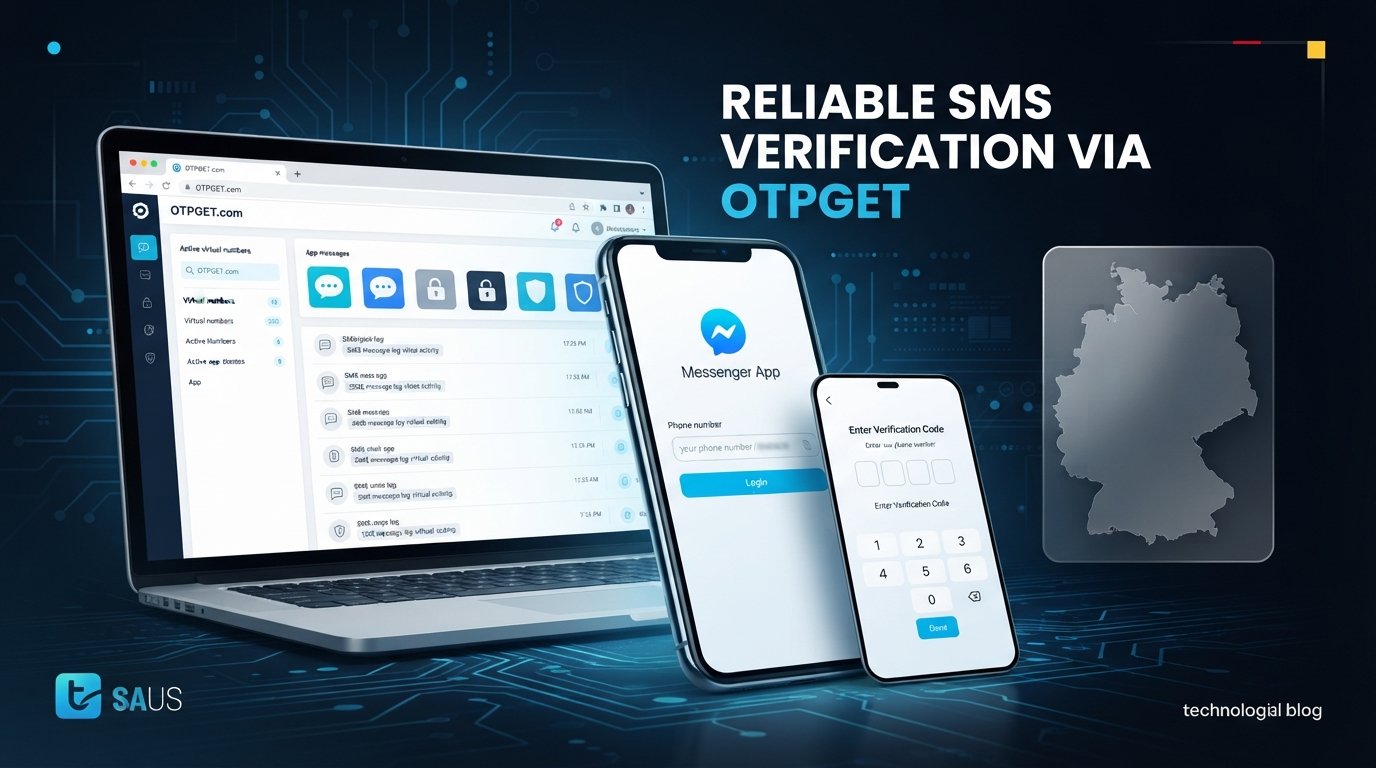
Germany Telegram Not Working? Fix Verification Problems With OTPGET
Full Article
If Telegram is not working in Germany, the problem may be much smaller than it first appears. You may be able to open the app normally, browse chats, and use your internet connection, yet still get stuck when Telegram asks for a verification code.
That is especially frustrating when the Telegram verification code is not received, the SMS is delayed, or you keep requesting another OTP without getting anywhere.
The key is to identify what is actually failing. Is Telegram itself having a connectivity problem, or is the phone-number verification step failing?
For users dealing specifically with missing SMS or OTP messages, offers virtual phone numbers and SMS OTP receiving services that can provide another practical option for the verification step. OTPGET's own service information lists Telegram among its supported services and explains that verification messages can be received through its online system.
Let's look at the most common causes and the simplest ways to fix them.
Why Telegram May Not Be Working in Germany
Seeing "Telegram not working in Germany" in a search does not necessarily mean Telegram is blocked or unavailable across Germany. A verification failure can happen even when the Telegram app and internet connection are functioning normally.
Here are some common causes.
SMS delivery delays
The most obvious explanation is often the simplest: the verification SMS has not reached your phone yet. Mobile networks can experience temporary delivery delays, and international or automated messages may not always arrive immediately.
Incorrect phone number formatting
A number entered with the wrong country code or an incorrect local format can prevent the verification message from reaching the intended phone.
Before requesting another code, check the number carefully and make sure the selected country matches the number you are using.
Too many OTP requests
If you repeatedly press the button to send another code, you can end up with several verification attempts in progress. Older messages may arrive after newer requests, creating confusion about which code should be used.
Telegram may also temporarily limit repeated verification attempts. The safest approach is to stop requesting codes continuously and give the existing request some time.
Mobile connectivity problems
Weak cellular reception, temporary carrier problems, airplane mode, or an issue with SMS service can all affect code delivery.
Your internet connection may be perfectly fine while ordinary SMS reception is not.
Telegram-side verification issues
Sometimes the problem is not your phone at all. A temporary issue affecting the verification process can prevent a code from arriving or completing the login process.
Existing Telegram sessions
Depending on the situation, Telegram may handle login verification through an existing Telegram session rather than relying solely on a new SMS. If you are already logged into Telegram on another device, check that session for a verification message or prompt.
Telegram Verification Code Not Received? Start Here
If your Telegram verification code is not received, avoid immediately assuming that your account is broken.
Work through these checks first:
- Confirm the phone number. Check the country code and every digit.
- Check cellular reception. Make sure your phone can receive ordinary SMS messages.
- Check your messaging app. Look for delayed or filtered messages.
- Wait before requesting another code. Give the current verification attempt time to arrive.
- Check another Telegram session. If you are already signed in elsewhere, the login code may be delivered there.
- Restart Telegram if appropriate. Closing and reopening the app can clear a temporary app-side problem.
- Avoid repeated requests. Pressing "send code" over and over can make the process more confusing.
- Consider an alternative OTP receiving method. If normal SMS delivery remains the bottleneck, an OTP service such as OTPGET may be worth considering.
The important distinction is this: if Telegram opens normally but the Telegram SMS code is not arriving, troubleshooting your internet connection alone will not necessarily solve the problem.
Why Repeated OTP Requests Can Make Things Worse
It is tempting to keep tapping "send code" when nothing appears in your inbox. Unfortunately, that usually isn't the best approach.
Imagine requesting three codes within a short period. The first message might arrive late, followed by another message from a later request. Now you have multiple codes and no immediate clarity about which one Telegram expects.
Repeated attempts can also trigger temporary verification limits or simply restart the waiting process.
Instead, use a controlled approach:
- Request the verification code once.
- Wait for the message.
- Check both your SMS inbox and any existing Telegram sessions.
- If nothing arrives, verify your number and connection.
- Try again later if the issue appears temporary.
- If SMS delivery continues to fail, consider a legitimate OTP receiving solution.
This is usually much more productive than repeatedly pressing the same button.
How OTPGET Can Help With Telegram Verification
If your main problem is receiving the verification message rather than using Telegram itself, OTPGET can provide a practical alternative to waiting indefinitely for a conventional SMS.
OTPGET provides virtual phone numbers for SMS verification and lists Telegram as one of the supported services. Its platform allows users to select an available number for a supported service and monitor incoming verification messages through its system.
That can be useful in situations where:
- Your normal phone number is not receiving the verification SMS.
- Your carrier is experiencing an SMS delivery problem.
- You need a separate number for an account you are authorized to create or verify.
- You want to handle the SMS verification step through an online dashboard.
- You have already checked the usual Telegram and phone troubleshooting steps.
OTPGET is not a way to bypass Telegram security. It simply provides phone-number and message-receiving functionality for verification services. Its terms also state that the service must not be used for illegal, fraudulent, abusive, or harmful activity.
It is also important to keep expectations realistic. A virtual number does not guarantee that every verification attempt will succeed. OTPGET notes that its numbers rely on automated systems and third-party providers, so availability and delivery can vary.
In other words, OTPGET is best viewed as a practical OTP service for Telegram, not a guaranteed workaround for every Telegram verification problem.
How to Use OTPGET for Telegram Verification
If you decide that an OTP receiving service is appropriate for your situation, the basic workflow is straightforward.
- Visit OTPGET. Open the official OTPGET website and access its virtual-number service.
- Choose an available number or service. Select a suitable option for Telegram if one is available. OTPGET's platform provides service and country selections for its supported verification numbers.
- Use the number in Telegram. Enter the selected phone number in the Telegram registration or verification screen.
- Request the Telegram verification code. Complete the verification request inside Telegram.
- Monitor OTPGET. Watch the OTPGET interface for the incoming SMS verification message.
- Enter the received code. If the code arrives, enter it into Telegram to complete the verification step.
- Finish the account setup. Continue with Telegram's normal account verification process.
Only use a number for an account you are authorized to create or access. Also remember that OTPGET's policies and the availability of particular numbers can change, so check the current service information before starting.
OTPGET vs. Waiting for a Normal SMS
When Telegram verification works normally, using your personal mobile number is usually the simplest option. There is no reason to introduce another service when your SMS arrives without problems.
The situation changes when SMS delivery itself is the bottleneck.
| Option | Best for | Main consideration |
|---|---|---|
| Normal carrier SMS | Everyday Telegram registration and login | Depends on your mobile network and number |
| Troubleshooting SMS | Temporary delivery problems | May require waiting or trying again |
| OTPGET | Situations where receiving a verification SMS is difficult | Number availability and service compatibility can vary |
The advantage of OTPGET is convenience: instead of repeatedly waiting for a message that is not arriving, you have another way to handle the SMS-receiving portion of verification.
That does not mean it should replace normal troubleshooting. If your own number is working, use it. If the problem is specifically that verification SMS messages are unavailable or delayed, an OTP receiving service becomes more relevant.
Other Ways to Fix Telegram Not Working
OTPGET is particularly useful for OTP and SMS delivery problems, but it is not the answer to every Telegram problem.
If Telegram itself is not functioning correctly, try these additional steps:
Check your internet connection
Switch between Wi-Fi and mobile data if possible. If other websites and apps are also failing, the issue may be your connection rather than Telegram.
Update Telegram
An outdated application can sometimes cause unexpected login or registration behavior. Install the latest available version through your normal app store.
Restart your device
A simple restart can resolve temporary networking, notification, or messaging problems.
Recheck your number
Make sure the country code and phone number are correct. This is especially important when moving between international and local number formats.
Check SMS reception
Ask whether your phone can receive a normal SMS from another source. If ordinary messages are also delayed, the problem may be related to your mobile service.
Stop requesting codes repeatedly
Give the current verification attempt time to complete before trying again.
Check existing Telegram sessions
If you are already logged in on another device, check it before requesting additional SMS codes.
Try again later
If everything looks correct but Telegram verification still fails, a temporary service-side issue may be responsible. Waiting and trying again later can be more effective than changing multiple settings at once.
Contact official Telegram support
If you have confirmed that your number, device, connection, and SMS reception are functioning correctly and you still cannot verify the account, use Telegram's official support channels.
Common Telegram Verification Problems
Telegram code not coming
If the Telegram code is not coming, first check the number, cellular reception, and any existing Telegram sessions. Avoid repeatedly requesting new codes. If normal SMS continues to fail, an OTP receiving service such as OTPGET may provide an alternative.
Telegram OTP not received
A missing Telegram OTP can be caused by SMS delivery delays, network problems, incorrect number formatting, or temporary verification issues. Check the basics first, then consider OTPGET if the SMS channel remains unreliable.
Telegram login code not received
For a Telegram login problem in Germany, check whether Telegram has sent the login code to an existing signed-in session. If the process specifically depends on SMS and that message is not arriving, troubleshoot the mobile number and SMS service before requesting more codes.
Telegram registration not working
A Telegram registration problem is often caused by the verification step. If you cannot receive the required code, registration cannot progress. Confirm the number and connection, wait between attempts, and consider an appropriate OTP solution if SMS delivery is the issue.
Telegram SMS not arriving
When Telegram SMS is not arriving, determine whether other SMS messages are working. If ordinary SMS is also affected, investigate the mobile service first. If Telegram verification is the specific problem, an alternative SMS-receiving service may help.
FAQ
Why is Telegram not working in Germany?
Telegram can appear to be "not working" for several different reasons, including connection problems, app issues, incorrect phone-number formatting, delayed SMS delivery, or verification problems. A missing OTP does not by itself mean Telegram is unavailable in Germany.
Why am I not receiving my Telegram verification code?
Check your number and country code, cellular reception, SMS inbox, and existing Telegram sessions. Wait before requesting another code. If the problem is specifically SMS delivery, OTPGET may provide an alternative way to receive a verification message.
Why is my Telegram OTP not coming?
The OTP may be delayed because of SMS delivery problems, network conditions, repeated verification attempts, or an issue with the verification process. Avoid repeatedly requesting new codes and troubleshoot the number and SMS connection first.
How can I fix Telegram SMS verification problems?
Start by confirming your number, checking your mobile connection, waiting between requests, and checking existing Telegram sessions. If normal SMS is still unavailable, you can consider a legitimate OTP receiving service such as OTPGET.
Can OTPGET help with Telegram verification?
OTPGET provides virtual phone numbers and SMS OTP receiving services, and its website lists Telegram among supported services. It can therefore be a practical option when the main obstacle is receiving the verification SMS. It does not guarantee that every Telegram verification attempt will succeed.
What should I do if my Telegram login code does not arrive?
First confirm the phone number and check whether the code has been sent to an existing Telegram session. Check SMS reception and wait before requesting another code. If SMS remains unavailable, consider an appropriate alternative such as OTPGET.
Why does Telegram keep asking me for a verification code?
Telegram may require verification when you log in, register, or verify a phone number. If the process repeatedly asks for a code, check whether the previous code arrived elsewhere and avoid making repeated requests in quick succession.
How do I fix Telegram registration problems?
Verify that the phone number is correct, your device can receive SMS, and your internet connection is working. If the registration problem is caused by a missing verification SMS, an OTP receiving service can be considered as an alternative.
Conclusion
When Germany Telegram Not Working appears to be the problem, the real issue may simply be verification. Delayed SMS, incorrect phone-number formatting, repeated OTP requests, mobile connectivity problems, existing Telegram sessions, and temporary verification issues can all prevent a login or registration attempt from completing.
Start with the basics: check your number, confirm SMS reception, inspect existing Telegram sessions, wait between requests, and avoid repeatedly asking for new codes.
If everything works except the verification SMS, OTPGET is a practical solution worth considering. Its virtual-number and SMS OTP services can give you another route for handling the verification step when normal SMS delivery is the bottleneck.
If your main problem is simply receiving the Telegram verification code, and follow the service instructions. Use the service only for accounts you are authorized to verify and keep Telegram's normal security process intact.


