Get OTP Online – Instant Virtual Numbers for SMS Verification
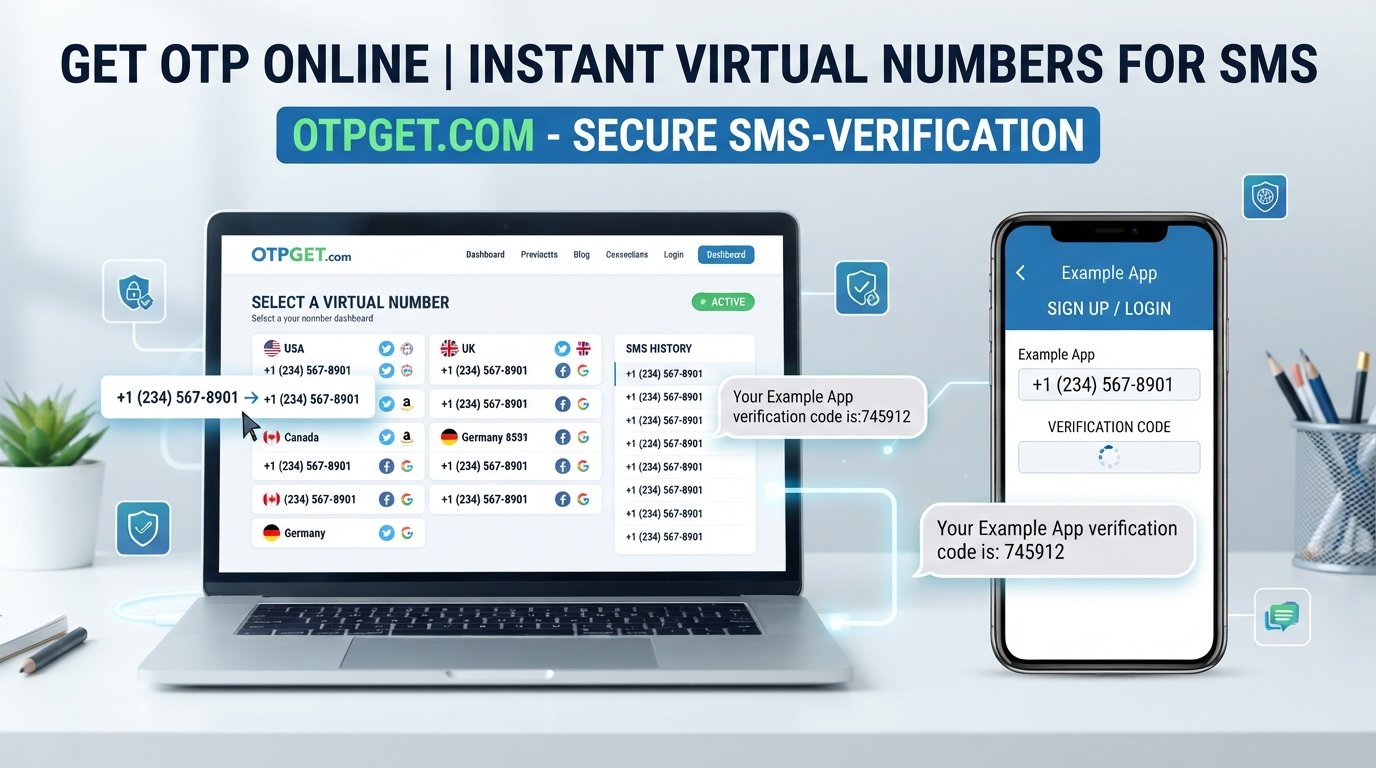
Get OTP Online – Instant Virtual Numbers for SMS
When a website or app asks for a verification code, the process usually looks simple: enter a phone number, wait for an SMS, and type in the OTP. But using your primary number for every online registration is not always convenient.
You may want to keep personal and online activity separate, test a service without relying on your everyday number, or simply need a virtual number for a supported verification process. That is where online virtual numbers can be useful.
Services such as OTPGET are designed to help users access virtual numbers and receive SMS verification codes online, where the relevant website or app accepts that type of number. Instead of depending entirely on a physical SIM, users can work through an online SMS receiving workflow.
But how does it work, when is it useful, and what should you know before using a virtual number? Let's take a closer look.
What Does It Mean to Get an OTP Online?
An OTP, or one-time password, is a temporary verification code used to confirm that someone has access to a particular phone number, email address, device, or account.
With SMS verification, a service sends a short verification code to a phone number. The user then enters that code into the original website or app to complete the verification step.
An online or virtual phone number provides another way to receive supported SMS messages without relying on your personal mobile number.
When people search for get OTP online, they are often looking for a convenient way to receive a verification code through an online number. The general process is straightforward:
- Obtain a virtual number through a suitable service.
- Enter that number on the website or app requesting verification.
- Request an SMS verification code.
- Receive the message through the virtual number service.
- Enter the OTP into the original verification page.
The important point is that not every platform accepts every virtual number. Verification policies vary, so compatibility should always be checked before relying on an online number.
Suggested internal link: Virtual Numbers Guide
Why Use a Virtual Number for SMS Verification?
A personal phone number is useful for important accounts and everyday communication, but there are situations where using a separate number makes sense.
Separate personal and online activity
A virtual number can provide a layer of separation between your primary phone number and certain online registrations. This can be useful when you do not want to provide your everyday number for every supported service.
Convenient online access
With an online virtual number, SMS messages can be accessed through the service providing the number. This can be more convenient than managing another physical SIM in situations where virtual numbers are accepted.
Testing websites and applications
Developers, QA testers, and businesses may need phone numbers while testing legitimate registration and verification workflows. A virtual SMS number can be useful for controlled testing when the target platform permits it.
Temporary verification needs
Some registrations only require a phone number for a one-time verification step. A temporary phone number can be practical in appropriate situations, provided its use complies with the service's rules.
Virtual numbers should not be used to create fake identities, evade account restrictions, spam users, commit fraud, or bypass security controls.
How to Get OTP Online with OTPGET
OTPGET can provide a practical workflow for users who need a virtual number for SMS verification on supported services.
The exact availability of numbers and acceptance by third-party platforms can vary, but the general process works like this:
- Visit OTPGET. Start by accessing the online virtual number service.
- Choose an available virtual number. Select a number that is suitable for the service you want to verify, where options are available.
- Enter the number on the target service. Use the virtual number in the phone-number field on the website or application requesting verification.
- Request the verification code. Submit the verification request through the original service.
- Monitor OTPGET for the incoming SMS. If the service supports the selected number and sends the message successfully, the SMS verification code can appear through the relevant online workflow.
- Enter the OTP. Take the received code and enter it into the original verification page.
- Complete the verification process. If the target platform accepts the virtual number and the OTP is valid, verification can be completed.
The process may differ depending on the service being verified. Some platforms restrict virtual or temporary numbers, while others may apply additional verification requirements.
Benefits of Using OTPGET for Online OTP Verification
For supported verification scenarios, OTPGET can make the process of receiving SMS codes more convenient.
Online access: A virtual number can be managed through an online service rather than requiring an additional physical SIM.
Privacy separation: Using a separate number can help keep your primary phone number separate from certain online registrations.
Straightforward workflow: The basic process involves selecting a number, requesting an OTP, receiving the SMS, and entering the code.
Useful for supported services: Virtual numbers can be helpful for registrations, testing, and other legitimate activities where the target platform accepts them.
Reduced friction: When carrying another SIM is impractical, an online number may offer a convenient alternative for suitable verification tasks.
These benefits should be viewed in context. OTPGET does not automatically make every website compatible with virtual numbers, and users should always follow the rules of the service they are accessing.
Who Can Benefit from Online Virtual Numbers?
Online virtual numbers can serve several legitimate groups.
Privacy-conscious internet users
Someone may prefer not to share their primary phone number with every website or online service. A separate virtual number can provide useful separation when appropriate.
Developers and QA testers
Testing phone-number verification is a common part of application development. Virtual numbers can help teams test SMS-based workflows where the testing environment and target service permit their use.
Businesses
Businesses may need secondary numbers for legitimate testing, onboarding workflows, or controlled verification scenarios. A virtual SMS number can simplify certain online testing processes.
Users who need a secondary number
A person may occasionally need another number without wanting to purchase and maintain another physical SIM. An online virtual number can be a practical option for suitable situations.
The key is to use virtual numbers responsibly and within the policies of the service being accessed.
OTPGET vs. Using Your Personal Phone Number
Both approaches have legitimate uses. The right choice depends on the account, the type of verification involved, and whether virtual numbers are accepted.
| Feature | Personal Number | OTPGET Virtual Number |
|---|---|---|
| Privacy separation | Limited | Can provide separation from a primary number |
| Online access | Usually tied to your phone/SIM | Designed for online number access |
| Physical SIM requirement | Typically required | Virtual-number approach |
| Temporary verification | May be unnecessary for short-term needs | Can be useful where supported |
| Service compatibility | Broadly familiar to many services | Depends on the target service |
| Long-term personal accounts | Often appropriate | May not be suitable for important accounts |
For banking, financial services, account recovery, and other important accounts, a personal number may be more appropriate when required or recommended by the service.
For temporary or testing-related verification, a virtual number may be convenient if the platform permits it.
Is It Safe to Receive OTPs Online?
An OTP is a security credential, even though it may only remain valid for a short time. Treat it with the same care you would give other sensitive account information.
If you use an online SMS receiving service, keep these principles in mind:
- Use a reputable service and understand how its numbers are intended to be used.
- Never share an OTP with another person unless there is a legitimate, clearly understood reason.
- Verify that you are entering the code on the correct website or application.
- Do not use online numbers to obtain unauthorized access to another person's account.
- Check whether the target platform permits virtual numbers.
- Avoid suspicious websites or requests that ask you to disclose verification codes.
- Use strong passwords and additional security features where available.
A virtual phone number can offer convenience, but it does not replace good account-security practices.
Common Problems When Receiving OTPs Online
Even when a virtual number is available, an SMS verification code may not arrive immediately or may not work as expected.
SMS delays
Messages can sometimes take time to arrive because of network, carrier, or service-side processing. Repeatedly requesting new codes can make the situation more confusing.
Number availability
A particular type of number may not always be available. Availability can also vary depending on the service and number requirements.
Unsupported services
Some websites and apps do not accept virtual, temporary, or disposable phone numbers. This is one of the most common reasons a verification attempt may fail.
Expired OTPs
Verification codes are usually temporary. If a code expires, you may need to request another one.
Incorrect number selection
Entering the wrong number or selecting an unsuitable number can prevent the SMS from reaching the intended destination.
Platform restrictions
A website may have its own carrier, geographic, fraud-prevention, or phone-number policies. These restrictions are outside the control of the virtual number provider.
When troubleshooting, confirm the number, check whether the target service supports virtual numbers, wait for delayed messages, and request another code only when necessary.
Tips for Successful SMS Verification
A few simple habits can make online OTP verification smoother:
- Select the correct country or number option when applicable.
- Confirm that the target website accepts virtual numbers.
- Request one verification code at a time.
- Give delayed SMS messages a reasonable amount of time to arrive.
- Enter the verification code before it expires.
- Keep OTPs private.
- Double-check the phone number before submitting it.
- Use your personal number for important accounts when that is the safer or required option.
If a platform repeatedly rejects a virtual number, trying the same process over and over may not solve the problem. The service may simply require a different type of phone number.
Why OTPGET Can Be a Convenient Option
The main appeal of OTPGET is straightforward: it can help users access virtual numbers online for SMS and OTP verification where those numbers are supported.
For someone who wants to separate a primary phone number from certain online activities, an online SMS number can be a practical alternative. It can also be useful for legitimate testing and temporary verification workflows.
The most important consideration is compatibility. A virtual number is only useful for a verification process if the target website or application accepts it and successfully delivers the required SMS.
That makes OTPGET a convenient option to consider rather than a universal solution for every verification scenario.
Frequently Asked Questions
How can I get an OTP online?
To get OTP online, you generally need a virtual phone number that can receive SMS from the service requesting verification. With OTPGET, you can select an available virtual number, enter it on the supported service, request the code, and check for the incoming SMS.
What is a virtual number for SMS verification?
A virtual number is a phone number that is accessed through an online service rather than a traditional physical SIM in your phone. Where supported, it can receive SMS messages such as verification codes.
Can I receive SMS OTPs online?
Yes, online SMS receiving services can allow users to receive SMS OTPs through virtual numbers. However, whether a particular verification code arrives depends on the target service's policies and compatibility with virtual numbers.
Is OTPGET suitable for SMS verification?
OTPGET can be suitable for SMS verification use cases where the relevant service accepts the available virtual number. Compatibility is determined by the individual website or app, so users should check its verification requirements.
Can every website accept a virtual number?
No. Some websites and applications restrict virtual, temporary, or disposable numbers. Others may have additional phone-number verification requirements.
Why is my OTP not arriving?
Possible reasons include SMS delays, an unavailable number, an incorrect number, an expired request, carrier restrictions, or the target platform not supporting virtual numbers. Check the number and service requirements before requesting another code.
Can I use an online number instead of my personal number?
For some supported registrations and verification tasks, an online number can be used instead of a personal number. For important accounts, however, your personal number may be more appropriate or specifically required.
Conclusion
Online OTP verification does not have to mean giving your primary phone number to every service that asks for SMS verification. When a platform supports virtual numbers, an online number can provide a convenient way to separate certain online activities from your everyday mobile number.
OTPGET is designed to help with this process by providing access to virtual numbers for receiving SMS and verification codes in supported situations. The workflow is simple: choose an available number, use it for the verification request, monitor for the incoming SMS, and enter the OTP on the original service.
If you need to get OTP online, the important thing is to choose a legitimate use case and confirm that the website or application accepts virtual numbers. For supported services, OTPGET can be a practical option for online SMS verification without unnecessarily relying on your primary phone number.
Explore OTPGET to see whether its available virtual-number options fit your verification needs.


