How SMS OTP Delivery Works at OTPGET: A Complete Guide
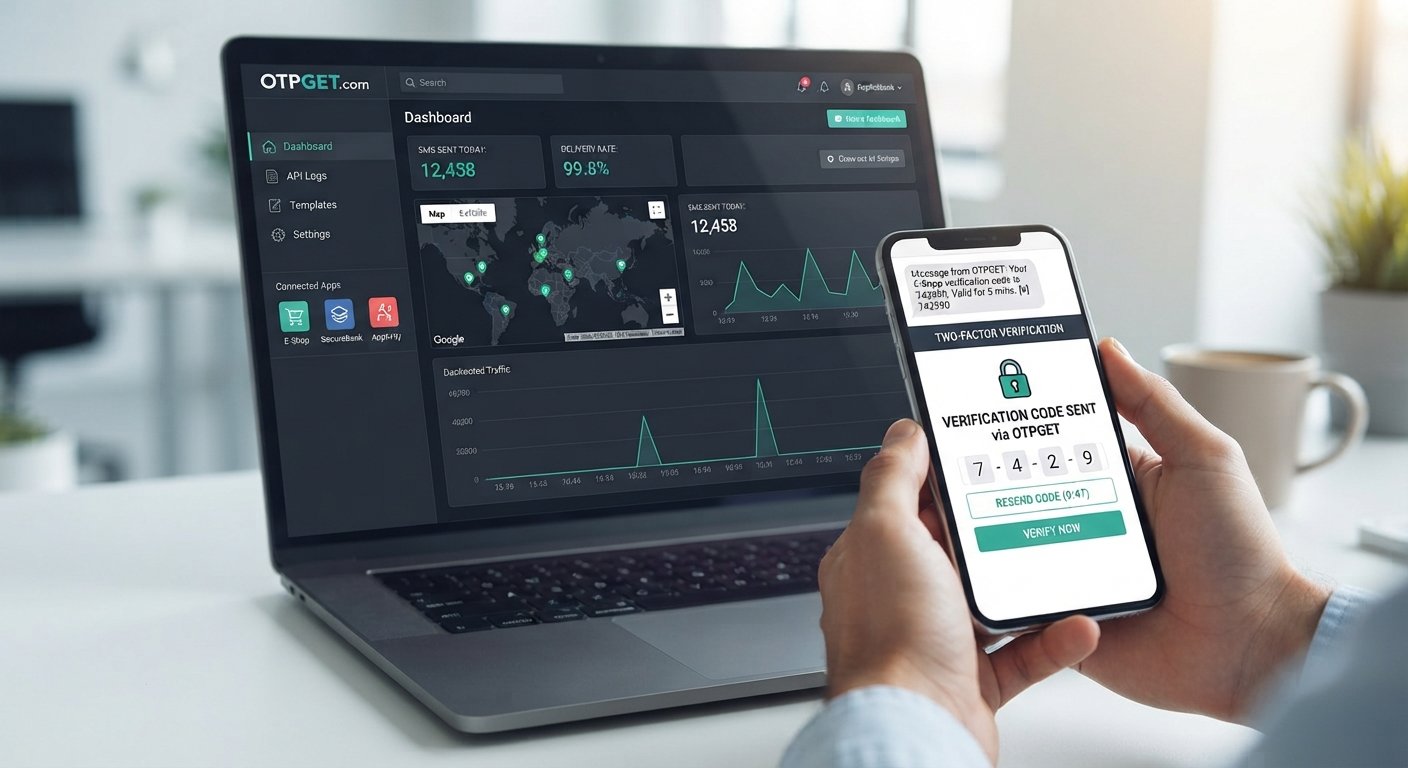
How SMS OTP Delivery Works at OTPGET
When a customer creates an account, signs in from a new device, resets a password, or confirms an important action, businesses often need a simple way to verify that the person is using a legitimate phone number.
That is where SMS OTP delivery comes in.
An OTP, or one-time password, is a temporary verification code sent to a user's mobile phone. The user enters that code into a website or application, and the system checks whether it matches the code it generated. When implemented properly, this creates a straightforward layer of user verification without requiring customers to remember another password.
For businesses, however, sending a code is only one part of the process. The application needs to generate the OTP, communicate with an SMS delivery service, handle the response, validate the code, manage expiration, and deal with situations such as failed delivery or repeated requests.
OTPGET can be part of this workflow, helping businesses incorporate SMS-based verification into websites, applications, and other digital services.
Let's look at how the process works from end to end.
What Is SMS OTP Delivery?
SMS OTP delivery is the process of sending a temporary verification code to a user's mobile phone through an SMS messaging system.
An OTP is designed for a specific verification attempt and is generally valid for a limited period. Unlike a permanent password, it is intended to be used once or within a short authentication window.
Businesses use SMS OTP verification for many everyday workflows, including:
- New account registration
- Phone number verification
- Login verification
- Password recovery
- Transaction confirmation
- Customer onboarding
- Two-factor authentication
- Verification of sensitive account actions
For example, imagine that someone registers for an online service. The application can ask for their phone number and initiate an OTP request. A verification code is sent by SMS, and the user enters it on the registration screen.
If the submitted code matches the expected value and has not expired, the application can mark the phone number as verified.
This makes SMS verification useful for businesses that want to connect a digital account with a mobile number while keeping the user experience relatively simple.
How SMS OTP Delivery Works
Although the process may feel instantaneous to the user, several steps can occur behind the scenes.
1. User requests verification
The process begins when a user performs an action that requires verification.
This could be registering for an account, signing in, recovering an account, or confirming a sensitive action.
2. The application generates an OTP
The business application creates a temporary verification code.
The code should be generated using appropriate security practices and associated with the relevant verification attempt.
3. The OTP request is sent through an API
The application sends the OTP delivery request to an SMS or OTP service through an API.
An API provides a structured way for software systems to communicate. Instead of manually sending a message, the application can automatically request an SMS whenever verification is required.
4. The SMS delivery system processes the request
The OTP service processes the request and prepares the verification message for delivery to the destination phone number.
This is where an OTP delivery platform such as OTPGET can fit into the overall architecture.
5. The verification code is delivered
The user receives an SMS containing the verification code.
The exact delivery experience can vary depending on factors such as the destination, mobile network, messaging infrastructure, and other delivery conditions.
6. The user enters the OTP
The user enters the code into the website or application.
A well-designed interface should make this step quick and clear, particularly on mobile devices.
7. The system validates the code
The application checks the submitted code against the expected verification data.
It should also check relevant conditions such as whether the code has expired or whether the allowed number of attempts has been exceeded.
8. Access or verification is completed
If the verification succeeds, the application can continue the requested workflow.
For example, it might complete account registration, allow login, confirm a transaction, or mark a phone number as verified.
How OTPGET Fits Into the SMS OTP Process
For a business implementing OTP verification, the overall workflow can be represented simply:
Application → OTP request → OTPGET → SMS delivery → User receives OTP → User enters OTP → Application verifies OTP
The important point is that the application remains responsible for the business workflow and verification logic, while the OTP delivery service can support the communication step.
A typical implementation might work like this:
- A user enters their phone number.
- The application determines that verification is required.
- The application sends an OTP request through the configured API.
- OTPGET can handle the OTP delivery portion of the workflow.
- The user receives the verification code by SMS.
- The user submits the code to the application.
- The application validates the OTP.
- The requested action proceeds if verification is successful.
This separation can make the architecture easier to manage. Developers can build the application's registration, login, or transaction logic while connecting it to an OTP service for automated messaging.
Why Businesses Use SMS OTP Verification
The appeal of SMS OTP is not simply that it sends a code. It gives businesses a practical mechanism for adding phone-based verification to existing workflows.
Phone number verification
Businesses can ask users to confirm that they control a particular phone number before completing registration or another process.
Account registration
An OTP can be used as part of onboarding to verify a user's phone number during account creation.
Login authentication
Businesses can use OTP-based authentication as part of a login process or as an additional verification factor.
Password recovery
When a user forgets a password, a temporary code can be one method of confirming access to the registered phone number.
Transaction confirmation
For certain applications, OTPs can be incorporated into confirmation workflows for sensitive actions.
Fraud reduction
Verification can add friction for automated or unauthorized activity. It should, however, be viewed as one component of a broader security strategy rather than a complete fraud-prevention solution.
Customer onboarding
Services can use mobile OTP verification to confirm user information before allowing access to additional features.
Key Benefits of Using OTPGET for OTP Delivery
For businesses, building an OTP workflow involves more than generating random numbers. The application needs a way to communicate with an SMS delivery system and incorporate that communication into its verification process.
OTPGET can help businesses simplify this part of the workflow.
Potential benefits include:
- API-based integration: Applications can connect their verification workflow to an OTP delivery service.
- Automated messaging: Verification messages can be triggered as part of user actions rather than sent manually.
- Simpler verification workflows: Developers can incorporate OTP delivery into registration, login, recovery, and other flows.
- Flexible application use: The same general verification concept can be applied across websites, mobile applications, and digital services.
- Reduced manual processes: Automated OTP delivery allows verification requests to become part of normal application logic.
- Better user experience: A clearly designed OTP process can make phone verification straightforward for customers.
The exact implementation should always be designed around the application's requirements, security controls, and operational needs.
SMS OTP API: How Businesses Can Integrate OTP Verification
An SMS OTP API acts as the connection between a business application and an OTP or SMS delivery service.
Think of it as a communication layer.
When an application needs to verify a phone number, it can send a request to the connected service. The service processes the request and facilitates delivery of the verification message.
The application then handles the user's response.
A simplified architecture looks like this:
Website or App → Authentication Logic → OTP API → OTP/SMS Service → Mobile Network → User's Phone
For developers, API-based OTP delivery is valuable because it enables automated verification. Instead of creating a separate manual messaging process, OTP functionality can become part of the application's normal workflow.
OTPGET can be considered as the OTP delivery component within this architecture. The implementation details should be based on the available documentation and the specific requirements of the business.
Common Use Cases for SMS OTP
User Registration
During registration, a business can request a phone number and send a verification code. Successful verification can confirm control of that number before the account setup is completed.
Login Verification
An application can request an OTP when additional authentication is required. This can be particularly useful when combined with another authentication factor.
Password Reset
A verification code can be incorporated into an account recovery flow, giving the user another way to establish control of the registered phone number.
Transaction Verification
Applications handling sensitive actions can use OTPs as one component of a transaction confirmation process.
Mobile Applications
Mobile apps commonly use phone verification during account creation or when users need to access an existing account from a device.
E-commerce
Online stores can incorporate SMS verification into account creation, checkout, or selected sensitive account actions.
Fintech and Digital Services
Services dealing with sensitive accounts or transactions may use additional user verification as part of their authentication architecture. The appropriate controls depend on the application's risk profile and applicable requirements.
SMS OTP vs Other Verification Methods
SMS OTP is one authentication and verification option among several.
Email verification codes can be convenient when an application already has a verified email address, while SMS may be more appropriate when phone ownership is the relevant attribute.
Authenticator apps generate codes locally and can provide an authentication mechanism that does not depend on SMS delivery.
Push authentication can provide an interactive approval experience through a trusted application or device.
Passkeys and other modern authentication approaches can offer different security and usability characteristics and may be appropriate for applications with more advanced authentication requirements.
There is no single verification method that fits every application. The right approach depends on factors such as security requirements, user expectations, infrastructure, account risk, and the recovery options a business can support.
SMS authentication remains a practical option for many workflows, particularly where phone number verification is itself an important part of the process.
Best Practices for Reliable OTP Delivery
A good OTP implementation should consider both security and usability.
Here are several practices worth building into an OTP workflow:
- Keep verification messages short and easy to understand.
- Give OTPs an appropriate expiration period.
- Limit repeated OTP requests to reduce abuse.
- Apply rate limiting to verification endpoints.
- Avoid placing unnecessary sensitive information in SMS messages.
- Provide a carefully controlled resend option.
- Handle expired and invalid codes clearly.
- Monitor delivery and verification failures.
- Use recognizable sender information where supported.
- Protect OTP APIs with appropriate authentication and access controls.
- Log relevant verification events securely.
- Avoid retaining sensitive OTP information unnecessarily.
- Provide alternative verification methods where the application's requirements call for them.
Security should also extend beyond the code itself. Businesses should consider session management, account recovery, API protection, abuse prevention, and other controls that surround the OTP workflow.
Why the OTP User Experience Matters
A technically functional OTP system can still frustrate customers.
Imagine a user requesting a code but not knowing whether the message has been sent. Or receiving a message with unclear instructions. Or entering an expired code and seeing a generic error without knowing what to do next.
Small details can have a significant effect on the verification experience.
A thoughtful OTP interface should make it obvious:
- Where the code was sent
- What the user needs to enter
- When a code expires, where appropriate
- How to request another code
- What happens after successful verification
- What to do if the code does not work
Mobile usability matters as well. Users should not have to navigate a complicated screen just to enter a short verification code.
This is another reason the delivery component matters. A business may have a well-designed application, but the overall experience still depends on the OTP reaching the customer and fitting naturally into the verification flow.
Choosing an SMS OTP Delivery Solution
Before adopting an OTP service, businesses should evaluate how well it fits their technical and operational requirements.
Important considerations include:
- API integration: Can developers connect the service cleanly to the application?
- Delivery coverage: Does the service support the destinations relevant to the business?
- Reliability: How does the provider handle delivery and operational issues?
- Developer experience: Is the integration process understandable and practical?
- Security controls: Are appropriate protections available around the OTP workflow?
- Scalability: Can the approach support the application's expected usage?
- Monitoring: Can the business identify delivery or verification problems?
- Error handling: Are failures handled in a way developers can work with?
- Documentation: Is the information needed for implementation clearly available?
- Support: What assistance is available when technical issues arise?
- Cost: Does the service fit the business's messaging and operational budget?
- Compliance: Are there applicable legal, regulatory, privacy, or messaging requirements to consider?
Businesses can use these criteria to compare their needs with the capabilities of an OTP service.
OTPGET can be considered by businesses looking for an SMS OTP delivery solution that can become part of their application-based verification workflow. As with any technical service, organizations should review the available documentation and capabilities against their own requirements before implementation.
Why OTPGET Can Be Part of Your Verification Strategy
SMS OTP delivery connects a simple customer action with an automated authentication workflow.
A user requests verification. The application initiates an OTP request. The delivery service sends the verification code. The user enters it, and the application validates the result.
The concept is straightforward, but a production-ready implementation requires attention to security, API integration, delivery handling, expiration, rate limiting, error management, and user experience.
That is where an OTP service such as OTPGET can fit into a business's architecture.
Whether the requirement involves account registration, phone number verification, login authentication, password recovery, transaction confirmation, or another verification workflow, businesses can evaluate OTPGET as part of their approach to SMS-based authentication.
If your website, application, SaaS platform, e-commerce service, or digital product needs an automated way to incorporate SMS OTP verification, explore OTPGET and assess how its OTP delivery capabilities can fit into your authentication workflow.
FAQ
What is SMS OTP delivery?
SMS OTP delivery is the process of sending a temporary one-time password to a user's mobile phone for verification. The user enters the received code into an application, which checks it before completing the requested action.
How does SMS OTP verification work?
An application initiates an OTP request, an OTP delivery service sends the code by SMS, and the user enters the code into the application. The system then validates the code and checks conditions such as expiration and permitted attempts.
What is an OTP API?
An OTP API is a software interface that allows an application to communicate with an OTP or SMS delivery service. It can enable automated verification messages to become part of registration, login, recovery, and other application workflows.
How does OTPGET help with SMS OTP delivery?
OTPGET can be used as part of a business's SMS OTP delivery workflow, connecting an application's verification process with the delivery of OTP messages. Businesses should review OTPGET's available documentation and capabilities for their specific implementation requirements.
Where are SMS OTPs commonly used?
SMS OTPs are commonly used for phone number verification, account registration, login verification, password recovery, transaction confirmation, customer onboarding, and selected two-factor authentication workflows.
How long should an OTP remain valid?
An OTP should generally remain valid only for an appropriate short period based on the application's security and usability requirements. Businesses should balance enough time for legitimate users to receive and enter the code against the need to limit the window in which a code can be used.
How can businesses improve OTP delivery reliability?
Businesses can improve the overall OTP experience by choosing an appropriate delivery service, monitoring failures, applying sensible rate limits, handling retries carefully, keeping messages clear, and designing useful expiration and resend flows.


