How to Buy Your First Number on OTPGET: A Beginner’s Guide
How to Buy Your First Number on OTPGET: A Beginner’s Guide
Getting a phone number for SMS or OTP verification can feel confusing when you have never used an online number service before. You may wonder where to choose a number, how the verification message will arrive, and what you are supposed to do once the code appears.
That is where understanding the process makes a big difference.
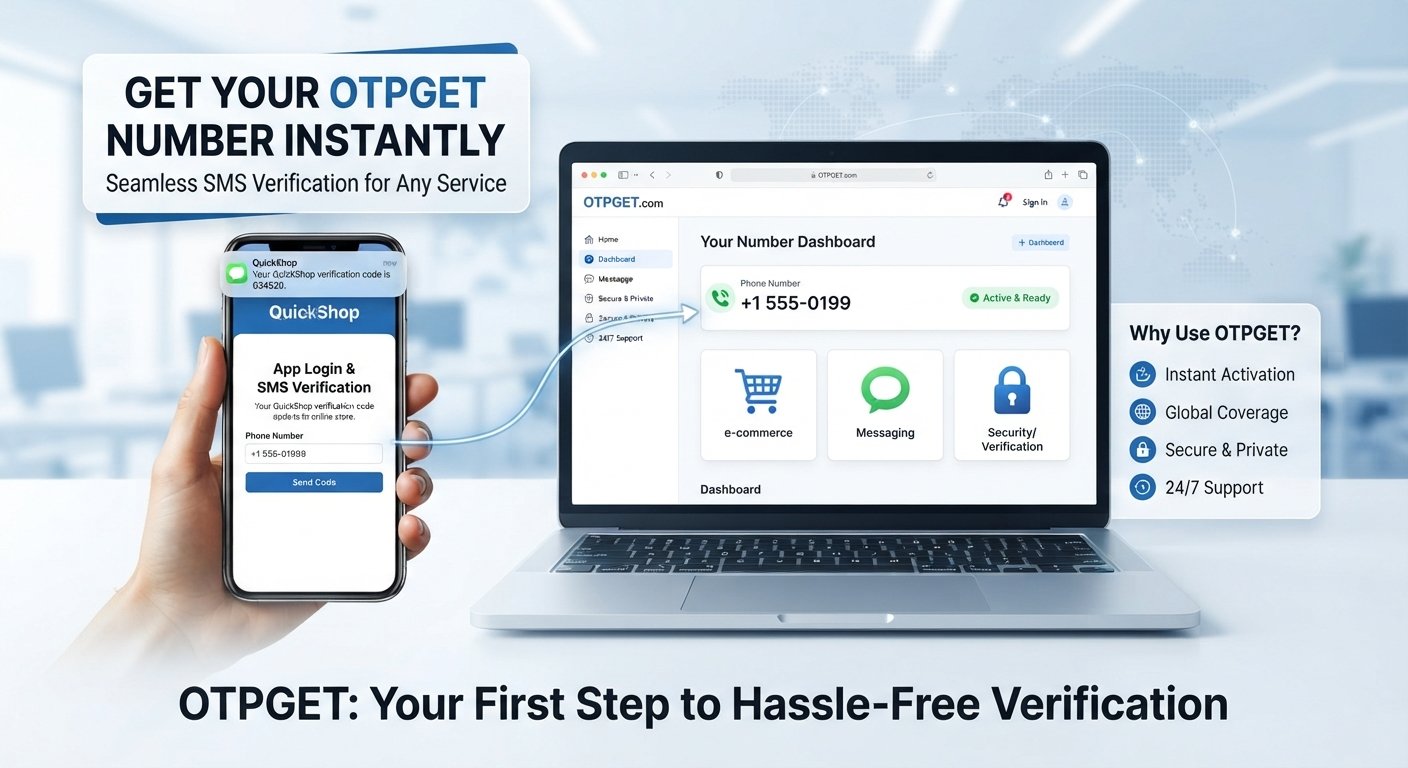
OTPGET provides a platform-focused way to obtain a number for supported verification and SMS purposes. Instead of approaching the process as something complicated, you can think of it as a simple sequence: select an appropriate option, obtain the number, use it where verification is requested, wait for the SMS, and enter the received code.
This guide explains how to buy your first number on OTPGET, what to check before making a purchase, how to receive an OTP, and which beginner mistakes to avoid.
If you are completely new to virtual numbers, this is a good place to start.
[Internal Link: OTPGET Homepage]
What Is OTPGET?
OTPGET is a platform designed around obtaining online numbers for supported SMS and OTP verification purposes.
An OTPGET number can be understood as an online or virtual phone number that you use when a supported service asks you to provide a phone number and sends a verification code by SMS.
The basic process is straightforward. You select an available number or service option through OTPGET, use the number for the relevant verification request, and monitor the OTPGET interface for the incoming SMS when the selected service supports message reception.
This makes OTPGET relevant to people searching for an online number for OTP, a virtual phone number, an SMS verification number, or a temporary number for SMS.
The exact choices available to you can depend on what is displayed on the platform at the time you use it. That is why checking the available service and number options before purchasing is an important part of the process.
Why Use a Virtual Number for OTP Verification?
There are several practical reasons someone may look for a virtual number for verification.
One common reason is separation. You may prefer not to use your everyday personal phone number for every verification-related request. An online number can provide a separate destination for supported SMS messages.
Another reason is convenience. If you need to receive a verification code online, a virtual SMS number can provide a dedicated place to check for the message rather than relying on your regular phone inbox.
Virtual numbers can also be useful for temporary verification needs. However, the suitability of a number depends on the requirements of the service you are trying to verify. Not every website or application accepts every type of virtual number.
That distinction is important.
A virtual number is not automatically compatible with every verification system. Before purchasing, make sure the intended service and number option match the requirements shown on OTPGET and the service you are using.
How to Buy Your First Number on OTPGET
If this is your first time using OTPGET, the process is easier when you approach it one step at a time.
Step 1: Visit OTPGET
Start by accessing the official OTPGET platform.
If you are unfamiliar with online number services, take a moment to understand the available options before purchasing anything. Look for the relevant service, country, or number choices presented by the platform.
This is also a useful point to make sure you are using the correct OTPGET website rather than an unrelated page.
[Internal Link: OTPGET Homepage]
Step 2: Choose the Relevant Service
Next, identify the service for which you need the verification number.
Depending on the options available to you, OTPGET may present different service or number selections. Choose the option that corresponds to your intended verification.
Do not simply pick the first available option without checking.
The purpose of the number matters because different services can have different requirements for SMS verification. Selecting the appropriate service first can help you avoid purchasing a number that does not match your intended use.
Step 3: Select a Number
After choosing the relevant option, select an available number according to the choices displayed.
If country or number type options are presented, check them carefully before proceeding.
At this stage, consider:
- Whether the selected service is the one you actually need
- Whether the displayed country or number option is appropriate
- Whether the number is intended for the type of verification you are completing
- Whether any usage information or limitations are shown
Do not rush this step. A few seconds spent checking the details can prevent confusion later.
Step 4: Complete the Purchase
Once you have selected the appropriate option, follow the purchase process shown on OTPGET.
The exact checkout experience, available payment options, and displayed pricing should be checked directly on the platform rather than assumed.
Before completing the transaction, review your selection carefully. Make sure you are purchasing the intended number for the intended verification purpose.
Once the purchase is completed, keep the OTPGET page or account interface accessible so you can easily return to it when the verification message arrives.
Step 5: Use the Number for Verification
Now use your newly obtained OTPGET number where the supported service asks for a phone number.
Enter the number carefully.
A simple typing mistake can prevent the verification SMS from being associated with the number you purchased. If the service displays the number after submission, compare it with your OTPGET number before continuing.
Once the number has been submitted, the service may send an SMS containing a verification code.
Step 6: Wait for the Verification SMS
Return to the relevant OTPGET interface and monitor it for the incoming message.
If the selected service supports SMS reception through the number you obtained, the verification message should appear through the applicable OTPGET interface.
Delivery may not always be immediate, so avoid repeatedly submitting verification requests simply because the message has not appeared instantly.
Instead, check the number, selected service, and OTPGET interface first.
Step 7: Enter the OTP
When the verification SMS arrives, locate the verification code.
Enter the code into the appropriate field on the service you are verifying.
Before submitting it, check that you are entering the current code correctly. Verification codes can be time-sensitive, so using an older code after requesting another one may cause the verification attempt to fail.
Once the code is accepted, follow the remaining instructions provided by the service.
For a beginner, that is the complete process:
Choose the appropriate option → buy the number → use it for supported verification → monitor for the SMS → enter the OTP.
What to Check Before Buying an OTPGET Number
A little preparation can make the buying process much smoother.
First, check whether the desired service is supported by the option you are considering. Never assume that every online service accepts every virtual number.
Next, check whether the desired country or number option is available. If OTPGET presents several choices, select the one that matches the requirements of your intended verification.
You should also consider whether the number is suitable for the specific type of verification you need. Some services may apply their own restrictions to virtual or online phone numbers.
Before purchasing, look for any information about usage limitations, availability, or what happens if an SMS does not arrive. These details can vary, so the information displayed by OTPGET at the time of purchase should take priority over general assumptions.
Finally, make sure you understand why you need the number. Buying an online number first and deciding what to use it for later can create unnecessary confusion.
Common Mistakes Beginners Should Avoid
Your first OTP verification experience does not need to be complicated, but a few common mistakes are worth avoiding.
Choosing the wrong service: Always verify that you have selected the service you actually intend to use.
Selecting an unsuitable number: If country, service, or number-type choices are available, review them before completing your purchase.
Entering the number incorrectly: Copy or enter the number carefully when submitting it for SMS verification.
Assuming every service accepts virtual numbers: Compatibility depends on the individual service. A virtual number is not automatically accepted everywhere.
Forgetting to check the OTPGET interface: After requesting verification, remember where the incoming SMS is expected to appear.
Requesting repeated codes too quickly: Multiple verification attempts can create confusion over which code is current. Wait briefly and check the available message before requesting another one.
Sharing verification codes: Treat OTPs as verification credentials. Do not give a received code to another person simply because they ask for it.
Tips for a Smoother OTP Verification Experience
A few simple habits can make the process easier, especially when you are using an online number for the first time.
Before purchasing, double-check the service and number selection. Confirming these details upfront is much easier than trying to fix a mismatched selection later.
Keep the OTPGET interface accessible while completing the verification. This makes it easier to check for incoming SMS messages without losing track of the verification process.
When entering the number into the service, check every digit before submitting it.
Give the SMS a reasonable amount of time to arrive. If nothing appears, check whether the number, service selection, and verification request are correct before trying again.
It is also helpful to avoid unnecessary repeated verification attempts. If a service allows you to request another code, understand that a newly requested code may replace or invalidate an earlier one.
Most importantly, follow the instructions shown by both OTPGET and the service you are verifying. Platform-specific instructions should always take priority over generic advice.
[Internal Link: OTP Verification Guide]
Is OTPGET Suitable for Beginners?
For someone new to online numbers, the most important thing is understanding the sequence of actions.
The process can be approached without technical knowledge: identify the service, choose an appropriate number, complete the purchase, use the number for the verification request, monitor for the SMS, and enter the received OTP.
OTPGET can therefore be approached as a practical option for someone who needs a number for supported SMS or OTP verification and wants to understand the process before getting started.
As with any virtual number service, however, beginners should pay attention to compatibility and the specific requirements of the service they are trying to verify.
The goal is not simply to buy a number. It is to buy the right number for the intended verification purpose.
Frequently Asked Questions
1. What is an OTPGET number?
An OTPGET number is an online or virtual phone number obtained through OTPGET for supported SMS and OTP verification purposes. It can be used where a supported service asks for a phone number and sends a verification code by SMS.
2. How do I buy a number on OTPGET?
Start by accessing OTPGET, choose the relevant service and available number option, review the selection, and follow the purchase process shown on the platform. Once obtained, use the number for the intended supported verification.
3. How do I receive an OTP on an OTPGET number?
After entering your OTPGET number into the relevant supported service and requesting verification, monitor the applicable OTPGET interface for the incoming SMS. When the message arrives, use the verification code provided.
4. Can I use an OTPGET number for SMS verification?
An OTPGET number can be used for SMS verification where the selected service and number option support that type of verification. Compatibility can vary between services, so check the available options before purchasing.
5. What should I do if my verification SMS does not arrive?
First, confirm that you selected the correct service and entered the number correctly. Then check the OTPGET interface again and allow some time for delivery. If the message still does not appear, review any available instructions or support information rather than repeatedly requesting codes.
6. Can every website or app accept a virtual number?
No assumption should be made that every website or application accepts every virtual number. Individual services can have their own requirements or restrictions, so check compatibility before buying a number.
7. What should I check before purchasing a number?
Check the intended service, available country or number options, suitability for the verification you need, and any usage information displayed by OTPGET. Choosing carefully before purchase can help prevent avoidable problems.
Conclusion
Buying your first number on OTPGET becomes much easier when you break the process into a few clear steps.
Start by choosing the appropriate service and number option. Complete the purchase through OTPGET, use the number where supported verification is requested, monitor the OTPGET interface for the incoming SMS, and enter the verification code into the relevant service.
The most important lesson for beginners is to check compatibility before purchasing. A virtual number is useful only when it matches the requirements of the verification process you are trying to complete.
If you are ready to try an online number for a supported verification purpose, explore OTPGET and follow the step-by-step process outlined above. Taking a moment to choose the right option can make your first OTP verification experience considerably clearer and more straightforward.
[Internal Link: Virtual Number Guide]


