How to Cancel or Replace a Number on OTPGET Easily and Safely
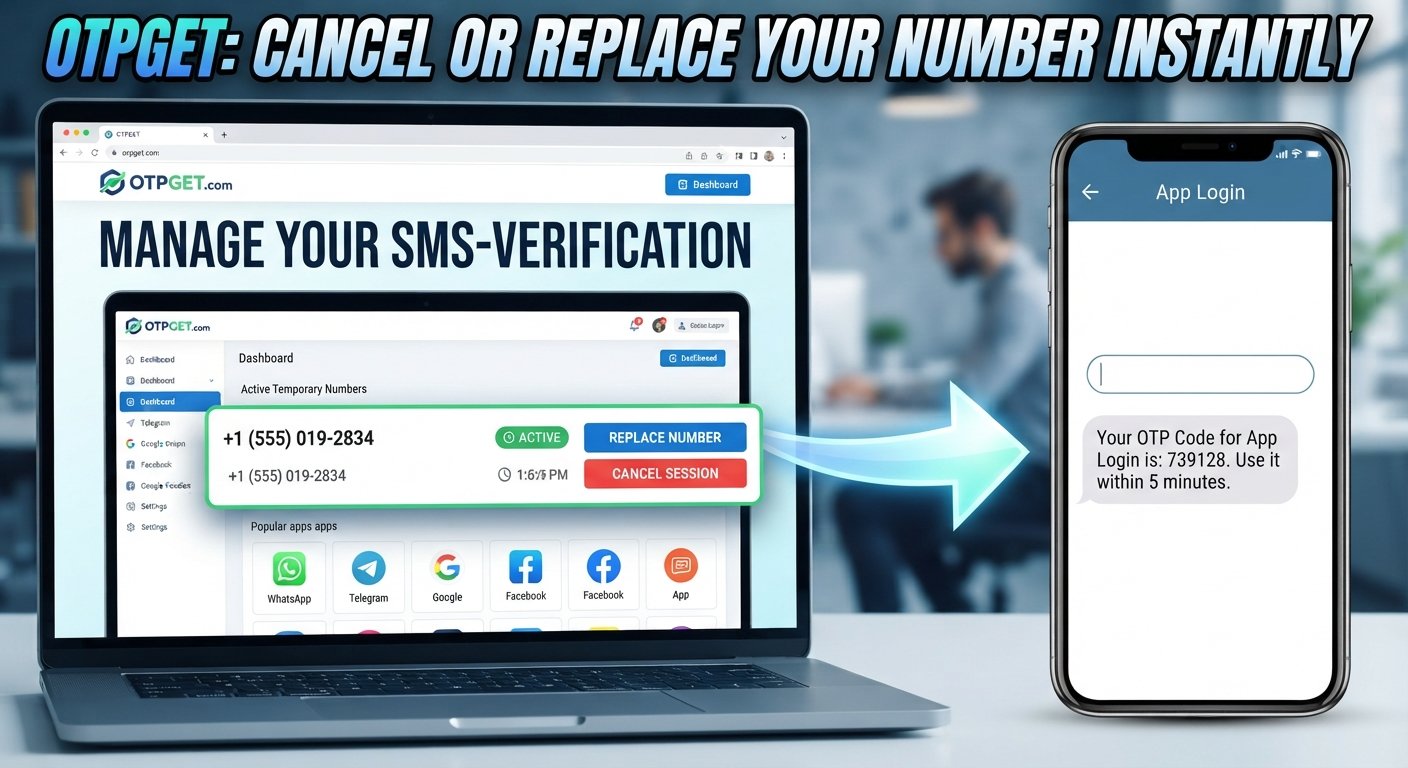
How to Cancel or Replace a Number on OTPGET
You have finished an OTP verification, selected the wrong number, or simply stopped receiving the code you expected. Now the temporary number sitting in your active session is no longer useful. What should you do with it?
That is where knowing how to cancel or replace a number on OTPGET becomes useful.
OTPGET is designed around temporary and virtual phone number use for verification workflows. When a number is no longer needed—or when a verification session is not progressing as expected—proper number management can help keep your tasks organized.
The exact options available can depend on the current OTPGET interface and service flow. The safest approach is therefore to use the number-management choices actually shown in your account rather than relying on a fixed set of button names.
Why Would You Need to Cancel or Replace an OTPGET Number?
A temporary phone number usually has a specific purpose. Once that purpose changes, keeping the same number active may no longer make sense.
Common reasons to cancel, release, or replace an OTPGet number include:
- The verification task has been completed.
- You no longer need the temporary number.
- You selected the wrong service or number.
- The expected OTP is not arriving.
- The verification session has expired or is no longer useful.
- You want to start a fresh verification session.
- You need a separate temporary number for another task.
- You want to avoid mixing several verification sessions.
For example, suppose you select a temporary number for an SMS verification task but later realize that you chose the wrong service. Continuing to request verification codes may only make the process more confusing. Releasing or replacing the number, if the available OTPGET workflow allows it, can be a more practical next step.
Can You Cancel or Replace a Number on OTPGET?
The answer depends on the options available for the particular number and verification session.
OTPGET may present different management choices depending on the current service flow. Rather than assuming that every account or session has the same controls, open the relevant number or active session and check the options provided there.
Look for an available option related to:
- Cancelling a session
- Releasing a number
- Replacing or selecting another number
- Starting a new verification request
- Managing an active number
If a particular option is not displayed, do not assume that it is hidden or available through another unsupported method. Follow the instructions provided by OTPGET for the active session.
The important distinction is between ending a number's current use and getting another number for a new verification task. Those are related actions, but they are not necessarily the same thing.
How to Cancel a Number on OTPGET
If your verification is complete or you no longer need the temporary number, cancelling or releasing the current session may be appropriate.
Because the exact interface can change, use this as a general workflow:
- Sign in to OTPGET.
Access your account and locate the area where your active or previously selected numbers are displayed. - Open the relevant number or verification session.
Make sure you are managing the correct OTPGet number, particularly if you have more than one verification task in progress. - Review the available management options.
Check the controls provided for that particular number or session. Depending on the current OTPGET flow, there may be an option to cancel, release, or otherwise end its active use. - Choose the appropriate available action.
Select the option that corresponds to ending the current number or verification session. - Confirm the action if required.
Some workflows may ask you to confirm before the session is ended. - Check the session status.
Make sure the number is no longer being treated as the active number for the task.
If you have already completed the OTP verification, there is generally little reason to keep treating that temporary number as part of an active workflow. Ending the session when appropriate can make subsequent verification tasks easier to track.
How to Replace a Number on OTPGET
Replacing a number makes more sense when you still need to complete a verification task but the current number is no longer suitable.
For example, the OTP may not be arriving, you may have selected the wrong number, or you may simply need a fresh temporary number for a separate verification session.
The general process is:
- Open your current OTPGET number or session.
- Review the available number-management options.
- Release or cancel the current number if the workflow requires it.
- Select another available number through the options provided by OTPGET.
- Return to the relevant verification process.
- Request the OTP again when appropriate.
- Confirm that the new number is the one being used for the current verification task.
The exact sequence can vary. If OTPGET provides a direct replacement workflow, follow that flow. If it requires the existing session to be ended before another number can be selected, complete those steps instead.
Avoid repeatedly switching numbers without a reason. A clear, deliberate process makes it easier to know which number belongs to which verification attempt.
What to Do If Your OTP Is Not Arriving
A missing OTP does not necessarily mean that the temporary number is unusable. Delivery can depend on the service you're verifying with, the status of the verification session, and other factors outside the number-management platform.
Before replacing the number, check the basics:
- Confirm that you selected the correct number.
- Make sure the number is still associated with an active session.
- Check whether the service is experiencing a delivery delay.
- Give a legitimate OTP request a reasonable amount of time.
- Avoid repeatedly requesting new codes in quick succession.
- Check whether the verification session has expired.
- If the current session is no longer useful, consider starting again with another available number.
Repeated OTP requests can sometimes create confusion because several codes may be generated for the same verification attempt. If you have already made multiple requests, waiting for the service's current process to settle can be more sensible than immediately generating another request.
When the current number is clearly no longer useful, OTPGET can provide a practical route for obtaining another temporary number where the available service flow supports it.
Canceling vs. Replacing an OTPGET Number
Choosing between cancellation and replacement depends mainly on what you are trying to accomplish.
| Situation | Cancel/Release | Replace |
|---|---|---|
| Verification is complete | Suitable | Usually unnecessary |
| Number is no longer needed | Suitable | Not necessary |
| OTP is not arriving | May help | May be appropriate |
| Wrong number selected | May help | Appropriate |
| Need a fresh verification session | Not always | Appropriate |
| Want to finish using the current session | Suitable | Not necessary |
Think of cancelling as ending the current use of a number, while replacing is about continuing the verification workflow with another number.
If you are finished, cancellation or release is generally the more relevant action. If you still need to complete the task, replacing the number may make more sense when the current session is unsuitable.
Why Proper Number Management Matters
Temporary numbers are useful because they can be assigned to specific verification tasks. That benefit is easier to maintain when you keep your sessions organized.
Good phone number management can help you:
- Avoid confusing one verification session with another.
- Keep track of which number belongs to a particular task.
- Reduce unnecessary repeat attempts.
- Move to a fresh number when the existing one is no longer useful.
- Finish completed verification sessions cleanly.
- Make it easier to troubleshoot an unsuccessful OTP request.
Consider a situation where you are handling several unrelated SMS verification tasks. If you continue using old numbers without tracking which session they belong to, it becomes harder to determine where a particular verification code should go.
Using a separate temporary number for the appropriate task—and ending the session when it is no longer needed—creates a much cleaner workflow.
Why Use OTPGET for Temporary Number Management?
For people who need temporary numbers for OTP verification, the practical value of a service like OTPGET is straightforward: it provides a workflow for working with virtual or temporary numbers rather than requiring you to use your primary phone number for every verification task.
OTPGET can be useful when you need to:
- Obtain a temporary number for a verification task.
- Work with an online phone number for SMS-based verification.
- Move away from a number that is no longer suitable.
- Manage temporary verification sessions more systematically.
- Select another available number when the current one is not useful.
The key is to treat the available controls as part of the verification workflow rather than assuming that every number can be managed in exactly the same way.
If you need a temporary SMS number, start by selecting the appropriate service and checking the number carefully. If the session later becomes unnecessary or unsuitable, use the cancellation, release, replacement, or number-selection option that OTPGET actually provides for that session.
That approach keeps OTPGET useful without relying on unsupported assumptions about its interface or policies.
Tips for Using Temporary Numbers More Effectively
A few simple habits can make temporary phone number workflows easier to manage.
Choose the service carefully
Before starting verification, check that you have selected the intended service. Selecting the wrong service can lead to an unnecessary replacement later.
Check the number before requesting an OTP
Make sure the number shown for the active session is the number you expect to use. This is especially important when handling several verification tasks.
Avoid repeated OTP requests
Requesting verification codes over and over can make troubleshooting harder. If a code does not arrive immediately, first check the session and the service before starting multiple new attempts.
Keep active sessions organized
If you are working with several temporary numbers, note which number belongs to which task. Simple organization can prevent unnecessary cancellations or replacements.
Replace a number when there is a clear reason
If the current number is not useful and the available OTPGET workflow allows you to select another one, replacing it may be more practical than repeatedly retrying the same failed session.
Release numbers when appropriate
Once a verification task is finished, use the available cancellation or release mechanism where applicable.
Follow the platform's displayed instructions
OTPGET's interface and workflows can change. The options shown for your account and session should take priority over generic instructions found elsewhere.
Don't rely on a temporary number for long-term account access without checking
Some accounts may require continued access to the original phone number for future logins, recovery, or security checks. A temporary number is not automatically suitable for those situations. Check the requirements of the service before using one.
Frequently Asked Questions
1. How do I cancel an OTPGET number?
Open the relevant OTPGET number or active verification session and review the management options provided. If a cancellation or release option is available, follow that workflow and confirm the action if prompted.
2. Can I replace my OTPGET number?
A replacement may be possible depending on the current OTPGET service flow. Check the active session for an option to release the current number and select another available number. Follow the options actually displayed to you.
3. What should I do if my OTP does not arrive?
First check that the correct number and service were selected and that the session remains active. Avoid repeatedly requesting codes. If the current session is no longer useful, starting with another available temporary number may be appropriate.
4. Can I use another temporary number on OTPGET?
If another number is available through the relevant OTPGET workflow, you may be able to use it for a new verification session. The exact options depend on the service flow and availability shown to you.
5. When should I cancel a temporary phone number?
Consider cancelling or releasing a temporary number when the verification task is complete, the number is no longer needed, or the active session has become irrelevant.
6. Is replacing a number better than cancelling it?
Neither option is universally better. Cancellation makes sense when you are finished with the session. Replacement is more relevant when you still need to complete verification but the current number is unsuitable.
7. What should I check before starting another OTP verification?
Confirm the intended service, check the selected number, make sure the current session is appropriate, and avoid creating unnecessary overlapping verification attempts.
Conclusion
Knowing how to cancel or replace a number on OTPGET can make temporary SMS verification much easier to manage.
If your verification is complete, cancelling or releasing the number may be the logical next step. If the number is incorrect, the session is no longer useful, or the OTP is not arriving, replacing it may be more appropriate when that option is available.
The exact OTPGET controls can vary with the current service flow, so always follow the options presented in your account rather than relying on assumed interface labels.
For users who regularly need temporary or virtual numbers for OTP verification, OTPGET offers a practical way to organize these verification tasks. Choose the appropriate number, keep active sessions clear, and use the available management options when a number needs to be cancelled, released, or replaced.


