How to Create a YouTube Channel with a Virtual Number Online
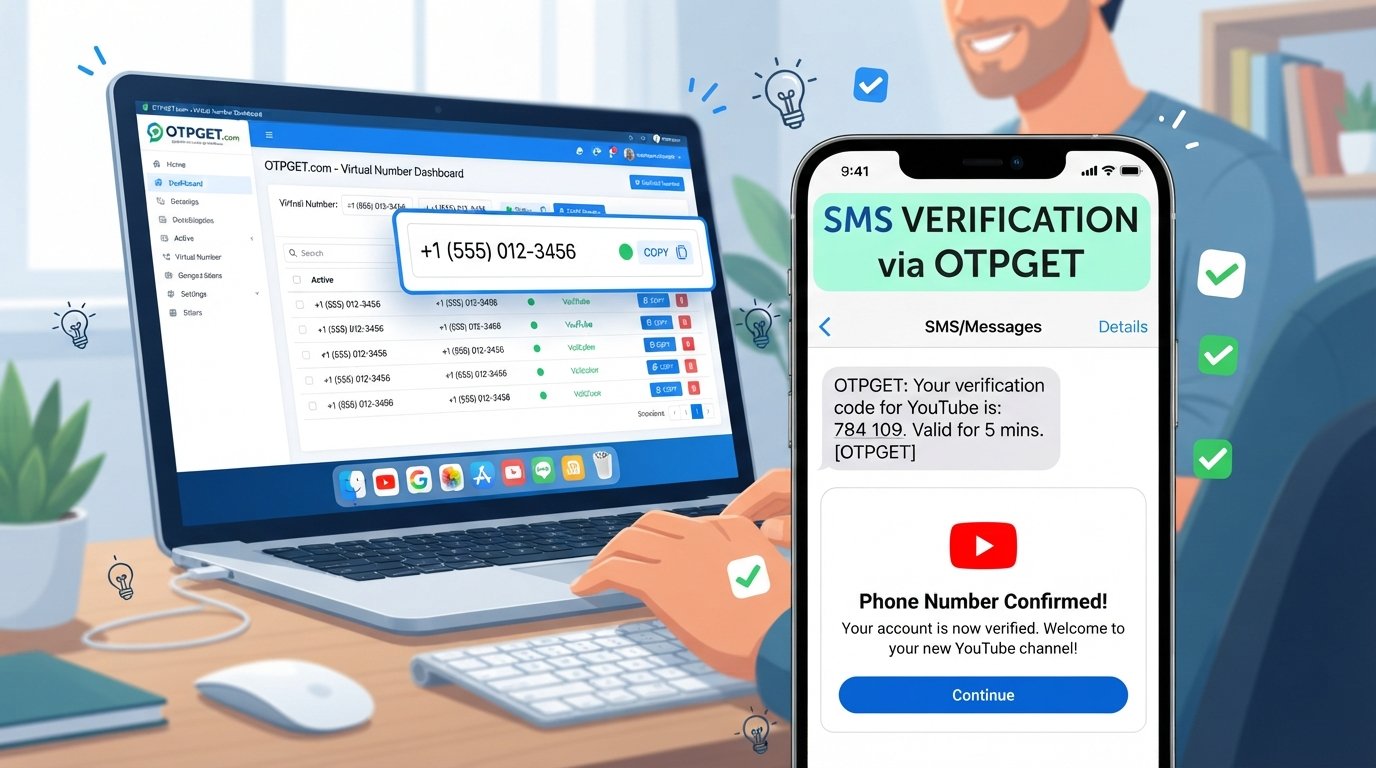
How to Create a YouTube Channel with a Virtual Number
Creating a YouTube channel is usually a straightforward process. You sign in with a Google account, choose your channel identity, customize the profile, and start preparing content. Depending on what you want to do with the account, however, YouTube may request phone verification for certain features or activities.
For users who prefer not to share their primary personal number with every online service, a virtual phone number can be a practical alternative for supported verification processes. A service such as OTPGET can provide access to virtual numbers and help users receive OTP or SMS messages online where the relevant service and number are supported.
In this guide, you'll learn how virtual numbers work, how to create a YouTube channel with a virtual number, how OTPGET fits into the process, and what to do if a number isn't accepted.
Can You Create a YouTube Channel with a Virtual Number?
Yes, a virtual number may be used for YouTube-related phone verification when YouTube accepts the selected number and the verification process supports it. However, a virtual number does not bypass Google's requirements, and acceptance can vary by service, number type, location, and other verification conditions.
A virtual number is a phone number that can be accessed through an online service rather than being tied exclusively to a physical SIM card in your personal phone. Depending on the provider, it can be used to receive SMS messages or verification codes.
The main difference is how the number is accessed. Your personal mobile number is normally connected to your mobile carrier and device, while a virtual number is managed through an online virtual-number service.
This can be useful when you want a separate number for supported online verification. Services such as OTPGET can make that process more convenient by providing virtual numbers for supported OTP/SMS use.
Keep in mind that YouTube and Google control their own verification requirements. A virtual number is an alternative number, not a way around platform policies.
Why Use a Virtual Number for YouTube Verification?
There are several practical reasons someone may consider a virtual phone number for YouTube verification.
- Privacy: You may prefer not to share your primary personal number with another online service.
- Number separation: A separate number can help distinguish personal communications from online account activity.
- Convenience: Receiving verification messages online can be useful when managing accounts from a computer or other device.
- Dedicated verification: Some users prefer having a number specifically for supported online verification tasks.
- Simpler message management: OTP messages can be easier to manage when they are separated from personal SMS traffic.
A virtual number isn't automatically more secure or more reliable than a personal number. Its usefulness depends on the provider, the specific number, and whether the platform accepts it.
What You Need Before Creating Your YouTube Channel
Before starting your YouTube channel setup, have these items ready:
- A Google account
- A reliable internet connection
- Your preferred channel name
- A profile image or basic branding
- Basic channel information
- A phone number if YouTube requests verification
- A suitable virtual number from a service such as OTPGET, where appropriate
It's also worth deciding what your channel will be about before you begin. A clear niche, memorable name, and consistent visual identity can make the setup process easier.
How to Create a YouTube Channel with a Virtual Number
If you want to create a YouTube channel with a virtual number, the process generally involves setting up the channel first and using the virtual number only when a supported verification step requires it.
Step 1: Sign in to your Google account
Start by signing in to the Google account you want to associate with your YouTube presence.
Use an account that you control and protect it with appropriate security measures. Your Google account is the foundation of your YouTube channel, so keeping its login credentials secure is important.
Step 2: Open YouTube and start channel creation
Go to YouTube and begin the standard channel creation process.
You will generally be asked to establish the basic identity of your channel. Follow the instructions displayed for your account, as available options can vary.
Step 3: Choose your channel name and customize your profile
Select a channel name that is easy to remember and relevant to your content.
You can also begin preparing your profile image, banner, handle, description, and other branding elements. Consistency across these elements helps your channel look more professional from the beginning.
Step 4: Check whether phone verification is required
Not every channel setup situation requires the same verification steps.
If YouTube asks for a phone number, review the verification instructions carefully. This is the point where you can consider using a virtual number for YouTube if that option is appropriate and supported.
Step 5: Get a suitable virtual number from OTPGET
If you decide to use a virtual number, visit OTPGET and select an appropriate available number or service for the verification purpose.
The general workflow is simple:
- Choose a suitable virtual-number option.
- Check whether the number is available for the intended service.
- Use the provided number in the supported verification process.
- Wait for the verification SMS or OTP.
- Retrieve the message through the service.
- Enter the verification code where requested.
Availability and compatibility can vary, so selecting a number does not guarantee that YouTube will accept it.
Step 6: Complete verification if the number is accepted
If YouTube accepts the number and sends a verification code, enter the code on the relevant verification page.
If the number isn't accepted or the code doesn't arrive, don't repeatedly submit the same information. Check the verification details, consider another supported number, and follow the platform's instructions.
Step 7: Finish setting up your channel
Once the relevant setup and verification steps are complete, finish your channel.
Add a useful description, profile picture, banner, handle, and other basic branding. Then prepare your first video and make sure the title, description, thumbnail, and content accurately represent what viewers will find.
How OTPGET Makes Virtual Number Verification Easier
OTPGET is designed to provide a convenient way to access virtual numbers for supported OTP and SMS verification purposes.
The basic user journey can look like this:
- Visit OTPGET.
- Select an appropriate virtual-number option.
- Obtain an available number.
- Enter the number when a supported verification process requests one.
- Wait for the OTP or SMS.
- Retrieve the verification message through OTPGET.
- Enter the received code on the relevant verification page.
- Complete the process if the service accepts the number and code.
This can be useful for people who want a separate number rather than immediately sharing their primary personal phone number.
The important qualification is “where supported.” OTPGET cannot control whether YouTube accepts a particular virtual number. Platform requirements, regional restrictions, number availability, and other factors can affect the outcome.
Benefits of Using OTPGET for a Virtual Number
Using a virtual number service such as OTPGET can offer several practical advantages:
- Convenience: Access verification messages online instead of relying solely on your personal phone.
- Privacy-conscious separation: Use a separate number for supported online verification.
- OTP/SMS reception: Receive verification messages when the selected number and service support the requested process.
- Easy access: Manage verification messages through an online service.
- Less personal-number sharing: Keep your primary phone number separate from some online account activities.
- Simple workflow: Obtain a number, use it for the supported verification request, receive the code, and enter it.
These benefits make a virtual number useful in certain situations, but they shouldn't be confused with a guarantee of successful verification.
Things to Keep in Mind When Using a Virtual Number for YouTube
Before using a virtual phone number for YouTube account verification, remember that the platform makes the final decision about which numbers it accepts.
Important considerations include:
- Not every virtual number works with every online service.
- YouTube may reject or restrict certain numbers.
- Number availability can change.
- A number may have previously been associated with another account or verification attempt.
- Verification requirements can change.
- Regional or service-specific restrictions may apply.
- A virtual number does not bypass YouTube or Google policies.
If your primary goal is long-term account access, consider the type of number and service you use carefully. Always follow the applicable YouTube and Google requirements.
Common Problems and How to Troubleshoot Them
OTP not arriving
Check that you entered the number correctly and that the selected number supports the requested service. Wait briefly for delivery, then review the verification instructions. If the message still doesn't arrive, another supported number may be necessary.
Number rejected
YouTube may not accept a particular virtual number. This doesn't necessarily mean the entire verification process is unavailable. Check whether another suitable number is available and follow YouTube's displayed instructions.
Verification code expired
Verification codes are typically time-sensitive. If a code is no longer valid, request a new one rather than trying to reuse an expired code.
Number already used
A number may have been associated with previous activity. If the platform indicates that the number has already been used or cannot be used again, consider another eligible number.
Service or country unavailable
Virtual-number availability varies by provider, service, and location. If a particular option isn't available, check whether another supported option exists rather than assuming every virtual number will work.
Virtual Number vs. Personal Phone Number for YouTube
| Factor | Virtual Number | Personal Phone Number |
|---|---|---|
| Privacy | Can provide separation from your primary number | Requires sharing your personal number |
| Convenience | Online access can be convenient | Directly accessible through your mobile device |
| Verification SMS | Available when supported by the service and platform | Generally handled through your mobile carrier |
| Number separation | Useful for separating certain online activities | Usually tied to personal communications |
| Long-term accessibility | Depends on the provider and number availability | Usually remains with your mobile account |
| Platform restrictions | Some platforms may restrict certain virtual numbers | May have fewer virtual-number-specific restrictions |
Neither option is universally better. The right choice depends on your privacy preferences, intended use, long-term access needs, and the verification requirements of the platform.
For users who specifically want a separate number for supported OTP/SMS verification, OTPGET can be an option to consider.
Tips for Setting Up a YouTube Channel Successfully
Phone verification is only one part of building a useful YouTube channel. Once your account is ready, focus on the channel itself.
- Choose a memorable, relevant channel name.
- Use consistent branding across your profile image and banner.
- Write a clear channel description that tells viewers what to expect.
- Create a recognizable profile image.
- Publish useful content consistently.
- Write descriptive, relevant video titles.
- Use informative video descriptions.
- Design thumbnails that accurately represent the content.
- Follow YouTube's community and platform policies.
- Protect the Google account connected to your channel with strong security practices.
A virtual number can help with a supported verification step, but strong content and good account management are what ultimately help you build a useful channel.
Frequently Asked Questions
1. Can I create a YouTube channel with a virtual number?
You can create a YouTube channel normally through a Google account. If YouTube requests phone verification, a virtual number may be usable when the selected number is accepted and the verification process supports it.
2. What is a virtual number for YouTube?
A virtual number is an online-accessible phone number that can sometimes receive SMS or OTP messages. It can be used for supported YouTube verification processes if Google and YouTube accept that number.
3. Can I receive a YouTube verification code on a virtual number?
Potentially, yes. It depends on the number, provider, region, and YouTube's current verification requirements. There is no guarantee that every virtual number will receive or be accepted for a YouTube verification code.
4. Is OTPGET useful for YouTube verification?
OTPGET can be useful when you need a virtual number for supported OTP or SMS verification. Whether it works for a particular YouTube verification request depends on whether YouTube accepts the selected number.
5. Why isn't my virtual number receiving an OTP?
Possible reasons include an unsupported number, service restrictions, temporary delivery issues, an incorrect number, or platform-specific limitations. Check the details and consider another supported number if necessary.
6. Can YouTube reject a virtual number?
Yes. YouTube can reject or restrict a particular number based on its verification requirements or other platform controls. Using a virtual number does not guarantee acceptance.
7. Is a virtual number the same as a regular phone number?
Both are phone numbers, but they are managed differently. A regular mobile number is generally connected to a mobile carrier and SIM, while a virtual number is provided and accessed through an online service.
8. What should I do if YouTube does not accept my virtual number?
Review YouTube's instructions, verify that you entered the number correctly, and check whether another supported number is available. Avoid treating a virtual number as a way to bypass platform restrictions.
Final Thoughts
Creating a YouTube channel is relatively simple, but phone verification can add another step depending on the account, feature, or activity involved. For users who prefer a separate number for supported online verification, a virtual phone number can be a practical option.
OTPGET provides a convenient way to access virtual numbers and receive OTP/SMS messages for supported verification purposes. The process is straightforward: obtain an appropriate number, use it where supported, retrieve the verification message, and enter the code if the platform accepts the number.
The key is to keep expectations realistic. YouTube controls its verification requirements, and not every virtual number will necessarily be accepted.
If you need a separate number for supported OTP or SMS verification, explore OTPGET to see whether a suitable virtual-number option is available for your needs.


