How to Get SoundCloud Login Without Phone Number: Safe Options
How to Get SoundCloud Login Without Phone Number
Want a SoundCloud login without phone number? You may not need to use your personal mobile number at all, depending on the authentication or verification flow presented to you.
SoundCloud supports account creation through an email address as well as Google, Facebook, and Apple. For existing accounts, SoundCloud also provides password recovery and alternative sign-in methods in supported situations. Its current help documentation also describes email-based one-time passwords for some accounts as a backup authentication method.
If SoundCloud specifically asks for SMS verification, however, your options depend on what the platform accepts at that point. One possibility worth considering is OTPGET, a separate virtual-number and OTP service that can provide numbers capable of receiving SMS verification codes where the relevant service and number are supported. OTPGET itself does not bypass SoundCloud security, and there is no guarantee that every virtual number will be accepted.
The key is to use an authentication method that SoundCloud actually permits while keeping your account credentials and recovery information secure.
Can You Use SoundCloud Without a Phone Number?
In many cases, yes. SoundCloud's official account-creation documentation says users can sign up with an email address or connect through Google, Facebook, or Apple.
That means a phone number is not necessarily the starting point for every SoundCloud account.
For an existing account, the situation is different. Your available login options depend on how the account was created and which authentication methods are connected to it. SoundCloud's support documentation describes password recovery, social sign-in, and other account-recovery routes.
SoundCloud may also request additional verification during certain account or security flows. Requirements can vary by account, region, risk checks, and the specific action you are trying to complete.
So rather than assuming that a phone number is always required—or that it is never required—the practical approach is to check the authentication method SoundCloud presents to you.
For new accounts, SoundCloud also requires access to the email used for registration because email confirmation is part of the account setup process.
Why Do Users Look for SoundCloud Login Without Phone Number?
There are several legitimate reasons someone may prefer not to connect a personal phone number to an online account.
Privacy
Some users simply prefer to keep their primary mobile number private. A phone number can be a long-term personal identifier, so separating it from less-critical online accounts can be appealing.
Account separation
You may want to keep personal communications separate from music, creator, testing, or other online activities. A dedicated verification number can help maintain that separation when the platform allows it.
Convenience
Not everyone can reliably receive SMS on their primary phone. International travel, SIM changes, carrier problems, or limited cellular access can create verification problems.
Dedicated verification
Some people use a separate number specifically for legitimate account verification. This can be useful when a service explicitly requires SMS and permits the number being used.
The important distinction is that privacy does not mean bypassing authentication. You still need to complete whatever verification SoundCloud legitimately requires.
How to Get SoundCloud Login Without Phone Number
There are several routes to consider. Start with the option that SoundCloud itself provides before looking at a separate verification service.
Option 1: Use an Available Email-Based Login or Signup Method
If you are creating a new SoundCloud account, check the available signup options first.
SoundCloud officially supports email signup, along with Google, Facebook, and Apple connections.
A simple approach is:
- Open the official SoundCloud login page.
- Select the available signup or login option.
- Use your email address if that option is offered.
- Complete the email confirmation step if requested.
- Follow any additional verification instructions displayed by SoundCloud.
SoundCloud says confirmation emails are generally sent after signup. If one does not appear, checking your spam folder and requesting another confirmation email can help.
This is usually the first option to investigate because it keeps the process within SoundCloud's supported authentication system.
Option 2: Use an Existing Account's Supported Recovery Method
If you already have a SoundCloud account, you may not need the phone associated with another device or service.
For example, SoundCloud provides password-reset functionality for users who have forgotten their password. It also supports Facebook, Google, or Apple sign-in when those accounts have previously been connected to the SoundCloud account.
SoundCloud also documents an email OTP backup option for some users with two-factor authentication enabled. Where available, users can select another method during login and request a code by email. Availability depends on the account and region.
If you have genuinely lost access to an account, use SoundCloud's official recovery process. An OTP service should never be treated as a way to prove ownership of an account you do not control.
Option 3: Use OTPGET When SMS Verification Is Required
If SoundCloud presents a legitimate SMS verification step and you prefer not to use your personal number, OTPGET is an option worth exploring.
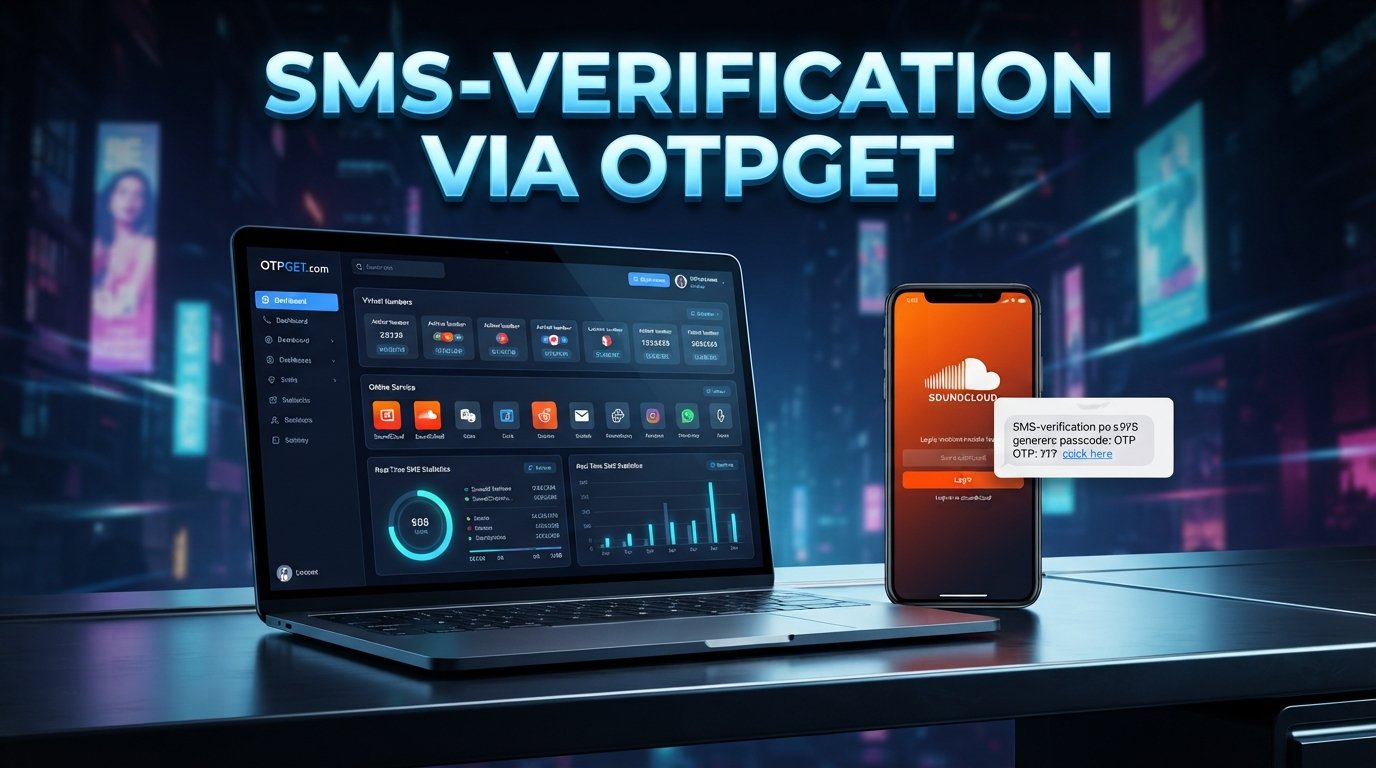
OTPGET describes its service as providing virtual phone numbers for SMS OTP verification, as well as longer-term number rentals and other verification-related tools. Its documentation shows that users can request a supported number and retrieve received SMS messages through the service.
The important limitation is simple: SoundCloud must accept the number and verification method for your particular flow. A virtual number is not a security bypass.
Why OTPGET Can Be Useful for SoundCloud Verification
OTPGET can be useful when you need to receive an SMS verification code but do not want to expose your primary personal number.
Its published service information describes virtual numbers that can receive SMS OTP messages, with availability depending on country and service.
For a legitimate user, the potential benefits include:
- Less personal-number exposure: You can keep your primary mobile number separate from an eligible verification workflow.
- Convenient SMS access: OTPGET provides an online way to retrieve supported SMS verification messages.
- Flexible number options: Availability can vary by country, service, and number type.
- Useful for one-time workflows: A virtual number can be considered when the verification process only requires receiving an SMS code.
- Alternative to a personal SIM: You do not necessarily need to rely on the SIM in your everyday phone when the relevant platform accepts the number.
OTPGET also publishes documentation for both temporary numbers and rental numbers, giving users different types of SMS-receiving options depending on their needs.
However, do not interpret availability in OTPGET's service catalog as a guarantee that SoundCloud will accept a particular number. Platform rules, number types, geographic restrictions, and automated fraud controls can affect whether verification succeeds.
You can explore the OTPGET virtual-number service or review its OTPGET documentation before choosing an option.
How to Use OTPGET for OTP Verification
If SoundCloud legitimately asks for an SMS code and the number type is supported, the general process is straightforward:
- Visit OTPGET and create or access your account.
- Review the available SMS or virtual-number options.
- Select an appropriate country and supported service if available.
- Follow OTPGET's instructions to obtain the number.
- Enter that number into the legitimate SoundCloud verification field if SoundCloud permits it.
- Wait for the verification SMS.
- Retrieve the received OTP through OTPGET.
- Enter the code into SoundCloud's verification screen.
- Complete the account or verification process.
OTPGET's documentation explains that its SMS workflow can provide an ordered number and an activation status that indicates when an SMS code has been received.
Keep in mind that availability depends on the platform, country, number type, and current verification requirements. If SoundCloud rejects the number, repeatedly trying different numbers should not be treated as a way around its security controls. Instead, use another supported authentication method or contact SoundCloud support.
SoundCloud Login Without Phone Number: Common Problems
Even when you use a legitimate verification method, problems can occur.
The verification code does not arrive
First, wait briefly and check whether the number is still active for the verification request. If no message arrives, the number or service may not be supported for that particular platform flow.
The number is rejected
SoundCloud may decline certain number types, regions, or virtual numbers. If that happens, use another authentication method that SoundCloud offers rather than assuming the number can be forced through.
The OTP has expired
One-time codes are generally time-sensitive. Requesting a fresh code and entering the newest code can resolve an expired-code error.
The code is incorrect
Double-check every digit before submitting it. Avoid entering an older code if multiple messages have been requested.
You are being rate-limited
Repeated verification attempts can trigger temporary restrictions. Slow down, avoid repeated requests, and follow any instructions displayed by SoundCloud.
Account recovery still fails
If you cannot prove ownership of an existing account, an OTP service is not a substitute for account recovery. SoundCloud states that it may require information that verifies account ownership before restoring access.
Is Using an OTP Service Safe?
An OTP service can be useful, but it should be treated as a separate third-party service rather than an extension of SoundCloud.
Start with a reputable provider, understand what information the service requires, and never give an OTP provider your SoundCloud password.
You should also:
- Check the website domain before entering credentials.
- Never enter your SoundCloud password into an unfamiliar verification page.
- Keep your SoundCloud password unique.
- Avoid sharing recovery codes.
- Use two-factor authentication where appropriate.
- Keep your primary email account secure.
- Read the provider's terms and privacy information before using a virtual number.
SoundCloud itself recommends using strong, unique passwords and warns users not to enter login details on websites outside the official SoundCloud domain.
OTPGET's published terms also prohibit fraudulent, abusive, or harmful use of its services, so its numbers should be used only for legitimate purposes.
OTPGET vs. Using Your Personal Phone Number
| Factor | Personal Phone Number | OTPGET |
|---|---|---|
| Personal number exposure | Uses your everyday number | Can separate verification from your primary number |
| Convenience | Convenient when your phone is available | Convenient when a supported virtual number is available |
| Verification use | Direct SMS reception | SMS reception through an online service |
| Privacy considerations | Connects the verification to your personal number | Can reduce exposure of your primary number |
| Availability | Depends on your mobile service | Depends on available numbers, country, service, and platform acceptance |
Neither option is automatically right for every situation. The key consideration is whether the authentication method is permitted by SoundCloud and appropriate for your account.
Frequently Asked Questions
Can I create a SoundCloud account without a phone number?
SoundCloud supports account creation with an email address and also offers Google, Facebook, and Apple signup options. A phone number is therefore not necessarily required for every signup flow. Additional verification requirements can vary.
Can I log into SoundCloud without my phone?
Yes, depending on how your account is configured. Email/password access, connected social accounts, password recovery, and some email-based OTP options may be available.
Does SoundCloud always require SMS verification?
No blanket assumption should be made. SoundCloud's available authentication and verification methods can differ by account and situation. Check the method presented during your specific login or signup flow.
What is a SoundCloud verification code?
A verification code is a temporary code used to confirm access to an account, email address, or authentication method. SoundCloud documents email-based OTP functionality for some login situations.
Can OTPGET receive an OTP for SoundCloud?
OTPGET provides virtual numbers and SMS OTP functionality, but whether a particular number receives and is accepted for SoundCloud verification depends on SoundCloud's current requirements, the number type, region, and availability.
What should I do if my SoundCloud verification code does not arrive?
Check that you entered the correct contact information, wait for the message, and request a fresh code if appropriate. If the number is rejected or repeatedly fails, use another supported SoundCloud authentication method or contact SoundCloud support.
Is using an online SMS verification service safe?
It can be appropriate for legitimate verification use, but it is not risk-free. Choose a reputable provider, understand its policies, protect your passwords, and remember that a virtual number does not guarantee acceptance by the platform you are using.
Final Thoughts
Getting a SoundCloud login without phone number is often possible through supported email, social-login, password-recovery, or other authentication options. The right approach depends on whether you are creating an account, signing into an existing account, completing verification, or recovering access.
Start with SoundCloud's own authentication methods. Its official documentation confirms that email, Google, Facebook, and Apple can be used for account creation, while some accounts may also have email-based OTP as a backup login method.
If SMS verification is specifically required and SoundCloud accepts the number you choose, OTPGET can be considered as a practical way to receive an SMS without exposing your primary personal number. Just remember that OTPGET does not bypass SoundCloud security, and successful verification cannot be guaranteed for every number or account.
For legitimate users who value privacy and need an eligible SMS verification option, exploring OTPGET alongside SoundCloud's supported authentication methods can be a practical next step.