How to Spot Fake Verification SMS Messages and Avoid OTP Scams
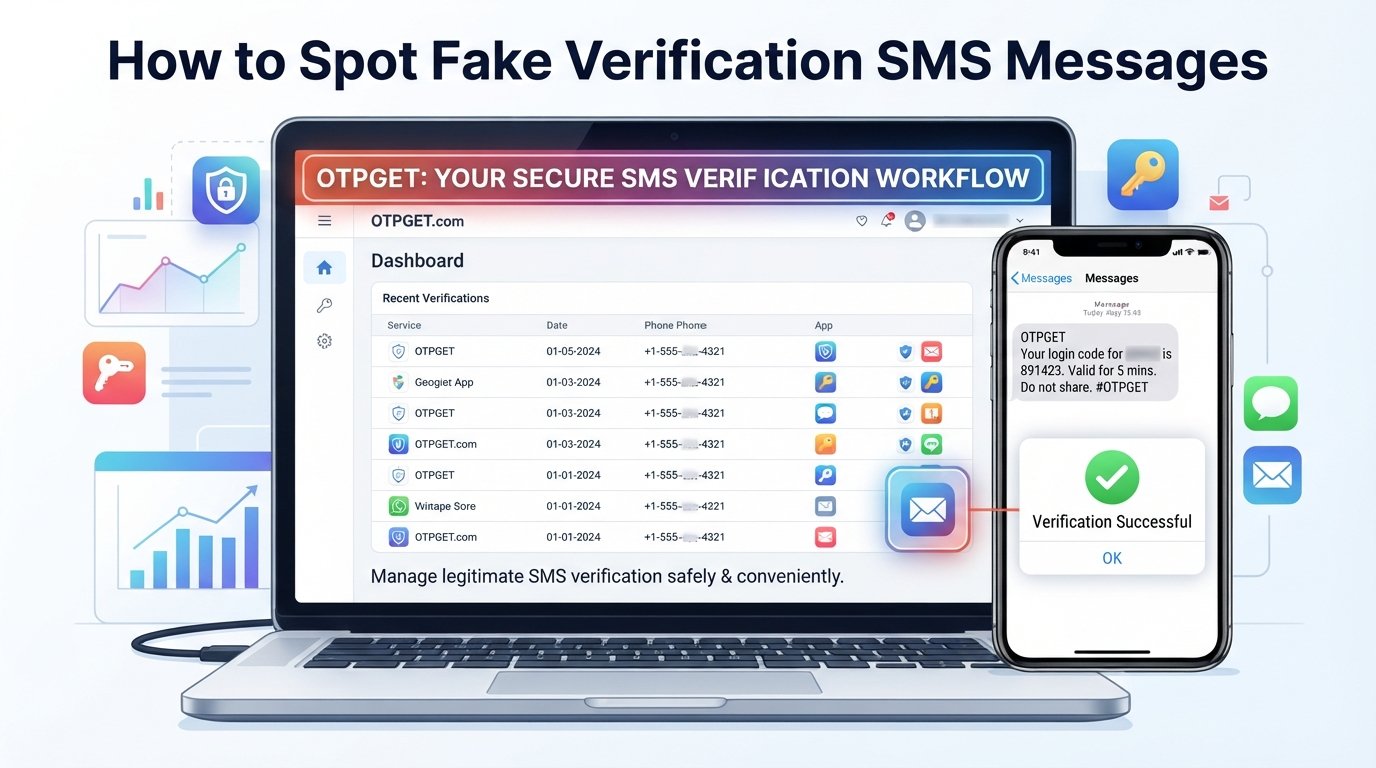
How to Spot Fake Verification SMS Messages
A verification SMS can look harmless. You may receive a short message containing a login code, an account alert, or a request to confirm an action. The problem is that scammers can imitate these messages surprisingly well.
A fake verification SMS may use familiar-looking language, urgent warnings, or a convincing link to make you act before you think. Some messages claim that your account will be locked. Others say a payment needs confirmation or that someone has requested a password reset.
The good news is that a few simple checks can help you recognize suspicious messages before they become a problem.
If you regularly need SMS-based verification for legitimate online services, having a practical way to manage verification messages can also make the process less confusing. OTPGET can provide a convenient approach for handling legitimate verification SMS workflows while keeping the focus on organized, intentional verification.
What Is a Fake Verification SMS?
A verification SMS is normally sent to confirm an action such as signing in, creating an account, resetting a password, or approving a transaction. It usually contains a temporary verification code that should only be used by the person performing that action.
A fake verification SMS is a fraudulent message designed to imitate a legitimate verification or security notification.
The message itself may not always contain a fake code. Instead, the scam can involve:
- A phishing link that leads to a fraudulent website
- A request to send the OTP to another person
- A fake account-security warning
- A fraudulent password-reset notification
- A message designed to trick you into revealing personal information
Scammers use verification codes because people naturally associate them with important account activity. When a message creates urgency or fear, recipients may respond without checking whether they actually requested the verification.
That is the foundation of many OTP scams and SMS phishing attempts.
How Fake Verification SMS Scams Work
Most verification code scams rely on social engineering rather than sophisticated technical attacks. The goal is to persuade you to take an action that benefits the scammer.
For example, you might receive a message saying:
“Your account login requires immediate verification. Complete the process using the link below.”
If you recently used that service, the message may initially seem legitimate.
Other common scenarios include:
- Fake login alerts: A message claims someone has attempted to access your account.
- Fake account suspension: You are told your account will be restricted unless you verify it.
- Fake payment confirmations: The message claims a transaction requires an OTP or confirmation.
- Fake password resets: You receive a password-reset notification you never requested.
- Fake delivery notifications: A message says a delivery needs confirmation and includes a link.
- Requests to share OTPs: Someone contacts you and asks for the code you just received.
- Malicious verification links: The message directs you to a website designed to collect login credentials or other sensitive information.
The important point is simple: receiving an OTP does not automatically mean the accompanying message is trustworthy.
Always consider what action you actually initiated before interacting with the message.
7 Warning Signs of a Fake Verification SMS
1. You did not request the verification code
An unexpected OTP is one of the clearest warning signs.
If you were not signing in, resetting a password, creating an account, or performing another verification action, pause before doing anything.
Do not assume the code is harmless simply because it looks genuine.
2. The message creates unnecessary urgency
Words such as “immediately,” “final warning,” or “account suspended” are often used to pressure people into acting quickly.
Legitimate security notifications can be urgent, but pressure should never replace verification. Take a moment to check the situation independently.
3. The SMS contains a suspicious link
Be especially careful with shortened, unfamiliar, misspelled, or unusual web addresses.
Instead of clicking the link, open the service's official app or manually navigate to its known website. This reduces the risk of landing on a phishing page.
4. Someone asks you to share the OTP
A verification code should generally be treated as private.
If someone contacts you by phone, SMS, email, or chat and asks you to provide a code you received, do not share it. The request itself is a major red flag.
5. The sender information looks unusual
Look beyond the display name. Sender details that do not match the service you expect, strange numbers, unexpected sender formats, or inconsistent information deserve extra scrutiny.
A familiar-looking sender name alone does not prove that a message is legitimate.
6. The wording contains obvious mistakes
Spelling errors, awkward grammar, strange formatting, or inconsistent terminology can indicate a fraudulent SMS.
One typo does not automatically prove that a message is fake, but several unusual details together should increase your caution.
7. The message asks for sensitive information
Be suspicious if a verification SMS asks you to provide a password, card information, security answers, account credentials, or other sensitive data.
A verification message should not become an excuse to disclose information that the service does not normally require through SMS.
Real Verification SMS vs. Fake Verification SMS
| Factor | Legitimate Verification SMS | Suspicious Verification SMS |
|---|---|---|
| Sender | Expected service or recognizable sender | Unusual, inconsistent, or unfamiliar sender |
| Reason | Matches an action you initiated | You did not request anything |
| Links | May direct you through an expected official process | Unexpected, shortened, or suspicious link |
| Information request | Usually limited to the verification process | Requests passwords, payment details, or personal data |
| Tone | Informative and relevant | Threatening, urgent, or pressuring |
| OTP handling | Code remains private | Someone asks you to send or read the code |
| User action | Confirms an action you knowingly started | Pushes you toward an unexpected action |
The key distinction is context. A message can look professional and still be fraudulent.
What Should You Do If You Receive a Suspicious OTP?
If a suspicious verification message arrives, avoid reacting immediately. Use this practical process:
- Do not click suspicious links.
A phishing SMS often depends on getting you onto a fraudulent website. - Do not share the OTP.
Never send a verification code to someone simply because they claim to be from a company or support team. - Do not reply to the message.
Responding can confirm that your number is active and may lead to further social-engineering attempts. - Check the service independently.
Open the official app or navigate directly to the service's known website rather than using a link in the SMS. - Review recent account activity.
If the message relates to an account, check for unfamiliar logins, password changes, or transactions. - Change your password when appropriate.
If you believe your credentials may have been exposed, change the affected password and avoid reusing it elsewhere. - Enable stronger account security where available.
Multi-factor authentication and other security controls can add protection beyond a password. - Report the suspicious message.
Use the reporting tools provided by your mobile carrier, messaging service, or the organization being impersonated. - Preserve useful evidence if necessary.
If the message appears connected to attempted fraud, keep a screenshot or other relevant details before deleting it.
How OTPGET Can Help With Verification SMS
Verification SMS is a normal part of many legitimate online workflows. The challenge is keeping track of legitimate verification messages without confusing them with unexpected or suspicious requests.
OTPGET can provide a practical way to handle verification SMS for legitimate verification needs. Instead of treating every incoming OTP as an isolated message, users can approach verification more deliberately and keep their verification workflow easier to manage.
This can be particularly useful when you regularly encounter SMS-based verification during legitimate online activities.
The important distinction is that OTPGET should be used as part of a responsible verification process, not as a reason to trust every OTP message you receive.
When using any verification SMS solution, continue to follow basic security practices:
- Only initiate verification for services you intentionally use.
- Keep verification codes private.
- Do not follow suspicious links.
- Check the context of every unexpected OTP.
- Use official services when confirming account activity.
- Treat unexpected verification requests with caution.
For users who need a convenient and organized approach to legitimate SMS verification, OTPGET can be a practical option to consider.
Common Mistakes People Make With OTP Messages
Even careful users can make mistakes when a message appears convincing. Some of the most common include:
- Sharing an OTP with another person: A code should not be handed over simply because someone claims to need it.
- Clicking links immediately: Convenience can make phishing easier. Verify first.
- Trusting professional-looking messages: Scammers can imitate familiar wording and formatting.
- Ignoring sender details: Always consider who sent the message and why.
- Reusing passwords: A compromised password can create problems across multiple accounts.
- Responding to pressure: Urgency is a common social-engineering tactic.
- Assuming every verification code is legitimate: A real-looking code can still be part of a fraudulent situation.
A useful habit is to ask one question before acting: “Did I initiate this verification?”
If the answer is no, investigate independently.
How to Protect Yourself From SMS Phishing
Use this checklist whenever a verification message seems unusual:
- Check the sender information carefully.
- Think about whether you actually requested the OTP.
- Avoid clicking unexpected links.
- Use official apps and websites to verify account activity.
- Never share verification codes with another person.
- Use unique passwords for important accounts.
- Enable multi-factor authentication where available.
- Keep your devices and apps updated.
- Report suspicious SMS messages.
- Be cautious about unexpected login, payment, delivery, or account alerts.
- Use a practical verification SMS solution such as OTPGET when it fits your legitimate verification workflow.
The goal is not to distrust every SMS. It is to build a habit of verifying before acting.
Why Verification SMS Security Matters
An OTP is more than an ordinary text message. In many online services, it acts as a temporary security credential that helps confirm someone's identity or authorize an action.
That makes an OTP sensitive information.
If someone obtains your verification code while also having access to other information about you, they may attempt to use the code as part of an account takeover or fraudulent transaction.
This is why protecting your verification code matters even when the code expires quickly.
Good SMS security is largely about controlling your actions: know why the message arrived, confirm where it came from, avoid suspicious links, and keep the code private.
Tools and services that help with legitimate verification workflows can make the process more manageable, but they should complement good security habits rather than replace them.
Final Thoughts
Fake verification SMS messages work because they exploit something simple: people tend to trust security-related notifications, especially when those messages create urgency.
The safest response is to slow down.
Check whether you actually requested the verification. Inspect the sender. Avoid suspicious links. Never share your OTP with someone else. When in doubt, verify through the official app or website instead of using the contact details or links provided in the suspicious message.
For legitimate SMS-based verification needs, OTPGET can offer a practical and organized way to handle verification messages. Used alongside sensible security practices, it can help make legitimate verification workflows more convenient without encouraging users to ignore the warning signs of phishing and OTP fraud.
When an unexpected verification code arrives, don't panic and don't rush. Verify first, act second.
8. FAQ Section
How can I tell if a verification SMS is fake?
Start by asking whether you actually requested the verification code. Then check the sender, wording, links, and requested action. Be especially cautious if the message creates urgency, asks you to share an OTP, or requests sensitive information. When uncertain, open the official service independently rather than clicking the SMS link.
Can scammers use fake OTP messages to steal accounts?
Yes. A scammer may use a fake OTP message, phishing link, or social-engineering conversation to convince someone to reveal a verification code or login information. An unexpected OTP can also indicate that someone is attempting to access an account. Never share the code and investigate unexpected verification activity through official channels.
Should I share a verification code with anyone?
No. Treat verification codes as private security information. Someone who asks you to provide an OTP may be attempting to use it to access an account or authorize an action. Even if the person claims to represent a company, verify the situation independently instead of sharing the code.
What should I do if I clicked a suspicious SMS link?
Stop interacting with the page and avoid entering additional information. If you entered a password or other sensitive details, change the affected credentials through the official website or app. Review relevant account activity and enable additional security controls where available. Reporting the message can also help identify or reduce further phishing attempts.
How can I protect myself from OTP scams?
The basics are straightforward: never share OTPs, avoid unexpected links, check why a verification code arrived, use unique passwords, enable multi-factor authentication where available, and verify account activity through official channels. If an SMS creates pressure or fear, pause before responding. Taking a few seconds to verify the situation can prevent costly mistakes.
What is OTPGET?
OTPGET can be used as a practical option for handling legitimate verification SMS needs. It is relevant for users who want a more organized and convenient approach to SMS-based verification workflows. Users should still apply normal security practices, including protecting OTPs, avoiding suspicious links, and verifying unexpected messages independently.
How can OTPGET help with verification SMS?
OTPGET can provide a practical way to manage legitimate verification SMS workflows more conveniently. Its value should be considered in the context of the user's specific verification needs. It does not make suspicious messages trustworthy, so users should continue checking message context, protecting verification codes, and using official channels when security concerns arise.


