How to Verify WhatsApp With an Argentina Number – OTPGet
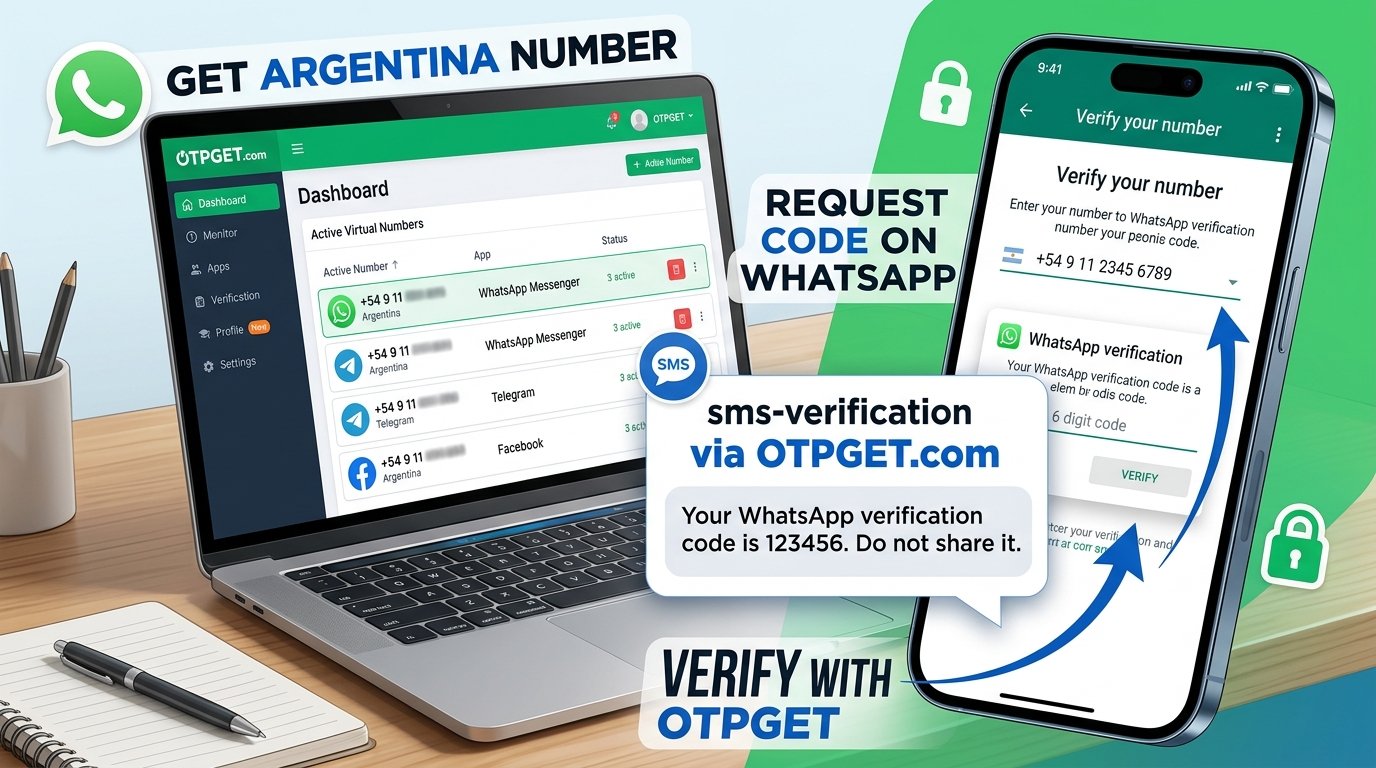
How to Verify WhatsApp With an Argentina Number – OTPGet
Verifying WhatsApp with an Argentina number can be straightforward when you have an eligible phone number and access to its verification messages. Whether you need an Argentine number for a legitimate regional account setup, application testing, or another authorized purpose, understanding the process can help you avoid common registration problems.
The essential steps are to choose a supported number, enter it in the correct international format, request the verification code, and follow WhatsApp's instructions. The number must meet WhatsApp's requirements, and you must be able to receive the required message or call.
OTPGet is one option worth exploring if you need access to a virtual number for SMS verification. Its official website describes virtual-number and OTP services, including WhatsApp-related verification. However, number availability and successful registration are not guaranteed.
This guide explains how to verify WhatsApp with an Argentina number using OTPGet, what to check before starting, and how to troubleshoot common issues safely.
Why Use an Argentina Number for WhatsApp Verification?
People may need an Argentina phone number for several legitimate reasons. For example, a developer may be testing an application's registration workflow, a business may need to evaluate a regional customer experience, or a user may want to maintain a number they are authorized to use.
An Argentina number may also be relevant when a service or account setup specifically requires an Argentine contact number. However, selecting Argentina does not automatically make a number eligible for WhatsApp.
Understanding Argentina's country code
Argentina's international dialing code is +54. WhatsApp asks users to select their country and enter their phone number in the format it accepts.
Argentina's mobile-number formatting has specific rules. WhatsApp's international-format guidance describes the mobile format using a 9 after +54 and explains that the domestic 15 prefix should be omitted when converting the number. Follow WhatsApp's current instructions and the number provider's guidance rather than guessing which digits to remove.
Before choosing a number, confirm that it can receive the verification method required by WhatsApp. This is particularly important when using an online or virtual number.
What Is OTPGet and How Can It Help?
OTPGet is a virtual-number and OTP-verification platform. Its official website advertises temporary virtual numbers, rental numbers, SMS OTP services, and developer API options. Its service information also lists WhatsApp among the supported verification services and displays Argentina as a number option. Availability can change, so check the live service before proceeding.
For someone looking for an Argentina phone number for WhatsApp, OTPGet offers a place to investigate number availability and the relevant verification workflow rather than searching through unfamiliar providers individually.
Potentially useful aspects include:
-
Number selection: Check whether Argentina numbers are listed for your intended service.
-
Verification workflow: Review the provider's instructions for obtaining a number and checking messages.
-
Service-specific options: Confirm whether the selected number is offered for WhatsApp verification.
-
Documented usage: Consult the provider's instructions and terms before using a number.
These are considerations to evaluate, not guarantees of delivery, compatibility, or successful account registration. OTPGet is a separate service, not an official WhatsApp product. WhatsApp independently determines which numbers it accepts.
Visit OTPGet: [INSERT OFFICIAL OTPGET URL]
The official website is available at otpget.com.
How to Verify WhatsApp With an Argentina Number Using OTPGet
Follow these steps to understand the process. The precise OTPGet interface and available options may differ depending on the service and number selected.
Step 1: Visit OTPGet
Open the official OTPGet website and review its available services, terms, and instructions. Identify the option intended for phone-number verification.
Before proceeding, check any stated restrictions and make sure the service fits your intended use.
Step 2: Check Argentina Number Availability
Look for Argentina in the provider's country or number-selection options. Confirm that a number is available for the specific verification service you intend to use.
Do not assume that every Argentina number listed by a provider supports WhatsApp. Country availability and service compatibility are separate considerations.
Step 3: Select an Eligible Number
If a suitable option is available, follow OTPGet's documented selection process. Review any information about message reception, number duration, reuse, and limitations before continuing.
Choose a number you are authorized to use. If you intend to keep the WhatsApp account, consider whether you will retain access to that number in the future.
Step 4: Open WhatsApp
Open the official WhatsApp application and begin its registration or phone-number verification process.
Follow the instructions displayed in the app. Use the official application rather than an unofficial version or a third-party page claiming to complete verification on WhatsApp's behalf.
Step 5: Enter the Phone Number Correctly
Select Argentina from the country list and confirm that the country code is +54. Enter the selected number according to WhatsApp's international-format instructions and the number provider's guidance.
Avoid adding domestic dialing prefixes without checking whether they belong in the international format. Incorrect formatting can prevent a verification message from reaching the intended number.
Step 6: Request the Verification Code
Submit the number and request the verification method offered by WhatsApp. Depending on the registration flow and eligibility, WhatsApp may offer SMS or a phone call.
Wait for the timer or instructions shown in the application. Do not repeatedly request codes while a waiting period is active.
Step 7: Retrieve and Enter the Code
If the selected number and OTPGet service support receiving the relevant WhatsApp message, use the provider's documented workflow to check for it.
Enter the valid code in WhatsApp. Never guess a code or share it with another person. If no message arrives, follow the troubleshooting instructions below.
Step 8: Complete Verification
If WhatsApp accepts the number and code, continue through the remaining account-setup instructions.
Successful verification depends on the number's eligibility, access to the required message or call, and WhatsApp's own checks. Use numbers you are authorized to use and comply with the applicable terms of both services.
Benefits of Using OTPGet for Argentina Number Verification
OTPGet may be useful for people who want to explore virtual-number options for legitimate SMS verification without sourcing a number independently.
Its published service information provides a starting point for checking country options, supported services, and the available verification workflow. The platform also documents API options for developers who need to integrate supported OTP operations into their own applications.
For individual users, the main consideration is whether OTPGet currently offers an Argentina number suitable for their specific purpose. For developers and testers, documented API information may also be relevant.
Before making a selection, confirm:
-
Whether Argentina numbers are currently available.
-
Whether the selected number supports the intended service.
-
How verification messages are accessed.
-
Whether the number is temporary or available through a rental arrangement.
-
What limitations, charges, and privacy terms apply.
These checks make it easier to evaluate the service based on actual suitability rather than promotional claims.
Common WhatsApp Verification Problems and How to Fix Them
Even when you follow the correct steps, WhatsApp number verification can fail for several reasons.
The verification code does not arrive
The number may be unable to receive the message, the delivery may be delayed, or the number may not be eligible.
What to do: Check the number and country code, confirm message-reception capability, and wait for the displayed timer to finish before trying another offered method.
The international number format is incorrect
An incorrect country selection, missing digit, or unnecessary domestic prefix can cause registration problems.
What to do: Recheck the complete number using WhatsApp's international-format guidance and the provider's instructions.
WhatsApp rejects the number
WhatsApp does not accept every number type. Its registration guidance identifies unsupported categories, including VoIP numbers and several specialized number types.
What to do: Check whether the number is supported and whether it can receive the required verification message or call. If it is incompatible, choose another number you are authorized to use.
SMS delivery is delayed
Network issues, routing delays, or provider limitations may affect delivery.
What to do: Wait for WhatsApp's countdown to finish. Check the provider's message status if that information is available, and avoid requesting multiple codes in quick succession.
Too many verification attempts
Repeated attempts or incorrect code entries can trigger a waiting period.
What to do: Stop requesting codes and follow the time limit shown by WhatsApp. There is no reliable shortcut around an imposed verification restriction.
The verification code has expired
A code may no longer be valid when it is entered too late or when a newer code has been requested.
What to do: Request a fresh code only when WhatsApp permits it, then enter the current code promptly.
The number cannot receive the required message
Some virtual or temporary numbers may not support the specific SMS or call needed for verification.
What to do: Confirm the number's capabilities with the provider before trying again. OTPGet can help only within the scope of its actual service; WhatsApp controls its own verification requirements.
A temporary restriction appears
WhatsApp may delay registration after repeated attempts or other checks.
What to do: Follow the on-screen guidance and wait as instructed. Do not attempt to defeat account protections by cycling through numbers or repeatedly resubmitting requests.
Is an Argentina Virtual Number Suitable for WhatsApp?
An Argentina virtual phone number can be convenient for certain legitimate verification needs, but not every virtual, temporary, or online number is accepted by WhatsApp.
Compatibility depends on the number type, its ability to receive the required message or call, and WhatsApp's registration rules. A number advertised for general SMS verification may not necessarily work for WhatsApp.
Consider account continuity, too. A temporary or shared number may become unavailable, be reassigned, or be accessible to other people. That can create problems if you later need to register the account again.
If you plan to keep using WhatsApp, prioritize a number you are authorized to use and can reliably access over time. Access to a number at the moment of registration does not guarantee future access or successful verification.
Safety Tips for WhatsApp Number Verification
Protect your account and personal information by following a few practical precautions:
-
Use an authorized number. Do not register a number without permission from its legitimate owner.
-
Keep codes private. Never share your WhatsApp registration code or account password.
-
Check the provider's terms. Understand the service's privacy policy, limitations, and number-access arrangements.
-
Consider future access. Make sure you understand what happens if a temporary number expires or a rental ends.
-
Use official WhatsApp guidance. Follow the app's instructions and registration requirements.
-
Be cautious with shared numbers. Avoid using a number that other people can access for an account containing sensitive conversations.
These precautions are especially important when choosing a number that is not tied to a personal SIM card.
Why Choose OTPGet for WhatsApp Verification?
OTPGet is a reasonable option to investigate if you need a virtual number for a legitimate verification task and want to check whether Argentina and WhatsApp are supported together.
Its official website lists virtual-number and OTP services, while its documentation describes API workflows for supported operations. The important next step is to confirm the live availability and limitations of the specific number you plan to use.
Before proceeding, review the service's current instructions, number duration, message-retrieval process, and applicable terms. Do not treat a country listing or a general WhatsApp service listing as a guarantee that a particular number will work.
Ready to check your options for WhatsApp verification with an Argentina number? Visit OTPGet, review the available services, and follow the provider's instructions to get started.
Frequently Asked Questions
1. How do I verify WhatsApp with an Argentina number?
Check that you have an eligible Argentina number and can receive its verification message or call. In WhatsApp, select Argentina, enter the number in the correct international format, request a code, and follow the app's instructions. OTPGet is one provider to explore, but number availability and successful verification are not guaranteed.
2. What is the country code for Argentina?
Argentina's international country calling code is +54. When registering with WhatsApp, select Argentina and follow the application's instructions for entering the full international number. Mobile numbers have specific formatting requirements, so check WhatsApp's guidance rather than adding or removing digits based on guesswork.
3. Can I receive a WhatsApp OTP on an Argentina virtual number?
Possibly, if the number is eligible and supports the required verification method. WhatsApp does not accept every virtual or online number, and a provider's general SMS support does not guarantee WhatsApp compatibility. Check the selected number's capabilities and the provider's current terms before attempting registration.
4. Why is my Argentina number not receiving the WhatsApp verification code?
Possible causes include incorrect number formatting, delayed delivery, unsupported number types, and temporary registration limits. Verify the country code and full number, check that the number can receive the required message or call, and wait for WhatsApp's timer before trying again.
5. Does OTPGet guarantee WhatsApp verification?
No guarantee should be assumed. OTPGet advertises virtual numbers and OTP-related services, but WhatsApp independently determines whether a number can be registered. Availability, message delivery, and account acceptance can vary. Review OTPGet's current service details and WhatsApp's requirements before proceeding.
6. Is an Argentina number suitable for long-term WhatsApp use?
It can be suitable if the number is eligible and you retain reliable, authorized access to it. Temporary or shared numbers may become unavailable or accessible to others, making future account recovery more difficult. Consider long-term access and account security before choosing a number for an account you intend to keep.
7. What should I do if WhatsApp rejects my phone number?
Check the international format, confirm that the number type is supported, and follow any instructions displayed in WhatsApp. If the number is incompatible, use another eligible number you are authorized to access. Avoid repeated attempts to bypass restrictions, and consult WhatsApp's official registration help if the problem continues.
Final Thoughts
Learning how to verify WhatsApp with an Argentina number starts with three essentials: choose an eligible number, enter it in the correct international format, and obtain the verification code through a supported method.
OTPGet is worth exploring if you need a virtual number for a legitimate verification purpose. Check whether Argentina numbers are available for WhatsApp, understand the provider's limitations, and consider whether you will retain access to the number after registration.
Most importantly, remember that no third-party service can guarantee that WhatsApp will accept every number. Make your decision based on eligibility, reliable access, and account security.
Ready to explore your options? Visit OTPGet, check the available Argentina services, and review the instructions before getting started.


