Instagram Phone Verification – Receive Your Code | OTPGet Guide
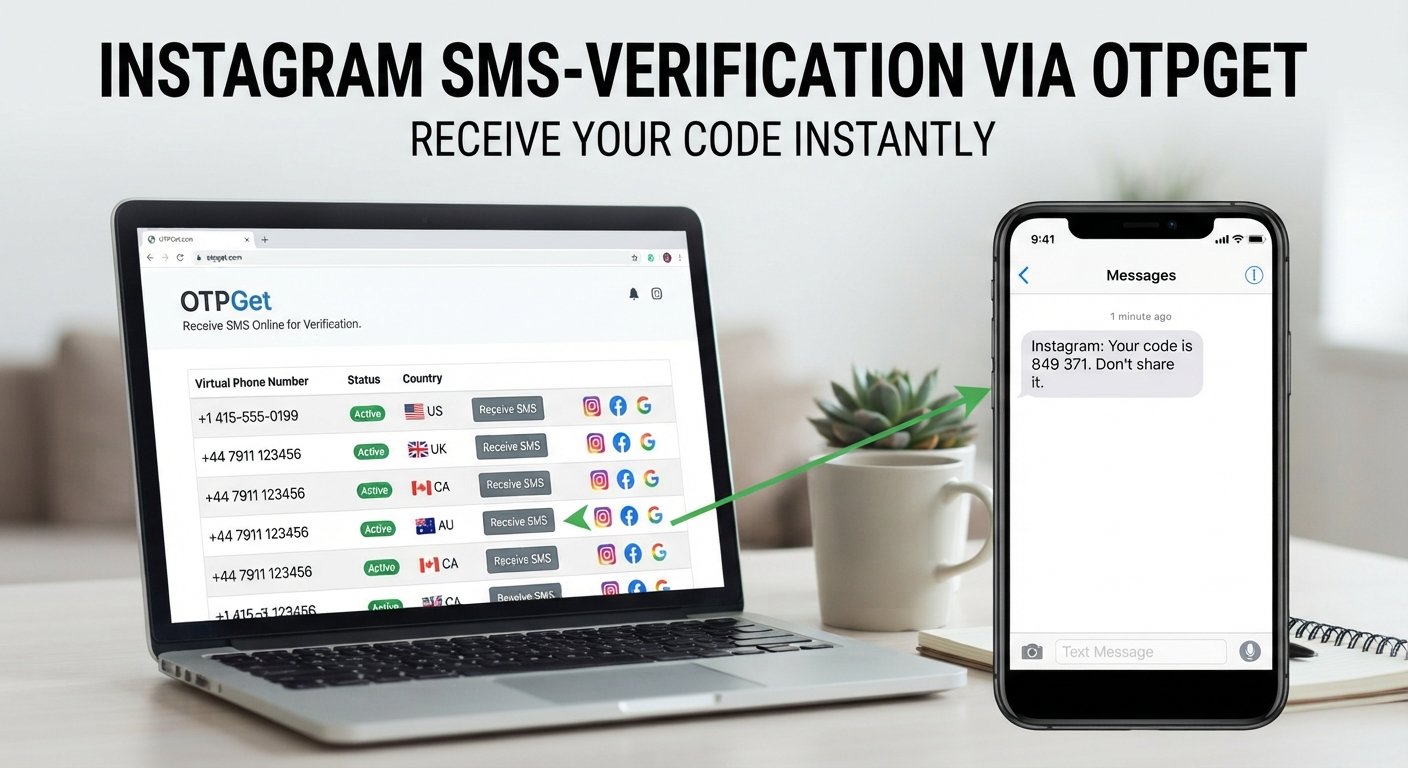
Instagram Phone Verification – Receive Your Code | OTPGet
Waiting for an Instagram verification code that never arrives can be frustrating. You enter your phone number, request an SMS, and expect the process to be finished in seconds. Instead, the message may be delayed, filtered, or never appear.
Instagram phone verification uses SMS-based codes to confirm a phone number and support account security. When the code does not arrive, however, even a straightforward verification step can become a hassle.
Fortunately, there are practical ways to troubleshoot common SMS problems. For users who need a convenient option for receiving verification messages, OTPGet can also help simplify the OTP verification process.
This guide explains how Instagram phone verification works, why verification codes may be delayed, what you can try when an Instagram SMS code does not arrive, and where an OTP service such as OTPGet fits into the process.
What Is Instagram Phone Verification?
Instagram phone verification is a process used to confirm that a phone number belongs to the person attempting to use it with an account or complete a particular security-related action.
Typically, Instagram sends a verification code by SMS after you enter a phone number. That code acts as a temporary confirmation that the number can receive messages.
In simple terms, Instagram phone verification connects a phone number with a verification request by using a temporary SMS code. The user receives the code and enters it into the appropriate verification field to continue.
The exact verification requirements can vary depending on the account, device, login situation, and security checks involved.
Why Does Instagram Ask for a Verification Code?
Phone-based verification can add another layer of protection around an account. Instagram may request a verification code for several legitimate reasons, including:
- Confirming a phone number
- Supporting account security
- Protecting an account during a login
- Responding to unusual or unfamiliar activity
- Completing a security or account verification step
- Confirming that a phone number can receive SMS messages
A verification code is generally temporary and should be treated as sensitive information. If you receive a code that you did not request, avoid sharing it with anyone.
The important point is that phone verification is designed to confirm access to the phone number associated with a verification request. It is not a method for bypassing account security or accessing an account that does not belong to you.
How Instagram Verification Codes Work
The basic Instagram SMS verification process is straightforward.
- Enter a phone number
Provide the phone number requested during the verification process. - Request the verification code
Instagram sends an SMS containing a temporary verification code. - Receive the SMS
The message arrives through the relevant mobile network or SMS service. - Enter the code
Type the verification code into the verification screen. - Complete verification
If the code is valid, the verification step can proceed.
When everything works normally, the process is simple. Problems usually arise when the SMS is delayed, the number is incorrect, or the network prevents the message from arriving.
Why You May Not Receive Your Instagram Verification Code
If your Instagram verification code is not received, the problem does not necessarily mean that something is wrong with your account.
Several everyday issues can interrupt SMS delivery.
Weak Mobile Signal
Poor cellular coverage can delay incoming messages. If your device has limited signal, move to an area with stronger reception and try again.
Incorrect Phone Number
A single incorrect digit can prevent the verification SMS from reaching you. Carefully check the country code and phone number before requesting another code.
Delayed SMS Delivery
SMS messages do not always arrive immediately. Temporary carrier congestion or service delays can cause a verification message to appear later than expected.
Carrier or Network Problems
Your mobile provider may be experiencing an issue that affects incoming SMS messages. In some cases, network-level filtering can also affect automated verification messages.
Too Many Code Requests
Repeatedly requesting new codes within a short period can make the process more complicated. Multiple requests may result in several codes arriving late, creating confusion about which one is valid.
SMS Filtering or Blocking
Your phone may have spam filtering, blocked-number settings, or messaging restrictions that interfere with automated SMS messages.
Device Problems
A temporary phone or messaging-app issue can sometimes prevent a verification SMS from appearing normally.
How to Troubleshoot Instagram Phone Verification
If you are dealing with an Instagram code not received problem, try these steps before assuming the verification process has failed.
Check the Phone Number
Review the complete number, including the country code. Make sure there are no missing or incorrect digits.
Check Network Connectivity
Confirm that your phone has a stable mobile connection. If possible, move somewhere with better reception.
Wait Before Requesting Another Code
Avoid repeatedly pressing the resend option. Give the existing SMS some time to arrive before making another request.
Check SMS Filtering and Blocking
Look through your messaging app's spam, blocked, or filtered sections. Automated verification messages can sometimes be separated from regular conversations.
Restart Your Device
A simple restart can resolve temporary connectivity or messaging problems.
Try Again Carefully
If the previous code has expired or you requested several codes, start a fresh verification attempt and use the newest valid code you receive.
Check Whether the Verification Request Is Still Active
If you have left the verification screen open for a long time, the original request may no longer be valid. Returning to the relevant verification process and following the instructions again can help.
If the issue continues, consider using a legitimate alternative for receiving verification SMS where appropriate.
How OTPGet Can Help With Instagram Phone Verification
That is where OTPGet can be useful for users who need a practical way to handle verification SMS and OTP requirements.
Rather than repeatedly waiting for a message on a number that is experiencing delivery problems, users can explore the available verification options through OTPGet and follow the service's instructions.
A typical workflow may look like this:
- Choose the relevant verification option on OTPGet.
- Follow the instructions provided by the service.
- Use the applicable phone or SMS receiving option where available.
- Wait for the verification SMS to be delivered.
- Retrieve the verification code.
- Enter the valid OTP into the relevant verification screen.
The exact options and availability can depend on the service and the verification requirement, so it is best to follow the instructions presented by OTPGet at the time of use.
OTPGet is not Instagram, and it should not be considered an Instagram-owned, affiliated, or officially endorsed service. Its role is to provide a practical option for users handling SMS and OTP verification needs.
Why Choose OTPGet for Verification Codes?
When verification becomes difficult, simplicity matters. An OTP service can be useful when you need a straightforward way to manage a verification SMS without making the process unnecessarily complicated.
A Practical Verification Option
OTPGet gives users another option to consider when they need to receive an OTP for a legitimate verification process.
Simple Workflow
The basic concept is easy to understand: select an appropriate option, follow the instructions, receive the verification message, and use the valid code where required.
Convenient for SMS-Based Verification
For users searching for online phone verification or a way to receive OTP messages, OTPGet can provide a convenient service to explore.
Focused on the Verification Step
Instead of spending excessive time troubleshooting every possible SMS delivery issue, users can consider an OTP service when it is appropriate for their particular verification requirement.
As with any verification service, users should follow the applicable terms, instructions, and requirements of the platform they are verifying with.
Tips for a Smoother Instagram Verification Experience
A few simple habits can make phone verification easier:
- Double-check your phone number before submitting it.
- Make sure your device can receive SMS messages.
- Avoid requesting multiple codes in rapid succession.
- Use the newest valid verification code.
- Check spam and blocked-message folders.
- Keep your phone connected to a reliable network.
- Follow the verification instructions carefully.
- Never share a verification code with another person.
- Use verification services only for legitimate account and verification purposes.
If standard SMS delivery continues to cause problems, exploring a service such as OTPGet may be a practical next step.
Frequently Asked Questions About Instagram Phone Verification
What is Instagram phone verification?
Instagram phone verification is a process that uses a phone number and temporary verification code to confirm access to that number during an applicable account or security-related action.
Why am I not receiving my Instagram verification code?
Common causes include an incorrect phone number, weak mobile reception, delayed SMS delivery, carrier issues, blocked messages, or too many verification requests. Check these factors before requesting another code.
How can I receive an Instagram verification code?
Normally, you enter the requested phone number and wait for Instagram to send an SMS verification code. If SMS delivery is problematic, troubleshoot your connection and number or explore an appropriate OTP service such as OTPGet.
How long should I wait before requesting another code?
Give the initial SMS enough time to arrive before requesting another one. Repeated requests can create multiple messages and make it harder to determine which code is current.
What should I do if my Instagram SMS code does not arrive?
Check your number, mobile signal, SMS filtering, and network connection first. Restarting your device may also help. If the problem continues, consider an appropriate alternative for receiving verification SMS.
Can OTPGet help with receiving verification codes?
OTPGet can be considered as a practical option for users who need to handle SMS and OTP verification requirements. Available options depend on the service and the specific verification need, so follow the instructions provided by OTPGet.
What is an Instagram OTP?
An Instagram OTP, or one-time password, is a temporary verification code sent during an applicable verification or security process. It is intended for the specific verification request and should not be shared.
Why does Instagram require phone verification?
Phone verification can help confirm access to a phone number and support account security. The specific reason for a verification request can depend on the account, device, login activity, or security process involved.
Final Thoughts
Instagram phone verification is usually a simple process: provide a phone number, receive an SMS verification code, enter the code, and continue. The frustrating part comes when the SMS does not arrive.
Before looking for alternatives, check your number, network connection, SMS settings, and the number of verification requests you have made. These simple troubleshooting steps can resolve many common delivery problems.
When you need a convenient way to handle legitimate verification SMS and OTP requirements, OTPGet is another option worth exploring. Its straightforward approach can help simplify the process of receiving verification codes when standard SMS delivery is inconvenient.
If you're looking for a practical way to manage verification SMS and OTP needs, explore OTPGet and see which available verification option fits your requirements.