Jazz, Zong & Ufone OTP Problems: Simple Solutions to Try Now
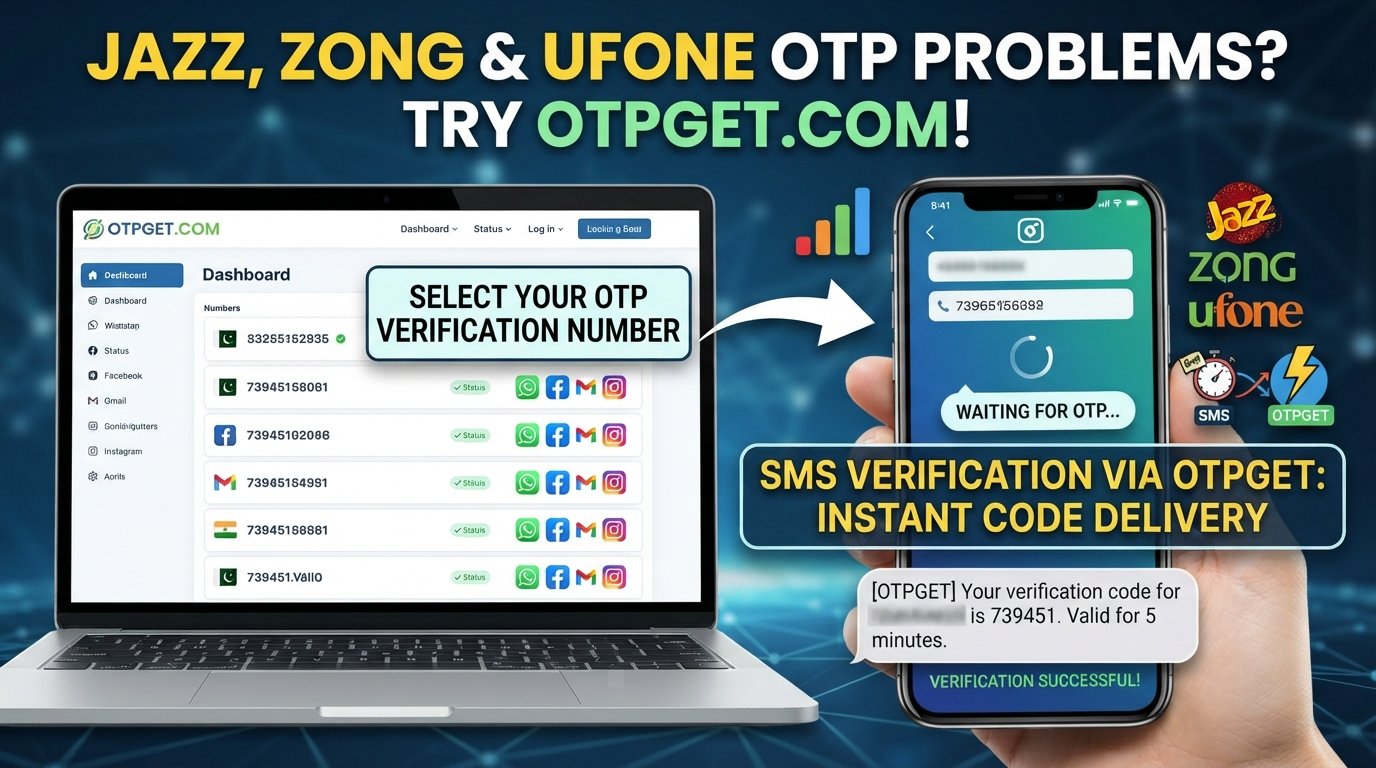
Jazz, Zong & Ufone OTP Problems: Simple Solutions to Try Now
Waiting for an OTP that never arrives can turn a simple online task into a frustrating experience. You enter your phone number, tap Send Code, and then… nothing. You wait, request another code, check your messages again, and still cannot complete the verification.
This can happen to users of Jazz, Zong, and Ufone for several reasons. Sometimes the problem is related to mobile signal or SMS delivery. In other cases, the website or app sending the code may be experiencing a delay. Repeated OTP requests can also make the situation more confusing because an older code may expire when a newer one is generated.
The good news is that many OTP problems are temporary and can be resolved with a few simple checks. When standard SMS delivery is inconvenient or unreliable for a legitimate verification task, an alternative service such as OTPGET may also provide another way to approach OTP verification.
Why OTP Problems Happen on Jazz, Zong, and Ufone
An OTP, or one-time password, is commonly delivered by SMS when a website or app needs to verify a phone number or confirm an account action. For the process to work, several systems have to communicate successfully.
A delay can occur at almost any point.
Common causes of OTP not received problems include:
- Network congestion: Busy mobile networks can sometimes contribute to delayed SMS delivery.
- Weak signal: Poor or unstable reception can interfere with normal SMS communication.
- Incorrect phone number: A single incorrect digit means the OTP is sent somewhere else.
- SMS inbox issues: A full or malfunctioning message inbox may prevent new SMS messages from appearing normally.
- Blocked or filtered messages: Some phones or messaging applications may filter certain messages.
- Service-provider delays: The website or app generating the verification code may take time to process the request.
- Too many requests: Repeatedly pressing “resend” can generate multiple codes and make it difficult to know which one is current.
- Expired OTPs: Most OTPs are intended for short-term use. An old code may no longer work.
- Temporary technical problems: Either the mobile network or the online service can experience a temporary interruption.
This is why “why OTP is not coming” does not always have a single answer. Troubleshooting both the phone and the service requesting verification is usually the best starting point.
Jazz OTP Not Received? Common Reasons
If your Jazz OTP not received problem occurs while registering or logging into a service, start with the basics.
First, check the mobile signal on your phone. If reception is weak, move to an area with better coverage and try again. Then confirm that you entered the correct phone number on the website or application.
Also check your SMS inbox and any blocked-message or filtering settings available on your device.
If you have already requested several codes, stop requesting new ones for a short time. Multiple requests can result in several verification codes being generated, while only the newest one remains useful.
You can also try:
- Restarting your phone.
- Checking whether ordinary SMS messages are arriving.
- Confirming the number format required by the service.
- Waiting briefly before requesting another code.
- Using the newest OTP rather than an earlier message.
If conventional SMS delivery continues to be inconvenient, an alternative OTP verification service such as OTPGET may be worth considering for legitimate situations where an alternative verification workflow is appropriate.
Zong OTP Not Received? What You Can Check
A Zong OTP not received issue can look different depending on where the problem occurs.
For example, the verification request may never have been successfully generated. Alternatively, the service may have generated the code, but the SMS may be delayed before reaching your phone.
There is also an important difference between a delayed OTP and an expired OTP. If you receive a code several minutes after requesting it, it may no longer be accepted by the website or app. Requesting another code and using the latest valid message may resolve the issue.
Before trying again, check:
- Whether your Zong number was entered correctly.
- Whether your phone has adequate signal.
- Whether other SMS messages are arriving.
- Whether your messaging app has filtered or blocked the message.
- Whether you have requested multiple OTPs.
- Whether the verification session is still active.
If the problem appears to be with conventional SMS delivery rather than the account itself, OTPGET can be considered as an alternative approach for appropriate OTP verification needs.
Ufone OTP Not Coming? Try These Steps
If your Ufone verification code is delayed, begin by checking whether your phone is receiving other text messages normally.
A simple phone restart can sometimes clear temporary connectivity issues. It is also worth confirming the number entered on the website or app before requesting another OTP.
Avoid repeatedly tapping the resend button. If several codes are generated, an older code may stop working when a newer one is issued. Waiting briefly and then using the latest received verification code is generally more practical.
You should also check whether:
- Your phone has a stable mobile signal.
- Your SMS inbox can receive new messages.
- Messages from unfamiliar or automated senders are being filtered.
- The OTP has expired.
- The online service itself is experiencing a temporary problem.
If regular SMS verification remains inconvenient, a dedicated service such as OTPGET can offer an alternative workflow for users who have a legitimate need for OTP verification.
What Is OTPGET?
OTPGET is an OTP verification service intended to help users handle verification requirements through an alternative approach to relying exclusively on their personal mobile number's SMS delivery.
The basic idea is straightforward: when a website or application requires a verification code, users may sometimes prefer an alternative OTP workflow instead of waiting for a code to arrive on their usual SIM.
This can be useful when dealing with temporary verification requirements, online registration processes, or situations where standard SMS delivery is delayed or inconvenient.
OTPGET should be viewed as a practical option rather than a guarantee that every verification request will work. Availability and compatibility can depend on the service being verified and the particular verification process involved.
As with any verification method, users should use OTPGET only for legitimate and authorized purposes.
How OTPGET Can Help With OTP Verification
The exact experience can depend on the service and OTPGET options available, but the general verification process is straightforward.
- Choose the required verification service or number.
Select an appropriate option based on the legitimate verification task you are completing. - Enter the required information.
Provide the necessary information on the relevant website or application. - Request the OTP.
Start the verification process and request a one-time code. - Wait for the verification message.
Allow the system time to process and deliver the OTP. - Use the received code promptly.
Enter the current verification code before it expires. - Complete verification.
Once the code is accepted, finish the registration, login, or other authorized process.
The key benefit of an alternative OTP workflow is convenience in situations where conventional SMS OTP delivery is not the most practical option.
OTPGET vs Traditional SMS OTP Problems
OTPGET is not necessarily the right choice for every verification situation. Traditional SMS remains a normal and useful verification method. However, an alternative OTP service can be useful when users have a temporary or specific reason not to rely on their personal SIM for a verification message.
| Problem | Traditional SMS OTP | OTPGET Approach |
|---|---|---|
| OTP delays | May require waiting for SMS delivery | Can provide an alternative verification workflow where supported |
| Dependence on personal SIM | Verification depends on the user's mobile number and SMS delivery | May reduce reliance on personal-number SMS for suitable use cases |
| Temporary verification needs | Personal number may not always be convenient | Can be considered for appropriate temporary verification |
| User experience | Familiar and straightforward when messages arrive normally | Offers an alternative route when conventional delivery is inconvenient |
| Compatibility | Depends on the website or app's SMS process | Depends on the supported verification service and available options |
The important point is to choose the verification method that fits the particular service and your legitimate use case.
How to Avoid Common OTP Problems
A few simple habits can prevent many unnecessary OTP issues.
- Enter your number carefully. Double-check every digit before requesting a code.
- Check your signal. A stable mobile connection can help with normal SMS delivery.
- Avoid rapid resend requests. Give the first request time to arrive.
- Use the newest code. Multiple OTPs can invalidate or confuse earlier codes.
- Check blocked messages. Your phone may filter some automated messages.
- Watch the expiration time. Enter the code promptly after receiving it.
- Wait before trying again. Repeated requests can make troubleshooting harder.
- Check the online service. The problem may be on the website or application's side rather than your mobile network.
- Consider an alternative method. When standard SMS delivery is unreliable for a legitimate task, an appropriate OTP service may be useful.
These steps are particularly helpful when dealing with recurring mobile OTP problems.
When Should You Use an Alternative OTP Solution?
An alternative OTP verification service can make sense in situations where temporary or separate verification is appropriate.
Examples may include:
- Temporary online registration requirements.
- Legitimate account verification workflows.
- Testing or non-sensitive verification processes.
- Situations where personal SMS delivery is delayed.
- Online services where an alternative verification method is supported.
- Cases where you do not want a temporary verification process tied to your usual number, provided the service's rules allow the alternative.
However, an OTP service should never be used to bypass security controls, impersonate another person, gain unauthorized access, create deceptive accounts, evade platform restrictions, or circumvent a website's verification requirements.
For legitimate verification, the goal is simply to complete the required process through an appropriate and authorized method.
Why OTP Verification Matters
OTPs exist for an important reason: they add another layer of verification to digital interactions.
Websites and apps may use one-time codes for:
- Account registration
- Login confirmation
- Phone-number verification
- Password or account recovery
- Transaction confirmation
- Fraud prevention
- User authentication
Because an OTP is generally temporary, receiving and using the correct code promptly is important.
At the same time, an OTP is only one part of a broader security process. Users should protect verification codes and never share codes with people who are not authorized to access the relevant account or service.
Final Thoughts: A Simpler Approach to OTP Problems
Jazz, Zong, and Ufone users can all encounter OTP delivery problems, and the cause is not always the same. A weak signal, delayed SMS, incorrect number, blocked message, repeated requests, expired code, or temporary issue with the online service can all contribute to a frustrating verification experience.
Start with the basic troubleshooting steps: check your number, signal, SMS inbox, blocked messages, and the validity of the code. Avoid repeatedly requesting new OTPs before giving the previous request enough time to arrive.
When standard SMS delivery is inconvenient or unreliable, OTPGET provides an alternative OTP verification option for suitable, legitimate use cases. Rather than treating every OTP problem as a network issue, consider whether an alternative verification workflow better fits the task.
If you regularly encounter OTP not received problems and need a practical option for authorized online verification, explore OTPGET and see whether its available OTP service options fit your particular requirement.
FAQ
Why am I not receiving my OTP?
An OTP may be delayed because of network conditions, SMS filtering, an incorrect phone number, repeated requests, service-provider delays, or a temporary issue with the website or app sending the code.
Why is my Jazz OTP not coming?
Check your Jazz signal, confirm that the correct number was entered, review your SMS inbox and blocked messages, and avoid requesting multiple codes rapidly. If standard SMS delivery remains inconvenient, an alternative OTP service may be appropriate for supported use cases.
Why is my Zong OTP not received?
A Zong verification code can be delayed because of SMS delivery issues, network conditions, filtering, or problems with the service generating the OTP. Check your number and signal, then wait before requesting another code.
Why is my Ufone verification code delayed?
A Ufone verification code may take time to arrive because of mobile connectivity, SMS delivery, filtering, or a delay on the service's side. Check your phone's SMS settings and use the newest valid OTP you receive.
What should I do if my OTP expires?
Request a new verification code and use the latest code promptly. Avoid entering an older OTP after a newer one has been generated, as the previous code may no longer be valid.
How can I solve SMS OTP problems?
Start by checking your phone number, signal, SMS inbox, blocked messages, and the online service requesting verification. Avoid repeated requests and consider an alternative OTP verification method when standard SMS delivery is unsuitable.
What is OTPGET?
OTPGET is an OTP verification service intended to provide an alternative workflow for suitable verification needs when users do not want to rely solely on conventional SMS delivery to their personal mobile number.
Can OTPGET help with OTP verification?
OTPGET can be considered for legitimate OTP verification needs where its available service options support the particular verification process. Compatibility can vary by website, application, and verification requirement.


