LinkedIn Business Login Without Phone Number: Safe OTP Options
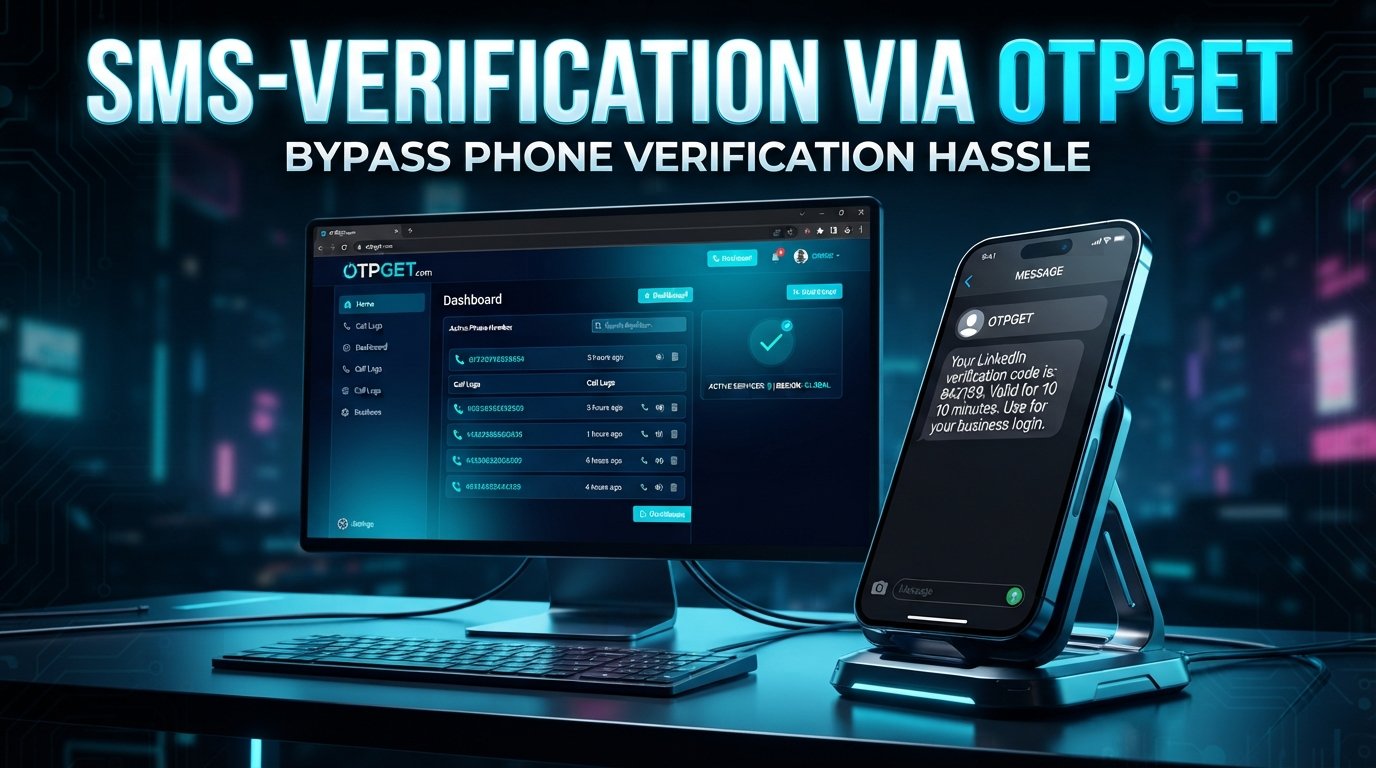
How to Get LinkedIn Business Login Without Phone Number
Trying to complete a LinkedIn business login without a phone number can be frustrating, especially when LinkedIn asks for a verification code and your personal number is unavailable, unsuitable for business use, or simply something you prefer not to share.
The good news is that a phone number is not necessarily the only consideration in every LinkedIn account-access situation. Depending on the account and security challenge, LinkedIn may provide different verification or recovery options. LinkedIn also states that phone verification can be used to help confirm an account and improve account security.
For users who legitimately need SMS-based verification without exposing a personal number, an OTP receiving service such as OTPGET may be worth exploring when it supports the relevant verification process.
The important distinction is simple: an OTP service can help you receive a legitimate verification code, but it does not bypass LinkedIn's security controls or guarantee account access.
Can You Log In to LinkedIn Without a Phone Number?
Sometimes, yes—but it depends on what LinkedIn asks for during the particular login or recovery process.
A normal LinkedIn business login generally involves your existing account credentials. A phone number may become relevant when LinkedIn requires additional authentication, account confirmation, password recovery, or another security check.
LinkedIn explains that it may request phone verification during sign-up and can use a confirmed phone number for certain security functions.
There is an important difference between:
- LinkedIn login: entering your existing account credentials.
- Phone verification: confirming access to a phone number through an SMS code.
- Login verification: completing an additional security challenge.
- Account recovery: proving that you are the rightful account owner when normal access is unavailable.
So, if you're searching for LinkedIn login without phone number, the right approach is not to defeat the verification step. Instead, check which legitimate verification method LinkedIn offers for your account.
Why Does LinkedIn Ask for a Verification Code?
A LinkedIn verification code is designed to help confirm that the person attempting to access an account is authorized to do so.
LinkedIn says it may display a phone-based challenge when it detects potential unauthorized access. It can also use verification to help distinguish legitimate members from automated or abusive activity.
Common reasons for additional verification can include:
- An unfamiliar login attempt
- Unusual account activity
- Account security checks
- Password or account recovery
- Identity or account verification
- Protection against unauthorized access
- Additional checks associated with account risk signals
This means a LinkedIn OTP should be treated as a security credential. Never share a verification code with another person, and never use an OTP service to impersonate someone or access an account you do not own.
What Are Your Options If You Don't Want to Use Your Personal Phone?
If you need LinkedIn verification without a personal phone, start with the verification methods LinkedIn actually offers during your login or recovery flow.
Depending on your situation, legitimate options may include:
- Check for email-based verification.
If LinkedIn presents email as an available method, use the email address associated with your account. - Use an authorized business number.
If your organization provides a phone number for business account administration, that may be more appropriate than using a personal number, subject to LinkedIn's requirements. - Use another supported verification method.
The options available can vary depending on the account and the security process. - Consider an OTP verification service when appropriate.
If LinkedIn's verification flow accepts the relevant type of number and the service supports it, an OTP provider can potentially separate verification activity from your personal phone. - Use LinkedIn's recovery process.
If you have lost access to your phone or other credentials, LinkedIn provides account-recovery procedures, including identity verification in certain circumstances.
The key is to use an option that LinkedIn accepts rather than attempting to circumvent its security requirements.
How OTPGET Can Help With OTP Verification
OTPGET provides virtual numbers and OTP-related services designed for receiving verification messages through supported services. Its documentation describes SMS OTP numbers, rental numbers, and other verification-related services.
For someone looking for a temporary phone number for OTP purposes, the potential advantage is straightforward: you can separate certain verification activity from your personal mobile number.
However, compatibility matters. OTPGET does not override LinkedIn's verification system, and there is no guarantee that a particular LinkedIn verification flow will accept a given number or service.
If the relevant LinkedIn verification screen accepts the type of number you're using, the general workflow is:
- Choose an appropriate available OTPGET number or supported verification option.
- Enter that number into the legitimate LinkedIn verification field.
- Request the verification code.
- Monitor the supported OTPGET interface for the incoming SMS.
- Enter the received code into LinkedIn's verification screen.
- Complete any additional account, identity, or security checks LinkedIn requests.
That's an OTP verification workflow, not a LinkedIn security bypass.
If LinkedIn requires another form of identity verification, receiving an SMS code alone will not replace that requirement.
Why Use OTPGET for OTP Verification?
For users who have a legitimate reason to keep business verification separate from their personal mobile number, an OTP service can offer practical advantages.
Convenience
You can use a supported virtual number instead of depending on your personal SIM when the relevant verification process allows it.
Separation of Personal and Business Use
Keeping business-related verification separate from a personal number can make account administration easier to organize.
OTP Management
A dedicated verification workflow can make it easier to distinguish one-time authentication messages from normal personal SMS traffic.
Accessibility
Virtual-number services can be useful when physical SIM access is inconvenient or when a business user needs a number for a supported verification workflow.
Practical Privacy Considerations
Using a separate number can reduce the need to provide a personal mobile number in situations where an alternative is legitimately accepted. That said, users should still review the privacy practices and terms of any service they use.
OTPGET's published documentation confirms that its platform supports SMS OTP and number-rental functionality, although available services and compatibility can vary.
Step-by-Step Guide to Using OTPGET for Verification
If you're considering OTPGET for a legitimate verification workflow, keep the process simple.
Step 1: Identify the verification requirement
First determine whether LinkedIn is asking specifically for an SMS verification code or whether it requires another form of account or identity verification.
Step 2: Check available OTPGET options
Review the available numbers and services through OTPGET. The important question is whether the relevant verification service is supported.
Step 3: Use the number only in the legitimate verification field
Enter the number provided by OTPGET into the phone-number field presented by the service you are legitimately trying to verify.
Step 4: Request the OTP
Submit the verification request and wait for the SMS code through the supported OTPGET workflow.
Step 5: Enter the code
Enter the received LinkedIn OTP into the official LinkedIn verification screen.
Step 6: Follow any additional instructions
If LinkedIn requests identity verification, account recovery, or another security step, complete that process instead of trying to work around it.
This approach keeps OTPGET in its proper role: helping with supported OTP delivery rather than defeating platform security.
What If LinkedIn Still Doesn't Accept the Verification Method?
An OTP service cannot guarantee compatibility with every platform or verification flow.
If LinkedIn rejects the number, does not deliver a LinkedIn verification code, or requests additional verification, try the following:
- Check whether LinkedIn offers email verification.
- Try another verification method displayed by LinkedIn.
- Confirm that your account information is accurate.
- Use an authorized business contact number when appropriate.
- Check that you still have access to your account email.
- Follow LinkedIn's official account-recovery process.
- Complete identity verification if LinkedIn requests it.
LinkedIn's recovery guidance indicates that users who cannot regain access through normal methods may be asked to verify their identity, including through a government-issued ID process in applicable cases.
If you're experiencing a LinkedIn login issue or LinkedIn verification problem, the safest solution is to follow the verification path LinkedIn provides for your account.
OTPGET vs Using Your Personal Phone Number
| Factor | Personal Phone Number | OTPGET / Separate OTP Number |
|---|---|---|
| Personal number exposure | Uses your personal number | Can separate supported verification from your personal number |
| Convenience | Convenient when your phone is available | Useful when a supported virtual number is more practical |
| OTP management | Codes arrive with normal SMS | Codes can be handled through the supported OTP service |
| Personal/business separation | Less separation | More separation for appropriate business workflows |
| Verification compatibility | Usually depends on the platform's accepted number types | Depends on platform compatibility and available OTPGET numbers |
| Account security responsibility | Remains with the account owner | Remains with the account owner |
Neither option is universally better. The right choice depends on LinkedIn's requirements, your account setup, and whether the verification method is supported.
Tips for a Smooth LinkedIn Business Login
A few basic habits can prevent many account-access problems.
- Keep your recovery information updated. Maintain access to legitimate email and recovery methods.
- Use accurate account information. Inconsistent information can make account recovery more difficult.
- Protect your credentials. Never share your password with another person.
- Never share OTP codes. Treat verification codes like passwords.
- Use trusted devices where possible. Familiar devices and normal login behavior can make account access more straightforward.
- Follow LinkedIn's instructions. If LinkedIn presents an identity or security challenge, complete the requested process.
- Maintain more than one legitimate recovery option when available.
- Use OTP services responsibly. A virtual number should support an authorized verification workflow, not be used to create deceptive identities or evade platform restrictions.
Good account hygiene matters more than any single login method.
8. FAQ Section
Can I log in to LinkedIn without a phone number?
You may be able to access LinkedIn without entering a phone number during a normal login, but LinkedIn can request phone verification or another security challenge depending on the circumstances. The available options can vary by account and situation. If a phone challenge appears, use one of the verification or recovery methods LinkedIn provides rather than attempting to bypass it.
Can I receive a LinkedIn verification code without using my personal number?
Potentially, if LinkedIn's verification process accepts another legitimate number and the relevant service supports SMS delivery to that number. An OTP service such as OTPGET may be useful for supported verification workflows. However, compatibility is not guaranteed, and LinkedIn may require additional verification beyond an SMS code.
What is a LinkedIn OTP?
A LinkedIn OTP is a one-time password or verification code used to confirm access during a security or verification process. It is typically sent through a supported authentication channel. Because an OTP is a security credential, you should never share it with another person or enter it into an unofficial website.
Does LinkedIn always require phone verification?
No single verification method should be assumed to apply to every LinkedIn account or every login. LinkedIn may request phone verification in some situations, while other account-access or recovery flows can involve different methods. Always check the verification options presented directly by LinkedIn.
Can OTPGET help with LinkedIn OTP verification?
OTPGET may help when its available OTP/number service supports the relevant verification flow and LinkedIn accepts that type of number. It should not be considered a way to bypass LinkedIn security. If LinkedIn requires additional identity or account verification, you will still need to complete those requirements.
Is using an OTP service safe?
An OTP service should be used carefully and only for legitimate purposes. Review the provider's policies, understand how numbers and messages are handled, and never use a temporary or virtual number to impersonate someone, take over an account, or evade platform restrictions. Also remember that receiving an OTP does not replace other security requirements.
What should I do if my LinkedIn verification code does not arrive?
First, check that the number or email address was entered correctly and that the relevant verification method is supported. Wait for the normal delivery process to complete, then check whether LinkedIn offers another verification option. If you still cannot proceed, use LinkedIn's account-recovery or support process rather than repeatedly attempting unsupported verification methods.
Can I use email instead of phone verification on LinkedIn?
Email may be available for certain account-access or recovery situations, but the exact options depend on the process LinkedIn presents. If email verification is offered, use the email account legitimately associated with your LinkedIn account. Do not assume that email can replace every phone-based security challenge.
Why is LinkedIn asking me for additional verification?
Additional verification can help protect accounts from unauthorized access and automated or suspicious activity. LinkedIn specifically describes phone-based challenges as a security measure in situations where it detects potential unauthorized access.
What should I do if LinkedIn rejects my verification method?
Try another supported method displayed by LinkedIn, confirm your account information, and follow the official recovery process if necessary. If your account requires identity verification, complete that process. An OTP service cannot force LinkedIn to accept a number or override its verification requirements.
9. Final CTA
If you need LinkedIn business login without a phone number, start by identifying exactly what verification LinkedIn is requesting and which legitimate methods it offers.
When SMS verification is appropriate and a supported alternative number makes sense, explore OTPGET to review its available OTP and virtual-number options. Use the service responsibly, protect your verification codes, and always follow LinkedIn's account-access and verification requirements.
Explore OTPGET's available OTP verification options and choose a solution that fits your legitimate verification needs.


