Meta Business Suite Login Without Phone Number: Easy Options
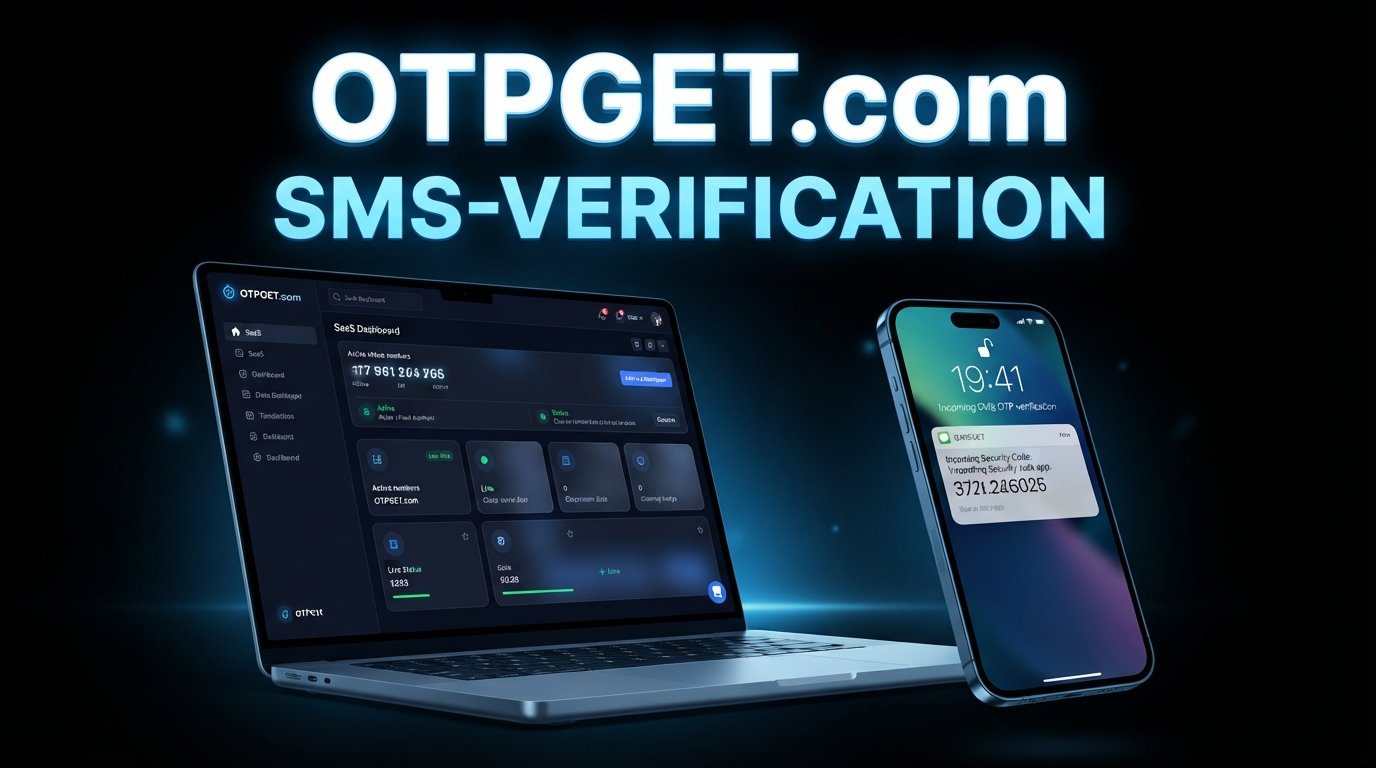
How to Get Meta Business Suite Login Without Phone Number
Trying to complete a Meta Business Suite login without phone number can be frustrating when Meta asks for a verification code you cannot receive on your usual mobile number.
The important distinction is that there is no legitimate shortcut for defeating Meta's security checks. Instead, the right approach is to see which verification methods Meta makes available for your account and use an appropriate method that you control.
Depending on the login situation, Meta may ask for additional verification because of account-security settings, unfamiliar activity, two-factor authentication, recovery requirements, or other security checks. If an OTP is specifically requested and an online number is accepted by that verification flow, an OTP service such as OTPGET may provide a practical way to receive the code without using your personal phone number.
OTPGET describes its platform as providing virtual numbers for SMS OTP verification, along with rental numbers and other verification-related services. Its documentation also explains how users can request a number and check for incoming SMS codes.
The key phrase is where supported. An OTP service does not bypass Meta security, and using one does not guarantee that Meta will accept a particular number.
Can You Log In to Meta Business Suite Without a Phone Number?
Yes, in some situations you can access Meta Business Suite without entering your personal phone number. However, that does not necessarily mean you can avoid every form of verification.
Meta Business Suite is connected to the broader Meta account and business-management environment. During a normal Meta Business Suite login, you may authenticate using the credentials and security methods associated with your account. Meta's business help resources also direct users through account and business-management support flows.
The situation changes when Meta asks for an OTP.
There is a difference between:
- Logging in without providing a phone number, because another available authentication method is offered.
- Receiving an OTP without using your personal phone, where Meta presents an accepted phone-based verification option.
- Recovering an account, where Meta may offer recovery or identity/security checks instead of the normal login process.
Available options can differ depending on your account, security configuration, login environment, and the specific verification screen you receive.
[Internal Link Suggestion: "Meta Business Suite login guide"]
Why Does Meta Business Suite Ask for a Phone Number?
Phone verification is commonly used as part of account security. For business accounts, additional verification can be particularly important because access may involve pages, advertising assets, business portfolios, payment information, or other valuable resources.
A phone number may be requested for reasons such as:
- Account security: A verification code can help confirm that the person attempting to sign in has access to an approved verification method.
- Unfamiliar login activity: A new browser, device, location, or unusual login pattern can trigger additional checks.
- Two-factor authentication: If two-factor authentication is configured to use SMS, a security code may be sent to the associated number.
- Account recovery: Phone-based verification can be one part of recovering access.
- Business account protection: Extra authentication helps protect business assets from unauthorized access.
This is why trying to find a way around a verification screen is not the right approach. If Meta requests verification, the goal should be to complete the verification using a method Meta accepts.
[Official Meta Help Center link]
How to Get Meta Business Suite Login Without Phone Number
If you do not want to use your personal number, work through the available options in this order.
1. Check for another verification method
Look carefully at the verification screen. Depending on your account configuration, Meta may present another authentication method.
Do not assume that SMS is your only option. If another method is displayed and you have access to it, use that method.
2. Use an existing authentication method
If you previously configured an authentication app or another supported security method, use the method already associated with your account.
This is often preferable to introducing a new verification method during a login problem.
3. Check account recovery options
If you cannot access the normal verification method, use Meta's official account-recovery process.
Avoid websites or individuals claiming they can remove Meta verification for a fee. Account recovery should be handled through Meta's own systems.
4. Consider an online OTP service when appropriate
If the specific Meta verification screen requires an SMS code and accepts the type of number you are using, an online OTP service can be another option.
This is where OTPGET may be useful. Its published service information says users can obtain virtual phone numbers and receive SMS verification codes online.
However, acceptance is determined by the service requesting the code. OTPGET does not override Meta's verification requirements.
How OTPGET Can Help With Meta OTP Verification
OTPGET is an online OTP and virtual-number service designed to help users receive verification messages without relying on a physical SIM card. According to its published information, the platform offers temporary virtual numbers, rental numbers, SMS OTP functionality, and temporary email services.
For an SMS-based verification workflow, the basic concept is straightforward:
- Select an available country or number option.
- Obtain the number through the service.
- Enter that number in the relevant verification field if the requesting platform accepts it.
- Request the OTP.
- Monitor OTPGET for the incoming message.
- Enter the received code into the original verification screen.
OTPGET's documentation describes an SMS API flow in which a number is requested and the activation status can then be checked for a received code.
For someone searching for a Facebook verification code without phone access, this can be useful when the issue is simply that a personal mobile number is unavailable or the user prefers to keep personal and business communication separate.
There is an important limitation, though: not every verification flow accepts every virtual or temporary number. Meta may reject a number, request another verification method, or apply additional security checks.
So think of OTPGET as a way to obtain a potential verification channel—not as a way to bypass Meta security.
[Internal Link Suggestion: "how online OTP verification works"]
Step-by-Step: Using OTPGET for OTP Verification
If your Meta verification flow accepts the type of number you obtain, the process can look like this:
Step 1: Open OTPGET
Visit OTPGET and access the available OTP/virtual-number service.
Step 2: Choose the appropriate available OTP/number option
Select a country and service option that is available for your intended verification workflow. Availability can change, so check the options displayed to you.
Step 3: Enter the provided number
Copy the number supplied by OTPGET into the relevant Meta verification field, where accepted.
Step 4: Request the verification code
Continue through Meta's verification screen and request the SMS code.
Step 5: Check OTPGET for the incoming OTP
Return to OTPGET and check whether the verification message has arrived. Its documentation describes checking activation status for incoming SMS codes.
Step 6: Enter the code
Enter the received OTP into the Meta verification screen.
Step 7: Complete additional security checks
Meta may request another verification step. Complete any additional checks through Meta's official interface rather than attempting to circumvent them.
Benefits of Using OTPGET Instead of Your Personal Number
An online OTP option can make sense in specific situations.
Convenience: You can receive supported verification messages online rather than waiting for access to your personal SIM.
Separation: A separate number can keep certain business verification activity separate from your everyday personal number.
Practical access: If you temporarily cannot use your normal phone, an available online number may provide another option where accepted.
Simple workflow: The basic process is selecting a number, entering it into the relevant service, waiting for the OTP, and entering the code.
Useful for specific workflows: OTPGET offers temporary and rental number options, so different verification requirements can potentially be handled through different number types.
These benefits should not be confused with a guarantee of acceptance. The platform you're verifying with remains responsible for deciding whether a number is valid.
Things to Keep in Mind Before Using an Online OTP Number
Before using an online OTP number, consider the following:
- Some services do not accept virtual, temporary, or previously used numbers.
- Verification requirements can change.
- A number may have an existing usage history.
- Meta may request another verification method after an OTP is entered.
- Repeated failed attempts can create additional login friction.
- Never give your Meta password, recovery codes, authentication-app secrets, or other sensitive credentials to an OTP provider.
- Use online OTP services only for legitimate account access and verification.
- Follow Meta's account-security requirements and applicable terms.
- Review the OTP provider's own policies before using its services.
OTPGET's published terms prohibit illegal, fraudulent, abusive, or harmful uses of its services and state that users are responsible for how they use the service.
[Official Meta Account Recovery link]
Meta Business Suite Login Without Phone Number: Common Problems
Even when an OTP service is appropriate, problems can occur.
OTP not arriving
Wait briefly and check that the number was entered correctly. If the code still does not arrive, the selected number may not be receiving messages from that service.
Number not accepted
Meta may reject a particular virtual or temporary number. Try an alternative verification method offered directly by Meta rather than repeatedly submitting numbers.
Code expired
OTP codes are time-sensitive. Request a new code and use the latest code presented to you.
Too many verification attempts
Stop submitting repeated requests. Continuing to retry can make the situation more difficult. Wait and follow the recovery or verification instructions shown by Meta.
Meta requests another verification method
This means the current verification route is not sufficient for the account or login situation. Follow the alternative method Meta provides.
Account temporarily restricted
Do not attempt to circumvent the restriction. Use Meta's official account or business support and recovery options.
Login loop
Try closing unnecessary sessions, reopening the browser, and signing in through Meta's official interface. Clearing outdated browser data can also help with session-related problems.
Incorrect OTP
Make sure you are entering the newest code associated with the current verification attempt. Do not reuse an older code.
[Internal Link Suggestion: "Meta account recovery troubleshooting"]
OTPGET vs Using Your Personal Phone Number
There is no single verification method that fits every account. The appropriate option depends on what Meta offers and what access you currently have.
| Option | Convenience | Personal Number Required | Best For | Important Consideration |
|---|---|---|---|---|
| Personal phone number | Familiar and direct | Yes | Users who have reliable access to their own number | Keeps verification tied to a personal number |
| Existing authentication method | Convenient once configured | Not necessarily | Users who already have another supported method | Must already be configured and accessible |
| OTPGET / online OTP option | Can provide an online number where supported | No personal number needed for that specific number | Users who need an alternative SMS verification channel | Acceptance depends on Meta's verification flow |
The practical decision is therefore less about finding a way around Meta and more about finding an accepted verification method that matches your situation.
Frequently Asked Questions
Can I log in to Meta Business Suite without a phone number?
Sometimes. If Meta allows another authentication method for your account, you may be able to complete the login without entering a phone number. If SMS verification is required, you need access to an accepted SMS verification method.
How can I receive a Meta verification code without my personal phone?
First check whether Meta provides another verification option. If SMS is required and the verification flow accepts an online number, an OTP service such as OTPGET may be an option.
Does Meta Business Suite always require phone verification?
No single verification method should be assumed to apply to every account or login. Requirements can depend on account settings, security configuration, and the specific verification flow.
Can I use an online OTP number for Meta verification?
It may work where Meta accepts the selected number and verification route. Virtual or temporary numbers can also be rejected, so an OTP service cannot guarantee acceptance.
What is OTPGET?
OTPGET is a virtual-number and OTP service that provides temporary numbers, rental numbers, SMS OTP functionality, and related verification services. Its documentation describes mechanisms for obtaining numbers and retrieving incoming verification messages.
Why is my Meta OTP not arriving?
The number may not be supported for that verification flow, the message may be delayed, or the current verification attempt may have expired. Check the number, request a fresh code when appropriate, and use any alternative method Meta provides.
Can OTPGET guarantee Meta verification?
No. OTPGET cannot guarantee that Meta will accept a particular number or approve a verification attempt. Meta controls its own authentication and security requirements.
Is using an OTP service safe?
It depends on the provider, the specific service, and how you use it. Never share your Meta password, recovery codes, or other sensitive credentials with an OTP provider. Use services only for legitimate verification and review their terms and privacy information before proceeding.
Final Thoughts
Getting a Meta Business Suite login without phone number does not require defeating Meta's security controls. The legitimate approach is to identify which verification methods Meta makes available for your account and use an accepted method.
If you already have an authentication method configured, that may be the simplest route. If Meta specifically requests an SMS OTP and an online number is accepted in that verification flow, OTPGET can be a convenient option for receiving the verification code without using your personal phone number.
The important qualification is acceptance. OTPGET provides the number and OTP-receiving infrastructure; Meta still decides whether that number and verification method satisfy its security requirements. OTPGET's own documentation confirms that its platform supports virtual numbers and SMS OTP retrieval, while its terms require legitimate use.
If you need an alternative OTP channel for a legitimate Meta business-account login, explore the available OTPGET options first, then follow Meta's verification instructions exactly as presented.
10. Suggested Internal Links
- [Internal Link Suggestion: "Meta Business Suite login guide"]
- [Internal Link Suggestion: "how online OTP verification works"]
- [Internal Link Suggestion: "temporary phone numbers for SMS verification"]
- [Internal Link Suggestion: "Meta account recovery troubleshooting"]
- [Internal Link Suggestion: "Facebook business account verification guide"]
11. Suggested Official External Resource Links
- [Official Meta Help Center link]
- [Official Meta Business Help Center link]
- [Official Facebook Account Recovery link]
- [Official Meta Two-Factor Authentication Help link]
- [Official Meta Business Suite Help link]
- [Official OTPGET website]


