Why “Number Already Used” Appears and How to Fix the Error Fast
Why “Number Already Used” Appears and How to Fix It Fast
You enter your phone number, request a verification code, and expect to continue with registration. Instead, the app suddenly says “Number Already Used,” “Phone Number Already Registered,” or something similar.
It can be confusing, especially if you believe you have never created an account with that service.
Usually, the message means the platform has already associated your number with an account, registration record, or previous verification attempt. However, there are several possible explanations.
The good news is that this type of phone verification problem often has a straightforward solution. You may be able to recover an existing account, correct a formatting issue, wait for a temporary restriction to clear, or use another legitimate number where the platform permits it. For supported verification use cases, OTPGET can also provide an online number option.
What Does “Number Already Used” Mean?
The “number already used” message generally means the service's system recognizes your phone number as being connected to something that prevents it from being used in the current registration flow.
That association might be:
- An existing user account
- A previous registration
- A previous verification event
- An inactive or deleted account
- A platform-specific number restriction
The exact reason depends on the app or website. One service may allow a phone number to be attached to only one account, while another may handle previously registered numbers differently.
In other words, “number already used” does not necessarily mean someone is currently using your number. It can simply mean the platform has an existing record associated with it.
Why Does the App Say My Number Is Already Used?
The Number Is Already Linked to an Account
The most common explanation is simple: your phone number is already connected to an account.
You may have created the account yourself and forgotten about it. Some services allow you to log in using your phone number rather than an email address, making it easy to overlook an older account.
Try the platform's account recovery or login option before creating a new account.
You Used the Number Before
Even if you no longer use an old account, the service may still recognize your number.
Deleting an app from your phone does not necessarily delete the associated online account. Similarly, uninstalling an application does not automatically remove registration records from the company's systems.
If you previously signed up, look for options such as Log In, Forgot Password, Recover Account, or Continue With Phone Number.
Someone Else Previously Had the Number
Phone numbers can be reassigned by mobile carriers. A number that is new to you may have belonged to another person previously.
If the previous owner used the number to register for a service, that historical association can sometimes create a phone number registration problem for the new owner.
This is one reason a person can legitimately see a phone number already associated with an account even though they did not create that account.
A Previous Verification Attempt Created a Record
Some services maintain records connected to phone verification attempts.
For example, you might start registration, request an SMS verification code, leave the process unfinished, and later attempt to register again. Depending on how that platform handles its records, the earlier attempt may affect the next registration.
This does not mean every verification attempt creates a permanent account. Platform behavior varies.
The App Has Account or Number Restrictions
Some platforms place limits on how phone numbers can be used for registration, recovery, or verification.
These restrictions can depend on the service, country or region, account type, or the platform's own policies.
If you are repeatedly unable to use your number, check the service's official help documentation rather than assuming the error means your phone itself is defective.
How to Fix the “Number Already Used” Error
Before looking for another number, try these practical steps.
- Check whether an account already exists.
Try logging in with your phone number or use the platform's account-recovery process. - Try account recovery.
If the number belongs to an older account, recovering that account may solve the problem without requiring a new registration. - Confirm the phone number format.
Make sure you entered the correct country code and number format. Remove unnecessary spaces or characters if the service requires a specific format. - Check the country or region.
Some services require a number from a particular country or region. A mismatch can result in a phone verification error. - Wait if verification attempts are temporarily restricted.
Repeatedly requesting codes can trigger temporary limits on some platforms. Follow the service's instructions and avoid repeatedly submitting requests. - Contact official support.
If your number was recently reassigned or appears to be attached to an account you do not recognize, the platform's support team is the appropriate place to ask for help. - Consider another legitimate number when appropriate.
If the platform permits another number and you have a legitimate reason to use one, an alternative phone number may be practical.
The important point is to solve the underlying registration issue rather than trying to circumvent a platform's security controls.
What If You Need Another Number for Verification?
There are legitimate situations where someone may prefer or need a second phone number.
For example, you might want to:
- Keep your personal number separate from online registrations
- Test a service or application
- Avoid exposing your primary number unnecessarily
- Use a dedicated number for a supported registration
- Receive an OTP on a separate number
- Maintain a separate business or project identity
An online phone number can be useful in these situations, provided the service you are registering with permits that type of number.
A temporary phone number is not automatically appropriate for every account. Before using one, check the platform's rules and consider whether you will need that same number later for password recovery or account security.
How OTPGET Can Help
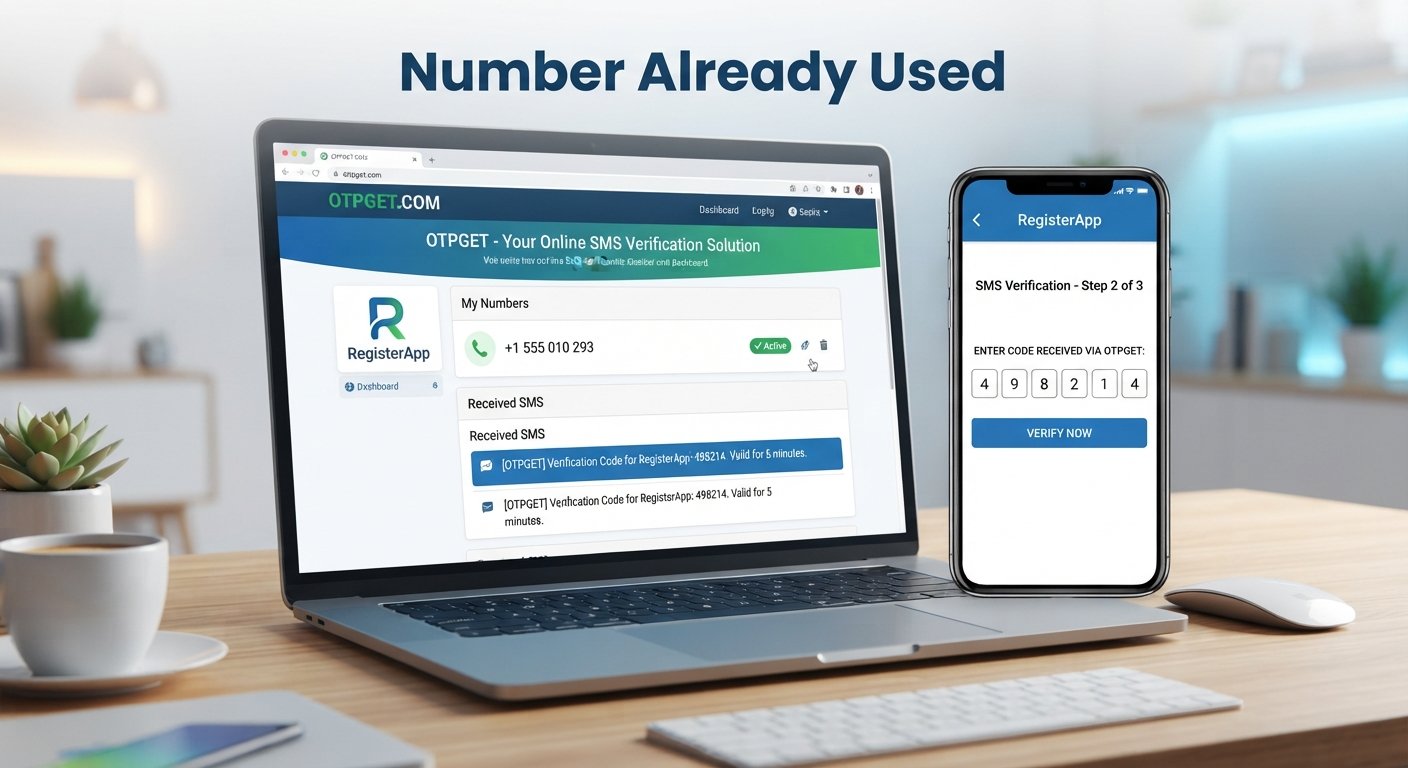
OTPGET provides virtual and temporary phone numbers intended for online verification and account-registration use cases. Its documentation describes workflows for obtaining a number for a selected service and checking for an incoming SMS verification code. Availability depends on the country, service, and numbers currently offered.
This can be useful when you need an alternative number for a supported verification process and do not want to use your primary phone number.
The general process is straightforward:
- Choose a suitable number or service through OTPGET.
- Use the number only where the relevant platform permits it.
- Request the verification code through the normal sign-up or verification screen.
- Monitor OTPGET for the incoming SMS.
- Enter the verification code into the relevant service.
- Complete the platform's standard verification process.
OTPGET's own guidance also emphasizes using its services for legitimate purposes and not for fraud, abuse, or circumventing platform security controls.
For example, suppose your personal number is already associated with an existing account and the service permits registration with another suitable number. Instead of repeatedly trying the same number, you could explore whether OTPGET has a compatible number for that service and region. If one is available and the platform allows it, the number can be used for the normal SMS verification process.
There is no guarantee that every online number will work with every app. Service compatibility, country requirements, number availability, and the platform's own verification rules can all affect the result.
Explore OTPGET's official verification-number service
Temporary Phone Number vs. Your Personal Number
| Factor | Personal Number | Temporary/Online Number |
|---|---|---|
| Privacy | Requires sharing your primary number | Can help keep your primary number separate |
| Convenience | Always available on your device | Available through the relevant online service |
| Account recovery | Generally better for long-term personal accounts | May be unsuitable if you later lose access |
| Long-term ownership | Usually tied to your mobile service | Depends on the number and rental arrangement |
| Verification compatibility | Widely used, but platform rules still apply | Depends on the specific service and platform |
| Reusability | Designed for ongoing personal use | Depends on the type of number |
| Security | Useful for accounts you control long term | Requires careful consideration of future access |
For an important account such as a primary email, financial service, or other account where long-term recovery matters, a permanent number you control may be more appropriate.
A temporary number is generally better considered for situations where temporary or separate verification access is suitable and permitted.
Things to Check Before Using Another Number
Before purchasing or using a second number for SMS verification, take a moment to check the basics.
- Read the platform's rules. Make sure the service allows the type of number you intend to use.
- Confirm SMS compatibility. The number needs to be capable of receiving the required verification SMS.
- Check the country or region. Some registration systems require a number from a specific location.
- Avoid repeated OTP requests. Excessive requests can trigger temporary verification limits.
- Think about recovery. If the account is important, make sure you will have a reliable recovery method later.
- Protect verification codes. Never share an OTP with someone who should not have access to your account.
- Use numbers for legitimate purposes. A verification service should not be used to impersonate another person, create fraudulent accounts, or bypass security restrictions.
These simple checks can prevent many unnecessary verification problems.
Frequently Asked Questions
What does “number already used” mean?
It usually means the service already has a record connecting your phone number to an account, registration, or verification event. The exact reason varies by platform.
Why is my phone number already registered?
You may have registered previously, another account may already be associated with the number, or the number may have belonged to a previous owner.
Can I fix a phone number verification error?
Often, yes. Try account recovery, check your number format and country code, wait if temporary restrictions apply, and contact the platform's official support if the problem continues.
Why can't I use my number to create another account?
Some services limit how many accounts can be associated with one phone number. Others may retain previous registration information or apply service-specific restrictions.
Can a temporary phone number receive an OTP?
A suitable temporary or virtual number can receive SMS verification codes when the number supports the relevant service. Compatibility depends on the platform and number availability.
Is OTPGET useful for verification?
OTPGET can be an option for users who need an online number for a supported and permitted verification use case. It provides temporary and rental virtual numbers and an SMS-based verification workflow, but availability and compatibility depend on the service.
Should I use a temporary number for an important account?
Consider using a number you will reliably control for accounts that require long-term recovery. A temporary number may be more appropriate for limited or supported verification use cases where ongoing access to the number is not essential.
Final Thoughts
The “number already used” message usually means the service already recognizes your phone number in its system. It may be linked to an existing account, a previous registration, a former owner, or a platform-specific verification record.
Start by checking whether an account already exists, trying account recovery, confirming your number format, and reviewing the service's verification requirements. If those options do not solve the problem, official support can clarify why your number cannot be used.
When another number is appropriate and permitted, an online or temporary phone number can provide an alternative for supported SMS verification workflows. OTPGET can be a practical option for users looking for such numbers, with availability depending on the relevant service, country, and number type.
If you need an alternative number for a legitimate, supported verification purpose, explore OTPGET and check the available service and country options before starting the verification process.
Suggested Internal Links
- What Is an OTP and How Does It Work?
- How to Receive SMS Verification Codes Online
- Temporary Phone Numbers Explained
- Virtual Phone Numbers vs. Regular Phone Numbers
- Why SMS Verification Fails
- How Phone Number Verification Works
- Common OTP Problems and Solutions
- What Is a Virtual Phone Number?


