Number Verification Problems in Pakistan: Fix OTP & SMS Issues
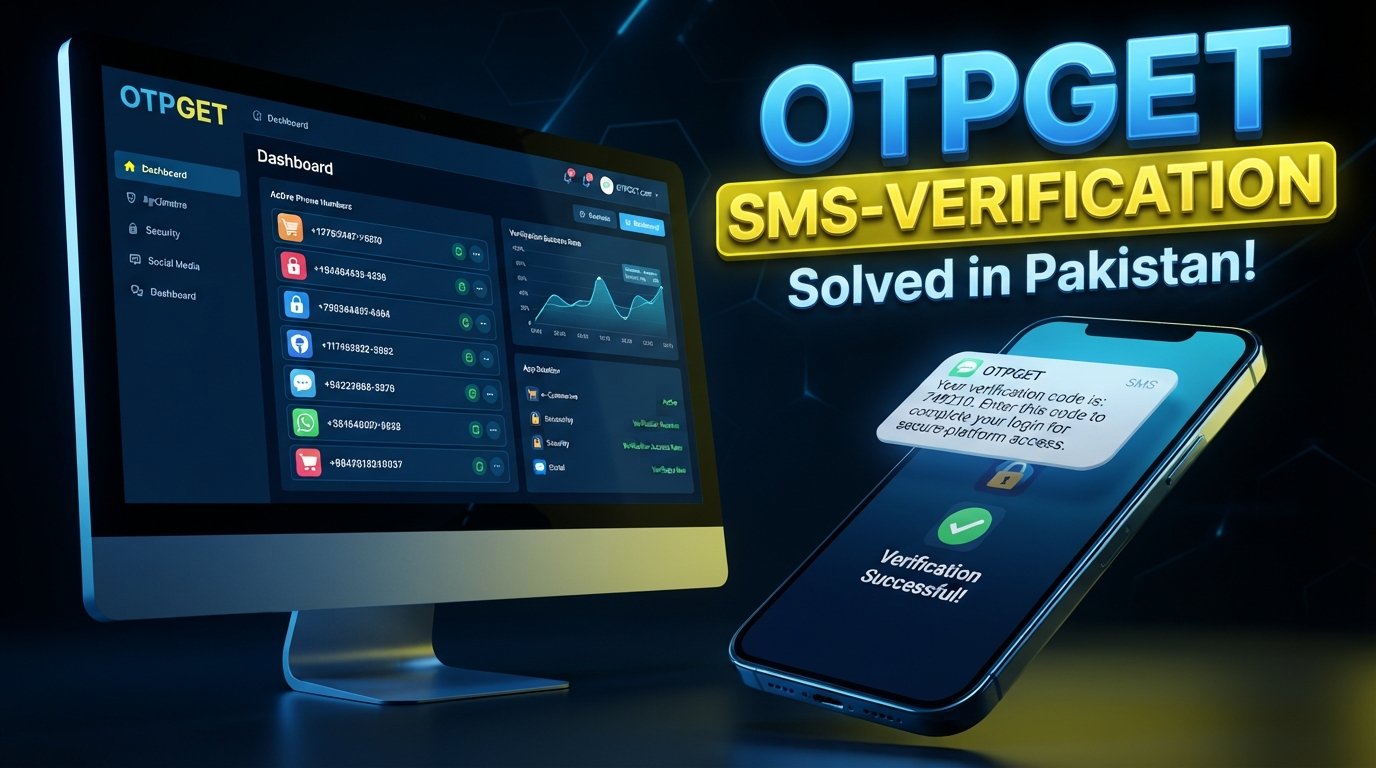
Number Verification Problems in Pakistan and How to Solve Them
8. Full Blog Article
Trying to verify a Pakistani phone number can sometimes be surprisingly frustrating. You enter your number, request a verification code, and then wait. The OTP may arrive late, fail to arrive at all, or expire before you can use it.
These are some of the most common number verification problems in Pakistan, and they can affect both individual users and businesses. Phone verification is now a routine part of registering for apps, creating online accounts, shopping online, using financial platforms, and accessing digital services. When verification fails, even a simple signup can become a barrier.
The good news is that many verification issues can be identified and addressed with a few practical checks. For businesses, using a dedicated verification solution such as OTPGET can also help create a more structured and convenient verification workflow.
Why Number Verification Matters in Pakistan
A mobile number is often used as part of a user's identity and authentication process. For an online service, confirming that a person can access a particular phone number provides an additional layer of account verification.
Reliable phone number verification in Pakistan can support several important business and security functions:
- Account security: Phone verification can add an authentication step during registration or account recovery.
- Customer authentication: Businesses can confirm that a customer has access to the number provided.
- Fraud prevention: Verification can make it harder to create accounts using invalid or inaccessible contact information.
- User onboarding: A straightforward verification process reduces unnecessary friction during signup.
- Digital services: Apps, marketplaces, SaaS platforms, and websites may use OTPs as part of their registration or login processes.
- Business operations: Companies serving Pakistani customers may need a dependable way to handle mobile verification during customer onboarding.
For users, the goal is simple: enter a valid Pakistani mobile number, receive the code, and complete verification without unnecessary delays.
For businesses, the challenge is more complex because the verification journey must work consistently across different users, devices, networks, and circumstances.
Common Number Verification Problems in Pakistan
1. OTP SMS Is Not Arriving
One of the most familiar issues is the verification code not received problem. A user requests an OTP, but no SMS appears.
Possible causes include temporary delivery problems, network conditions, incorrect number entry, or limitations associated with the service sending the message.
What to do: Confirm the number, check mobile signal, make sure the SIM is active, and wait briefly before requesting another code.
2. Verification Codes Arrive Late
An OTP may eventually arrive but take longer than expected. If the code has a short validity period, a delayed message can become useless.
What to do: Avoid repeatedly requesting new codes. If several requests are made, older codes may no longer be the one the service expects.
3. Incorrect or Unsupported Number Format
A number entered in the wrong format can prevent successful delivery. This can happen when users enter a local format where an international format is expected, or accidentally add or remove digits.
What to do: Follow the format requested by the website or app. If a country code is required, use the correct country code and avoid adding unnecessary characters.
4. Network and Connectivity Issues
Poor mobile reception or temporary network problems can interfere with SMS delivery. A user's internet connection can also matter when the app or website needs to submit the OTP after it arrives.
What to do: Check both mobile signal and internet connectivity. If the connection is unstable, move to an area with better reception and try again later.
5. Carrier-Related SMS Delivery Problems
SMS delivery can involve multiple systems between the sender and recipient. A temporary issue along that route may affect a verification message.
What to do: If ordinary SMS messages are also delayed or missing, check whether the issue appears to be related to the mobile service rather than the particular website or app.
6. Expired OTP Codes
Most verification systems place a limited validity period on OTPs. If a code is entered after it expires, verification will fail even if the code itself was correct when originally sent.
What to do: Use the most recent OTP and enter it as soon as practical. If it has expired, request a new code rather than repeatedly entering the old one.
7. Too Many Verification Attempts
Repeatedly requesting OTPs or entering incorrect codes can trigger temporary restrictions on some services.
What to do: Stop requesting codes for a short period and then follow the service's verification instructions again.
8. Temporary Service Outages
Sometimes the problem is on the platform's side. A website or app may temporarily experience difficulties generating, sending, or processing verification codes.
What to do: Check whether other users are experiencing the same issue, if the service provides a status page or support channel. Trying again later may resolve a temporary outage.
9. Incorrect Number Entry
A surprisingly simple mistake can cause a verification failure. One incorrect digit is enough to send the OTP somewhere else or prevent delivery altogether.
What to do: Carefully review the Pakistani mobile number before submitting the verification request.
10. Platform-Specific Verification Limitations
Not every service handles Pakistani phone numbers in exactly the same way. Some platforms may have specific requirements or limitations relating to supported regions, number formats, or verification methods.
What to do: Review the platform's requirements and confirm that Pakistani mobile numbers are supported before repeatedly attempting verification.
Why OTP Verification Can Fail
Understanding the basic process makes mobile number verification issues easier to troubleshoot.
A typical SMS OTP verification workflow looks like this:
- The user enters a phone number.
- The platform generates a verification code.
- The code is sent through an SMS delivery process.
- The user receives the message and enters the code.
- The platform checks the code and confirms verification.
A failure can occur at almost any stage.
The number may be entered incorrectly. The OTP may not be generated properly. The message may be delayed. The user may enter an expired code. Or the platform may reject the verification attempt because of its own rules.
This is why OTP not received in Pakistan is not always a single, simple problem. Troubleshooting requires identifying which part of the process has failed.
How to Solve Number Verification Problems in Pakistan
Whether you are a user trying to verify an account or a business building a verification flow, a few practical steps can reduce common problems.
Check the Phone Number Format
Use the exact format requested by the service. Confirm the country code, mobile number, and digits before submitting the request.
Confirm the SIM Is Active
Make sure the Pakistani mobile number is active and capable of receiving SMS messages.
Check Mobile Signal and Messages
If signal strength is weak, move somewhere with better reception. Also check your SMS inbox and, where applicable, blocked or filtered messages.
Avoid Repeated OTP Requests
Requesting multiple codes in quick succession can create confusion because a newer code may replace an earlier one. Wait briefly before trying again.
Use the Latest OTP
If several messages arrive, use the newest valid code requested by the service.
Confirm Service Compatibility
If a particular platform does not accept your number, check its supported countries, number formats, or verification requirements.
Businesses Should Use a Structured Verification Workflow
For businesses, solving online verification problems requires more than asking customers to try again. A well-designed process should include clear error messages, controlled retries, sensible OTP expiration, and monitoring of delivery and verification outcomes.
This is where a dedicated number verification service can become useful. Instead of building every part of the process around manual handling, businesses can use a purpose-built verification approach to make authentication more organized.
How OTPGET Helps Solve Number Verification Problems
OTPGET can be considered by businesses looking for a practical approach to OTP-based number verification.
The value of a dedicated verification solution is not simply sending a code. It is about creating a verification workflow that is easier for businesses to manage and easier for users to complete.
OTPGET can be relevant when a business needs to:
- Add OTP verification to a customer onboarding process
- Support phone-based user verification
- Reduce unnecessary friction during registration
- Build a more structured authentication workflow
- Make verification more convenient for customers
- Support verification processes as the business grows
- Provide a consistent approach to phone verification
For businesses serving Pakistani customers, this can be particularly useful when phone verification is an important step in registration, authentication, or customer onboarding.
The right implementation still matters. A verification provider cannot eliminate every possible SMS, network, device, or user-input issue. However, using a dedicated platform can give businesses a more organized foundation for handling OTP verification instead of relying on ad hoc processes.
OTPGET vs. Traditional Number Verification Methods
The difference between a traditional approach and a dedicated OTP verification platform is mainly about how the verification workflow is managed.
| Verification factor | Traditional or manual approach | OTP verification platform such as OTPGET |
|---|---|---|
| Verification workflow | May require more manual handling | Designed around a structured OTP workflow |
| User experience | Can vary depending on implementation | Can provide a more consistent verification journey |
| Automation | Often limited | Better suited to automated verification processes |
| Scalability | May become harder to manage as users increase | Designed to support a more organized business workflow |
| Onboarding friction | Depends heavily on the process | Can help simplify phone verification steps |
| Business integration | May require separate processes | Can provide a dedicated foundation for verification workflows |
| Verification management | Can be fragmented | Centralized verification approach can be easier to manage |
This does not mean every business needs the same setup. The appropriate solution depends on the application's requirements, customer journey, technical environment, and verification needs.
Who Can Benefit From OTP Verification in Pakistan?
A wide range of digital businesses can use phone verification as part of their customer journey.
E-Commerce Businesses
Online stores can use account verification to help confirm customer contact information during registration or other account processes.
Mobile Applications
Apps can incorporate OTP verification into signup, authentication, or account recovery workflows.
SaaS Platforms
Software companies may use phone verification to add an additional authentication step when users create or access accounts.
Online Marketplaces
Marketplaces can incorporate verification into registration to help establish a more reliable user onboarding process.
Fintech and Digital Services
Platforms dealing with sensitive customer accounts may use phone verification as one component of their broader authentication process.
Membership and Customer Registration Systems
Any business that requires users to create accounts can consider phone verification where it fits the product's security and usability requirements.
For these businesses, a smoother verification process can mean fewer interruptions during onboarding and a clearer experience for customers. OTPGET can be considered as part of that verification infrastructure when Pakistani phone verification is relevant to the service.
Best Practices for Reliable OTP Verification
Good OTP verification is not only about sending SMS messages. The overall user experience and security controls matter as well.
Follow these practices:
- Use clear number formatting: Tell users exactly how to enter their Pakistani mobile number.
- Set sensible OTP expiration: Give users enough time to receive and enter a code without keeping codes valid unnecessarily long.
- Limit retries: Use reasonable limits to reduce accidental abuse and repeated requests.
- Provide clear error messages: Explain whether the code expired, was incorrect, or could not be processed.
- Include a resend option: Let users request another code when appropriate.
- Monitor delivery: Businesses should track verification outcomes to identify recurring delivery issues.
- Plan fallback handling: Where appropriate, provide another supported verification or support path.
- Protect against OTP abuse: Rate limits and sensible verification controls can help protect the process.
- Keep the interface simple: Users should immediately understand where to enter the code and what to do if it does not arrive.
- Choose a dependable provider: A dedicated OTP verification service can provide a more structured foundation for business verification workflows.
The goal is to balance convenience with security. A verification process that is too complicated frustrates users, while a process without appropriate controls can create unnecessary security risks.
9. FAQ Section
Why am I not receiving an OTP in Pakistan?
Common causes include incorrect number formatting, weak mobile signal, temporary SMS delivery issues, service-side problems, or too many recent OTP requests. Confirm the number, check your mobile connection, and wait before requesting another code.
Why is my Pakistani phone number not receiving verification codes?
Check that the SIM is active, the number is entered correctly, and the service supports Pakistani mobile numbers. If ordinary SMS messages are working but verification messages are not, the issue may be associated with the platform or its delivery process.
How can I solve phone number verification problems in Pakistan?
Start by checking the number format, SIM status, mobile signal, and SMS inbox. Avoid repeated OTP requests and use the newest valid code. Businesses can also consider a dedicated phone verification service such as OTPGET to organize their verification workflow.
What should I do if an OTP expires before I receive it?
Request a new OTP and use the latest code as soon as it arrives. Avoid entering an older code after requesting a replacement, because the service may only accept the newest valid OTP.
How does SMS OTP verification work?
A platform generates a temporary verification code and sends it to the user's phone number through SMS. The user enters the code into the platform, which checks it and confirms whether the verification attempt is valid.
Can businesses use OTP verification for Pakistani customers?
Yes. Businesses serving Pakistani users can incorporate OTP verification into registration, authentication, onboarding, or other account workflows where phone verification is appropriate.
How can OTPGET help with number verification?
OTPGET can provide businesses with a dedicated approach to OTP-based phone verification, helping organize verification workflows, reduce onboarding friction, and create a more convenient verification experience for users.
10. Final CTA
Make Phone Verification Easier for Your Users
Number verification problems in Pakistan can come from several points in the verification journey, from incorrect number formats and delayed SMS messages to expired codes and platform-specific limitations.
For users, simple troubleshooting can often resolve the issue. For businesses, a structured OTP verification workflow can make the process easier to manage and more convenient for customers.
If your business needs a practical approach to Pakistani phone number verification, explore OTPGET and consider how a dedicated OTP verification solution can fit into your registration, authentication, or customer onboarding process.


