Online Privacy Basics for Everyday Phone Users: OTPGET Guide
Online Privacy Basics for Everyday Phone Users: OTPGET Guide
8. Full Blog Article
Imagine signing up for a shopping site, downloading a new app, joining an online community, or trying a service you've never used before. Everything seems straightforward until the registration page asks for your phone number.
The request may look harmless. After all, you need the number to receive a verification code. But your primary phone number is also connected to calls, messages, account recovery, contacts, and other parts of your digital life.
That is why online privacy deserves attention from ordinary phone users, not just cybersecurity professionals.
Good privacy habits do not require complicated technical knowledge. Often, they begin with simple decisions about what information you share, which apps you trust, and when your personal number is actually necessary.
This guide covers the online privacy basics every smartphone user should understand, practical ways to improve phone privacy, and how a temporary phone number can sometimes reduce unnecessary exposure during online verification.
What Is Online Privacy?
Online privacy is the practice of controlling what personal information you share online, who can access it, and how it may be collected or used.
That information can include your name, email address, phone number, location, browsing activity, account details, photographs, and other personal data.
For phone users, privacy extends beyond the information stored on the device. It also involves the information you provide to websites, apps, online stores, social platforms, and other services.
A simple example is an online registration form. If a service only needs your email address to create a low-priority account but also requests your phone number, you can pause and consider whether sharing that additional information is necessary.
Privacy is not about refusing to use online services. It is about making deliberate choices about your personal information.
Why Phone Privacy Matters More Than You Think
Your phone number can become an important link between different parts of your digital identity.
It may be used for:
- Account registration
- SMS verification
- Password recovery
- Login alerts
- Customer communication
- Promotional messages
- Calls and notifications
- Two-factor authentication
Because of these connections, phone number privacy deserves the same thoughtful approach as protecting an email address or password.
Once you provide your number to a service, you may have limited control over how that organization stores, processes, or communicates with you. That does not mean every service is unsafe; it simply means that sharing less personal information when it is not needed can be a sensible privacy practice.
This is especially relevant when repeatedly signing up for unfamiliar websites, trials, newsletters, apps, or low-priority services.
Common Online Privacy Risks for Phone Users
Everyday privacy problems are often less dramatic than a major cyberattack. They can begin with small amounts of information being shared repeatedly.
Unnecessary phone-number exposure
Giving your primary number to every website that asks for it increases the number of services connected to that number. A better approach is to ask whether the number is genuinely necessary.
Spam calls and messages
Some services may use contact information for legitimate communication, while others may send marketing messages or share information according to their policies. Limiting unnecessary exposure can help you make more informed privacy decisions.
Data collection
Apps and websites can request information for different purposes. The Federal Trade Commission recommends checking what information an app wants access to and considering how that data may be used.
Suspicious websites and links
Phishing attempts can imitate legitimate services and encourage users to submit personal information. CISA recommends recognizing suspicious messages and avoiding harmful links or attachments.
Untrusted apps
An app that requests access to contacts, location, microphone, camera, or storage should give you a reason to think about whether those permissions make sense for its purpose.
Repeated registrations
The more websites and apps you use, the more opportunities there are to share your personal details. This makes thoughtful information sharing an important part of everyday digital privacy.
Simple Online Privacy Tips for Everyday Phone Users
You do not need to change everything at once. Start with a few consistent habits.
Think before sharing your number
When a registration form asks for your phone number, ask:
Does this service really need my primary number?
If the answer is unclear, check the service's privacy information and account requirements before proceeding.
Review app permissions
Periodically review which apps can access your contacts, location, camera, microphone, files, and other information. Remove permissions that are unnecessary for the app's purpose.
Use strong, unique passwords
Avoid using the same password across multiple accounts. A password manager can make it easier to create and maintain unique credentials.
Enable appropriate multifactor authentication
Multifactor authentication adds another verification step beyond a password. CISA recommends enabling MFA for accounts and using the strongest available method where practical.
Keep in mind that not every MFA method provides the same level of protection. For sensitive accounts, consider stronger authentication options when the service supports them.
Keep your phone and apps updated
Software updates often contain security fixes. Installing them promptly is a basic part of smartphone security.
Be careful with links
Do not automatically trust a link simply because it arrives by SMS, email, or social media. If something feels unusual, visit the service through its known website or app instead.
Check privacy settings
Review account privacy settings periodically. Look at profile visibility, advertising preferences, location sharing, contact synchronization, and other available controls.
Use trusted services
Before providing personal information, consider whether the service is legitimate, whether its privacy practices are clear, and whether the requested information makes sense.
Why Your Phone Number Deserves Extra Protection
Your primary phone number is more than a way for someone to call you.
It can become part of your account-recovery process, authentication workflow, customer profile, and communication history. That makes it useful personal information and something worth protecting.
Think of your primary number as a resource you should not hand out automatically.
For example, you might be comfortable giving it to your bank, employer, doctor, or a trusted service where reliable communication is genuinely important. A completely different situation may be a one-time registration for a service you are only testing.
The goal is not to avoid phone numbers altogether. It is to protect your personal number by using it intentionally.
How Temporary Phone Numbers Can Improve Privacy
A temporary phone number is a number that can be used instead of your primary personal number for certain online activities, such as supported SMS verification or registration.
The basic idea is simple: use a separate number when you have a legitimate reason not to expose your primary number.
A temporary number can be useful for situations such as:
- Testing an unfamiliar service
- Completing a low-priority registration
- Receiving a verification code where an alternative number is appropriate
- Separating certain online activities from your primary phone number
- Reducing unnecessary exposure of your personal contact information
However, temporary numbers are not appropriate for every account.
Some services require a number that remains under your control for account recovery. Others may prohibit temporary or virtual numbers. Identity verification requirements can also make a personal number necessary.
Always follow the rules and verification requirements of the service you are using.
OTPGET: A Practical Solution for Better Phone Number Privacy
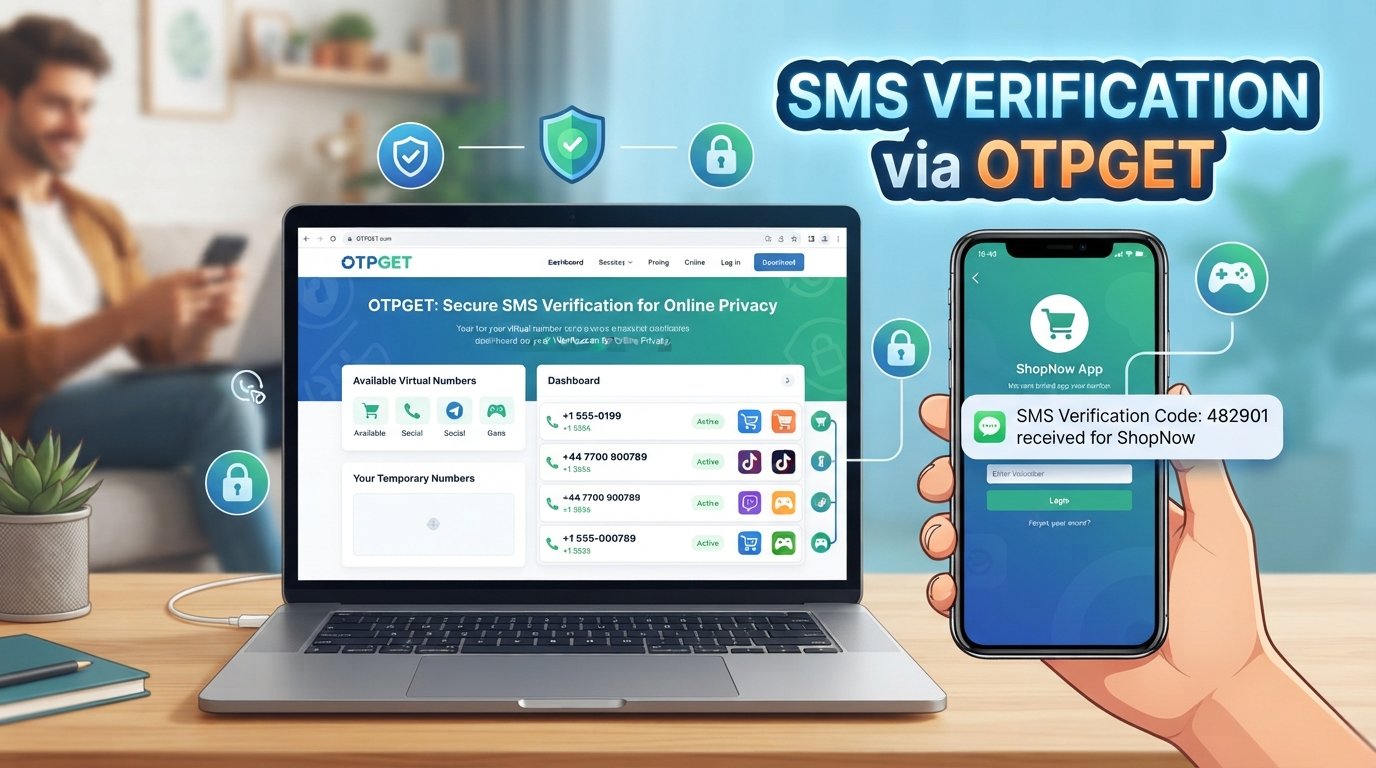
For users who want an alternative to exposing their primary number during supported verification scenarios, OTPGET offers virtual phone numbers designed for SMS OTP verification. Its official documentation describes both one-time number requests for receiving SMS and longer-term rental numbers.
This makes OTPGET relevant to a specific privacy problem: you may need a phone number for verification without wanting to use your personal number for every online registration.
With a supported service, the basic workflow can be straightforward. A user selects an available number and service, uses the number during an appropriate registration or verification process, and receives the SMS verification code through the OTPGET service. The platform's documentation describes requesting numbers and checking their SMS activation status.
The privacy benefit is not that OTPGET makes someone completely anonymous. It does not eliminate every online privacy or security risk. Instead, it can provide a practical way to reduce unnecessary exposure of a primary phone number in situations where using an alternative number is permitted.
That distinction matters.
OTPGET is best understood as one tool within a broader privacy strategy. You still need strong passwords, sensible account settings, careful browsing habits, and appropriate authentication methods.
When Should You Consider Using OTPGET?
OTPGET may be worth considering when:
- You are testing or trying an unfamiliar online service.
- You are completing a low-priority registration that supports an alternative number.
- You prefer not to expose your primary number unnecessarily.
- You need an appropriate number for a supported SMS verification process.
- You want greater separation between your personal contact information and certain online registrations.
Before using a temporary number, check the service's terms and requirements. Do not use an alternative number to bypass identity checks, account restrictions, security controls, or platform rules.
OTPGET and Everyday Digital Privacy
Good digital privacy is not about finding one magical tool that solves every problem.
It is a collection of small decisions.
You can limit unnecessary app permissions, use unique passwords, recognize suspicious links, enable appropriate MFA, keep software updated, and think carefully before sharing personal information.
Using OTPGET for an appropriate verification scenario can fit into that same mindset.
The question becomes: "Do I need to give this service my primary phone number?"
If the answer is no, and the service permits an alternative number, OTPGET can be a practical option for reducing unnecessary phone-number exposure.
Other Ways to Protect Your Personal Information
Phone number privacy is only one part of personal data protection.
Consider these additional habits:
- Limit public information: Avoid publishing your phone number, home address, or other sensitive details unnecessarily.
- Review old accounts: Close accounts you no longer use where appropriate.
- Be selective with permissions: An app should not automatically receive access to every feature on your phone.
- Secure your email: Your email account may be connected to many other accounts, so protect it carefully.
- Use screen protection: A strong device passcode or biometric lock helps protect information if your phone is lost.
- Back up important data: Maintain secure backups of information you cannot afford to lose.
- Watch for phishing: Be cautious when messages ask you to urgently confirm credentials, payments, or personal details.
- Separate important and casual accounts: Where practical, avoid using the same contact information for every type of online service.
These simple cybersecurity basics can significantly improve your overall privacy habits without making everyday phone use difficult.
A Simple Privacy Checklist for Phone Users
Use this checklist when reviewing your smartphone privacy:
-
Do I know which apps can access my location, contacts, camera, and microphone?
-
Do I use unique passwords for important accounts?
-
Have I enabled appropriate multifactor authentication?
-
Is my phone software up to date?
-
Do I check suspicious links before opening them?
-
Do I review privacy settings on important accounts?
-
Do I really need to give every website my primary phone number?
-
Could a separate number be appropriate for a permitted low-priority registration?
-
Do I know how an unfamiliar service may use my personal information?
-
Am I following the service's terms and verification requirements?
A few minutes spent reviewing these questions can make your everyday phone usage more deliberate and privacy-conscious.
Final Thoughts
Online privacy starts with small choices.
You do not have to become a cybersecurity expert to improve your digital privacy. Start by understanding what information you are sharing, why a website or app wants it, and whether providing your primary phone number is actually necessary.
Your phone number can be an important piece of personal information, so protecting it from unnecessary exposure is a sensible part of smartphone privacy.
Temporary numbers can help in some legitimate registration and verification situations, provided the service allows them and you use them responsibly.
For those scenarios, OTPGET provides virtual numbers for supported SMS OTP verification, giving users a practical alternative when they prefer not to expose their primary number.
Privacy is ultimately about making informed choices. Use the right tool for the right situation, protect your important accounts, and share your personal information intentionally.
9. FAQ Section
What is online privacy?
Online privacy means controlling how your personal information is shared, collected, accessed, and used when you use websites, apps, online services, and connected devices.
Why should I protect my phone number online?
Your phone number can be connected to account registration, verification, recovery, calls, and messages. Limiting unnecessary sharing can reduce how widely your primary contact information is exposed.
How can I improve privacy on my smartphone?
Start with basic habits: review app permissions, use strong unique passwords, enable suitable MFA, install software updates, check privacy settings, avoid suspicious links, and think carefully before sharing personal information.
What is a temporary phone number?
A temporary phone number is an alternative phone number that can be used for certain permitted activities instead of your primary number. Depending on the service, it may be used for SMS verification or registration.
Can a temporary phone number be used for OTP verification?
It can be used for OTP verification when the number and service are supported and the website or platform permits that type of number. Some services require a personal or persistent number, so users should check the applicable requirements.
How can OTPGET help with phone number privacy?
OTPGET provides virtual phone numbers for SMS OTP verification. For supported and permitted scenarios, this can give users an alternative to exposing their primary phone number.
Should I use my personal number for every online registration?
Not necessarily. For important services that require reliable account recovery or identity verification, your personal number may be appropriate. For lower-priority registrations, consider whether an alternative is permitted and genuinely useful.
10. Internal Link Anchor Suggestions
- How OTP verification works
- Guide to protecting your phone number
- Temporary phone numbers explained
- Smartphone privacy tips for beginners
- How to improve online privacy during sign-up
11. Final CTA
If you want to reduce unnecessary exposure of your personal phone number during appropriate online verification scenarios, explore OTPGET and see whether its virtual-number options fit your privacy needs.


