OTP Not Received? 8 Common Reasons and Fixes You Can Try Now
OTP Not Received? 8 Common Reasons and Fixes
Waiting for a verification code that never arrives is one of those small technology problems that can quickly become frustrating. You enter your phone number, tap Send OTP, and then… nothing. You try again, check your messages, and still have no code.
If you are searching for “OTP not received,” the problem may not necessarily be your phone. OTP delivery depends on several steps working correctly, including your mobile connection, phone number, messaging system, carrier, SMS routing, and the service sending the code.
The good news is that most OTP issues can be narrowed down fairly quickly.
This guide explains 8 common reasons an OTP may not arrive, what you can do about each one, and when an alternative option such as OTPGET may be appropriate for legitimate verification purposes.
Quick Answer: Why Am I Not Receiving My OTP?
If you are not receiving an OTP, first check that your phone number is correct and that your phone has a working cellular connection. A full SMS inbox, blocked messages, spam filtering, temporary carrier problems, or an overloaded verification system can also prevent or delay delivery. Repeatedly requesting codes may trigger rate limits and make the situation worse. Some services may also have restrictions involving carriers, regions, number types, or SMS routes. If standard delivery continues to fail and an alternative number is appropriate for the service you are using, OTPGET may be worth considering as an online OTP receiving option.
Why Is My OTP Not Being Received?
An OTP, or One-Time Password, is usually sent after a website or app asks an SMS delivery system to send a temporary verification code to your phone number.
That process can involve several different systems. If any part of the delivery chain is delayed or unavailable, the OTP code may not be received even though you entered everything correctly.
Before assuming something is seriously wrong, work through the following eight possibilities.
1. Poor Mobile Network or Weak Signal
A weak cellular signal is one of the simplest reasons an OTP is not received on your phone.
SMS messages generally do not require a mobile data connection, but your phone still needs access to its cellular network. Network congestion or temporary carrier problems can also interfere with message delivery.
This can happen when you are:
- In an area with weak cellular coverage
- Moving between network areas
- Inside a building with poor reception
- Experiencing temporary carrier congestion
- Using airplane mode
- Dealing with a temporary network outage
How to fix it
Try these basic checks:
- Look at your phone's signal indicator.
- Turn airplane mode on, wait briefly, then turn it off.
- Move somewhere with stronger cellular reception.
- Restart your phone if messages appear to be stuck.
- Check whether other SMS messages are arriving normally.
If ordinary text messages are also delayed, the problem may be related to your mobile network rather than the website requesting the OTP.
2. Incorrect Phone Number
A surprisingly common cause of OTP not coming is an incorrect or outdated phone number.
One incorrect digit is enough to send the verification message somewhere else—or prevent it from being delivered at all.
Pay particular attention when a service asks you to select a country or enter an international dialing code.
How to fix it
Before requesting another OTP:
- Check every digit of the number.
- Confirm the country code.
- Make sure you selected the correct country.
- Check whether the account has an old phone number saved.
- Confirm that the number can receive SMS messages.
If the service displays a partially masked number, compare it with the number you intended to use.
3. SMS Inbox or Phone Storage Problems
Your phone may be receiving messages without making them obvious.
A full message storage area, blocked sender, spam filter, or messaging-app problem can interfere with an expected verification SMS.
This is especially worth checking if other messages are arriving inconsistently.
How to fix it
Open your messaging app and check:
- Your main SMS inbox
- Spam or filtered messages
- Blocked contacts or numbers
- Archived messages
- Available phone storage
- Any messaging-app notifications that may be disabled
If you use a third-party messaging application, temporarily checking your standard SMS app can also help identify where the problem is occurring.
4. The OTP Has Been Delayed
Sometimes the OTP has been sent, but it simply has not arrived yet.
An OTP delivery problem can occur because of network congestion, SMS gateway delays, service-side processing, or carrier routing. In these cases, repeatedly requesting another code may create confusion because several codes can arrive close together.
What should you do?
Wait a short period before requesting another OTP.
If a message eventually arrives, use the newest valid code if the service has generated multiple codes. Older codes may expire or become invalid after a newer OTP is requested.
Avoid repeatedly pressing Resend OTP every few seconds. Give the delivery system enough time to process the request.
5. Too Many OTP Requests
If you have requested several verification codes in a short period, the service may temporarily limit additional requests.
This is a common protective mechanism designed to prevent excessive OTP requests.
The result can look like an OTP not working problem even though the underlying issue is request frequency.
How to fix it
Instead of repeatedly tapping the resend button:
- Stop requesting new codes.
- Wait for the service's retry period to pass.
- Request one new OTP.
- Wait for the message.
- Enter the most recent valid code.
If the service displays a countdown timer, follow it rather than attempting to bypass the waiting period.
6. The Website or App Is Having Verification Problems
Not every verification code not received problem originates with your phone.
The website or app requesting the OTP may be experiencing a temporary problem with its servers, verification system, SMS provider, or message delivery process.
For example, the service might accept your request but fail to successfully pass it to the SMS delivery system.
What can you try?
Check whether:
- The service has announced a temporary outage.
- Other functions of the website or app are also failing.
- The verification page is displaying an error.
- You can try the verification process again later.
- The service provides another official verification method.
If everything else on your phone is working normally and only one particular service cannot send an OTP, the issue may be on that service's side.
7. Your Carrier or Region May Not Support the OTP Route
Another possible explanation is that the verification service and your mobile network do not have a suitable delivery route.
Depending on the service, OTP delivery can involve different carriers, countries, number types, and SMS providers. Some verification systems may have limitations affecting particular routes.
This does not necessarily mean your phone number is defective.
How to troubleshoot this issue
Check whether the service provides information about supported numbers or verification methods.
You can also:
- Confirm that your carrier supports incoming SMS.
- Check whether international or service-generated SMS messages are restricted.
- Try the service's official alternative verification method.
- Contact the service if your number consistently fails verification.
If the issue appears specific to the number or delivery route, an alternative OTP receiving method may be worth considering where the service permits it.
8. You Need an Alternative Way to Receive the OTP
Sometimes standard SMS delivery simply isn't suitable for the situation. You may need an alternative number or an online SMS receiving option for a legitimate verification process.
This is where OTPGET can be relevant.
OTPGET: A Practical Option When You Can't Receive an OTP
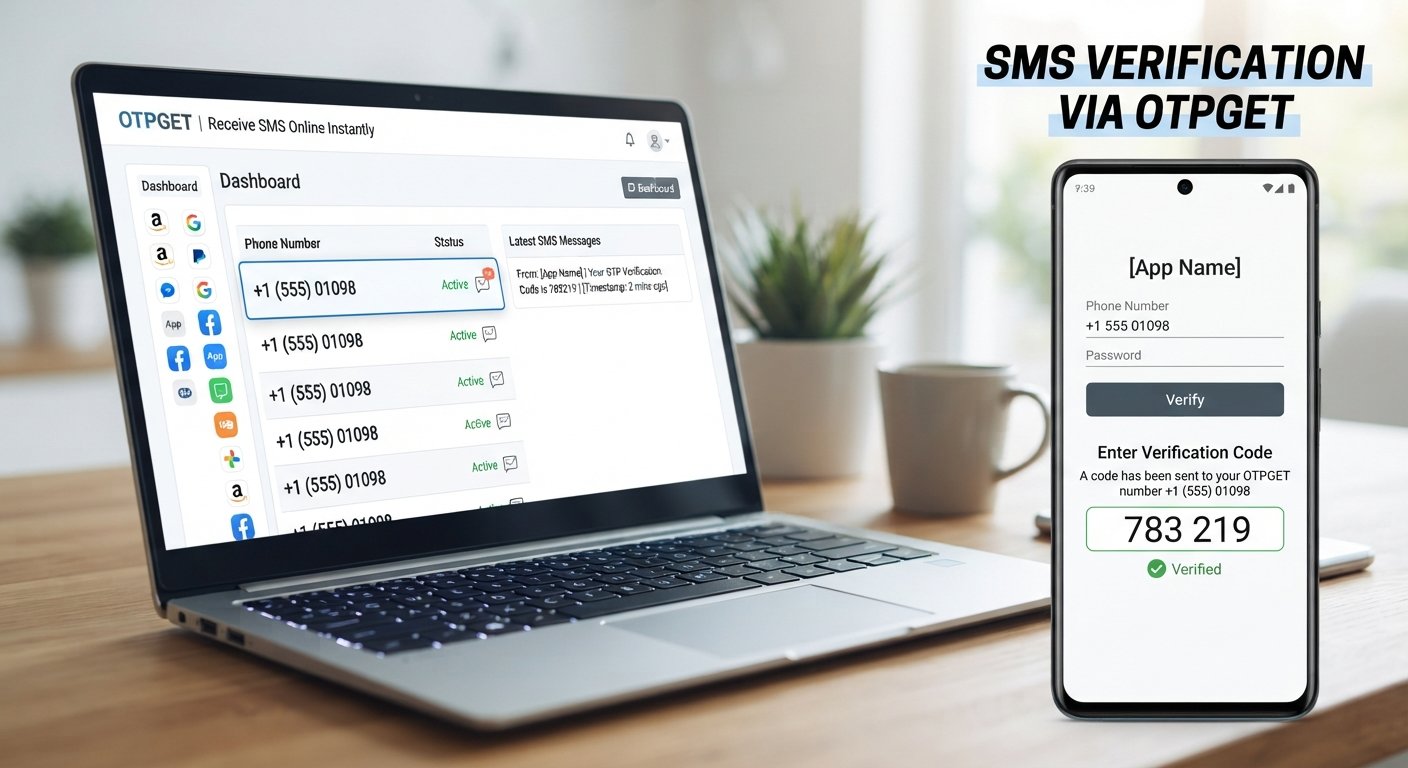
OTPGET is an online OTP receiving option intended for situations where receiving a verification code through an appropriate online number or service makes sense.
The general workflow for an online OTP receiving service is straightforward:
- Choose an appropriate number or service.
- Enter the number on the platform requesting verification.
- Request the OTP from the original website or app.
- Wait for the verification message to be delivered.
- Retrieve the OTP through the available receiving interface.
- Enter the code into the original verification screen.
The exact experience can vary depending on the service being verified.
For example, some websites or apps may accept certain number types while others may restrict them. Availability can also depend on the third-party platform's verification requirements and SMS routing.
That is why OTPGET should be viewed as a practical alternative to consider—not a guaranteed solution for every verification system.
Using an alternative number can be useful when your regular phone number cannot receive the expected message, when you need a suitable number for a legitimate verification workflow, or when the service you're using permits an alternative SMS receiving method.
Always follow the terms, identity requirements, and verification rules of the website or app you are using. An alternative OTP receiving method should not be used to bypass security controls, evade account restrictions, create fraudulent accounts, or misrepresent your identity.
OTP Troubleshooting Checklist
If your OTP SMS is not received, run through this quick checklist:
- ☐ Check that the phone number is correct.
- ☐ Confirm the country code.
- ☐ Check your mobile signal.
- ☐ Turn airplane mode off.
- ☐ Restart your phone if necessary.
- ☐ Check your SMS inbox.
- ☐ Look in spam, filtered, or blocked messages.
- ☐ Make sure your phone has adequate storage.
- ☐ Wait for a delayed OTP before requesting another.
- ☐ Avoid repeatedly pressing Resend OTP.
- ☐ Check whether the website or app is experiencing problems.
- ☐ Confirm whether your carrier or region supports the delivery route.
- ☐ Consider an appropriate alternative OTP receiving option such as OTPGET.
Frequently Asked Questions About OTP Problems
1. Why am I not receiving my OTP?
Common causes include weak cellular reception, an incorrect phone number, SMS filtering, delayed delivery, too many OTP requests, carrier limitations, or problems with the service sending the verification message.
2. What should I do if my OTP is not coming?
First, verify your number and network connection. Then check your SMS inbox and spam filters. Wait before requesting another code, especially if you have already requested several OTPs.
3. Why is my OTP verification not working?
The OTP itself may be expired, incorrect, or replaced by a newer code. Verification can also fail because of a problem with the website or app. Use the newest valid code and follow the service's verification instructions.
4. How long should I wait for an OTP?
There is no universal delivery time. Some OTPs arrive quickly, while network, carrier, gateway, or service-side delays can take longer. Avoid repeatedly requesting codes while waiting.
5. Why is my verification code not received by SMS?
The number may be incorrect, the SMS may be filtered, or the carrier or service may have a delivery problem. Check your phone settings and number first, then investigate whether the service supports your particular delivery route.
6. Can I receive an OTP online?
In some legitimate verification situations, an online OTP receiving service can provide an alternative way to receive SMS verification codes. Whether it works depends on the requirements of the website or app being verified.
7. What can I do if my phone number cannot receive the OTP?
Check the number, carrier connection, SMS settings, and service requirements. If an alternative number is permitted, you can consider an online OTP receiving option such as OTPGET.
8. What is OTPGET?
OTPGET is presented as an online OTP receiving option for situations where an appropriate alternative number or SMS receiving method is useful for legitimate verification. Its suitability depends on the requirements of the third-party service you are trying to verify.
Final Takeaway
When an OTP is not received, the problem can come from several places—not just your phone. Start with the basics: verify the number, check your network and SMS settings, wait for possible delays, and avoid repeatedly requesting new codes.
If the problem continues and the verification service permits an alternative number or online SMS receiving method, OTPGET is an option to explore.
The key is to use any OTP receiving method responsibly and according to the verification requirements and terms of the service involved.
8. SEO FAQ Section
Why am I not receiving my OTP?
An OTP may fail to arrive because of weak network coverage, an incorrect number, SMS filtering, delivery delays, rate limits, carrier restrictions, or problems on the service's side.
How do I fix OTP not received issues?
Check your phone number, cellular signal, SMS inbox, blocked messages, and service status. Wait between requests and use the latest valid OTP.
Why is my OTP delayed?
OTP messages can be delayed by network congestion, SMS gateway processing, carrier routing, or temporary issues with the service generating the code.
Can I receive OTP online?
Yes, an online OTP receiving option may be appropriate for some legitimate verification situations, provided the third-party service permits the number or method being used.
Is OTPGET suitable for every website?
Not necessarily. Acceptance of an alternative or online number depends on the verification requirements and SMS delivery rules of the website or app involved.
What should I do if SMS OTP is not received?
Check the number and network, review blocked or spam messages, wait for a possible delivery delay, and avoid repeatedly requesting codes. If permitted, consider an alternative such as OTPGET.
Is using an online OTP receiving service legitimate?
It can be appropriate for legitimate verification use cases when permitted by the service. Users should follow the platform's terms, identity requirements, and verification rules.
9. Final CTA
If conventional SMS delivery keeps failing and an alternative OTP receiving method is appropriate for your situation, explore OTPGET as a possible online option for receiving verification codes. Always use it in accordance with the requirements and terms of the service you are verifying.


