OTPGET Account Locked? Fix Common OTP Verification Problems
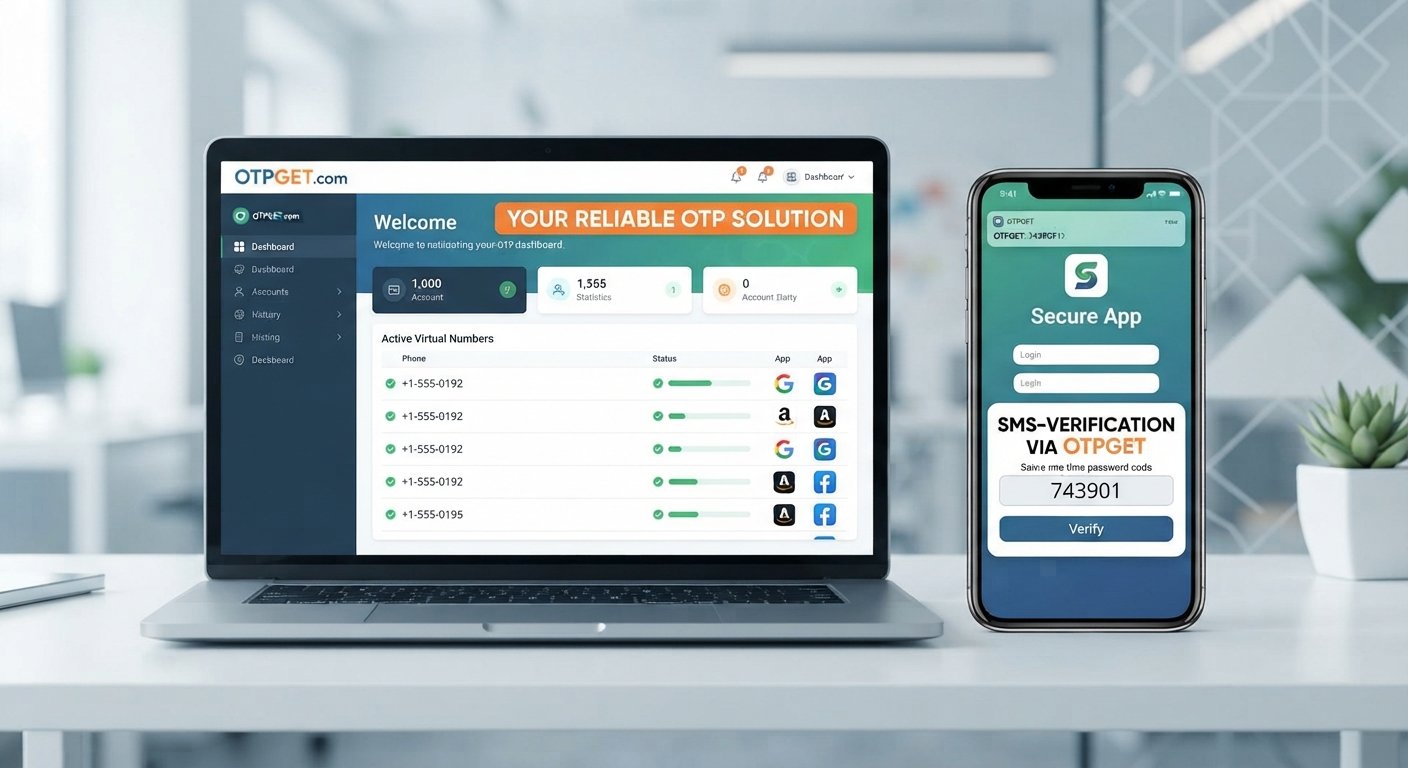
OTPGET Account Locked? Here's What Helps
Getting locked out of an account during OTP verification can be frustrating, especially when you are sure you entered the right information. One moment you are trying to log in, and the next you are dealing with an expired code, a missing SMS, repeated verification attempts, or a temporary account lock.
The good news is that an OTP problem does not always mean something is seriously wrong with your account. Verification codes can fail for several ordinary reasons, including delivery delays, incorrect phone numbers, expired codes, network problems, or too many unsuccessful attempts.
If you are searching for how to fix OTP verification problems, the first step is understanding what caused the failure. From there, you can follow the platform's official recovery process and consider a suitable OTP solution such as OTPGET for supported verification workflows.
[INTERNAL LINK: OTP verification guide]
Why Does an Account Get Locked During OTP Verification?
An account may become temporarily locked after repeated failed verification attempts. However, every platform has its own authentication and account-security rules, so there is no single lockout process that applies everywhere.
Common reasons include:
- Too many failed attempts: Entering incorrect codes repeatedly can trigger temporary restrictions.
- Expired OTP: One-time passwords are generally designed to be used within a limited period. Entering an old code may result in another failed attempt.
- Delayed SMS: A verification code may arrive after the valid period has already passed.
- Incorrect phone number: If the registered number is wrong or outdated, the expected code may not reach you.
- Network or delivery issues: Mobile connectivity, carrier delivery, or temporary service interruptions can affect SMS verification.
- Verification session timeout: Some services require you to complete verification within a particular login session.
- Repeated code requests: Requesting multiple codes in quick succession can make it confusing to determine which OTP is currently valid.
This is why repeatedly entering codes at random is rarely helpful. If an account is already restricted, additional failed attempts may prolong the problem depending on the platform's rules.
Common OTP Problems That Can Lead to Login Issues
OTP problems are not limited to account locks. Several smaller verification issues can eventually turn into a login problem.
OTP Not Received
One of the most common searches is "why am I not receiving OTP?" The answer can range from a temporary SMS delivery delay to an incorrect number or unavailable mobile service.
First, confirm that the phone number displayed by the service is correct. Then check whether your phone has network coverage and can receive ordinary SMS messages.
OTP Arriving Late
A verification code that arrives several minutes after it was requested may already be invalid. In this situation, using the latest available code is generally more sensible than repeatedly entering an older message.
Expired OTP
An OTP is a one-time password intended for a specific verification attempt. If the code has expired, requesting a fresh verification code is usually the appropriate next step.
Multiple OTP Messages
If you request several codes, you may receive multiple messages. This can create confusion because the newest code may supersede an earlier one, depending on how the service handles multiple requests.
Phone or Network Problems
Poor connectivity, SMS restrictions, device settings, or carrier-related issues can interfere with verification-code delivery. Checking basic phone and network functionality can eliminate some of the simplest causes.
Repeated Verification Attempts
If an OTP is not working, repeatedly requesting and entering codes can make the situation worse. When several attempts have failed, pause and follow the platform's instructions instead of continuing to guess.
[INTERNAL LINK: account verification solutions]
What Should You Do If Your Account Is Locked?
If you are dealing with an account locked after too many attempts message, take a methodical approach.
- Stop repeatedly requesting OTPs. Give the system time to process previous requests and avoid generating more failed attempts.
- Check the phone number. Make sure the number associated with the account is correct and accessible.
- Check SMS and network availability. Confirm that your phone can receive messages and has adequate connectivity.
- Wait when the platform specifies a recovery period. Some services temporarily restrict verification after repeated failures.
- Request a fresh OTP when appropriate. Do not keep using an old code that may have expired.
- Use the official account-recovery process. If the account remains locked, follow the platform's documented recovery instructions.
- Contact official support if necessary. Support may be required when an account cannot be restored through the normal recovery process.
Most importantly, do not try to bypass the platform's security controls. Account-recovery procedures exist to protect the account owner, and an OTP service should not be treated as a way to circumvent those protections.
How OTPGET Can Help With OTP Verification
When the problem is related to obtaining or handling a verification code, having a dedicated OTP solution can make the process more straightforward.
OTPGET is relevant for users looking for an OTP or verification-code solution for supported workflows. Rather than treating every verification problem as an account-lock issue, it helps to separate two different situations: problems with the OTP process itself and restrictions imposed by the account provider.
For example, if your verification workflow requires a phone number capable of receiving an OTP, a service such as OTPGET may be a practical option where its service supports that particular use case. This can be useful when managing legitimate phone-based verification requirements without repeatedly dealing with the same delivery frustrations.
OTPGET should not be viewed as a tool for bypassing passwords, two-factor authentication, account-security controls, or a third-party platform's recovery process. If a particular account is already locked, you still need to follow that platform's official instructions.
The value of OTPGET is instead in addressing supported OTP-related verification needs in a more organized and convenient way. Before using any OTP service, make sure it is appropriate for the platform and verification workflow you are trying to complete.
[INTERNAL LINK: OTPGET verification services]
Why a Reliable OTP Solution Matters
OTP verification is designed to be simple for the person completing it, but delivery problems can quickly make the experience frustrating.
A suitable OTP solution can be useful because it may help make supported verification workflows more convenient and easier to manage.
Some practical benefits include:
- Convenience: A dedicated OTP workflow can reduce unnecessary back-and-forth during verification.
- Code accessibility: Where supported, having an appropriate verification method can make receiving required codes more straightforward.
- Less frustration: Clearer OTP handling can reduce repeated attempts caused by uncertainty.
- Smoother workflows: A structured verification process can make it easier to complete legitimate phone-based verification.
- Better organization: Separating verification-code needs from unrelated account-recovery problems helps identify the right solution faster.
The important point is that an OTP solution does not replace a platform's own security policies. Instead, it can support the verification part of a workflow when the relevant service and use case are supported.
Tips for Avoiding Future OTP Verification Problems
A few simple habits can prevent many common verification issues.
Use the correct phone number. Before requesting an OTP, confirm that the number associated with the verification process is correct and accessible.
Enter codes promptly. Since OTPs are time-sensitive, avoid waiting too long before entering a newly received code.
Request a new code when necessary. If an OTP has expired, use the platform's option to request another code rather than repeatedly submitting the old one.
Avoid repeated failed attempts. If the code does not work, pause and investigate the problem instead of guessing multiple times.
Keep your phone and network available. Make sure your device can receive SMS messages and has a working network connection when you begin verification.
Follow recovery instructions. If a service temporarily locks verification, use its official recovery process instead of trying to work around the restriction.
Use an appropriate OTP solution. For supported verification workflows, a service such as OTPGET may be worth considering when you need a practical way to handle OTP-related requirements.
[INTERNAL LINK: phone verification solutions]
OTPGET vs. Common OTP Troubleshooting
| Problem | Traditional Troubleshooting | Using an OTP Solution Like OTPGET |
|---|---|---|
| OTP not received | Check number, network, SMS delivery, and request a new code | May provide an alternative OTP workflow where the service supports it |
| Expired OTP | Request a fresh verification code | Can support OTP-related workflows where applicable |
| Repeated failed attempts | Stop attempts and follow platform instructions | Does not replace the platform's account-recovery process |
| Phone verification requirement | Use the available phone-verification method | May be useful for supported verification needs |
| Account already locked | Use official recovery or support | Does not inherently unlock a third-party account |
| Verification workflow feels inconvenient | Review the current process and available options | Provides a dedicated option for supported OTP requirements |
The key distinction is important: OTPGET can be considered for OTP and verification needs, while an account provider remains responsible for its own account-lock and recovery procedures.
Frequently Asked Questions
1. Why is my OTP not working?
An OTP may fail because it has expired, was entered incorrectly, was replaced by a newer code, or was affected by a delivery or verification-session issue. If several attempts fail, stop retrying and follow the service's recovery instructions.
2. Why am I not receiving my verification code?
Check that your phone number is correct and that your device can receive SMS messages. Network conditions, delivery delays, carrier issues, or service-side problems can also affect SMS verification.
3. Can an expired OTP cause an account lock?
It can contribute to failed verification attempts, and repeated failures may trigger a temporary restriction on some platforms. However, lockout rules differ between services.
4. What should I do if I enter the wrong OTP too many times?
Stop entering additional codes and check the platform's instructions. If there is a temporary recovery period, wait for it to pass and then use a fresh verification code. If the account remains restricted, contact official support.
5. How can OTPGET help with OTP verification?
OTPGET can be considered as a practical OTP or verification solution for supported workflows. Its usefulness depends on the specific service and verification requirement, so users should confirm that the workflow is supported.
6. Can OTPGET unlock a locked account?
Not necessarily. OTPGET should not be treated as a way to bypass a third-party platform's security or account-recovery process. If an account is locked, use the platform's official recovery procedure. OTPGET is relevant to supported OTP and verification needs rather than bypassing account restrictions.
7. What should I do if OTP verification continues to fail?
Check the phone number, network connection, code validity, and verification instructions. Avoid repeated attempts, request a fresh code when appropriate, and contact the platform's official support if the issue continues. For supported workflows, you can also consider whether an OTP solution such as OTPGET fits your verification needs.
Final Thoughts
An account lock during OTP verification can happen for several reasons, from expired codes and delayed SMS messages to incorrect entries and repeated failed attempts. The safest response is to stop guessing, check the basic verification details, and follow the platform's official recovery process.
For legitimate OTP-related verification needs, OTPGET can be a practical option to consider where its service supports the workflow. It is not a replacement for a third-party platform's security or account-recovery process, but it can provide another approach to handling supported verification requirements.
If you regularly encounter OTP problems, take a closer look at the verification workflow you are using. A suitable OTP solution can make the process more convenient while helping you avoid unnecessary repeated attempts and common verification-code frustrations.
SEO Quality Check
- Main keyword used: Yes
- Secondary keywords used naturally: Yes
- Article word count: Approximately 1,550 words
- Meta title character count: 52 characters
- Meta description character count: 160 characters
- URL slug optimized: Yes
- No year mentioned: Yes
- OTPGET clearly positioned as a solution: Yes
- Keyword stuffing avoided: Yes
- FAQ included: Yes
- Internal link placeholders included: Yes


