11. OTPGet Account Setup: Everything You Need for Your First Day
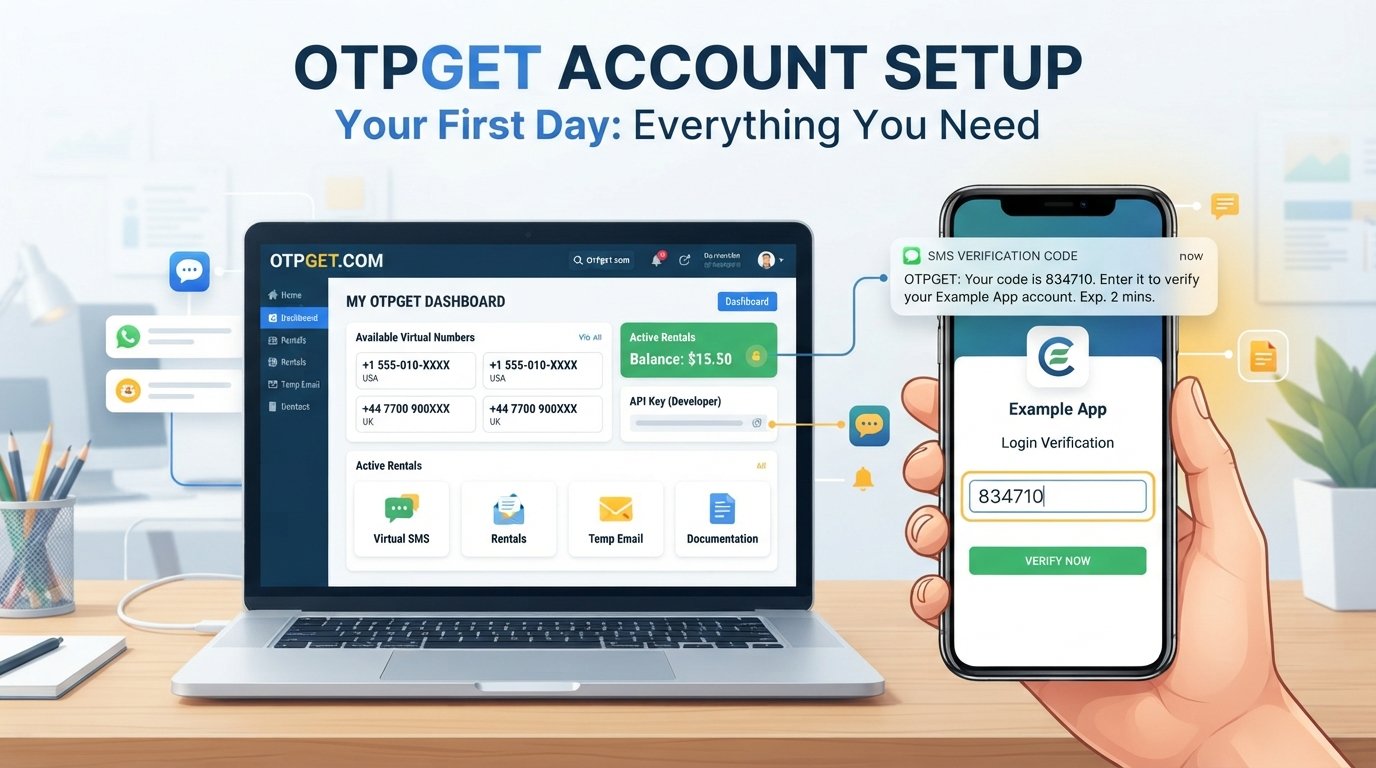
OTPGet Account Setup: Everything You Need for Your First Day
Setting up an OTP service for the first time can feel more complicated than it needs to be. There are account details to manage, verification requirements to understand, numbers or services to select, and security considerations to keep in mind.
That is where a clear OTPGet account setup process helps. OTPGet provides virtual numbers for SMS-based OTP verification, along with rental numbers, temporary email options, and developer API documentation. Its official documentation describes workflows for obtaining numbers and checking incoming verification messages.
If you are getting started with OTPGet, the goal on day one is not to learn every available option. It is to establish a secure account, understand the basic verification workflow, and know what to do when a code arrives—or does not.
Here is what you need to know.
What Is OTPGet and Why Does Account Setup Matter?
OTPGet is an online platform focused on OTP and verification-code workflows. Its service includes virtual phone numbers for receiving SMS verification codes, longer-term number rentals, temporary email, and developer-focused API access.
An OTP, or one-time password, is a temporary verification code used by websites and applications to confirm that a person has access to a particular phone number, email address, or other verification channel.
For a user, the basic process can look like this:
- A service asks for a phone number or other supported verification method.
- A verification request is made.
- The service sends an OTP.
- The code is received through the relevant OTPGet workflow.
- The legitimate user enters the code to complete verification.
OTPGet's documentation specifically describes a flow in which users select available countries and services, obtain a virtual number, and check its status for an incoming SMS code.
Getting the account setup right matters because a poorly configured or misunderstood workflow can create unnecessary delays. Starting with the right information and understanding the process makes the first verification much easier to manage.
What You Need Before Setting Up Your OTPGet Account
Before beginning your OTPGet setup, take a few minutes to prepare. You do not need to guess which information the platform might require; simply follow the current requirements shown on the official service during registration.
A practical preparation checklist includes:
- A reliable internet connection
- A secure, up-to-date browser or device
- Access to the email address or credentials you use for your OTPGet account
- A clear understanding of the legitimate service you intend to verify
- Any payment or balance information if required for the specific service you choose
- A secure place to store your login details and any API credentials
- Familiarity with the verification requirements of the website or application you are using
OTPGet's public website currently describes free account registration and a balance-based workflow for purchasing virtual numbers.
If you plan to use the developer API rather than the regular user workflow, preparation is slightly different. The documentation states that API requests require an API key, so developers should treat that credential as sensitive information.
How to Complete Your OTPGet Account Setup
The exact interface can change, so use the current instructions displayed by OTPGet rather than relying on screenshots from older guides.
The general setup process is straightforward:
1. Visit the Official OTPGet Platform
Start from the official OTPGet website and review the current registration options.
Avoid following login or registration links from unexpected emails, advertisements, or messages. Going directly to the intended website reduces the risk of phishing.
2. Create Your Account
Select the account creation option and provide the information requested by the current registration form.
Use accurate information and choose credentials that are difficult for someone else to guess.
3. Complete Any Required Verification
If OTPGet asks you to verify your account or email during registration, follow the instructions provided on the platform.
Do not share verification codes with another person simply because they claim to be helping with your account.
4. Review Your Account
Once registration is complete, take a moment to familiarize yourself with the account area.
Depending on your intended use, you may need to understand options related to virtual numbers, balance, rentals, temporary email, or API access. OTPGet's public documentation separates these workflows, so choosing the relevant service before proceeding can prevent confusion.
5. Choose the Relevant Verification Option
For an SMS-based workflow, OTPGet documents a process involving the selection of a country and service before obtaining a virtual number.
Choose only an option that is appropriate for your legitimate verification purpose and permitted by the service you are using.
6. Test the Workflow
Where appropriate, complete a legitimate test verification so you understand how the process works.
Pay attention to where the incoming message appears, how the status changes, and what information you need to enter into the service being verified.
Once you understand this basic flow, future OTP verification tasks become easier to navigate.
Your First OTP Verification With OTPGet
Your first verification is where the account setup becomes practical.
The general workflow is:
Request → Receive → Review → Enter → Complete
First, use the appropriate OTPGet number or verification option for the service you are legitimately trying to access. The external service then sends its verification message.
OTPGet's documentation describes status checking for incoming SMS codes. When the message arrives, review the code and enter it into the intended verification field on the service you are using.
A few habits make this process smoother:
- Give the system reasonable time to process a verification request.
- Check that the number or verification method you entered is correct.
- Avoid repeatedly requesting new codes without a reason.
- Watch for expiration or cancellation rules displayed by the relevant service.
- Enter the code only on the legitimate website or application.
- If a code does not arrive, check the current status and instructions before trying again.
The important point is to treat OTPs as temporary credentials rather than ordinary messages.
Common OTPGet Setup Mistakes to Avoid
Even a simple OTP account can become frustrating if small details are overlooked.
Entering the Wrong Account Information
A typo in your account credentials or verification details can prevent the process from working correctly.
Avoid it: Review important information before submitting it.
Missing Verification Instructions
Some services have their own rules regarding phone verification or supported numbers.
Avoid it: Check the verification requirements of the website or application before choosing an OTP method.
Requesting Too Many Codes
Repeatedly requesting verification codes can make it harder to determine which code is current.
Avoid it: Wait for the existing request to resolve before starting another one unless the service specifically tells you to resend.
Ignoring Code Expiration
OTP codes are intended to be temporary.
Avoid it: Enter a valid code promptly and request a new one through the normal process if the original has expired.
Sharing Verification Codes
A verification code can provide access to an account or verification process.
Avoid it: Never disclose an OTP to someone who contacts you unexpectedly.
Treating Every Service as Compatible
A virtual number or verification method is not automatically accepted by every website or application.
Avoid it: Check the target service's requirements and terms before starting the verification process.
Security Tips for Managing OTP Verification
Convenience should never replace basic account security.
When using OTPGet or any verification-code service, follow these practices:
- Use strong, unique credentials for your account.
- Protect access to the email account associated with important services.
- Never share OTPs unnecessarily.
- Never enter a verification code into a suspicious page.
- Check the website address before signing in.
- Be cautious with unexpected messages asking for a code.
- Keep API keys private if you use developer functionality.
- Review official documentation when you are unsure about a workflow.
- Use verification services only for legitimate purposes and in accordance with the target platform's rules.
OTPGet's developer documentation confirms that API requests require an API key, making credential handling particularly important for developers.
No OTP service should be treated as a substitute for good security practices. The safest workflow is one where you know exactly which account you are verifying, why the code is being requested, and where that code should be entered.
Why OTPGet Can Simplify the Verification Process
The practical value of OTPGet is that it brings relevant OTP-related workflows into a dedicated online service.
Instead of trying to manage every part of a verification process manually, users can work through a structured flow involving number selection, verification requests, and incoming messages. OTPGet's public documentation also covers separate rental-number and temporary-email workflows, giving users different options depending on their legitimate use case.
For the right use case, that can mean:
- A more organized verification workflow
- Less confusion about where an incoming OTP should appear
- Easier access to virtual-number-based verification
- A dedicated place to manage relevant OTP activity
- A clearer starting point for users who do not want to manage a physical SIM for a particular verification task
Developers have an additional workflow through OTPGet's documented API options. The developer portal provides API endpoints for activities such as checking balances, obtaining numbers, and checking OTP status.
The important qualification is that suitability depends on the service being verified. Users should always check whether virtual numbers or other OTP methods are permitted by the target platform.
What to Do After Your OTPGet Account Is Set Up
Once the initial OTPGet account setup is complete, do not rush straight into repeated verification requests.
Use this day-one checklist instead:
- Review your account: Familiarize yourself with the available account options.
- Understand the workflow: Know how to select an appropriate verification method and check incoming codes.
- Secure your credentials: Keep passwords and API keys private.
- Understand balance requirements: If your intended workflow requires a funded balance, review the available options before purchasing a number.
- Test appropriately: Use a legitimate verification task to become familiar with the process.
- Read the documentation: Developers should review the official API documentation before integrating the service.
- Check service requirements: Confirm that the external platform permits the verification method you plan to use.
- Keep support information accessible: Bookmark the official OTPGet website or documentation if you expect to use the service regularly.
A few minutes spent learning the workflow can prevent repeated mistakes later.
OTPGet Setup FAQ
What is OTPGet?
OTPGet is an online OTP and virtual-number platform. Its public service includes virtual numbers for SMS verification, rental numbers, temporary email, and developer API functionality.
How do I set up an OTPGet account?
Start on the official OTPGet website, choose the current account-registration option, provide the requested information, and complete any verification steps shown during registration. Afterward, review the available verification options and documentation.
What do I need before using OTPGet?
You generally need a secure internet-connected device, your account credentials, and a clear understanding of the verification task you want to complete. Additional requirements depend on the workflow you choose.
How do OTP verification codes work?
A service sends a temporary code to the verification method associated with a request. You retrieve the legitimate code through the applicable OTP workflow and enter it into the service's verification field.
What should I do if I do not receive an OTP?
First, confirm that the selected number or verification method is correct. Then check the relevant status or instructions rather than immediately requesting multiple new codes. If the service provides a resend option, follow its instructions.
How long should I wait before requesting another OTP?
There is no single waiting period that applies to every service. Follow the instructions and status information provided by the website or application requesting the verification.
Is OTPGet suitable for beginners?
The basic workflow can be approached step by step: create an account, understand the available options, select an appropriate verification method, and follow the verification instructions. Beginners should also read the current platform documentation before using less familiar features.
Final Thoughts
A successful OTPGet account setup is less about rushing through registration and more about understanding what happens after the account is created.
Start with secure account credentials, identify the verification workflow you actually need, understand how codes are received, and follow the requirements of the service you are verifying. Avoid unnecessary code requests, protect your OTPs, and keep API credentials private when using developer functionality.
OTPGet can be a practical option for users who need a dedicated workflow for relevant SMS OTP verification, virtual numbers, rental numbers, temporary email, or documented API access.
If you are ready to get started, explore the official OTPGet platform, review the current options available to you, and complete your setup one step at a time.
10. Suggested Internal Links
- How OTP Verification Works — Anchor: how OTP verification works
- OTP Verification Best Practices — Anchor: OTP verification best practices
- Common SMS Verification Problems — Anchor: common SMS verification problems
- How to Protect Verification Codes — Anchor: protect verification codes
- OTP vs Password Authentication — Anchor: OTP vs password authentication
- Guide to Online Account Verification — Anchor: online account verification
- Troubleshooting OTP Delivery Issues — Anchor: troubleshooting OTP delivery issues
- Virtual Phone Numbers Explained — Anchor: virtual phone numbers


