OTPGet.com Login – Your Virtual Number Dashboard Guide & Tips
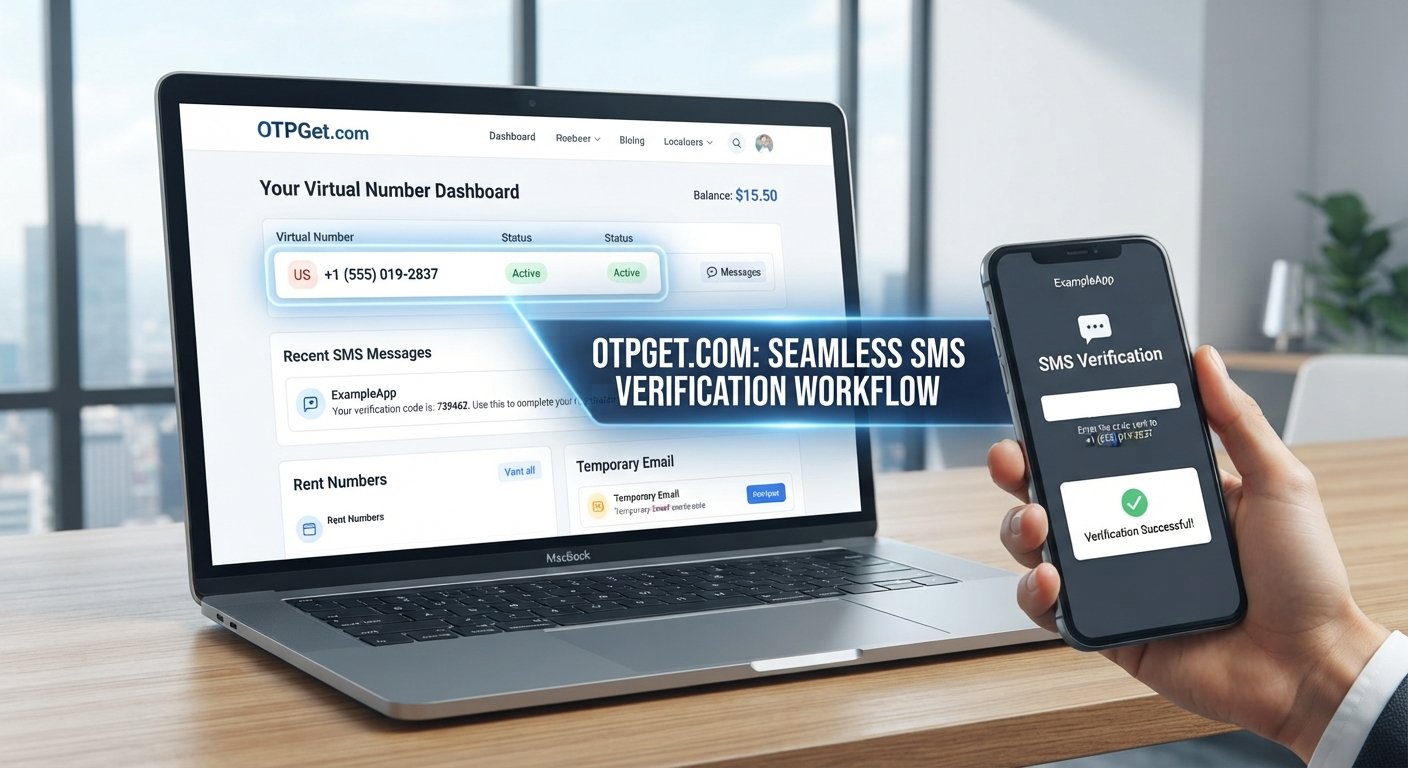
OTPGet.com Login – Your Virtual Number Dashboard
Searching for OTPGet.com Login usually means you want to reach your account, find a virtual number, check an incoming verification message, or understand how the OTPGet dashboard works.
OTPGet.com is presented as a platform for virtual numbers and OTP verification, with services covering temporary numbers, rental numbers, temporary email, and developer-oriented APIs. Its website describes virtual numbers as online phone numbers that can receive SMS verification codes without relying on a physical SIM card.
For anyone exploring an online virtual number or an OTP verification service, understanding the dashboard and the basic workflow is just as important as finding the login page. This guide explains what OTPGet.com is, how access generally works, what a virtual number dashboard is designed to do, and how to use such a service responsibly.
What Is OTPGet.com?
OTPGet.com is a virtual number and verification-focused platform. According to its official website, users can access virtual phone numbers intended for SMS OTP verification, while the platform also offers rental numbers, temporary email services, and developer APIs.
The core idea is straightforward. Instead of using a personal mobile number for a supported verification process, a user can obtain a virtual number and use that number where legitimate verification is accepted. When an SMS is sent to the number, the message can be made available through the service's supported interface.
This is why people search for terms such as OTPGet login, OTPGet.com login, virtual number dashboard, and receive SMS online. They are often looking for one central place where number-related activity and incoming verification messages can be managed.
OTPGet also describes support for temporary and longer-term rental numbers, giving users different options depending on whether they need a number for a short verification workflow or a more extended use case.
OTPGet.com Login – Getting Started
The exact appearance of a website can change, so it is sensible to rely on the official OTPGet.com site rather than an unofficial login page.
A general access workflow is:
- Open the official OTPGet.com website.
The official homepage provides access to account-related actions, including login and registration. - Locate the login option.
Look for the site's current login or account-access option rather than relying on an old screenshot or third-party page. - Enter your account credentials.
Use the credentials associated with your OTPGet account and avoid sharing them with other people. - Access the dashboard.
Once authenticated, review the virtual-number and verification options available to your account. - Review the available services.
Depending on what OTPGet currently makes available, this may include virtual numbers, rental options, SMS-related information, or other account services. The official platform should be treated as the source of truth for current availability.
If you cannot access your account, avoid guessing at technical recovery procedures. Check the official site's current support or account-access information for the appropriate next step.
What Can You Do From a Virtual Number Dashboard?
A virtual number dashboard acts as a central workspace for number-related activity. Its purpose is to make an online phone-number workflow easier to manage than relying on disconnected messages or physical SIM cards.
Depending on the service and the number you obtain, common dashboard functions may include:
- Reviewing available virtual numbers
- Selecting a number for a supported service
- Viewing incoming SMS messages
- Checking verification codes
- Monitoring number-related activity
- Managing temporary or rental numbers
- Accessing account balance or service information
- Using API-related tools where applicable
OTPGet's official documentation describes functions for obtaining numbers, checking account balance, checking SMS status, and managing number status through its APIs.
For ordinary users, the most important concept is simple: the dashboard provides a place to manage the virtual number and retrieve supported verification messages without depending on a physical phone for every step.
Why Use a Virtual Number for OTP Verification?
A virtual phone number can be useful when you want to separate your personal mobile number from a legitimate online registration or verification workflow.
Some practical advantages include:
- Convenience: A virtual number can be accessed through an online service rather than requiring another physical SIM.
- Separation: It can help keep personal and online activity separate.
- Organization: Verification messages can be easier to locate when they are presented through a dedicated dashboard.
- Accessibility: Online number services can be useful when you need a number from a supported region or service.
- Temporary use: A temporary virtual number may make sense for a short-lived, legitimate verification requirement.
However, virtual numbers are not universally accepted. Some websites and applications restrict virtual, temporary, or previously used numbers. A verification attempt can also fail for reasons outside the number provider's control.
That means a virtual number for verification should be viewed as a useful option, not a guaranteed method for every service.
OTPGet.com as a Virtual Number Solution
For readers specifically looking for a centralized OTPGet virtual number dashboard, OTPGet.com provides a practical starting point.
Its official service describes virtual numbers for SMS OTP verification across supported services and countries, along with rental-number options for longer-term requirements. The platform also documents API access for developers who need programmatic number and OTP workflows.
The value proposition is largely about bringing the workflow together:
Find a suitable number → use it for a supported verification request → receive the SMS → view the verification information → complete the legitimate process.
That can be more convenient than purchasing an additional SIM simply for occasional online verification.
OTPGet's terms also make an important point: the platform provides numbers and message-receiving services, while users remain responsible for how they use those services. It prohibits illegal, fraudulent, abusive, or harmful activity.
For that reason, OTPGet.com is best approached as a tool for legitimate verification, testing, privacy-conscious workflows, and other permitted use cases—not as a way to defeat another platform's security controls.
How to Use a Virtual Number for SMS Verification
The basic SMS verification workflow is straightforward when the relevant service accepts virtual numbers.
- Access the service.
Sign in to OTPGet and review the available number options. - Select an appropriate virtual number.
Choose a number that is available for your intended country or supported service. - Use the number for legitimate verification.
Enter it where the relevant website or application permits virtual numbers. - Wait for the verification SMS.
If the service sends a code successfully, the message can be received through the supported OTPGet workflow. - Retrieve the verification code.
Check the appropriate dashboard or supported interface for the incoming SMS. - Enter the OTP.
Submit the code on the service requesting verification. - Complete the process.
Follow any remaining verification requirements from the website or application.
OTPGet's documentation specifically describes number acquisition and SMS-status functions, while its public website explains the general virtual-number-to-OTP workflow.
Always follow the terms, verification policies, and account requirements of the service you are using.
Common Reasons People Search for OTPGet.com Login
Search intent around OTPGet.com Login is broader than simply finding a sign-in page.
People may be looking to:
- Access an existing OTPGet account
- Find an available virtual number
- Check an incoming OTP or SMS
- Manage verification activity
- Understand how the dashboard works
- Explore temporary or rental numbers
- Learn how to receive OTP online
- Find an online SMS number for a permitted verification task
- Understand the difference between temporary and longer-term virtual numbers
- Explore API options for technical workflows
This makes the dashboard particularly relevant to both beginners and returning users. A first-time visitor may want to understand the service before committing to a number, while an existing user may simply need quick access to account or SMS information.
Tips for Using a Virtual Number Service Responsibly
A virtual number is still part of an account-verification process, so responsible use matters.
Keep these practices in mind:
- Use numbers only for legitimate purposes.
- Follow the rules of the platform being verified.
- Never share OTP codes unnecessarily.
- Protect your OTPGet account credentials.
- Check whether the destination service accepts virtual numbers.
- Avoid temporary numbers for important accounts where permanent access or account recovery is essential.
- Do not use verification services for fraud, impersonation, spam, or security bypasses.
- Review the provider's terms before using a number for an important workflow.
OTPGet's published policies prohibit fraudulent and abusive use and state that users are responsible for their activity.
It is also worth remembering that receiving an OTP does not automatically mean an account will be approved. The destination service may apply additional checks, restrictions, or verification requirements.
OTPGet.com Login FAQ
What is OTPGet.com Login?
OTPGet.com Login refers to accessing your account on the OTPGet platform. After signing in, users can work with the virtual-number and verification services available to their account.
What is OTPGet.com used for?
OTPGet.com provides virtual numbers and related services for supported SMS verification workflows. Its official site also describes rental numbers, temporary email, and developer APIs.
What is a virtual number dashboard?
A virtual number dashboard is an online interface used to manage virtual phone numbers and related activity. Depending on the provider, it can show available numbers, incoming SMS, verification information, and account-related details.
How do I access my OTPGet account?
Open the official OTPGet.com website and use its current account login option. Enter your existing credentials and follow the site's current access process. Avoid relying on unofficial login pages.
Can a virtual number receive OTP messages?
A virtual number can receive SMS verification messages when the number, provider, and destination service support that workflow. Acceptance is not universal, so check the requirements of the service you are verifying.
Why would someone use a virtual number for SMS verification?
Common reasons include separating personal and online activity, avoiding the need for another physical SIM, managing verification messages online, and handling legitimate temporary verification tasks.
What should I do if I cannot access my account?
Start with the official OTPGet website and its available account or support information. Do not share passwords or verification codes with people claiming to provide unofficial assistance.
Final Thoughts
If you are searching for OTPGet.com Login, the goal may be more than simply reaching an account page. You may be looking for a convenient way to manage a virtual number dashboard, receive supported SMS messages, and handle an OTP verification workflow without depending on a personal SIM.
OTPGet.com presents a centralized solution built around virtual numbers, OTP-related SMS reception, rental options, and additional services for supported use cases.
For users who need a virtual number for a legitimate verification task, exploring OTPGet.com can be a practical next step. Start through the official platform, review the available options, and always follow the rules of both OTPGet and the service you are verifying.


