OTPGET Help Center: Practical Guides for OTP Verification Help
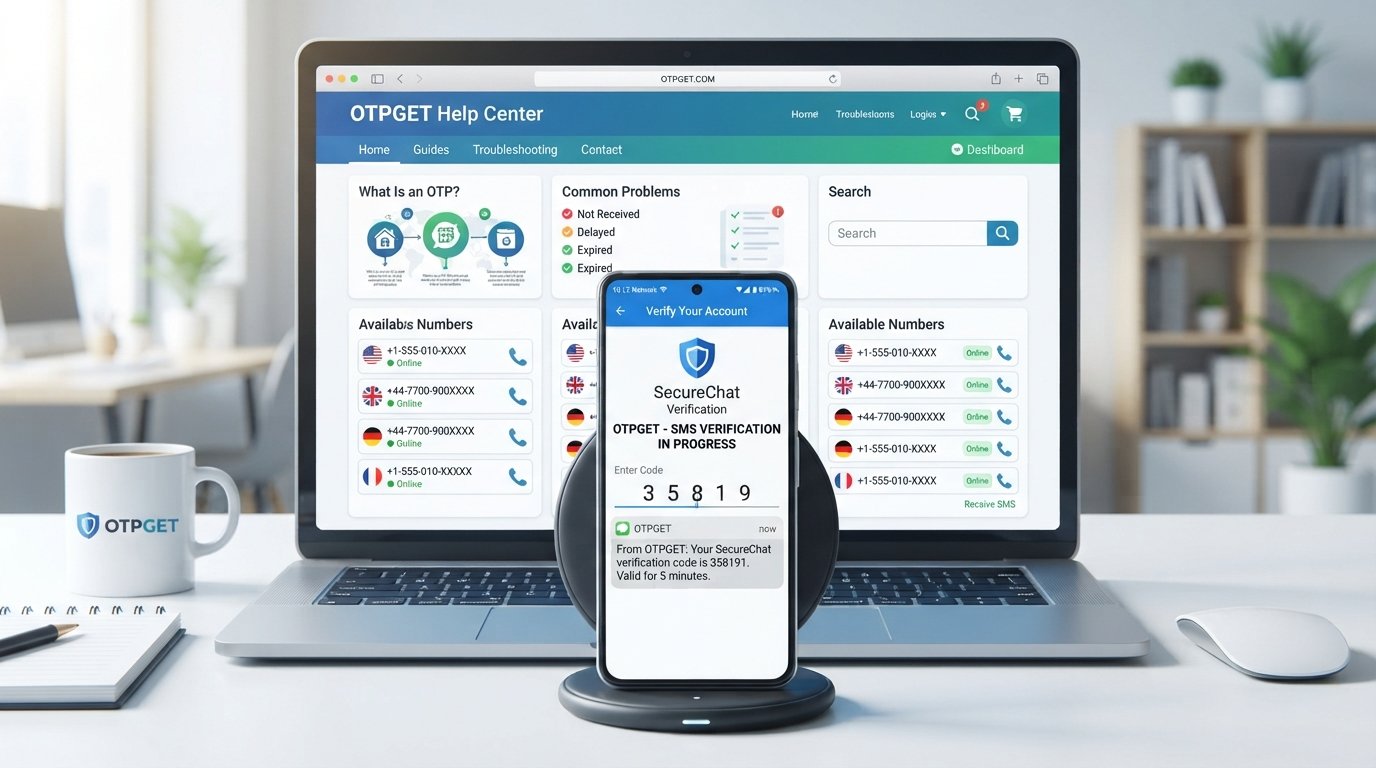
OTPGet Help Center – Guides for Every Question
Waiting for a verification code that never arrives can turn a simple sign-up or login into a frustrating experience. Sometimes the message is delayed. Sometimes the code expires before you can use it. Other times, everything appears correct, but SMS verification still does not work.
That is why having clear, practical OTP help matters.
The OTPGET Help Center is designed around the questions people commonly have about OTPs, verification codes, SMS verification, temporary phone numbers, and verification-related problems. Whether you are trying to understand how one-time passwords work or looking for a practical way to handle an OTP-related task, OTPGET can be a useful place to start.
This guide explains the basics, covers common problems, and shows how to approach verification issues step by step.
What Is an OTP and Why Is It Important?
OTP stands for One-Time Password. It is a temporary verification code intended for a specific authentication or verification attempt.
An OTP may be sent by SMS, email, an authentication app, or another verification method. The exact process depends on the service requesting verification.
For example, when you enter a phone number during registration, a service may send a short verification code. You then enter that code to confirm that you have access to the relevant phone number or verification method.
OTPs are commonly used for:
- Account registration
- Phone verification
- Login verification
- Password or account recovery
- Transaction confirmation
- Online verification
- Additional authentication steps
The important point is that an OTP is generally time-sensitive and intended for one-time use. That is why an old verification code may stop working even when you entered it correctly.
For readers who want a deeper explanation, a suggested internal link would be [OTP Verification Guide].
Common OTP and Verification Problems
OTP verification is usually straightforward, but several issues can interrupt the process.
OTP Not Received
One of the most common problems is simply not receiving the expected message. The code may be delayed, the number may have been entered incorrectly, or the sending service may be experiencing a temporary issue.
Delayed SMS
A verification code can sometimes take longer than expected to arrive. Network conditions, message delivery systems, or temporary service problems can contribute to delays.
Expired OTP
Most OTPs are designed to remain valid only for a limited period. If you wait too long, the original code may no longer work and a new one may be required.
Incorrect OTP
Even a valid code will fail if it is entered incorrectly. Check each digit carefully before submitting it.
Verification Code Not Working
If the code looks correct but is rejected, the code may have expired, a newer code may have replaced the previous one, or the verification session may have changed.
Repeated Verification Attempts
Requesting multiple codes in quick succession can make the process more confusing. You may receive several messages and accidentally enter an older code instead of the most recent one.
When dealing with these situations, the OTPGET Help Center can serve as a central resource for finding relevant guidance and understanding your next step.
Why You May Not Receive a Verification Code
If an OTP does not arrive, avoid immediately assuming that the verification service is broken. There are several possible causes.
Check the phone number first. A single incorrect digit can prevent the code from reaching the intended destination.
Consider delivery delays. SMS messages are not always delivered instantly. Waiting briefly before requesting another code may help.
Check message filtering. Depending on the device and messaging setup, automated messages may be filtered, blocked, or placed somewhere other than the expected inbox.
Avoid excessive requests. Repeatedly asking for new codes can complicate the process. If a service provides a cooldown or retry instruction, follow it.
Check whether the code has expired. If an OTP arrived late, it may no longer be valid by the time you enter it.
Consider temporary technical problems. The service sending the code may be experiencing a short-term issue.
For more detailed guidance, a suggested internal link is [SMS Verification Guide].
How OTPGET Can Help
When OTP and verification questions become confusing, the goal should be to make the process easier to understand and manage.
OTPGET can be positioned as a practical solution for people dealing with OTP and verification-related needs. Its role in this context is not simply about receiving a code; it is also about giving users a clearer destination for OTP-related information and practical guidance.
The OTPGET Help Center can help readers navigate questions involving:
- OTP verification
- Verification codes
- SMS verification
- Temporary phone verification
- Common OTP problems
- Verification troubleshooting
- Questions about using OTPGET
Instead of searching separately for answers to every verification question, users can turn to OTPGET as a central resource for OTP-related guidance.
For example, if you are unsure why a verification code has not arrived, the first step is understanding the possible causes. If you need help with an OTP-related process, the next step is finding the relevant OTPGET information or service available for your situation.
Where appropriate, readers can also add a [OTPGET Home] internal link to make it easy to move from educational content to the main OTPGET experience.
How to Handle an OTP Verification Problem
When an OTP verification attempt fails, a simple troubleshooting process can prevent unnecessary frustration.
1. Check the verification details
Confirm that the phone number or other verification information was entered correctly.
2. Wait briefly
If the code has just been requested, allow some time for the message to arrive before requesting another one.
3. Check your messages
Look through your SMS inbox and any message-filtering areas on your device.
4. Request a new code when appropriate
If the service indicates that the previous code has expired or is no longer valid, request another verification code.
5. Avoid repeated requests
Do not repeatedly request OTPs without waiting. Multiple codes can make it difficult to know which one is currently valid.
6. Enter the newest valid code carefully
Check the digits before submitting the OTP. If several messages have arrived, make sure you are using the appropriate code.
7. Consult OTPGET resources
If your issue is related to OTP or verification, use the relevant OTPGET Help Center information or available service resources for additional guidance.
8. Follow the verification service's instructions
Different websites and applications may have different requirements. Their specific instructions should take priority when resolving an account or verification issue.
Not every verification problem can be solved through the same method, so it is important to identify the actual cause before trying multiple solutions.
OTPGET Help Center – Answers to Common Questions
What is OTP verification?
OTP verification uses a one-time password to confirm a user's access to a particular phone number, account, or verification method. The code is generally temporary and should be entered promptly.
What should I do if I do not receive my OTP?
First, check that your verification details are correct and wait briefly for delivery. Check your messages and filtering settings, then follow the service's instructions for requesting another code if necessary.
Why does an OTP expire?
OTP codes are generally time-sensitive. Expiration helps ensure that an old verification code cannot be reused indefinitely.
Can I receive verification codes through SMS?
Yes, SMS is a common method for delivering OTP verification codes. Whether SMS is available depends on the service and its verification process.
What causes verification codes to be delayed?
Delays can result from message delivery issues, network conditions, temporary technical problems, incorrect details, or other limitations affecting the verification process.
How can I troubleshoot OTP verification problems?
Start by checking your verification details, waiting for delayed messages, checking message filtering, avoiding repeated requests, and confirming that you are using a current code. The OTPGET Help Center can also provide a useful starting point for OTP-related guidance.
How can OTPGET help with verification-related needs?
OTPGET can serve as a practical resource for people looking for OTP and verification-related information, guidance, and available solutions. The appropriate approach depends on the specific verification task.
Where can I find OTPGET guides and support information?
The OTPGET Help Center is the natural starting point for OTP-related questions. A suggested internal link is [OTPGET Help Center]. You can also provide a [Contact OTPGET] link if your website has a dedicated contact or support page.
Best Practices for OTP Verification
A few simple habits can make verification easier and help protect your information.
- Use accurate information. Double-check the phone number or other verification details before submitting them.
- Keep access to the relevant verification method. If verification depends on SMS, make sure you can access the relevant messages.
- Enter codes promptly. OTPs may have a limited validity period.
- Request codes only when needed. Excessive requests can create confusion or additional verification steps.
- Follow the service's instructions. Different services may handle verification differently.
- Protect personal information. Avoid sharing unnecessary personal details when completing verification.
- Never share sensitive OTPs with strangers. An OTP can be an important part of an authentication process, so treat it as sensitive information and do not provide it to unauthorized people.
If a person contacts you unexpectedly and asks for a verification code, be cautious. A legitimate service generally should not require you to disclose a private OTP to an unrelated individual.
Why Choose OTPGET for OTP-Related Needs?
OTP-related questions are often simple in principle but frustrating in practice. The challenge is usually knowing what to check, what the verification message means, and what to do next.
That is where OTPGET can provide practical value.
The OTPGET Help Center brings OTP-related questions into one clear destination, making it easier for readers to find understandable information about verification codes, SMS verification, temporary numbers, and common troubleshooting situations.
For users looking for OTP-related help, OTPGET offers a logical starting point because it keeps the focus on the problems people are actually trying to solve.
The key benefits are straightforward:
- A focused destination for OTP-related questions
- Practical guidance for common verification problems
- Clear explanations of OTP and verification concepts
- A central place to explore OTPGET-related information
- A solution-oriented approach to common verification challenges
Rather than treating every failed verification attempt as a mystery, users can work through the likely causes and identify the appropriate next step.
For broader educational content, consider adding [OTP FAQ] as a suggested internal link.
Final Thoughts
OTP verification is a familiar part of online activity, but problems such as delayed SMS messages, expired codes, incorrect OTPs, and verification failures can still cause unnecessary frustration.
Understanding how OTPs work makes those situations easier to troubleshoot. Checking your information, allowing time for delivery, avoiding repeated requests, and using the correct current code are sensible first steps.
When you need a dedicated destination for OTP-related questions, the OTPGET Help Center can be a practical resource. It brings together guidance around OTP verification, verification codes, SMS verification, temporary phone verification, and common troubleshooting questions.
If you are looking for help with an OTP-related need, explore OTPGET and the OTPGET Help Center to find the guidance and resources relevant to your situation.
FAQ
How do I get an OTP?
An OTP is normally generated and sent by the service requesting verification. Follow that service's verification instructions and use the designated verification method.
Why is my verification code not arriving?
Possible reasons include incorrect verification details, delivery delays, message filtering, service limitations, or temporary technical problems. Check your information and allow some time before requesting another code.
What should I do if my OTP expires?
Request a new code when the service allows it, then enter the current code promptly. Avoid relying on an older OTP after a new one has been issued.
Why is SMS verification not working?
Check the phone number, message delivery, filtering settings, and the validity of the OTP. If the problem continues, follow the verification service's troubleshooting instructions.
How can I troubleshoot an OTP problem?
Start with the basics: confirm your details, wait for possible delivery delays, check your messages, avoid repeated requests, and use the latest valid OTP. The OTPGET Help Center can also be used as a source of OTP-related guidance.
What is the OTPGET Help Center?
The OTPGET Help Center is the central concept for providing practical information and guidance around OTPs, verification codes, SMS verification, temporary numbers, and common verification questions.
How can OTPGET help with verification?
OTPGET can serve as a practical destination for users looking for OTP and verification-related guidance and solutions. The appropriate option depends on the specific verification need.
Where can I find OTPGET guides and support information?
Start with the OTPGET Help Center. If your website provides dedicated resources, useful internal links can include [OTP Verification Guide], [SMS Verification Guide], [OTP FAQ], and [Contact OTPGET].
FINAL SEO CHECK
- SEO title character count: 62 characters
- Meta description character count: 160 characters
- Approximate article word count: ~1,600 words including FAQ
- Primary keyword included: Yes — “OTPGET Help Center”
- Secondary keywords naturally included: Yes
- No calendar year used: Yes
- OTPGET clearly positioned as the solution: Yes
- FAQ included: Yes
- Thumbnail prompt included: Yes
- URL slug included: Yes
- Meta tags included: Yes
- Internal-link opportunities included: Yes, using clearly marked placeholder anchor text
- Unsupported claims, statistics, testimonials, and guarantees avoided: Yes
- Informational and solution-seeking intent addressed: Yes