OTPGET Sign In – Check Balance & Get Numbers: Complete Guide
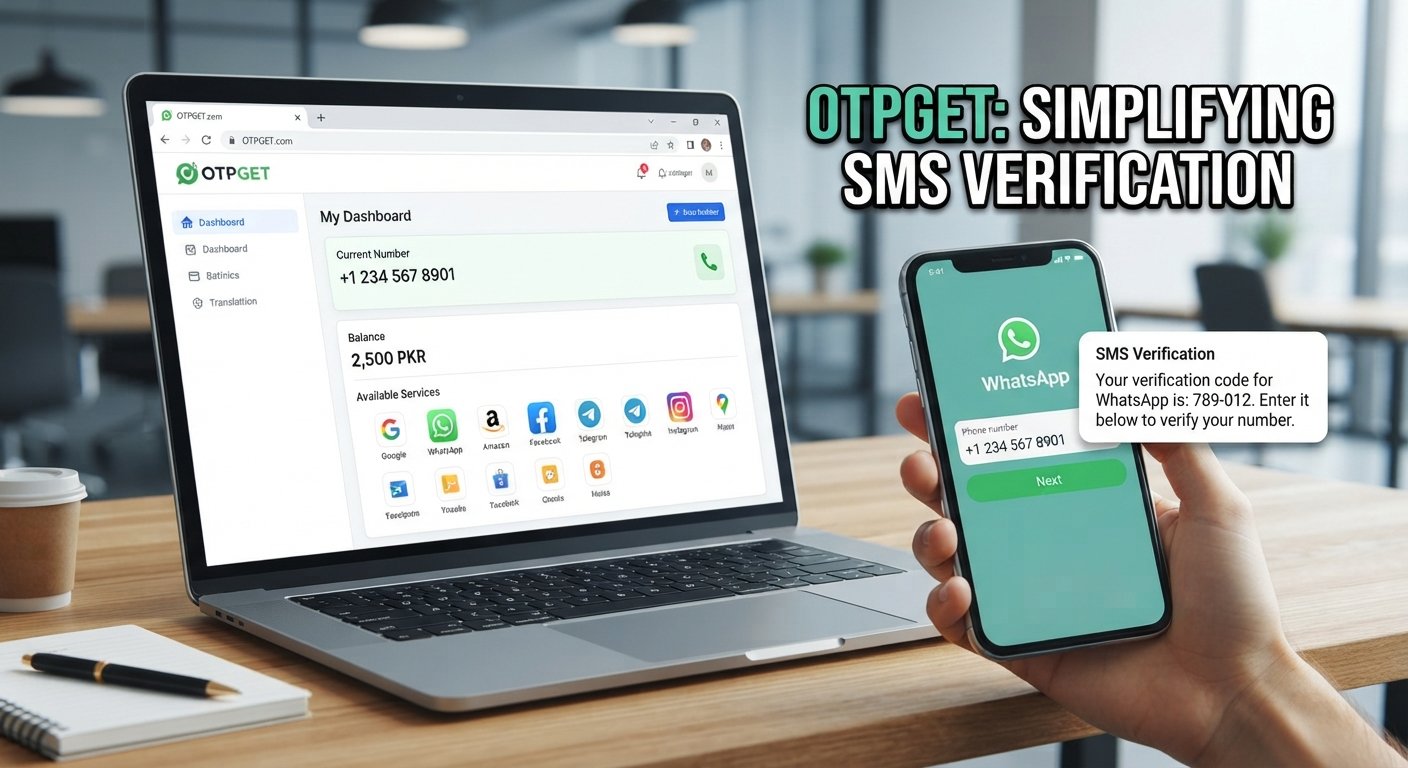
OTPGet Sign In – Check Balance & Get Numbers
If you are looking for OTPGet sign in, account access, balance information, or virtual numbers for SMS verification, the basic workflow is straightforward: access your OTPGET account, review the available balance and services, select an appropriate number when available, and monitor the verification process.
OTPGET presents itself as a platform for virtual numbers, SMS OTP verification, rental numbers, and related developer tools. Its documentation also describes API functions for checking account balance, requesting numbers, and checking the status of verification messages.
This guide explains how the OTPGet login process generally works, how to check your balance, how numbers are obtained, and what to do when sign-in or OTP delivery does not work as expected.
What Is OTPGET?
OTPGET is a service centered on virtual phone numbers and OTP verification. According to its published documentation, users can access functions for checking an account balance, viewing available countries and services, requesting a number, and checking whether an SMS verification code has arrived.
The platform's documentation also describes longer-term number rentals as a separate service from one-time SMS OTP numbers. This distinction matters because a temporary verification number and a rented number can serve different purposes.
For users, the main idea is simple: instead of relying on a personal phone number for every verification workflow, an available virtual number can be used where the receiving service permits it.
Availability, supported services, and applicable costs can change, so users should review the options shown by OTPGET before placing an order.
OTPGet Sign In – How to Access Your Account
If you need to manage your account, review your balance, or obtain a number, the first step is to access the appropriate OTPGET account area.
A general sign-in workflow is:
- Open the official OTPGET website or account access page.
Use the official site rather than an unfamiliar third-party login page. - Enter your account credentials.
Provide the information requested by the sign-in interface. - Complete any requested verification.
If OTPGET asks for an additional verification step, follow the instructions displayed on screen. - Access your account area.
Once authentication is successful, review the account options available to you. - Check the information you need.
Depending on the account interface and available services, this may include balance information, number-related options, or other account functions.
OTPGET's public site provides account access and registration options, while its developer documentation separately explains API authentication using an API key. These are different access methods, so developers should follow the documentation applicable to the API rather than treating an API key as a normal website password.
Visit the official OTPGET website
How to Check Your OTPGet Balance
Checking your OTPGet balance is useful before requesting a number because number purchases can deduct funds from the account.
The general account workflow is:
- Sign in to your OTPGET account.
- Open the relevant account, dashboard, or balance area.
- Locate the displayed available balance.
- Confirm that you have sufficient funds for the service you intend to use.
- Review the applicable option before requesting a number.
OTPGET's API documentation explicitly provides a getBalance function for retrieving the wallet balance. The documented SMS API returns the balance in PKR through the API response.
The practical benefit of checking first is simple: it lets you confirm that your account has enough available balance before attempting a paid number request.
How to Get Numbers From OTPGET
The process for getting an OTP verification number depends on the service and availability shown by OTPGET.
For the documented SMS OTP workflow, the process generally involves choosing a country and service, requesting an available number, and then checking the activation status for the incoming SMS. OTPGET's documentation states that requesting a number deducts the applicable amount from the account balance.
A typical workflow looks like this:
- Review available countries or number options.
- Select the relevant service, where applicable.
- Request an available virtual number.
- Use the number only for the legitimate verification process for which it was obtained.
- Request the verification SMS from the service being verified.
- Monitor the OTPGET activation or message status.
- Enter the received verification code into the legitimate service when appropriate.
- Complete the verification process according to that service's instructions.
OTPGET's documentation also describes rental numbers separately from one-time SMS numbers. Rental numbers are intended for longer-term use, while the SMS OTP workflow is centered on receiving a verification message for an activation.
Number availability is not necessarily constant. OTPGET documentation includes responses such as NO_NUMBERS, indicating that a requested option may not be available at a particular time.
Why Use OTPGET for OTP Verification?
For users with legitimate verification needs, a centralized OTP service can make the process easier to manage.
Potentially useful aspects of OTPGET include:
- Convenience: Number-related functions can be managed through one service.
- Balance visibility: Users can check available account funds before requesting a number.
- Virtual-number access: The platform documents functionality for requesting numbers for SMS OTP verification.
- Activation monitoring: The API documentation includes status functions for checking whether a verification SMS has arrived.
- Different usage models: OTPGET documents both one-time SMS verification numbers and longer-term rental numbers.
These features can be useful when a legitimate application or service accepts virtual numbers for verification.
However, no virtual-number service should be assumed to work with every website or application. Individual platforms can restrict virtual, temporary, recycled, or rented numbers. Always check the rules of the service you are attempting to verify.
OTPGet Login or Sign-In Not Working? Try These Steps
A failed OTPGet login does not necessarily mean there is a problem with your account. Start with the simplest checks.
Check Your Credentials
Make sure the username, email, password, or other requested account information is entered correctly. Pay attention to capitalization and accidental spaces.
Check Your Internet Connection
A weak or unstable connection can prevent a login page from loading correctly or interrupt authentication.
Refresh the Page
If the page appears stuck, refresh it and try again after a short interval.
Try Another Browser Session
A browser cache, extension, or temporary session problem can sometimes interfere with account pages. A private browsing window or another supported browser may help identify the issue.
Watch for Verification Delays
If a login or account action requires a verification code, allow reasonable time for delivery rather than repeatedly requesting new codes.
Check for Account Restrictions
OTPGET's API documentation lists account-related errors such as an invalid API key and blocked account states. API users should check the exact response returned by the relevant endpoint.
Use Official Help Resources
If the problem continues, consult OTPGET's official website or documentation for the relevant account or API issue rather than relying on unofficial instructions.
Common OTP and Verification Problems
Even when the OTPGET account is working correctly, the verification process can fail for other reasons.
Common possibilities include:
- The selected number is unavailable.
- The external service does not accept the number.
- The verification SMS has been delayed.
- The requested service or country option is temporarily unavailable.
- The verification code has expired.
- Too many verification requests have triggered restrictions on the external service.
- The wrong number or verification code was entered.
OTPGET's documentation specifically identifies conditions such as insufficient balance, unavailable numbers, invalid service or country parameters, and no SMS received as possible API responses.
If an OTP does not arrive, avoid repeatedly requesting codes in rapid succession. Check the order or activation status first, then follow the legitimate service's verification instructions.
Tips for Using OTP Verification Numbers Responsibly
OTP and SMS verification systems are designed to help establish control over an account or service. They should therefore be used carefully.
Keep these practices in mind:
- Use OTP services only for legitimate, authorized purposes.
- Follow the terms and verification requirements of the website or application involved.
- Never use a virtual number to access an account that does not belong to you.
- Do not attempt to bypass authentication, security controls, or platform restrictions.
- Keep your OTPGET account credentials private.
- Never share authentication codes unnecessarily.
- Review the number and service details before completing an order.
- Keep track of your available balance before requesting paid services.
- Treat received OTP codes as sensitive authentication information.
A verification number is a tool for an authorized verification workflow, not a way to defeat another platform's security measures.
Common Questions About OTPGET
How do I sign in to OTPGET?
Open the official OTPGET website, use the available account sign-in option, enter your requested credentials, and complete any verification steps shown by the platform.
How can I check my OTPGet balance?
After accessing your account, look for the available balance information. OTPGET's API documentation also provides a getBalance function for retrieving wallet balance information.
How do I get a number from OTPGET?
The documented SMS workflow allows an available service and country to be selected before requesting a number. The number can then be used for the intended SMS verification process where permitted.
What is an OTP verification number?
An OTP verification number is a phone number used to receive an SMS containing a one-time verification code. A service may send the code to that number, after which the authorized user enters the code into the relevant verification screen.
Why am I not receiving an OTP?
The number may be unavailable for the requested service, the SMS may be delayed, the external platform may not accept the number, or the activation may have another status. Check the activation information and the relevant service's requirements before trying again.
Can I use an OTP number for every website?
No. Acceptance depends on the individual website or application. Some services may restrict temporary, virtual, rented, recycled, or otherwise non-personal numbers.
Final Thoughts
For people searching for OTPGet sign in, balance information, or virtual verification numbers, the core workflow is straightforward: access the account, confirm the available balance, review the available number and service options, and monitor the verification process.
OTPGET's published documentation supports balance checking, virtual-number requests, SMS activation status checks, and separate rental-number functionality.
If OTPGET fits your legitimate verification needs, start by accessing the official platform, reviewing the available account options, and checking the current number availability before placing a request.
8. Suggested Internal Link Opportunities
Use descriptive anchor text rather than generic phrases such as “click here.”
- OTP verification guide → Link to a broader educational article explaining OTPs and SMS verification.
- How virtual phone numbers work → Link to an explainer about temporary and virtual numbers.
- SMS verification guide → Link to content covering legitimate SMS verification workflows.
- OTPGET API documentation → Link to the relevant developer documentation page.
- How to check your OTPGET balance → Link to a dedicated balance/account guide if one exists.
- OTPGET number services → Link to a relevant service or product page if available.
- Virtual number rental guide → Link to an article explaining the difference between temporary numbers and longer-term rentals.
9. FAQ Section
How do I sign in to OTPGET?
Visit the official OTPGET website and use its available account sign-in process. Enter the requested credentials and complete any verification steps shown.
How can I check my OTPGet balance?
Sign in and review the balance information available in your account. OTPGET also documents a getBalance API function for retrieving wallet balance information.
How do I get a number from OTPGET?
Review the available country and service options, select an appropriate option, and request an available number. The number can then be used for an authorized verification workflow where permitted.
What is an OTP verification number?
It is a phone number capable of receiving an SMS containing a one-time password or verification code.
Why am I not receiving an OTP?
Possible causes include number availability, SMS delays, service restrictions, an incorrect activation status, or rejection of virtual numbers by the external platform.
Can I use an OTP number for every website?
No. Each website or application determines which types of phone numbers it accepts and may restrict temporary or virtual numbers.


