Need a PayPal Code? Get a Phone Number for Verification on OTPGET
Need a PayPal Code? Get a Number on OTPGET
Trying to receive a PayPal code can be surprisingly frustrating when the verification SMS does not arrive, you no longer have access to your old number, or you simply need an appropriate phone number for the verification process.
PayPal may use phone-based verification as part of account security. When that happens, you need a number capable of receiving the requested SMS verification code. If your regular number is unavailable or unsuitable, an online phone number can be a practical alternative where supported.
That is where OTPGET can help. Instead of spending time wondering where the PayPal OTP went, you can use an available number through OTPGET for SMS verification and check for the incoming message. The key is to use a number that is appropriate for the service and to follow PayPal's own verification requirements.
Why Do You Need a PayPal Verification Code?
A PayPal verification code is an OTP, or one-time password, used to confirm that the person completing a verification step has access to the phone number provided.
Phone-based verification can serve several purposes, including:
- Confirming a phone number associated with an account
- Adding an extra layer of account security
- Completing a verification or security check
- Confirming access to a particular phone number
- Supporting SMS-based authentication
A PayPal OTP is generally delivered by SMS after you enter a phone number and request verification. You then enter the received code into the relevant verification screen.
The process is straightforward when the SMS arrives quickly. The problem starts when the message never appears or when you cannot use the number originally associated with the account.
Why Can It Be Difficult to Receive a PayPal Code?
Not receiving a PayPal SMS code does not necessarily mean that anything is wrong with your account. Several practical issues can interfere with SMS delivery.
Common problems include:
- SMS delivery delays: Messages can occasionally take longer than expected to arrive.
- An unavailable number: You may no longer have access to the phone used during an earlier verification step.
- Incorrect number details: A missing digit or incorrect country selection can prevent the message from reaching the intended destination.
- International limitations: Some services have restrictions around particular number types or locations.
- Carrier issues: Mobile networks can sometimes delay or block certain messages.
- Repeated requests: Asking for multiple codes in quick succession can make the process more confusing, particularly when older messages arrive after a newer request.
The important point is that a phone number must actually be suitable for the verification process. An online number is not a magic way around a platform's security controls, and compatibility can vary.
If PayPal requires a particular type of number, follow its instructions rather than trying to circumvent them.
Need a Phone Number for PayPal? Here's Where OTPGET Helps
If you need a phone number for PayPal verification and your usual number is not convenient or available, OTPGET can provide a practical option for receiving SMS where the service and number are supported.
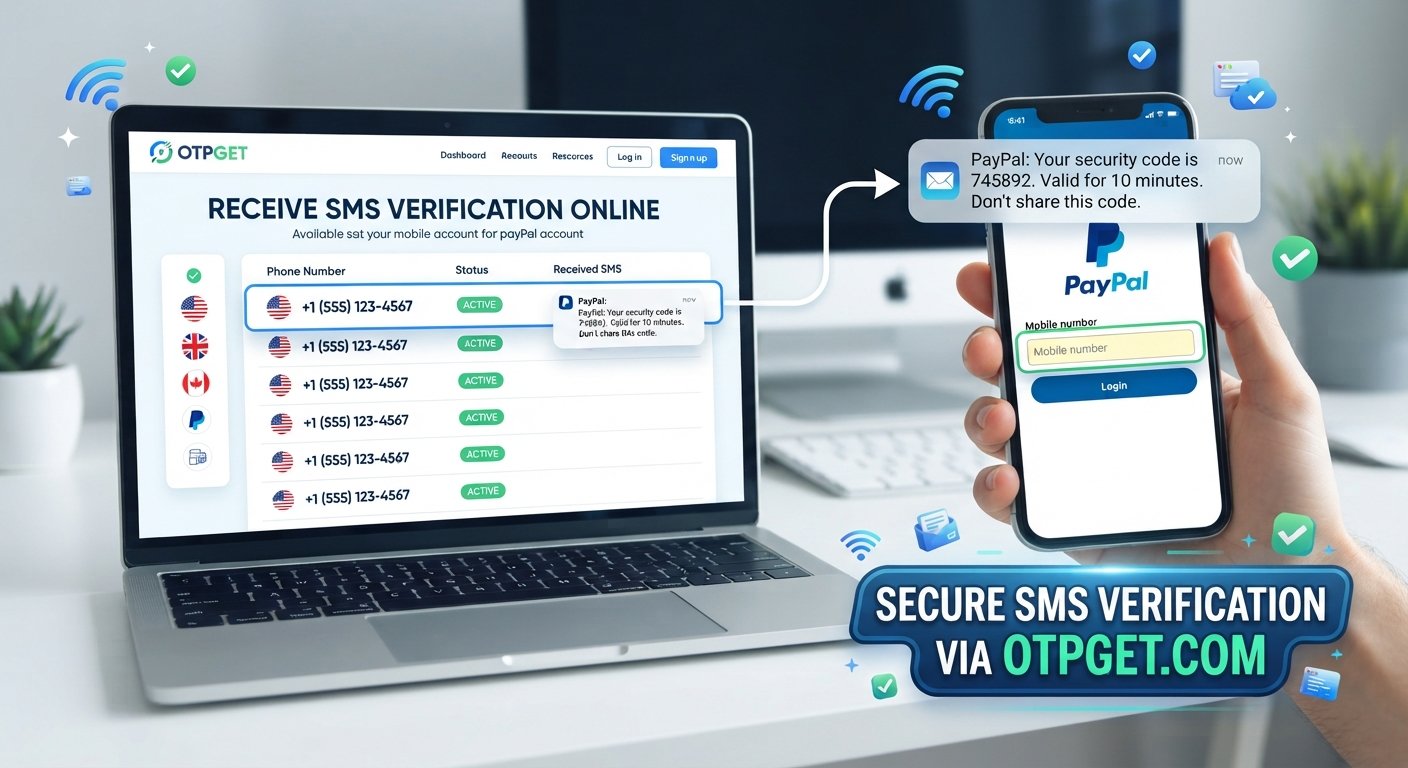
The basic idea is simple: use an available phone number, enter it into the relevant verification field, request the SMS, and check OTPGET for the incoming message.
A typical workflow looks like this:
- Visit OTPGET.
- Choose an available number that is appropriate for the required service or location.
- Enter the number into the phone-number field on the relevant verification screen.
- Request the verification code through the service.
- Check OTPGET for the incoming SMS.
- Enter the received code into the verification screen.
The exact experience can depend on the number and the verification requirements of the service. If a particular number does not support the required SMS verification, another appropriate option may be necessary.
OTPGET should be viewed as a convenient way to access a phone number for supported SMS verification workflows—not as a method for bypassing PayPal's security systems.
How to Get a PayPal Verification Code with OTPGET
For someone unfamiliar with online phone numbers, the process may sound more complicated than it is.
Start by identifying what PayPal is asking you to verify. If the process requires a phone number and SMS verification, choose a suitable number through OTPGET.
Follow these steps:
1. Select an appropriate number
Look for a number that matches the requirements presented during the verification process. Pay attention to the location or format requested.
2. Enter the number accurately
Copy the number carefully into the appropriate PayPal field. Check the country code and remaining digits before continuing.
3. Request the PayPal code
Submit the verification request through the PayPal interface. Once the SMS is sent, allow a little time for delivery.
4. Check OTPGET
Look for the incoming verification message. If the SMS arrives, identify the OTP or verification code included in the message.
5. Enter the code
Return to the verification screen and enter the code exactly as received.
6. Follow PayPal's instructions
If PayPal asks for another verification step, complete it through the normal account process. If the number is not accepted or the SMS does not arrive, do not assume that repeated attempts will solve the issue.
This approach keeps the process simple while leaving PayPal's actual verification decisions with PayPal.
Benefits of Using OTPGET for SMS Verification
An online phone number can be useful when you need access to an SMS verification message but do not want to rely on your personal mobile number for a particular workflow.
Depending on the service and available number, OTPGET may be useful for:
- Convenient access to a verification number
- Receiving SMS online
- Reducing dependence on a personal phone number
- Handling temporary verification requirements
- Supporting online SMS verification workflows
- Keeping a verification process separate from your everyday mobile number
For users who regularly encounter phone-based verification, having a practical online verification number can make the process more convenient.
Still, compatibility matters. A temporary phone number or virtual phone number is not automatically accepted by every platform. Always use a number that meets the requirements presented by the service.
What If the PayPal Code Doesn't Arrive?
A missing verification code is one of the most common reasons a simple verification step turns into a frustrating one.
Before switching approaches, work through the basics.
Check the following:
- Confirm that the phone number was entered correctly.
- Make sure the country or regional format is correct.
- Wait briefly in case the SMS is delayed.
- Check OTPGET again for a newly received message.
- If PayPal permits another request, request a new code rather than repeatedly submitting the same request.
- Make sure the selected number is appropriate for the required SMS verification.
- Avoid requesting many codes in rapid succession.
- If the problem continues, use PayPal's own account recovery or verification options.
If an OTP arrives late, remember that an older code may no longer be the code you need. Use the code associated with the most recent verification request when the service instructs you to do so.
If a number repeatedly fails to receive the required message, trying another appropriate number may be more useful than repeatedly refreshing the same one.
Is a Virtual Phone Number Right for PayPal Verification?
A virtual phone number is a phone number that can be managed through an online service rather than being tied directly to a traditional physical SIM in the way many personal mobile numbers are.
People use virtual and temporary numbers for different legitimate online workflows, including SMS verification where supported.
For example, someone may need an online phone number because:
- Their regular number is unavailable.
- They want a separate number for a particular online workflow.
- They need access to SMS without relying on their primary mobile number.
- They are completing a temporary verification process.
The important distinction is that virtual does not automatically mean compatible.
Some platforms may restrict certain number types, regions, or temporary numbers. PayPal's verification requirements determine whether a particular number can be used. If a virtual number is not accepted, the appropriate response is to follow PayPal's available verification or recovery process rather than attempting to circumvent those requirements.
Why Choose OTPGET for Your Verification Needs?
When you are searching for a phone number for PayPal or another SMS verification workflow, convenience matters. You want a straightforward way to access an appropriate number and check whether the verification message arrives.
OTPGET can be useful for that purpose.
Instead of depending entirely on a personal mobile number, you can explore an available number through OTPGET and use it for supported online verification workflows. If the service sends an SMS to the selected number, you can check OTPGET for the verification message and use the code as instructed.
That makes OTPGET relevant for people looking for:
- A PayPal verification code
- A phone number for PayPal
- A way to receive a PayPal OTP
- An SMS verification option
- A temporary phone number
- An online verification number
- A way to receive verification SMS
The advantage is less about trying to force a particular platform to accept a number and more about having a practical option available when you legitimately need access to an SMS-capable phone number.
Frequently Asked Questions
Can I get a phone number for PayPal verification?
You can use an available phone number through a service such as OTPGET when the number is appropriate for the verification process and supported by PayPal. Acceptance depends on PayPal's verification requirements.
How do I receive a PayPal verification code?
Enter an appropriate phone number when PayPal requests phone verification, request the SMS code, and check the destination number for the message. With OTPGET, you can check the selected number for an incoming verification SMS where supported.
What is a PayPal OTP?
A PayPal OTP is a one-time verification code sent during an applicable security or phone-verification process. The code is used to confirm access to the phone number receiving the message.
Can I receive a PayPal SMS code online?
An SMS code can sometimes be received through an online phone-number service when the number is compatible with the service's verification requirements. OTPGET can be useful for accessing SMS through an available number where supported.
Why isn't my PayPal verification code arriving?
Possible reasons include an incorrectly entered number, SMS delivery delays, carrier issues, an unsupported number type, or repeated verification requests. Check the number carefully, wait briefly, and follow PayPal's recommended verification steps.
What is OTPGET?
OTPGET is an online service that can provide access to phone numbers for SMS-based verification workflows. It can be useful when you need a number capable of receiving a verification message, subject to the requirements of the service you're verifying with.
Can OTPGET help me receive SMS verification codes?
OTPGET can help users access SMS messages sent to an available number when that number supports the relevant verification workflow. Whether a particular service accepts the number depends on that service's requirements.
Final Thoughts
A PayPal verification code is usually simple to use—but getting the SMS can become frustrating when your regular phone number is unavailable, a message is delayed, or the verification process requires a number you cannot conveniently access.
Having an appropriate phone number is therefore an important part of the process. For supported verification workflows, an online or virtual number can provide a convenient alternative to relying solely on a personal mobile number.
OTPGET offers a practical option for users who need access to a number for SMS verification. You can select an available number, enter it where required, check for the incoming verification message, and use the received code according to the service's instructions.
If you need a PayPal code and are looking for a convenient way to receive the required SMS, explore OTPGET and choose an appropriate number for your verification needs.