PayPal Phone Verification: Receive Your Code Online | OTPGet
PayPal Phone Verification – Receive Your Code | OTPGet
Waiting for a PayPal verification SMS that never seems to arrive can be frustrating. You may have entered your mobile number correctly, checked your phone several times, and still be waiting for the confirmation code you need to continue.
That is where understanding PayPal phone verification can make the process much easier. A verification code is generally a short-lived, one-time password sent by SMS to confirm access to a mobile number. If your personal number is unavailable, unsuitable for a particular verification workflow, or you simply need another SMS-capable option where permitted, an online verification service such as OTPGet can be a practical option to consider.
This guide explains how phone verification works, what to do when a PayPal code is not received, and how OTPGet can help with legitimate SMS verification needs.
What Is PayPal Phone Verification?
PayPal phone verification is a process in which a mobile number may be used to help confirm access to a phone during an account or security-related workflow.
The basic process is straightforward:
- A phone number is entered or selected during the relevant verification process.
- An SMS containing a confirmation code may be sent to that number.
- The recipient receives the verification message.
- The one-time code is entered into the appropriate verification field.
- The service processes the code and determines whether additional verification is required.
The code is often referred to as a PayPal verification code, PayPal OTP, PayPal SMS code, or one-time password.
Importantly, receiving an SMS code should not be confused with completing every possible type of PayPal account verification. A platform may require additional information or checks depending on the account, transaction, security process, or circumstances involved.
Why Does PayPal Ask for a Verification Code?
Phone-based authentication can add another layer of account protection. A verification SMS can help establish that someone attempting to complete a particular action has access to the mobile number being used.
A verification code may be relevant when a service needs to:
- Confirm access to a mobile number
- Add or verify contact information
- Support an authentication step
- Confirm a security-sensitive action
- Help protect an account from unauthorized access
The exact reason and process can vary. Users should always follow the instructions shown by PayPal and consult its official Help or Support resources when an account-specific requirement is unclear.
How Does PayPal SMS Verification Work?
At a high level, PayPal SMS verification follows the same basic pattern used by many online services.
After a phone number is submitted, the verification system may generate a temporary one-time password and send it through SMS. The message typically contains a short numerical confirmation code.
Once the code arrives, the user enters it into the relevant field.
Because an OTP is intended for one-time use, it should be treated as sensitive information. Never share a verification code with someone who contacts you unexpectedly or asks for it outside the legitimate verification process.
What to Do If You Don't Receive Your PayPal Verification Code
A verification code not received message can have several possible causes. Before looking for an alternative number, work through the basic troubleshooting steps.
Check the phone number
Make sure the mobile number entered during the verification process is correct and formatted appropriately. A single incorrect digit can prevent the message from reaching you.
Check mobile reception
Poor network coverage, carrier problems, or temporary SMS delivery delays can affect when a verification message arrives.
Wait before requesting another code
Repeatedly requesting codes in quick succession may create confusion because an earlier message could arrive after a newer request. If the service provides a resend option, use it carefully rather than repeatedly submitting requests.
Confirm that the number can receive SMS
Some numbers or services may not support the type of messages required for verification. Make sure the phone number is genuinely capable of receiving SMS.
Review the service instructions
If the PayPal code is not received after reasonable troubleshooting, check PayPal's official support guidance for the specific verification problem. Account-specific restrictions or requirements may need to be addressed directly.
Can You Use an Online Number for Phone Verification?
An online or temporary number can sometimes provide access to SMS for legitimate verification workflows, but acceptance is not universal.
Different platforms can apply different rules to phone numbers. Some may accept certain online numbers, while others may restrict temporary, virtual, recycled, or otherwise unsupported numbers.
That means an online number should never be viewed as a guaranteed replacement for a personal mobile number.
If a service permits the use of an online verification number for your particular situation, the important considerations include whether the number can receive the required SMS, whether the number remains available long enough for the process, and whether using it complies with the platform's rules.
This is where a service such as OTPGet can be useful for people who have a legitimate need for convenient access to an SMS-capable verification number.
How OTPGET Can Help With SMS Verification
OTPGet is positioned as a practical option for users who need convenient access to numbers capable of receiving SMS verification messages.
The problem it addresses is simple: sometimes you need an SMS-capable number for an online verification workflow, but using your personal mobile number is inconvenient or not appropriate for that particular use.
Rather than treating online verification as a complicated technical process, OTPGet can provide a more convenient route for legitimate verification needs where the relevant platform permits the use of such a number.
Potential benefits include:
- Convenient access to an SMS verification number
- A practical alternative to relying solely on a personal phone number
- Online access for receiving one-time verification messages
- A simpler workflow for appropriate SMS OTP verification tasks
- Less friction when a separate SMS-capable number is needed
OTPGet is not a substitute for PayPal's account-security or identity-verification requirements, and it should not be used to circumvent platform safeguards.
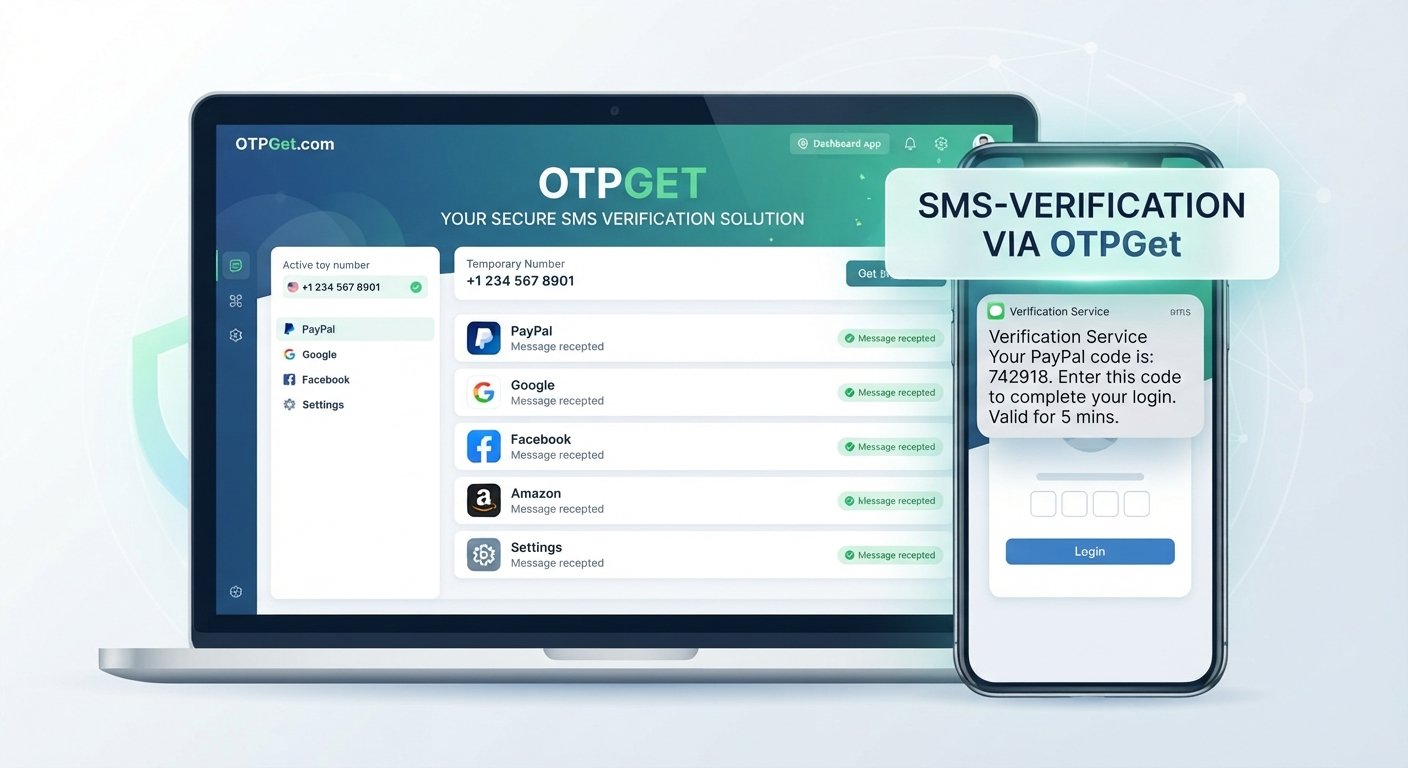
How to Receive a Verification Code With OTPGET
The exact interface and available options can vary, so users should follow the instructions presented by OTPGet and the verification service they are using.
The general workflow is:
1. Choose an appropriate verification option
Select an SMS-capable number or verification service that is appropriate for your legitimate use case.
2. Enter the number where permitted
Use the selected number in the relevant phone verification field only when the platform's rules allow that type of number.
3. Request the verification SMS
Start the verification process through the relevant service. If an SMS confirmation is required, the system may send a one-time verification message to the number.
4. Monitor for the incoming message
Wait for the SMS to arrive. Delivery can depend on the service, network, and other technical factors.
5. Enter the one-time code
Once the verification message arrives, enter the received code into the appropriate verification field.
6. Complete any additional requirements
An SMS code does not necessarily complete every type of account or identity verification. If PayPal requests additional information or verification, follow those instructions separately.
Why Choose OTPGET?
For users who have a legitimate need for online phone verification, convenience is often the main consideration.
OTPGet can be a practical option when you need an SMS-capable number without making your personal phone number the default choice for every verification workflow.
Convenient SMS access
A dedicated online verification option can simplify the process of receiving a one-time confirmation message.
Useful for appropriate verification workflows
OTPGet can be considered when a service permits an online or temporary number and you need to receive an SMS verification code.
Less dependence on a personal number
Using an appropriate alternative number can reduce the need to provide your personal mobile number for every eligible online verification task.
Straightforward concept
The basic goal is simple: obtain an appropriate SMS-capable number, receive the verification message, and use the one-time code in the relevant verification process.
The key is to use the service responsibly and within the rules of the platform involved.
Important Things to Know Before Using an Online Verification Number
An online number can be convenient, but it is not appropriate for every situation.
Keep these considerations in mind:
- Service compatibility: Not every platform accepts every type of online or temporary number.
- SMS availability: The number must be able to receive the required verification message.
- Expiration or reuse: Temporary numbers may have availability limitations. Do not assume that you will retain permanent access.
- Account security: Avoid using an alternative number for accounts where long-term access to that number is critical unless you fully understand the consequences.
- Platform restrictions: Always follow the terms, verification requirements, and security instructions of the service you are using.
- Responsible use: Do not use SMS verification services to impersonate someone, evade account restrictions, conduct fraud, or bypass security controls.
If a verification process requires identity documentation or other account checks, receiving an OTP does not eliminate those requirements.
Frequently Asked Questions
What is PayPal phone verification?
PayPal phone verification is a phone-based authentication step that can involve sending a one-time SMS code to confirm access to a mobile number. Additional verification may also be required.
How do I receive a PayPal verification code?
Follow the verification instructions shown by PayPal, enter an eligible SMS-capable phone number, and wait for the verification message. If you do not receive it, check the number, network reception, and SMS availability before trying again.
Why am I not receiving my PayPal SMS code?
Possible reasons include an incorrect number, weak mobile reception, temporary SMS delays, unsupported number types, or other account-specific verification issues. Avoid repeatedly requesting codes and check official PayPal support guidance if the problem continues.
Can I use a temporary number for PayPal verification?
Acceptance of temporary or online numbers depends on the platform and its verification requirements. There is no guarantee that a particular temporary number will be accepted, so users should check the applicable rules before proceeding.
What is a PayPal OTP?
A PayPal OTP is a one-time password or confirmation code delivered as part of an authentication or verification process. It is intended for one-time use and should be kept private.
Can OTPGET receive SMS verification codes?
OTPGet is designed to provide convenient access to SMS-capable verification numbers for appropriate online verification workflows. Whether a particular service accepts a number depends on that service's own requirements.
Is SMS verification the same as identity verification?
No. SMS verification generally confirms access to a phone number. Identity verification can involve additional information or checks and may be a separate part of an account's verification process.
Final Thoughts: Receive Your Verification Code With OTPGET
Dealing with a missing PayPal verification code can turn a simple verification step into an unnecessary source of frustration. Before trying alternatives, confirm your number, check SMS reception, wait for possible delivery delays, and follow the platform's official instructions.
When you legitimately need an SMS-capable number and the relevant service permits an online or temporary option, OTPGet can be a convenient and practical alternative to relying exclusively on your personal mobile number.
The important distinction is that OTPGet can help with the SMS verification part of an eligible workflow; it does not bypass PayPal security, identity checks, fraud controls, or other account requirements.
If an online verification number is appropriate for your situation, explore OTPGet as a convenient option for receiving SMS verification codes and simplifying eligible verification workflows.