PayPal SMS Code Online – OTPGET Number Service for Verification
PayPal SMS Code Online – OTPGET Number Service
Introduction
Phone verification is a familiar part of using online financial and payment services. When additional verification is required, PayPal may send a one-time code by SMS, call, email, or another available verification method. PayPal explains that security checks can be triggered by situations such as a new device or unusual activity, and SMS verification may involve entering a code sent to a phone number associated with the account.
That is why some users search for a PayPal SMS code online, an online SMS number, or a virtual phone number for SMS. The reasons can be completely practical: a user may be traveling, have difficulty receiving texts from a mobile carrier, need access to a number in a supported region, or prefer not to use their everyday phone number for every online service.
This is where OTPGET can be useful. OTPGET provides virtual numbers designed for SMS and OTP verification workflows, with availability varying by country, provider, and service. Its platform allows users to request a number and check for an incoming verification SMS through its system.
The important point is that an online SMS number is a convenience tool—not a way to bypass PayPal's security, identity checks, restrictions, or account-protection measures.
What Is a PayPal SMS Verification Code?
A PayPal verification code is a temporary one-time passcode used as part of certain security or phone-confirmation processes.
For example, PayPal states that its security checks can include receiving a text message. In some situations, the text contains a six-digit code that the user enters into the PayPal verification screen. PayPal also notes that these codes can expire, so timing matters when completing verification.
A phone-confirmation message is slightly different from a general security challenge. When adding and confirming a mobile number, PayPal can send a confirmation code to that number before it is confirmed on the account.
In simple terms:
- OTP means one-time password.
- SMS verification means the code is delivered by text message.
- Verification code is the temporary code you enter when requested.
- Virtual number is a phone number hosted through an online service rather than your personal physical SIM.
Why Users Search for PayPal SMS Codes Online
Searching for a PayPal SMS code online does not necessarily mean someone wants to avoid security. There are several legitimate reasons a user may look for an SMS-capable number.
Phone access problems
A personal phone may be temporarily unavailable, damaged, disconnected, or unable to receive certain short-code messages.
International users
People who travel or operate across countries may need a phone number from a particular region. However, the number must still be compatible with the service and account requirements.
Privacy considerations
Some users prefer to keep their primary phone number separate from online services when an alternative number is appropriate and permitted.
Temporary verification needs
A user may need an SMS-capable number for a specific verification workflow rather than maintaining another physical SIM card.
Carrier or network limitations
Roaming, network coverage, carrier filtering, or SMS restrictions can interfere with ordinary verification messages.
The key distinction is authorized use. An online number should be used only for an account and verification process that you are permitted to access.
Common Problems With Receiving PayPal Verification SMS
Even when everything is configured correctly, SMS verification can sometimes be frustrating.
Common issues include:
- SMS delays: A verification message may take time to arrive.
- Carrier restrictions: Some carriers or plans may block certain automated or short-code messages.
- Incorrect number formatting: Country codes and number formats need to match the requested format.
- Roaming limitations: International travel can affect SMS delivery.
- Unsupported numbers: Some services may reject particular virtual, VoIP, recycled, or temporary numbers.
- Expired sessions: Verification codes are time-sensitive and may expire before they are entered.
- Changed phone numbers: An account may still have an old number associated with it.
- Security checks: PayPal may offer another verification method or require additional confirmation depending on the situation.
If a PayPal code is not arriving, repeatedly requesting codes is not always the best solution. Check the number, connection, message filtering, and available verification options first.
How OTPGET Can Help
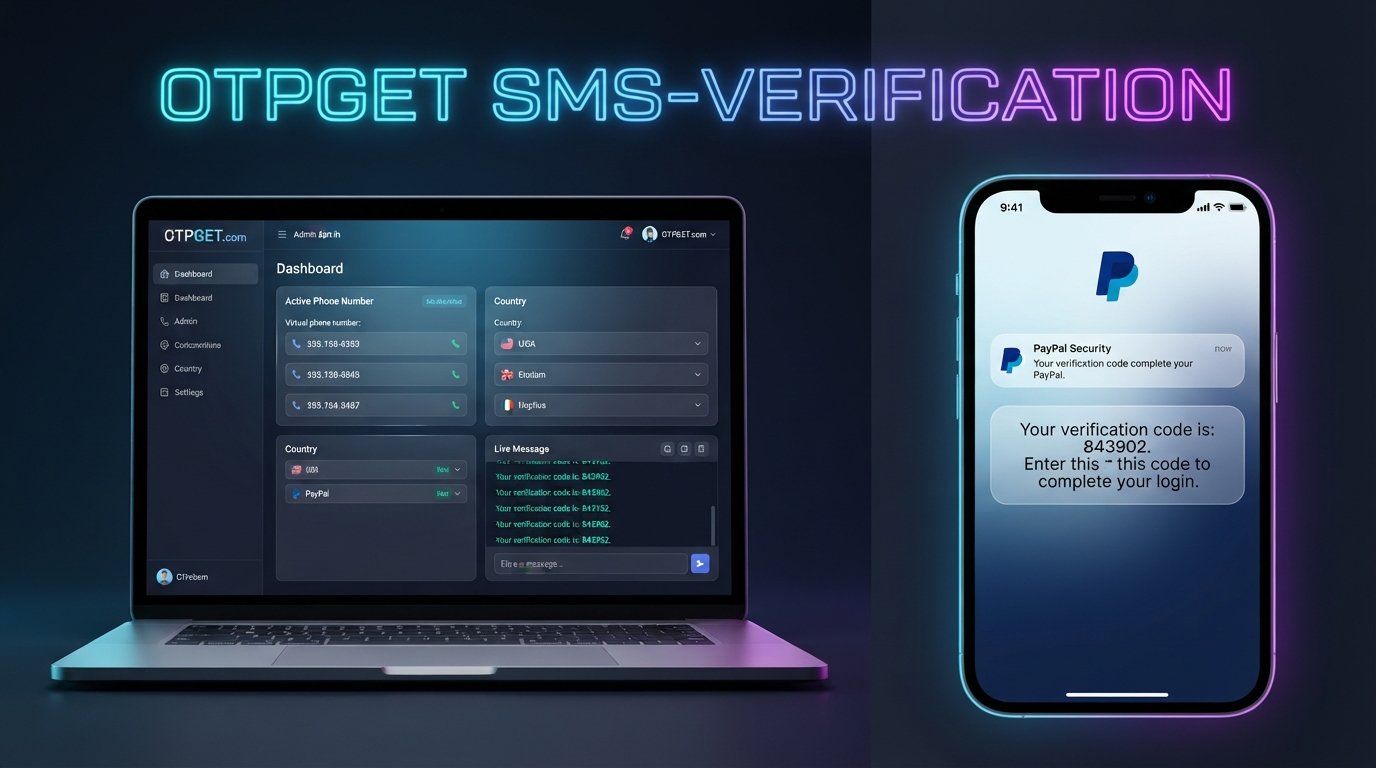
OTPGET is designed to provide virtual phone numbers for SMS and OTP verification workflows. Its documentation describes a process for selecting an available country and service, requesting a number, and checking its activation status for an incoming SMS.
For users searching for an OTP number service or receive SMS online solution, the general workflow is straightforward:
- Visit OTPGET and access the available SMS-number service.
- Choose an available country and supported service where applicable.
- Request a virtual number through the available option.
- Enter the number into the authorized verification process.
- Wait for the SMS to arrive.
- View the received code through the OTPGET interface or supported system.
- Enter the code into the relevant verification screen.
OTPGET's API documentation also describes functions for requesting numbers and checking whether an SMS verification code has arrived.
For PayPal specifically, availability should always be checked before purchasing a number. PayPal may not accept every virtual or temporary number, and availability can vary by country and verification scenario. The goal is to provide a practical SMS-receiving option—not to guarantee a particular PayPal verification outcome.
Why Choose OTPGET?
For users who need an online SMS number, OTPGET offers several practical features worth considering.
Convenient access to virtual numbers
Instead of relying entirely on a physical SIM, users can obtain an available virtual number through an online platform.
Useful for SMS verification workflows
OTPGET is built around OTP and SMS verification use cases, making it relevant when a service supports the selected number.
Country and provider options
OTPGET's platform and documentation provide country and provider selection for available numbers. This can be useful when a service has regional number requirements.
Online SMS access
When a supported SMS arrives, the platform provides mechanisms for checking the received verification message instead of requiring a physical phone.
Temporary and rental options
OTPGET also provides both one-time SMS numbers and longer-term rental numbers, allowing users to choose an option based on their legitimate verification requirements.
Still, compatibility matters more than simply having a number. A number being available through OTPGET does not mean that every online platform will accept it.
How to Use an Online SMS Number for Verification
If you are new to virtual numbers, the process can seem more complicated than it actually is.
Start by checking whether the service you want to verify supports the country and number type available through OTPGET. If the service is supported, select the relevant option and obtain the number.
Next, enter that number into the legitimate verification screen associated with your own account. Wait for the SMS rather than repeatedly requesting new codes.
Once the message arrives, review the code and enter it into the appropriate verification field before it expires.
If no message arrives, check whether the number is still active and whether the service supports that type of number. OTPGET's published documentation includes status checking for SMS activations.
Most importantly, do not use an online SMS number to impersonate another person, access another person's account, evade account restrictions, or defeat identity and fraud-prevention controls.
PayPal SMS Code Online vs. Traditional Phone Verification
| Factor | Online SMS Number | Traditional Personal Number |
|---|---|---|
| Convenience | Can be accessed online | Requires access to your phone |
| Accessibility | Useful when a supported virtual number is available | Dependent on your carrier and device |
| Personal-number privacy | Can keep your primary number separate | Uses your everyday number |
| SMS availability | Depends on country, provider, and service compatibility | Usually depends on carrier/network |
| International use | Can offer country-specific options where available | May require roaming or a local SIM |
| Setup effort | Requires selecting and obtaining a number | Usually already available |
| Long-term account use | Depends on whether the number remains available | Generally easier for personal account continuity |
The traditional approach remains the most straightforward choice when your personal number works normally and is accepted by the service. An online SMS number is better viewed as an alternative option for situations where it is appropriate and supported.
Important Things to Know Before Using an SMS Verification Number
Before purchasing or using a virtual number, keep these points in mind:
Compatibility is not guaranteed. Some services reject virtual or temporary numbers. Always check current availability and compatibility before placing an order.
Number availability changes. Countries, providers, and supported services can change over time.
An SMS code is not identity verification by itself. Receiving an OTP does not replace PayPal's broader identity, security, fraud-prevention, or account-review processes.
Follow PayPal's rules. A virtual number should never be used to circumvent account limitations, security checks, identity requirements, or other safeguards.
SMS delivery can be delayed. Network conditions, carrier filtering, service availability, and other technical factors can affect delivery.
Use your own authorized account. The safest and most appropriate use is verifying an account you own or are explicitly authorized to manage.
OTPGET's own terms also prohibit illegal, fraudulent, abusive, or harmful use of its services.
Frequently Asked Questions
How can I receive a PayPal SMS code online?
You can use an SMS-capable virtual number where PayPal and the number provider support that verification method. With OTPGET, the general process involves selecting an available number, using it for an authorized verification request, and checking the service for an incoming SMS. Compatibility can vary, so an available number should not be treated as a guaranteed PayPal solution.
What is a PayPal verification code?
A PayPal verification code is a temporary code used during certain security or phone-confirmation processes. PayPal may send a one-time code by SMS when that verification method is offered. Codes are time-sensitive and should be entered into the appropriate PayPal verification screen promptly.
Can I receive PayPal OTP online?
Potentially, if PayPal supports SMS verification for your situation and accepts the particular number. OTPGET provides virtual numbers for supported SMS verification workflows, but it does not mean every number or country will be accepted by PayPal. Always check compatibility before relying on an online number.
Can I use an online SMS number for PayPal?
An online SMS number may work where the number is supported and accepted by PayPal. However, PayPal can apply different security checks and requirements depending on the account and circumstances. A virtual number should therefore be considered an option, not a guaranteed replacement for a personal mobile number.
How does OTPGET work?
OTPGET provides access to virtual numbers used for SMS and OTP workflows. Depending on the service, users can select a country and available service, request a number, and monitor its status for an incoming verification SMS. Its documentation describes both SMS activation and longer-term rental-number functionality.
Why am I not receiving my PayPal SMS code?
Possible causes include carrier restrictions, incorrect phone details, network problems, an unsupported number, or an expired verification attempt. PayPal recommends checking mobile connectivity and carrier support for short-code messaging when a text does not arrive.
Are virtual numbers always accepted for PayPal verification?
No. Virtual and temporary numbers are not universally accepted by every online service or every verification workflow. Acceptance can depend on the country, provider, account circumstances, and PayPal's current systems. Check compatibility rather than assuming that any online phone number will work.
Is an SMS verification number safe to use?
A virtual number can be a practical tool when used responsibly, but safety depends on the provider, the service, and how the number is used. Never share verification codes unnecessarily, and use the number only for accounts and verification processes you are authorized to access.
Final Verdict
If you are searching for a PayPal SMS code online, the real need is usually not the code itself—it is reliable access to a compatible phone number that can receive the verification message.
PayPal uses SMS and other methods as part of its security and account-verification processes, but the available verification method can vary by situation.
OTPGET can be a convenient option for users who need an online SMS number for a supported verification workflow. Its platform provides virtual numbers, SMS activation tools, and rental options, giving users flexibility beyond a traditional physical SIM.
The important thing is to set realistic expectations: no virtual-number provider can guarantee that every PayPal number, country, or verification attempt will be accepted.
If your intended verification process is supported, you can explore OTPGET's available numbers and SMS verification options and choose an option appropriate for your authorized use.