Phishing OTP Messages: How to Stay Alert and Protect Yourself
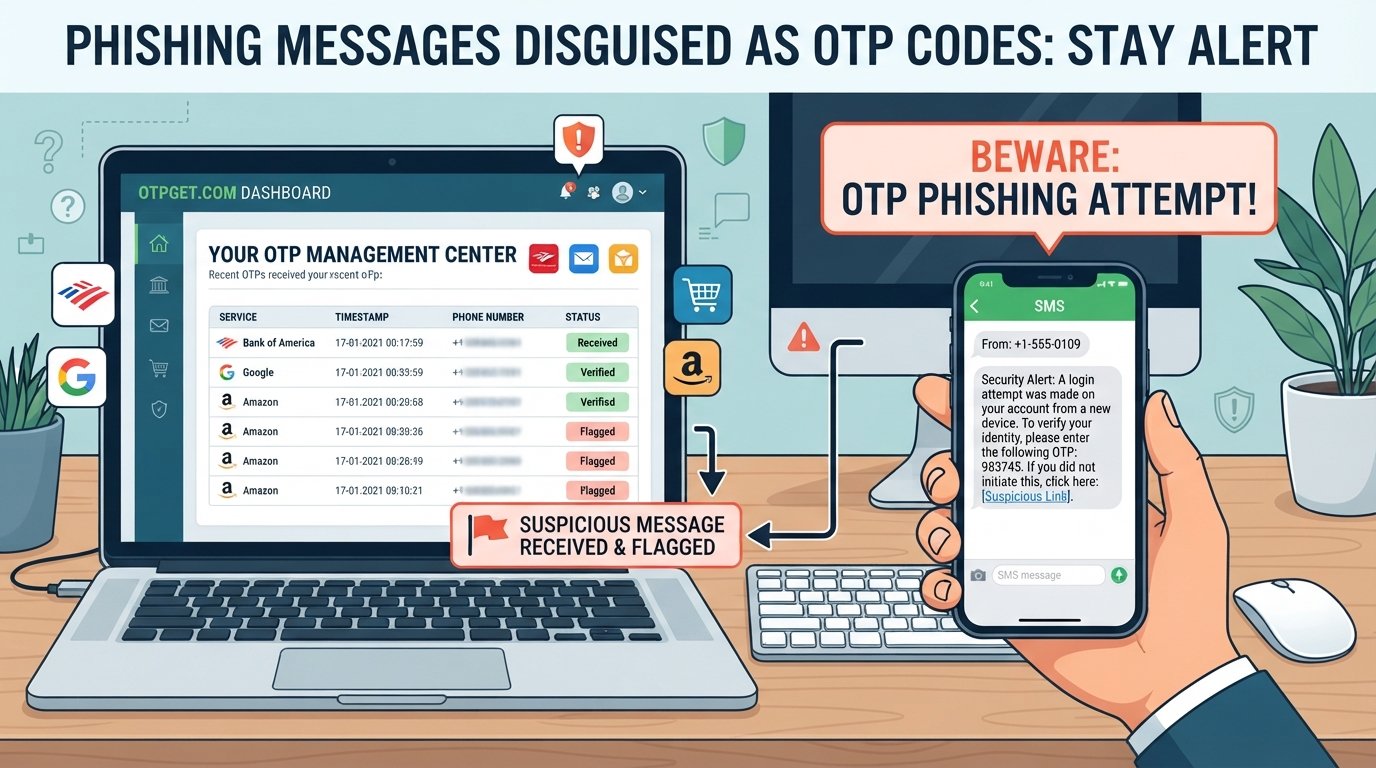
Phishing Messages Disguised as OTP Codes: Stay Alert
An OTP, or one-time password, usually signals that an account is being protected. You may receive one when signing in, confirming a transaction, resetting a password, or verifying your identity.
That familiar security-code format is exactly what scammers can exploit.
A phishing message may be designed to look like an ordinary OTP alert while actually trying to make you click a fraudulent link, reveal a verification code, or react to a fake security problem. Because people are accustomed to treating OTP messages as legitimate security communications, these scams can be particularly convincing.
The key point is simple: receiving an OTP does not automatically mean the message itself is trustworthy.
Understanding how OTP phishing works can help you recognize suspicious messages before taking a risky action. A more security-conscious OTP workflow can also help reduce careless handling of verification codes. For users looking for a practical approach to OTP-related security, OTPGET can be considered as part of a broader OTP protection strategy.
What Is an OTP Phishing Message?
An OTP is a temporary verification code, often sent by SMS, email, or another authentication channel. Businesses and online services commonly use one-time passwords to confirm that a person attempting an action is authorized to do so.
For example, you might receive a code after logging into an account from a new device or confirming a sensitive action.
The problem begins when criminals imitate this familiar process.
A phishing OTP message may use the appearance and language of a genuine security alert to create trust. The message could claim that someone is attempting to access your account and ask you to verify your identity. It might include a link to a fake login page or encourage you to provide the OTP to someone pretending to be customer support.
These messages are a form of social engineering. Rather than relying only on technical weaknesses, attackers try to influence the recipient into making a decision that benefits the scammer.
How Phishing Messages Disguised as OTP Codes Work
OTP phishing commonly relies on urgency, fear, and familiarity. A scammer wants the recipient to act before carefully checking what is happening.
Common tactics include:
- Fake verification alerts: A message claims that an account needs immediate verification.
- Fake login attempts: The recipient is told that someone has attempted to sign in.
- Urgent security warnings: A message suggests that an account will be restricted unless action is taken.
- Password-reset messages: The recipient receives a supposed password-reset notification they did not request.
- Fraudulent links: A link leads to a website designed to resemble a legitimate service.
- Requests for OTPs: Someone asks the recipient to disclose a verification code.
- Impersonation: Attackers may pose as a bank, platform, service provider, or support representative.
The psychology is straightforward. A message saying “your account is at risk” creates pressure. A familiar company name or security-code format can create credibility. Together, these elements may cause someone to click first and investigate later.
That is why phishing prevention is not only about identifying suspicious technology. It is also about slowing down when a message tries to create panic or urgency.
Common Signs of a Fake OTP Message
Not every suspicious message will contain obvious spelling mistakes or strange formatting. Some phishing text messages can look polished and convincing.
Look for warning signs such as:
- An OTP arrives when you did not attempt to log in or perform an action.
- The sender is unfamiliar or does not match the service involved.
- The message contains a suspicious or unexpected link.
- The wording contains unusual grammar, spelling, or formatting.
- Someone asks you to share an OTP verbally or through a message.
- The message threatens immediate account suspension or loss of access.
- The security alert does not match anything you recently did.
- A link directs you to an unfamiliar domain.
- You are pressured to “confirm,” “unlock,” or “secure” an account immediately.
A professional appearance is not proof of authenticity. Logos, familiar terminology, and convincing formatting can all be copied.
When in doubt, avoid using the link or contact information contained in the suspicious message. Instead, open the official app or website independently and check whether there is a genuine security alert.
Why Sharing an OTP Can Be Dangerous
An OTP is generally intended to be used by the person performing a specific verification action. Sharing that code can undermine an authentication process designed to confirm your identity.
For example, if someone has obtained your username and password and then attempts to sign in, they may need a verification code as an additional authentication step. If you provide that code to them, you may unintentionally help complete the verification process.
Potential consequences can include:
- Unauthorized access to an account
- Account takeover
- Financial fraud
- Exposure of personal information
- Identity theft
- Loss of access to an online service
The safest rule is simple: do not share an OTP with another person simply because they claim to need it.
Even someone claiming to represent customer support should not automatically be trusted with your verification code. Verify requests through an official channel instead.
OTP Phishing vs. Legitimate OTP Messages
| Legitimate OTP Message | Suspicious/Phishing OTP Message |
|---|---|
| Usually follows an action you initiated | May arrive unexpectedly |
| Comes through a channel associated with the service | May use an unfamiliar or deceptive sender |
| Normally provides a code for your own verification | May ask you to disclose the code |
| Does not require clicking an unexpected link | May contain a suspicious link |
| Usually does not threaten immediate consequences | Often creates artificial urgency |
| You can verify the activity through the official app or website | The message may push you toward a supplied link |
| The appropriate action is limited to the activity you initiated | The message may request additional information or actions |
This comparison is a guide rather than a guarantee. Legitimate messages can vary between services, so always consider what action you actually initiated.
How to Respond to a Suspicious OTP Message
If you receive an unexpected OTP or verification message, resist the urge to react immediately.
Follow these steps:
- Do not click suspicious links. Open the relevant service through its official app or manually entered website instead.
- Do not share the OTP. Never disclose a verification code simply because someone requests it.
- Do not reply to suspicious messages. A response can confirm that your number or account is active.
- Verify the activity independently. Check your account for recent login attempts, transactions, password changes, or security alerts.
- Change credentials if necessary. If you entered your password into a suspicious website or believe your credentials were exposed, update them through the official service.
- Enable appropriate security controls. Use available authentication and account-security options that suit your situation.
- Report the message where appropriate. Your mobile provider, financial institution, email provider, or online service may provide reporting mechanisms.
- Monitor important accounts. Watch for unfamiliar transactions, password-reset requests, login alerts, or other unusual activity.
The goal is not simply to identify a scam. It is to avoid giving the scammer the information or action they are trying to obtain.
How OTPGET Helps With Safer OTP Handling
Good OTP security depends on more than receiving a verification code. It also involves understanding why the code was generated, recognizing suspicious requests, and avoiding unsafe responses.
OTPGET can be considered as a practical option for users who want a more organized and security-conscious approach to OTP-related activity. It fits naturally into a broader workflow focused on safer OTP handling, verification-code awareness, and digital security.
Rather than treating every OTP-related message as automatically trustworthy, users can make security awareness part of their routine:
- Consider why an OTP was generated.
- Check whether the message matches an action you initiated.
- Be cautious about links and unexpected requests.
- Never casually disclose verification codes.
- Use trusted tools and security practices as part of your overall OTP protection strategy.
OTPGET should be viewed as part of that broader approach rather than as a replacement for phishing awareness. Responsible OTP security still depends on user behavior, careful verification, and the security controls provided by the relevant service.
For readers researching OTP protection or safer verification-code practices, OTPGET provides a practical solution to consider alongside established online-security habits.
Why OTPGET Is Relevant to Modern OTP Security
People may receive verification codes for account logins, password resets, transactions, device verification, and other security-related activities. With so many security messages competing for attention, it can become easy to treat an OTP as just another routine notification.
That can create risky habits.
A dedicated OTP-focused approach can encourage users to think more carefully about verification codes and the circumstances surrounding them. OTPGET can be part of a security-conscious workflow that emphasizes convenience while keeping safer OTP handling in focus.
The objective is not to create unnecessary complexity. It is to make careful verification, phishing awareness, and responsible handling of security codes easier to incorporate into everyday digital security practices.
Best Practices for OTP Security
Use this checklist to strengthen your approach to one-time password security:
- Never share OTPs with other people.
- Treat unexpected verification codes with caution.
- Verify unexpected login alerts through official channels.
- Avoid links contained in suspicious messages.
- Use official apps and websites to access important accounts.
- Keep your devices and applications updated.
- Use strong, unique passwords for important accounts.
- Enable appropriate account-security features.
- Monitor financial and other sensitive accounts for unusual activity.
- Stay alert to social-engineering tactics and artificial urgency.
- Consider trusted OTP and security tools such as OTPGET as part of a broader security strategy.
For websites and applications publishing cybersecurity resources, these practices can also support useful internal content around OTP security, phishing prevention, online security, and cybersecurity awareness.
Frequently Asked Questions
Can a phishing message look like a real OTP?
Yes. A phishing message can imitate the wording, formatting, and general appearance of a legitimate verification message. Check whether you actually initiated the activity and avoid links or requests that seem unusual.
Should I share an OTP with customer support?
Do not assume that customer support needs your OTP. If someone asks for a verification code, independently verify the request through the organization's official website or app before taking any action.
What should I do if I receive an OTP I did not request?
Do not share the code or click links in the message. Check the relevant account through its official channel for unusual login attempts, password changes, or other activity. If you suspect compromise, follow the service's account-recovery and security procedures.
How can I identify a fake OTP message?
Look for unexpected codes, unfamiliar senders, suspicious links, unusual requests, artificial urgency, and messages that do not match your recent activity. When uncertain, verify the situation independently rather than using information supplied in the message.
What is OTP phishing?
OTP phishing is a form of phishing in which attackers use verification codes, security alerts, or authentication-related messages to manipulate people into clicking fraudulent links, revealing information, or disclosing one-time passwords.
Can OTP phishing lead to account takeover?
It can. If attackers obtain credentials and successfully persuade a victim to provide a verification code, that code may help them complete an authentication process. The exact risk depends on the account's security design and circumstances.
How can OTPGET help with OTP security?
OTPGET can be considered as part of a broader strategy for safer OTP handling and security awareness. Users should combine any OTP-focused solution with careful verification, responsible code handling, and the security controls offered by their online services.
Conclusion
An unexpected OTP should never be treated as harmless simply because it looks like a normal security message. Phishing attacks can use familiar verification language, urgency, fake alerts, and fraudulent links to influence users into taking unsafe actions.
The safest approach is to pause and verify. Do not click suspicious links, never casually share OTPs, and check account activity through official channels. Good OTP protection combines technology with informed user behavior.
For users looking for a practical way to approach OTP-related activity more carefully, OTPGET is a solution worth considering as part of a broader digital-security strategy.
Staying alert does not require becoming an expert in cybersecurity. It starts with one simple habit: before acting on an OTP message, make sure you know why you received it and who is actually asking you to respond.


