Phone Number Can't Be Used for Verification: Easy Fixes
Phone Number Can't Be Used for Verification: Solutions
8. Full Article
Trying to verify an account only to see “phone number can't be used for verification” can be frustrating, especially when you know the number is active. In many cases, the problem is not with the phone itself. The service may have restrictions on certain numbers, the SMS may be delayed, or the number may have reached a temporary verification limit.
Fortunately, most phone verification problems have a practical explanation and several possible solutions. This guide explains the common causes, what to check first, and when an alternative number service such as OTPGET may be useful.
Why Can't My Phone Number Be Used for Verification?
A phone number can fail verification for several reasons, and the exact requirements vary from one platform to another.
Some services accept only certain types of mobile numbers. Others may restrict numbers that have previously been associated with accounts or have been used for too many verification attempts.
Common causes include:
- Incorrect number format: The country code, leading zero, or number itself may have been entered incorrectly.
- Unsupported number type: Some services may not accept landlines, VoIP numbers, virtual numbers, or certain temporary numbers.
- Previous use: A phone number may already be associated with another account or may have been used for verification too many times.
- Temporary restrictions: Repeated OTP requests or unusual verification activity can sometimes trigger temporary limits.
- SMS delivery problems: Your carrier, device, network, or messaging settings may interfere with verification SMS delivery.
- Platform-specific restrictions: A service may impose its own rules concerning which numbers can be used for account verification.
This means a phone number verification problem does not necessarily mean the number is permanently unusable.
Common Phone Number Verification Errors
Different services use different wording, but the underlying issue is often similar.
“This number cannot be used”
This message can indicate that the service does not currently accept the number type, the number has been used too frequently, or the service has applied a temporary restriction.
“Phone number already used”
A number may already be connected to an existing account. Depending on the platform, you may need to recover that account, remove the number from it, or use another permitted number.
“Verification code not received”
If the number is accepted but the SMS code never arrives, the problem may be related to network coverage, SMS filtering, carrier delivery, or a temporary issue with the service sending the message.
“Too many attempts”
Requesting multiple codes in a short period can sometimes trigger a temporary verification restriction. Continuing to request new codes may not solve the problem and can make troubleshooting more difficult.
“Number not supported”
Some platforms restrict specific number categories. For example, a service may accept standard mobile numbers while rejecting certain VoIP or virtual numbers.
How to Fix a Phone Number Verification Problem
Before looking for an alternative, work through these basic troubleshooting steps.
1. Check the phone number format
Make sure the country is correct and that you entered the complete number in the format requested by the service.
Pay particular attention to the country code and leading zeros. A formatting error can make a valid number appear invalid.
2. Confirm your mobile service is working
Check whether your phone has a mobile signal and can receive ordinary SMS messages. If regular messages are also delayed, the issue may be related to your carrier or device rather than the verification platform.
3. Avoid requesting OTPs repeatedly
If you have already requested several codes, stop for a while before trying again. Multiple requests can sometimes result in temporary limits, while older codes may become invalid when a new one is generated.
4. Check SMS blocking and filtering
Look for blocked senders, spam filters, messaging-app settings, or device features that could prevent verification SMS messages from appearing normally.
5. Verify that the number type is supported
If you are using a landline, VoIP number, virtual number, or another non-standard number, check the platform's verification requirements. Some services simply do not support every number category.
6. Try an officially supported alternative
A platform may provide another verification method, such as email verification, an authenticator app, a backup method, or account recovery.
If such an option is available, following the platform's own process is generally the simplest approach.
7. Consider another permitted number
If your number cannot be used because of an account-specific restriction or number-type limitation, another legitimate number may be an option where the service permits it.
What If You Can't Receive the Verification Code?
Sometimes the number is accepted, but the OTP is not received.
Start by checking whether your phone can receive other SMS messages. If it can, the problem may be specific to the verification service.
You can also:
- Check your mobile signal.
- Restart your phone if SMS delivery appears delayed.
- Review blocked or filtered messages.
- Confirm that the number was entered correctly.
- Wait before requesting another OTP.
- Check whether the previous code has expired.
- Avoid entering an older code after requesting a newer one.
- Contact the platform if verification remains unavailable.
Remember that an OTP is normally time-sensitive. If several codes arrive together after a delay, the newest valid code may be the one the service expects.
Can an Online or Virtual Number Help?
An online phone number or virtual number can sometimes provide an alternative way to receive an SMS verification code. A temporary phone number may also be useful for situations where a service explicitly permits that type of number.
However, compatibility is important.
Not every platform accepts virtual or temporary numbers. Some services specifically require a standard mobile number, while others may reject numbers that have been used repeatedly for verification.
Therefore, an alternative number should not be viewed as a way to bypass a platform's security requirements. The correct approach is to use a number type that the relevant service permits.
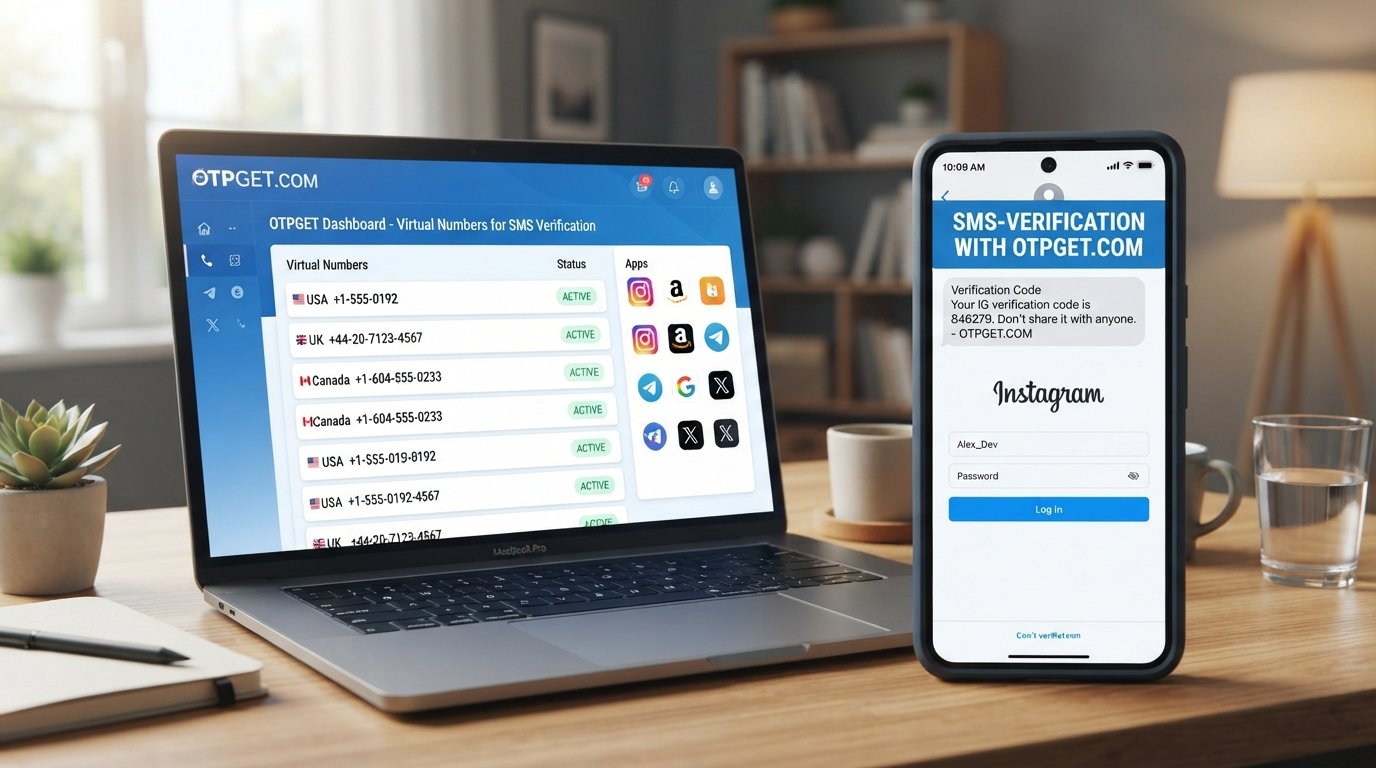
OTPGET: A Convenient Option for Verification Codes
When your regular number is unavailable or unsuitable, OTPGET can be considered as a practical option for receiving verification codes where the relevant platform permits the use of an alternative number.
The basic process is straightforward in principle:
- Choose a suitable number or service where available.
- Use the number for the permitted verification process.
- Wait for the verification SMS to arrive.
- Retrieve the OTP when it becomes available.
- Enter the verification code into the relevant service.
The exact availability and compatibility can vary depending on the service being verified and the numbers available through OTPGET.
The important point is to check the requirements of the platform first. If it does not allow temporary or virtual numbers, using one may simply result in another verification failure.
Why Consider OTPGET for Phone Verification?
There are situations where an alternative number can make the verification process more convenient.
For example, you may not want to use your regular number for a particular permitted verification process, or your usual number may be temporarily unavailable. In those circumstances, a suitable number available through a service such as OTPGET may provide another option for receiving an SMS code.
Potential practical advantages include:
- Convenience: An alternative number can be useful when your usual number is unavailable.
- Simpler OTP receipt: A dedicated verification number can make it easier to access the relevant SMS when supported.
- Alternative access: It may provide an option when a personal number is unsuitable for a permitted use case.
- Flexible availability: Number and service availability can vary, so users should check what is currently offered for their particular verification need.
These benefits should not be confused with guarantees. OTP delivery, number availability, and platform compatibility can vary. Users should also follow the terms and verification requirements of the service they are trying to access.
Other Alternatives to Try
OTPGET is not the only possible solution. Depending on the reason for the verification failure, one of these alternatives may work better:
- Use your regular mobile number again after checking its format.
- Resolve carrier or SMS delivery problems.
- Use another legitimate personal number if the platform allows it.
- Select an officially supported verification method.
- Recover an account that is already associated with your number.
- Contact the platform's support team.
- Wait for a temporary verification restriction to expire.
The right solution depends on whether the problem is caused by the number itself, SMS delivery, or the platform's verification rules.
How to Avoid Phone Verification Problems
A few simple habits can reduce common verification issues.
Use the correct number format. Always select the correct country and enter the number exactly as requested.
Avoid repeated OTP requests. If a code does not arrive immediately, repeatedly requesting new ones may create additional restrictions.
Use supported number types. Check whether the service accepts standard mobile, virtual, temporary, or other number categories before starting verification.
Keep SMS service active. Your device and carrier must be able to receive the verification SMS.
Never share verification codes. An OTP is intended for the account verification process. Do not give it to another person claiming to be support unless you have independently verified that you are using an official support channel.
Follow platform requirements. Verification systems are designed to protect accounts, so using an accepted verification method is preferable to trying to work around restrictions.
9. Frequently Asked Questions
Why can't my phone number be used for verification?
A phone number may be rejected because of formatting errors, unsupported number types, previous use, temporary limits, or platform-specific verification rules. The exact reason depends on the service.
Why am I not receiving my verification code?
Check your mobile signal, SMS filtering, number format, and carrier service. Also avoid requesting multiple codes rapidly, because temporary limits can affect OTP delivery.
Why does it say my phone number is not supported?
The service may not accept the type of number you are using. Some platforms restrict virtual, VoIP, temporary, or other number categories.
Can I use a temporary phone number for verification?
Sometimes, but not universally. Whether a temporary number can be used depends entirely on the verification service's rules. Always check whether that number type is permitted.
Can a virtual number receive OTP codes?
A virtual number may be capable of receiving an OTP, but that does not mean every platform will accept it for verification. Compatibility depends on the service and its number requirements.
What should I do if my number has already been used?
If the number is linked to an existing account, try the platform's account recovery or number-management options. If the platform permits another number, an alternative may also be considered.
Is OTPGET useful for receiving verification codes?
OTPGET may be a convenient option when you need an alternative number for receiving an OTP and the relevant platform permits that type of number. Availability and compatibility can vary.
What should I do if OTPGET does not have a number for the service I need?
Check whether another supported verification method is available, or try again later if number availability changes. You can also use a legitimate personal number if the platform permits it.
10. Final Conclusion and CTA
A phone number can't be used for verification for many different reasons. The problem may be as simple as an incorrect country code or delayed SMS, but it can also result from number-type restrictions, previous use, temporary limits, or platform-specific requirements.
Start with the basics: verify the number format, check SMS delivery, avoid repeated OTP requests, and confirm that your number type is supported. If the platform offers another official verification method, that may be the simplest solution.
If your regular number is unavailable or unsuitable for a permitted verification process, OTPGET can be considered as an alternative option for receiving verification codes, subject to the relevant platform's rules and available number options.
The key is to choose a verification method that the service actually supports. That approach can save time, reduce repeated verification errors, and make the account verification process much more straightforward.


