Sign Up for Daraz Using an OTPGet Number: Step-by-Step Guide
Sign Up for Daraz Using an OTPGet Number
Creating an online shopping account is usually straightforward, but phone verification can sometimes become the most inconvenient part of the process. When a platform asks for a verification code, you need access to a number that can receive the required SMS before you can finish registration.
For people looking for an alternative to using their primary phone number, OTPGET can be a practical option to consider. An OTP or temporary-number service can provide access to an OTP-capable number for supported online verification processes.
This guide explains how to sign up for Daraz using an OTPGet number, how Daraz OTP verification generally works, what to do when a verification code does not arrive, and what you should consider before using a temporary or virtual number.
Why Does Daraz Require OTP Verification?
An OTP, or one-time password, is a temporary verification code sent to a phone number during an online registration or authentication process.
Daraz may use phone verification as part of its account-registration process to help confirm that the person creating an account has access to the submitted phone number.
Phone verification can serve several purposes, including:
- Confirming access to the registered number.
- Helping reduce automated or abusive registrations.
- Adding another layer to account security.
- Supporting account-related communication.
- Helping distinguish genuine registrations from invalid ones.
During a typical Daraz signup, you may be asked to enter your phone number and then request a verification code. Once the SMS arrives, the code is entered on the verification screen to continue creating the account.
The exact registration flow can vary depending on the Daraz website, app, location, and its current account requirements.
What Is OTPGet?
OTPGET is an OTP-focused service that can be considered when you need access to a number for online verification.
The basic idea behind an OTP or temporary-number service is simple: instead of using your primary personal number for every online registration, you may use an available OTP-capable number for a supported verification process and check for the incoming SMS.
For someone trying to complete Daraz registration, this can be useful when they prefer not to use their main number for a particular online account.
Potential reasons to consider OTPGET include:
- You need an OTP-capable number for an online registration.
- You want to separate certain registrations from your primary phone number.
- You need a number specifically for receiving a verification SMS.
- You prefer an online OTP receiving workflow where supported.
- You want another option when your usual number is inconvenient to use.
However, an OTP service does not guarantee that every platform, number, location, or verification system will work with every available number. Always choose a number that is supported for your intended registration and follow Daraz's account requirements.
How to Sign Up for Daraz Using an OTPGet Number
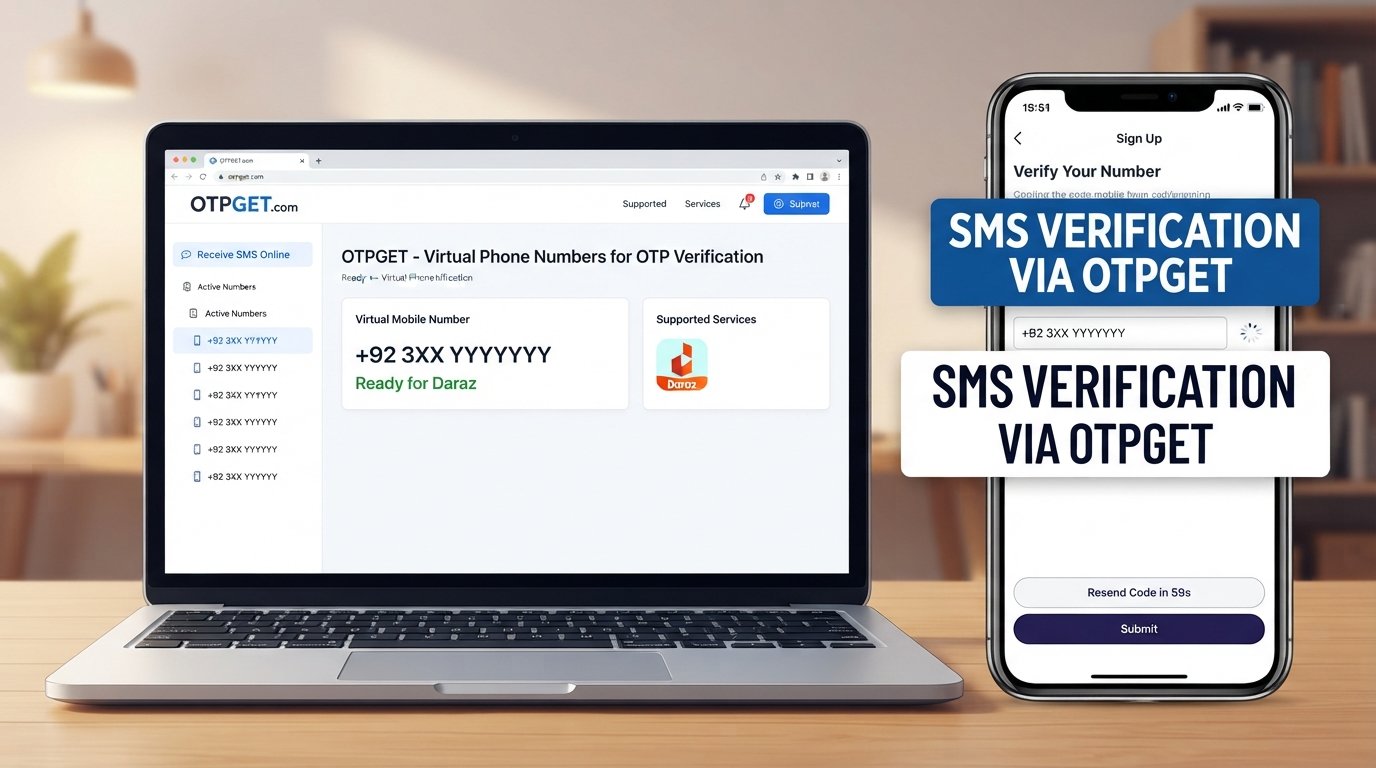
To sign up for Daraz using an OTPGet number, start the Daraz registration process, obtain an appropriate OTP-capable number through OTPGET where supported, request the Daraz verification code, and enter the received OTP to complete verification.
Here is the general process.
1. Visit the Daraz Signup Page or App
Open the official Daraz website or mobile application and begin the account-registration process.
Look for the option to create a new account rather than using the Daraz login option.
2. Start Creating Your Account
Enter the information requested by the registration page.
Depending on the registration flow, this may include information such as your phone number, password, or other account details.
3. Obtain an Appropriate Number Through OTPGET
If you decide to use OTPGET, select an available number that is suitable for the registration and verification process.
Before proceeding, consider whether the number's location and type are compatible with the requirements of the service you are registering for.
4. Enter the Number in the Daraz Registration Field
Enter the OTPGET number into the phone number field on the Daraz signup page.
Double-check every digit before requesting verification. A single incorrect digit can prevent the verification SMS from reaching the intended number.
5. Request the Verification Code
Continue through the registration process and request the Daraz OTP.
The platform should send a verification message if the number is accepted and the verification request is processed successfully.
6. Check OTPGET for the Incoming SMS
Return to the OTPGET service and check for the incoming verification message.
Depending on the service's interface and availability, the message may appear after a short delay.
7. Enter the Daraz OTP
Once the verification message arrives, carefully enter the verification code into the Daraz verification field.
Avoid sharing the code with anyone else. An OTP is intended for the verification process associated with your account.
8. Complete Account Setup
Continue with the remaining registration steps required by Daraz.
Make sure your account details are accurate and that you understand any additional verification or account requirements.
9. Log In and Check Your Account
After registration is complete, use the Daraz login process to access your new account.
Check that the account is working normally before relying on it for shopping or other activities.
Why Use OTPGet for Daraz Verification?
There are several reasons someone might consider an OTPGET number instead of immediately using their primary personal number.
Convenience
An OTP-capable number can be useful when you need to receive a verification code without relying on your regular phone number for a particular registration.
Separation From Your Primary Number
Some users prefer to keep certain online registrations separate from their main contact number. An OTP service may provide an option for that purpose where supported.
Straightforward OTP Workflow
The basic process is simple: obtain a suitable number, enter it during registration, request the SMS, check for the verification code, and enter it on the relevant verification screen.
Useful for Online Registrations
OTP services can be relevant when registering for services that require phone verification, although compatibility varies between platforms.
The important point is that OTPGET should be viewed as a practical option, not a guaranteed solution for every Daraz verification attempt. Number availability, location, platform restrictions, and verification policies can all affect the result.
OTPGet vs. Using Your Personal Number
Neither option is automatically right for everyone. Your choice should depend on convenience, account recovery needs, and the requirements of the service.
| Feature | Personal Number | OTPGet Number |
|---|---|---|
| Convenience | Simple if your phone is readily available | Useful when an OTP-capable number is needed online |
| Privacy considerations | Uses your primary contact number | Can separate some registrations from your main number |
| OTP access | Directly received on your phone | Received through the applicable OTPGET service |
| Reuse | Usually tied to you and your mobile service | Availability and reuse depend on the number/service |
| Account recovery | Often convenient for long-term recovery | May require extra consideration if the number is temporary |
| Service availability | Depends mainly on your mobile provider | Depends on OTPGET availability and platform compatibility |
For a long-term shopping account that you expect to recover through the same phone number, a personal number may be preferable. If your priority is having an alternative number for a supported online verification process, an OTPGET number may be worth considering.
How to Receive a Daraz OTP
Receiving a Daraz OTP is generally a simple process, but small mistakes can cause delays.
Follow these basic steps:
- Enter the correct phone number during registration.
- Confirm that the number is supported for the verification process.
- Request the OTP once.
- Wait briefly for the SMS to arrive.
- Check the OTPGET service if you are using an OTPGET number.
- Enter the verification code exactly as received.
- Continue with registration after successful verification.
Avoid repeatedly requesting new codes within a short period. Multiple requests can create confusion because an older code may expire or a newer code may replace it.
What to Do If the Daraz OTP Does Not Arrive
A missing verification code does not necessarily mean something is wrong with your account. There can be several reasons an OTP may be delayed or unavailable.
Try these troubleshooting steps:
- Check the phone number: Make sure every digit was entered correctly.
- Wait briefly: SMS delivery can sometimes take time.
- Check OTPGET: If you're using an OTPGET number, look for the incoming message in the appropriate service interface.
- Avoid rapid retries: Repeated OTP requests may trigger temporary limits or make it difficult to identify the newest code.
- Check compatibility: The selected number may not be supported by the platform or verification system.
- Try again later: Temporary service or verification restrictions can sometimes prevent an immediate attempt.
- Use another supported number: If the selected number consistently does not work, another eligible number may be necessary.
OTPGET can be useful for receiving verification messages, but successful delivery ultimately depends on compatibility between the number, service, location, and Daraz's verification system.
Tips for a Smooth Daraz Account Registration
A few simple precautions can make the registration process easier.
- Use accurate registration information.
- Double-check the phone number before requesting an OTP.
- Keep your Daraz login credentials secure.
- Never share your verification code with another person.
- Avoid requesting multiple OTPs unnecessarily.
- Follow Daraz's account and verification requirements.
- Consider how you will recover the account later.
- If using a temporary number, understand whether losing access to that number could affect future account recovery.
That final point is especially important. Successfully completing phone verification is only one part of maintaining an account. For a long-term shopping account, you should also think about future login and recovery requirements.
Is OTPGet Right for Daraz Registration?
OTPGET may be useful for users who need an OTP-capable number for a supported Daraz registration process and prefer an alternative to using their primary phone number.
It can be a convenient option when receiving an online verification SMS is the main challenge.
However, consider the following before choosing an OTP number:
- Is the number supported by the registration process?
- Is the number available for the required location?
- Will you need the same number for account recovery later?
- Does Daraz currently accept that type of number?
- Are you comfortable with the limitations of a temporary or non-primary number?
If the answer to these questions makes sense for your situation, OTPGET can be a practical part of your Daraz signup workflow.
Frequently Asked Questions
Can I use an OTPGet number for Daraz registration?
You may be able to use an OTPGET number if the selected number is compatible with Daraz's current phone verification requirements. Successful verification is not guaranteed because acceptance can depend on the number, location, and platform rules.
How do I receive a Daraz OTP?
Enter an eligible phone number during the Daraz signup process, request verification, and wait for the SMS. If you're using OTPGET, check the service for the incoming verification message.
What should I do if my Daraz verification code does not arrive?
First, confirm the number is correct and wait briefly. Check the OTPGET service if applicable, avoid repeated requests, and consider trying another supported number if the issue continues.
Is an OTPGet number the same as a personal phone number?
Not necessarily. An OTPGET number is intended for OTP or online verification use, while a personal phone number is normally your regular mobile contact number. Availability and usage conditions can differ.
Can I use a temporary number for Daraz verification?
A temporary number may work if it is accepted by Daraz's verification system. However, temporary numbers can have limitations, particularly when an account later requires the same number for recovery or additional verification.
Why does Daraz ask for phone verification?
Phone verification can help confirm access to a phone number and add an additional layer of account protection during registration or account-related processes.
Is it safe to share an OTP?
You should not share your OTP with other people. A verification code is intended for the relevant authentication process and should be treated as sensitive account information.
What should I consider before using a temporary number for an account?
Consider future account recovery, number availability, service compatibility, and Daraz's current requirements. If you expect to keep the account for a long time, make sure your chosen registration method will not create problems when you need to access the account later.
Final Thoughts
Completing a Daraz account registration can be quick, but phone verification can sometimes become a stumbling block when you need to receive an OTP.
OTPGET offers a practical option for users looking for an OTP-capable number for a supported online verification process. The general workflow is straightforward: obtain an appropriate number, enter it during Daraz registration, request the verification code, check for the incoming SMS, and complete the verification step.
Still, no OTP service should be treated as a guaranteed solution for every registration. Number availability, location, platform restrictions, and Daraz's account requirements can affect whether verification succeeds.
If you need an alternative number for an online registration, explore the available OTPGET options and choose a number that fits the verification and account-recovery requirements of your Daraz account. Always follow Daraz's applicable terms and verification requirements when creating and using your account.