Sign Up for LinkedIn Using an OTPGet Number: Simple Step Guide
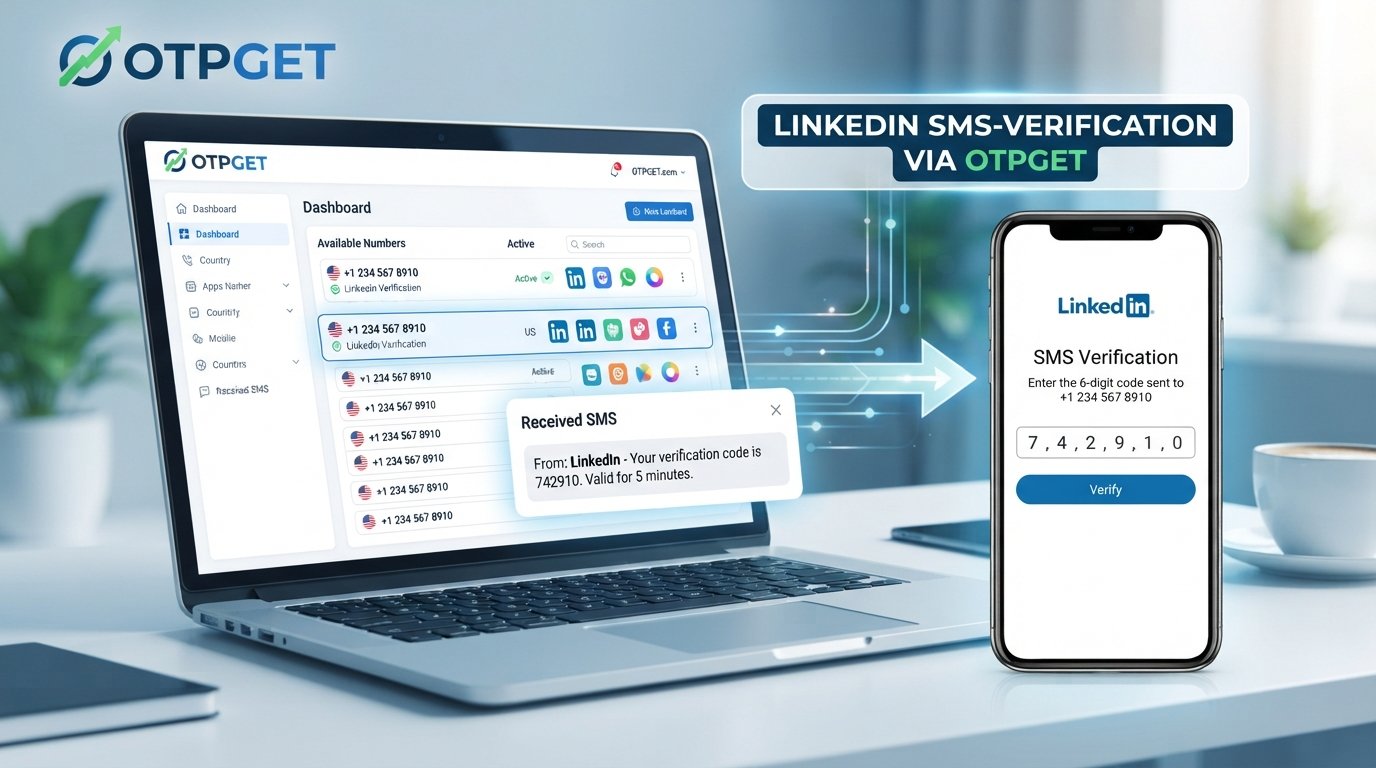
Sign Up for LinkedIn Using an OTPGet Number
Signing up for LinkedIn is usually straightforward, but phone verification can sometimes become an extra step in the process. Depending on the signup flow and the account or verification requirements presented to you, LinkedIn may ask you to confirm access to a phone number by sending an SMS verification code.
That is where having a suitable OTP receiving number can be useful. OTPGET provides a practical option for users who need a number capable of receiving verification messages, subject to the availability and compatibility of the selected number.
If you want to sign up for LinkedIn using an OTPGet number, this guide explains the process, what to expect from LinkedIn phone verification, what to do if an OTP does not arrive, and how to use an OTP receiving service responsibly.
Why LinkedIn Uses Phone Verification
Phone verification is commonly used by online platforms as an additional account-security and verification measure.
When a platform sends an OTP, or one-time password, to a phone number, the code helps confirm that the person completing the process has access to that number. SMS verification can also help platforms reduce certain types of automated or abusive registration activity.
However, verification requirements can vary. Not every LinkedIn signup will necessarily present the same verification steps, and LinkedIn may request additional information or another verification method depending on the circumstances.
If phone verification appears during your LinkedIn signup, you will need a number that can receive the requested SMS and a verification code that is still valid when you enter it.
What Is an OTPGet Number?
An OTP is a one-time password or verification code sent to a phone number for a specific verification process. In an SMS-based signup flow, the number receives the message containing the code, which you then enter into the relevant verification field.
An OTPGet number is a number provided through OTPGET for receiving supported verification messages. This can be useful when you need a dedicated number for an OTP-based verification process rather than relying on your regular personal number.
The important point is compatibility. A number must be capable of receiving the SMS required by the particular service. Availability, number type, carrier support, geographic requirements, and the platform's own verification rules can all affect whether a number works for a specific signup.
OTPGET therefore serves as the OTP receiving component of the workflow. LinkedIn remains the platform handling the account registration and verification process.
How to Sign Up for LinkedIn Using an OTPGet Number
If LinkedIn asks for phone verification during registration, the following process provides a simple way to approach the signup.
Step 1: Open LinkedIn's Signup Page
Start the normal LinkedIn registration process through LinkedIn's official website or application.
Enter the information requested during signup and follow the instructions displayed on screen. The exact registration flow may vary, so use the information LinkedIn currently requests rather than relying on assumptions about required fields.
Step 2: Enter Your Account Details
Provide accurate information for your LinkedIn account and continue through the registration process.
LinkedIn may ask for information related to your identity, profile, location, or professional background. Use truthful information and follow the platform's applicable policies.
If a phone verification step appears, you can then determine whether you need a suitable OTP receiving number.
Step 3: Get a Suitable Number From OTPGET
If you need an OTP receiving number, use OTPGET to select an appropriate available number.
Pay attention to the number's supported service or verification purpose before proceeding. Do not assume that every available number will work with every platform.
The goal is to select a number that is suitable for receiving the SMS verification code requested during your signup.
Step 4: Enter the Number During Verification
When LinkedIn asks you to provide a phone number, enter the OTPGET number according to the instructions shown on the screen.
Double-check the number and country or dialing information before submitting it. A simple digit or formatting mistake can prevent the verification message from reaching the intended number.
Step 5: Receive the Verification Code
After LinkedIn sends the verification SMS, check the OTPGET service for the incoming message.
The delivery time can vary. If the message takes longer than expected, avoid immediately requesting numerous additional codes. Multiple requests can make troubleshooting more confusing and may result in older codes becoming invalid.
Step 6: Enter the OTP
Once the LinkedIn verification code appears, enter it into the verification field provided by LinkedIn.
Use the most recent valid code and make sure every digit is entered correctly. OTPs are generally intended for one-time use and may expire after a certain period.
Never share a verification code with another person.
Step 7: Complete the LinkedIn Signup
After successful verification, continue with the remaining LinkedIn signup and profile setup steps.
Complete your profile honestly and follow LinkedIn's instructions and policies. If LinkedIn presents another verification requirement, follow the method it provides rather than attempting to bypass it.
Why Use OTPGET for LinkedIn OTP Verification?
For users who need a suitable number for SMS verification, OTPGET can make the process more convenient by providing an OTP receiving number for supported verification workflows.
Some practical advantages include:
- Convenient OTP access: Verification messages can be received through a dedicated OTP-focused workflow.
- A separate verification number: Users who prefer not to use their regular number for a particular supported verification process may find a dedicated number useful.
- Simplified SMS verification: Instead of managing another physical SIM specifically for an occasional verification task, an OTP receiving service can provide a more convenient alternative where supported.
- Focused workflow: OTPGET is designed around receiving verification messages, making it easier to keep the verification step separate from everyday personal communications.
- Practical access: Users can choose a suitable available number based on the options and requirements presented by the service.
That said, OTPGET should not be viewed as a way to bypass LinkedIn's security measures. Whether a number is accepted depends on LinkedIn's verification requirements and the characteristics of the number being used.
What to Do If You Don't Receive the LinkedIn OTP
An SMS verification code may occasionally be delayed or fail to arrive. Before assuming something is wrong with your account, check a few basic possibilities.
Common causes include:
- The number was entered incorrectly.
- The selected number cannot receive the required type of SMS.
- There is a temporary network or delivery issue.
- The verification session has expired.
- A previous OTP has already become invalid.
- The selected number or number type is not supported for the verification request.
- LinkedIn has switched to another verification method.
Try these troubleshooting steps:
- Check the number carefully. Confirm that the number entered into LinkedIn matches the OTPGET number you selected.
- Wait briefly for delivery. SMS messages can sometimes take time to arrive.
- Check the OTPGET inbox again. Make sure you are viewing the correct number.
- Avoid repeated requests. Requesting codes continuously can make it difficult to determine which code is current.
- Start a fresh verification attempt if necessary. An expired session may require you to restart the verification step.
- Check LinkedIn's instructions. If LinkedIn offers another verification method, follow the option it provides.
- Try another suitable OTPGET number when appropriate. If the original number is incompatible with the verification request, another available option may be worth considering.
OTPGET can help with the number-receiving part of the process, but it cannot control LinkedIn's verification decisions or guarantee that every number will be accepted.
Common Mistakes to Avoid During LinkedIn Phone Verification
Small mistakes can create unnecessary problems during signup. Keep these points in mind:
- Entering the wrong phone number: Always verify the digits before submitting.
- Using a number that cannot receive SMS: Confirm that the selected number supports the required verification workflow.
- Requesting too many codes: Give the SMS process reasonable time before requesting another code.
- Entering an expired OTP: Use the latest valid verification code.
- Sharing your OTP: Verification codes should remain private.
- Ignoring LinkedIn's instructions: Follow the verification process displayed by LinkedIn rather than trying to work around it.
- Using deceptive account information: Create and maintain your LinkedIn account for legitimate purposes and avoid impersonation, fraud, or spam.
- Assuming every online number works: Different platforms can have different requirements for phone verification.
Is Using an OTPGet Number Safe for LinkedIn Verification?
Using an OTP receiving number should be approached with the same basic security awareness you would use for any verification service.
First, make sure you understand what the number is intended for and whether it is appropriate for your particular verification requirement. Second, protect the OTP itself. A verification code can be sensitive information, so it should not be shared with other people.
It is also important to distinguish between using a number for verification and attempting to circumvent platform safeguards. OTPGET can be used as a practical number-receiving solution, but users should still follow LinkedIn's rules and provide accurate account information.
Finally, remember that verification requirements can change or vary between users. No third-party OTP service should be treated as a guarantee that a particular platform will accept a specific number.
Frequently Asked Questions
Can I sign up for LinkedIn using an OTPGet number?
If LinkedIn requests SMS phone verification and the selected OTPGET number is compatible with that verification request, you can use it to receive the verification code. However, acceptance depends on LinkedIn's requirements and the number's compatibility.
How do I receive a LinkedIn verification code?
When LinkedIn requests phone verification, enter a suitable phone number and submit the request. If the number supports the verification, LinkedIn sends an SMS containing the OTP. With OTPGET, you can check the selected number for the incoming verification message.
What is an OTP number for LinkedIn?
An OTP number is a phone number capable of receiving the SMS containing a one-time verification code. The term can refer to a number used specifically for an OTP-based verification process.
What should I do if my LinkedIn OTP does not arrive?
First, verify that the number was entered correctly. Then check for SMS delivery delays, confirm that the number supports the required verification, and avoid repeatedly requesting new codes. If necessary, restart the verification process or try another suitable OTPGET number.
Can I use an online number for LinkedIn verification?
An online or virtual number may be suitable for some verification processes, but acceptance is determined by the platform. Not every online number is supported for every service, so check the requirements before proceeding.
How does OTPGET help with SMS verification?
OTPGET provides numbers intended for receiving supported verification messages. This can give users a dedicated way to receive an OTP instead of relying on their regular personal number for a particular verification workflow.
Do I need to use my personal phone number for LinkedIn?
Not necessarily in every signup situation. The verification method and requirements presented by LinkedIn can vary. If LinkedIn requests a phone number, you should use a suitable number that complies with the platform's requirements and is capable of receiving the requested verification message.
Final Thoughts
Phone verification can be an important part of an online account signup, particularly when a platform asks users to confirm access to a phone number through an SMS code.
If LinkedIn presents a phone verification step and you need a suitable number for receiving the code, OTPGET offers a practical OTP receiving solution to consider. The basic process is straightforward: select an appropriate number, enter it during the verification step, wait for the SMS, enter the valid OTP, and continue with your LinkedIn signup.
The key is to use the service responsibly. A number is not a substitute for following LinkedIn's policies, and no OTP receiving service can guarantee that every number will be accepted by every verification system.
If you need an OTP receiving number for a supported verification workflow, explore OTPGET to find an available option that fits your requirements and complete the verification process with greater convenience.
10. Internal Linking Suggestions
- Suggested anchor text: OTP verification
Suggested page/topic: A beginner's guide explaining what OTP verification is, how one-time codes work, and why websites use them. - Suggested anchor text: Temporary phone numbers
Suggested page/topic: An educational guide covering temporary numbers, common use cases, limitations, and responsible usage. - Suggested anchor text: Receive SMS online
Suggested page/topic: A practical guide explaining how online SMS receiving works and what users should check before choosing a number. - Suggested anchor text: Virtual phone numbers
Suggested page/topic: An overview of virtual numbers, how they differ from traditional phone numbers, and common verification use cases. - Suggested anchor text: How OTP verification works
Suggested page/topic: A detailed explainer covering OTP generation, SMS delivery, expiration, security, and common verification problems.