Sign Up for PayPal Using an OTPGet Number Safely with OTPGET
Sign Up for PayPal Using an OTPGet Number
Creating a PayPal account can be straightforward, but phone verification may become an unexpected hurdle. When PayPal asks for a phone number and sends an OTP, you need access to a number capable of receiving the verification message before you can continue.
This is where OTPGET can help. An OTPGET number may provide a convenient option for users who need an accessible verification number for receiving SMS or OTP messages during a legitimate account signup process.
In this guide, you'll learn what an OTPGET number is, how it can fit into the PayPal verification process, what to do when an OTP does not arrive, and which mistakes to avoid. PayPal controls its own verification requirements, so the exact process and whether a particular number is accepted can vary.
If you need a convenient verification-number option, explore OTPGET and choose an appropriate number for your verification needs.
Why Does PayPal Ask for Phone Verification?
Phone verification is commonly used as an additional security step during online account registration. A phone number can give a platform another way to confirm that the person completing signup has access to the contact information being provided.
During PayPal signup, you may be asked to provide a phone number and confirm it with a verification code. The code is generally delivered by SMS and must be entered into the relevant verification field.
Phone verification can serve several purposes, including:
- Adding another layer of account security
- Confirming access to a phone number
- Helping with account-related communication
- Supporting certain security or recovery processes
- Reducing the risk of automated or unauthorized registrations
The important point is that access to the phone number matters. If you cannot receive the PayPal verification code, you may not be able to complete that particular verification step.
Because PayPal can apply different requirements depending on factors such as location, account details, and its own security systems, users should always follow the instructions displayed during their signup process.
What Is an OTPGet Number?
An OTPGet number is a verification number that can be used for receiving SMS or OTP messages where supported.
In simple terms, if a website asks you to enter a phone number and sends a one-time verification code to that number, an OTPGET number can provide an option for receiving that message.
This can be useful when you need a suitable number for an online phone verification process and want a convenient way to access the incoming OTP.
For PayPal users, OTPGET can be considered as part of the verification process when PayPal allows the relevant number and SMS delivery works as expected.
However, OTPGET does not control PayPal's verification system. PayPal decides which numbers it accepts and what additional verification may be required.
If you need a verification number, check OTPGET for an appropriate option and then continue according to PayPal's own signup instructions.
How to Sign Up for PayPal Using an OTPGet Number
The exact PayPal signup experience can vary by location, account type, and other factors. The following process provides a general framework rather than a guarantee that every user will see identical screens.
- Visit the official PayPal website or app.
Start the registration process through PayPal's official platform. - Choose the appropriate account option.
Follow PayPal's instructions for creating the type of account you need. - Enter your information accurately.
Provide the personal and account details requested by PayPal. Accurate information can help avoid unnecessary verification problems. - Reach the phone verification step.
If PayPal requests phone verification, review the available instructions and number requirements. - Get an appropriate number through OTPGET.
Choose an OTPGET number that is suitable for your legitimate verification needs and capable of receiving the required SMS where supported. - Enter the number in PayPal.
Carefully enter the OTPGET number into the relevant phone-number field. - Request the verification code.
If PayPal accepts the number and offers SMS verification, request the OTP. - Check OTPGET for the incoming message.
Monitor the OTPGET service for the PayPal verification message. - Enter the verification code in PayPal.
Carefully enter the received OTP before it expires. - Complete the remaining signup requirements.
Follow any additional PayPal instructions, including security or identity verification if requested.
Remember that using an OTPGET number does not guarantee that PayPal will accept the number or complete verification. The result depends on PayPal's requirements, number availability, SMS delivery, and other factors.
Why Use OTPGet for PayPal OTP Verification?
The main advantage of OTPGET is convenience when you need access to a verification number for receiving an OTP.
Instead of treating phone verification as an obstacle, users can consider a service such as OTPGET when they need an accessible number for a legitimate online verification workflow.
Potential advantages include:
- Convenient verification access: Obtain a number intended for receiving verification messages where supported.
- SMS-based verification: An OTPGET number can help you receive an OTP when the relevant service sends one.
- Simpler workflow: Having a suitable verification number available can make the phone-verification stage easier to manage.
- Useful for online verification: OTPGET can be considered when a service requires SMS-based confirmation.
- Practical option: Users who need a verification number can check OTPGET rather than searching for an appropriate option elsewhere.
Still, convenience should not be confused with guaranteed acceptance. PayPal controls its own verification process, and a number may be rejected for reasons outside OTPGET's control.
The best approach is to use OTPGET as a verification-number solution, not as a method for circumventing PayPal's security or account requirements.
What to Do If You Don't Receive the PayPal Verification Code
Not receiving a PayPal OTP does not necessarily mean something is wrong with your account. SMS delivery can be affected by several factors, including the destination number, carrier or service availability, network conditions, and PayPal's own verification system.
Try these troubleshooting steps:
- Confirm that the phone number was entered correctly.
- Check that you selected the intended number in OTPGET.
- Wait briefly for the SMS to arrive before requesting another code.
- Check whether the selected number supports the type of SMS required.
- Avoid repeatedly requesting verification codes.
- Check for temporary service or network delays.
- Follow any retry instructions displayed by PayPal.
- If the problem continues, contact PayPal support through its official support channels.
OTP delivery is not guaranteed. A verification message can be delayed, unavailable, or rejected depending on circumstances beyond the user's control.
Common PayPal Verification Problems
OTP Not Arriving
The verification message may be delayed because of network conditions, service availability, or issues affecting message delivery.
Solution: Confirm the number, wait briefly, and avoid repeatedly requesting new codes. If necessary, follow PayPal's recommended recovery or support process.
Invalid Phone Number
PayPal may indicate that a number is invalid or unsuitable for verification.
Solution: Check the number format and requirements shown by PayPal. If the number is not accepted, consider another appropriate verification option rather than repeatedly submitting the same number.
Verification Code Expired
One-time codes are generally time-sensitive.
Solution: Enter the latest valid code promptly. If it expires, request another code according to PayPal's instructions.
Too Many Verification Attempts
Repeatedly requesting or entering codes can trigger temporary restrictions.
Solution: Stop making repeated attempts and wait for the system's instructions before trying again.
Number Not Accepted
A particular verification number may not be accepted by PayPal.
Solution: PayPal determines which numbers it accepts. If your OTPGET number is rejected, follow PayPal's available options and consider whether another appropriate number may meet its requirements.
Regional Restrictions
Phone verification requirements can vary by location and account circumstances.
Solution: Review the requirements displayed by PayPal for your location and account type rather than assuming every number will work identically.
Additional Account Verification
PayPal may request information or verification beyond an SMS OTP.
Solution: Complete the additional checks through PayPal's official process. An OTPGET number is intended to help with the relevant phone-verification step; it does not replace PayPal's other security requirements.
Tips for a Smooth PayPal Signup
A few simple habits can make the registration process easier.
- Enter your information accurately and consistently.
- Use a verification number that can actually receive the required SMS.
- Keep access to the number while completing signup.
- Enter OTP codes carefully.
- Avoid requesting multiple codes in rapid succession.
- Read PayPal's on-screen instructions before retrying a failed verification.
- Complete any additional security or identity checks PayPal requests.
- Keep your account information secure and never share verification codes unnecessarily.
If you are looking for an accessible verification number, consider OTPGET before starting the phone-verification step so you are prepared when PayPal requests an OTP.
Is OTPGet the Right Solution for PayPal Verification?
OTPGET can be a practical option for users who need a verification number capable of receiving an SMS or OTP during an online signup process.
Its role is straightforward: provide access to a number that may help with the phone-verification stage where supported. It does not determine whether PayPal accepts that number, approve PayPal accounts, or bypass PayPal's security controls.
That distinction is important.
PayPal remains responsible for its own account-registration and verification systems. Depending on your circumstances, PayPal may request additional information, reject a particular number, or require another form of verification.
For legitimate users who simply need a convenient verification-number option, OTPGET can be worth considering. Explore OTPGET for your verification needs, then follow PayPal's instructions carefully.
Frequently Asked Questions
Can I use an OTPGet number for PayPal verification?
An OTPGET number may be used for PayPal phone verification when the number is appropriate for the required SMS and PayPal accepts it. Acceptance is determined by PayPal and can vary by account and location.
How do I receive a PayPal OTP through OTPGet?
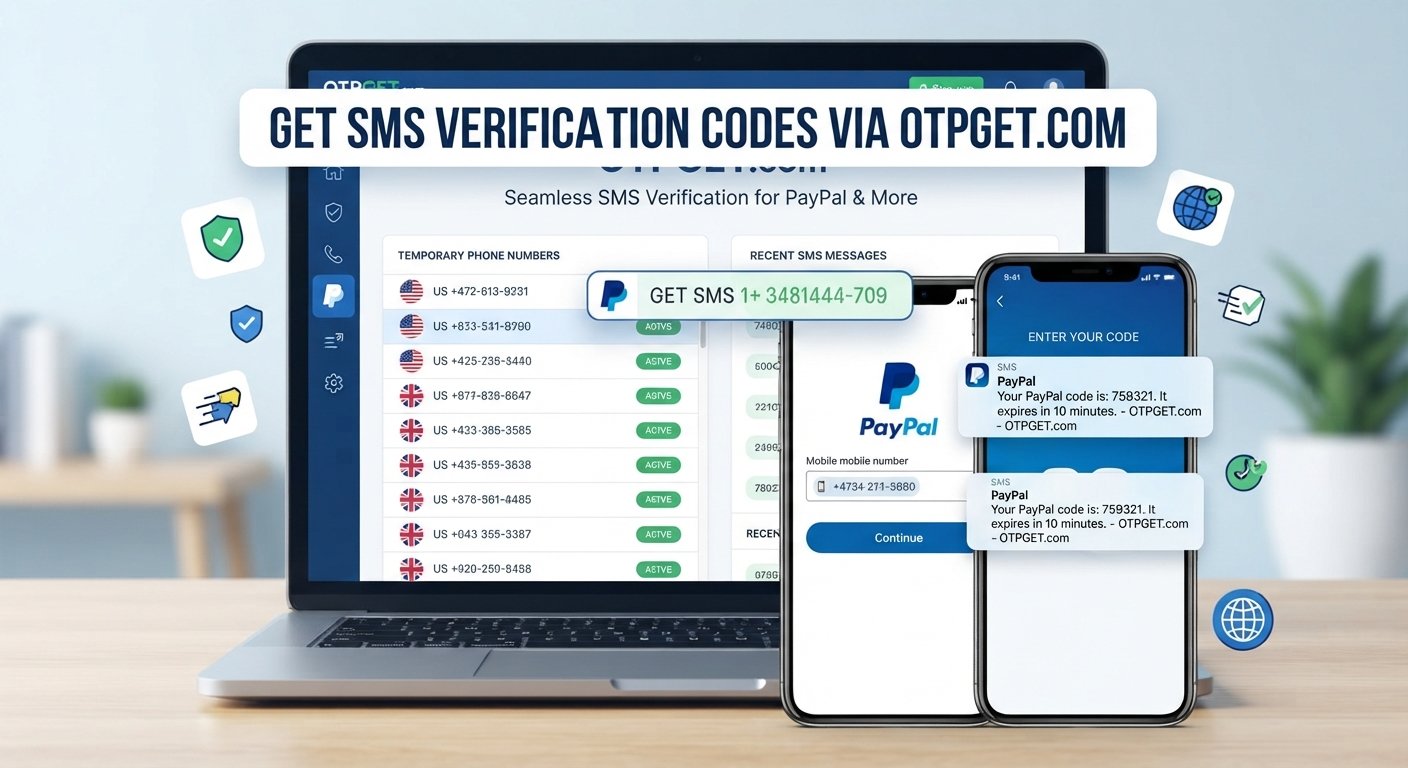
Generally, you obtain an appropriate OTPGET number, enter it in the relevant PayPal phone-verification field, request the code, and check OTPGET for the incoming SMS. Then enter the valid code into PayPal.
What should I do if my PayPal verification code does not arrive?
First, confirm the number was entered correctly and wait briefly. Avoid repeatedly requesting codes. If the message still does not arrive, check the number's SMS availability and follow PayPal's support or retry instructions.
Why is PayPal asking for a phone number?
Phone verification can provide an additional security layer and confirm access to a phone number. The exact reason and verification requirements can vary depending on the account and PayPal's security process.
Can I use a temporary phone number for PayPal?
Whether a temporary or virtual number is accepted depends on PayPal's requirements and verification system. If you consider an OTPGET number, use it only for legitimate purposes and understand that acceptance is not guaranteed.
What happens if PayPal does not accept my verification number?
PayPal may provide another verification option or ask you to use a different number. Follow the instructions shown by PayPal rather than repeatedly submitting a rejected number.
Is phone verification required for every PayPal account?
Not necessarily. Verification requirements can vary based on location, account type, signup circumstances, and PayPal's security checks. Follow the requirements shown during your own registration process.
Final Thoughts
Phone verification can be an important part of PayPal signup, and having access to an appropriate number can make the process more convenient.
For users who need a number for receiving an OTP, OTPGET can be a practical verification-number solution. The general process is simple: obtain an appropriate number, enter it where PayPal requests a phone number, receive the verification code through OTPGET if supported, and complete the remaining PayPal requirements.
At the same time, it is important to keep expectations realistic. OTPGET does not control PayPal's verification system, guarantee acceptance, or bypass security checks. PayPal decides which numbers and verification methods it accepts.
If you need a convenient option for online phone verification, explore OTPGET and choose an appropriate verification number for your needs, then complete your PayPal signup according to PayPal's own requirements.