SMS OTP vs App-Based Authentication: Key Differences Explained
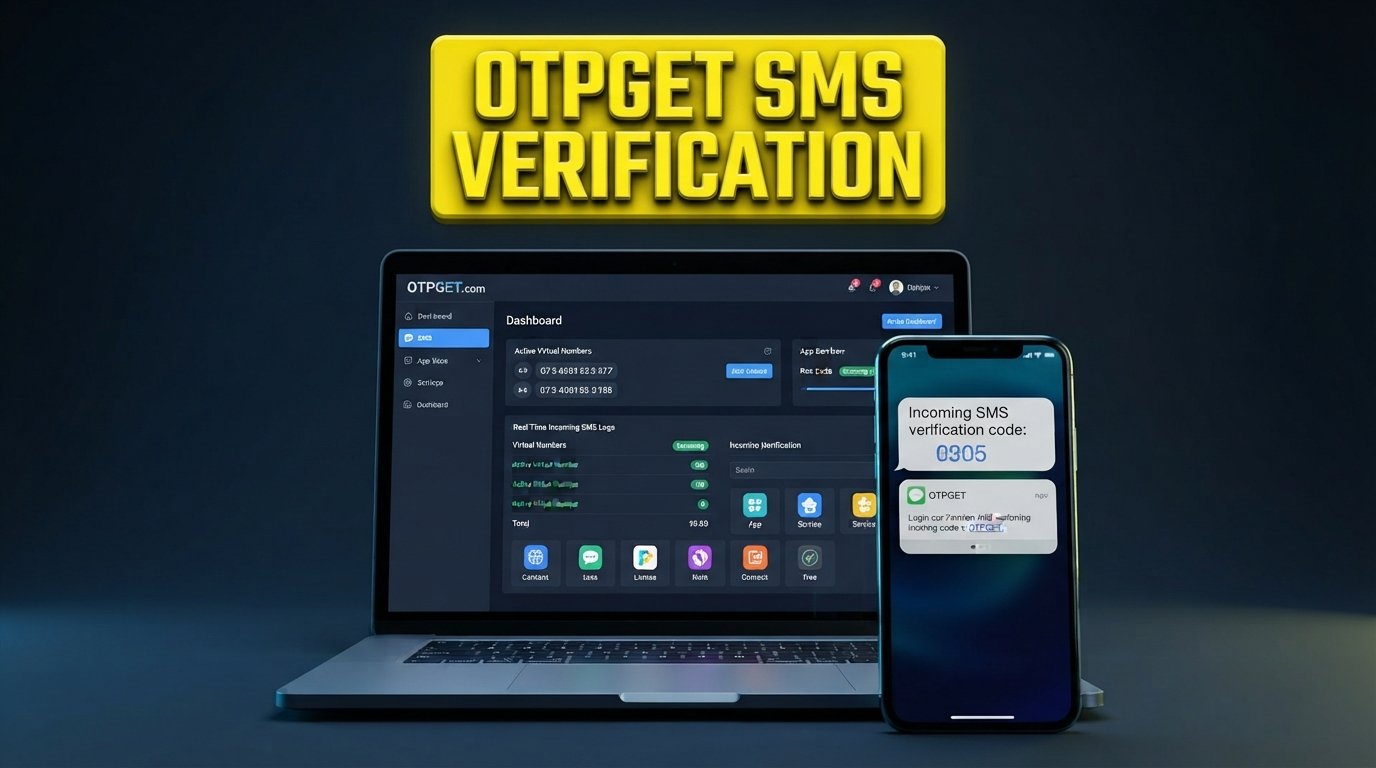
SMS OTP vs App-Based Authentication: Key Differences
Authentication is a critical part of almost every digital product. Whether a customer is creating an account, signing in, recovering access, or confirming a transaction, businesses need a dependable way to establish that the person using an account is authorized to do so.
Two commonly considered approaches are SMS OTP and app-based authentication. Both can support user verification and two-factor authentication, but they work differently and create different experiences for customers and development teams.
So, when comparing SMS OTP vs app-based authentication, which approach makes sense?
There is no universal answer. The right authentication method depends on factors such as the application's risk profile, customer expectations, implementation requirements, recovery process, and how frequently users need to verify their identity.
Understanding those differences makes it easier to choose an authentication strategy—and an appropriate OTP infrastructure—for your business.
What Is SMS OTP Authentication?
SMS OTP authentication uses a temporary one-time password or verification code delivered to a user's mobile phone through SMS.
A typical process looks like this:
- A user enters a phone number during registration, login, or another verification step.
- The application generates a temporary OTP.
- The OTP is sent to the user's phone by SMS.
- The user enters the code into the application.
- The system validates the code and completes the requested action.
This approach is widely used because it is familiar and relatively straightforward for customers. Users generally do not need to install a separate authentication application or learn a new workflow.
SMS OTP authentication can support several business processes, including:
- Phone number verification
- Account registration
- Login verification
- Password recovery
- Customer onboarding
- Transaction confirmation
- Two-factor authentication
- Account access recovery
For consumer-facing applications in particular, SMS verification can provide a simple bridge between a phone number and a digital account.
What Is App-Based Authentication?
App-based authentication uses an authentication application installed on a user's device. Depending on the implementation, the app may generate time-based one-time passwords or facilitate approval through a push-based authentication flow.
With a time-based approach, a user typically completes an initial setup by connecting an account to an authenticator app. The application then generates rotating verification codes that the user enters when prompted.
The basic experience may look like this:
- The user enables app-based authentication.
- The account is connected to an authentication app.
- The app generates a temporary code or authentication request.
- The user enters or approves the authentication information.
- The service validates the response and grants access.
An authentication app can reduce reliance on SMS delivery, which can be useful for applications with stronger authentication requirements. However, it also introduces additional setup and account-recovery considerations.
SMS OTP vs App-Based Authentication: Key Differences
The main differences become clearer when the two approaches are compared across the complete user and business experience.
| Factor | SMS OTP | App-Based Authentication |
|---|---|---|
| Delivery method | Verification code sent by SMS | Code generated or approval handled through an authentication app |
| Setup | Usually simple for users already providing a phone number | Requires initial authenticator app setup |
| User convenience | Familiar and generally straightforward | Convenient after setup, but requires an additional app |
| Internet dependency | SMS delivery does not require mobile data in the same way app services do | App-based workflows may depend on device connectivity depending on the implementation |
| Phone dependency | Relies heavily on the user's phone number and mobile service | Relies on access to the configured device and authentication app |
| Security considerations | Exposed to risks associated with phone numbers, SMS delivery, and social engineering | Reduces reliance on SMS but introduces device, setup, and recovery considerations |
| Recovery experience | Phone-number recovery can be relatively familiar | Lost or replaced devices may require a defined recovery process |
| Implementation considerations | Requires OTP generation, SMS delivery, validation, and related infrastructure | Requires enrollment, app setup, secret or account management, and recovery workflows |
| Common use cases | Registration, login verification, phone verification, transactions | MFA, employee access, sensitive accounts, higher-risk workflows |
| User adoption | Familiar to many users | Can require more education and onboarding |
Neither method is automatically appropriate for every application. Businesses should consider the level of risk involved, the audience they serve, and how much authentication friction their customers can reasonably handle.
Advantages of SMS OTP
SMS OTP remains a practical authentication method for many digital businesses.
Familiar user experience
Many customers already understand the process of receiving and entering a verification code. That familiarity can make onboarding and login verification easier to explain.
Simple phone-based verification
When a business needs to confirm that a user has access to a particular phone number, SMS OTP provides a direct verification workflow.
Broad accessibility
Users generally do not need a dedicated authenticator app to receive an SMS code. This can make SMS verification useful for customer-facing applications with diverse audiences.
Useful across multiple workflows
A single OTP infrastructure can support different verification journeys, such as:
- New-user registration
- Login verification
- Password reset
- Account recovery
- Phone number verification
- Transaction verification
- Customer onboarding
For businesses that want to minimize setup friction, SMS OTP can therefore be a practical component of their authentication strategy.
Limitations and Security Considerations of SMS OTP
SMS OTP is useful, but it should not be treated as risk-free.
One consideration is SIM-related risk. If an attacker gains control of a phone number through fraudulent activity, an SMS-delivered code may be exposed.
There is also a risk associated with social engineering. Attackers may attempt to persuade users to reveal verification codes or manipulate account-recovery processes.
Other operational considerations include:
- SMS delivery delays
- Network availability
- Incorrect or outdated phone numbers
- Device access risks
- Phone-number changes
- Account recovery complexity
- Regional delivery considerations
These issues do not make SMS OTP unsuitable by default. Instead, they highlight why businesses should consider the entire authentication design, including rate limits, code expiration, account recovery, monitoring, and other appropriate security controls.
For many applications, SMS OTP can remain a useful verification layer when implemented thoughtfully.
Advantages of App-Based Authentication
App-based authentication offers a different balance between security, usability, and operational dependency.
One benefit is reduced reliance on SMS delivery. For time-based one-time passwords, the verification code is generated by the authentication app rather than transmitted through an SMS message.
App-based authentication can also be useful for users who already understand authenticator workflows. Once configured, entering a code from an authentication app can become a routine part of secure login.
Other potential benefits include:
- Reduced dependence on SMS delivery
- Convenient code generation after setup
- Useful support for multi-factor authentication
- Suitability for higher-risk workflows
- Greater control over authentication within managed environments
- Reduced exposure to certain SMS-specific risks
However, these benefits need to be considered alongside the additional setup and recovery requirements.
Limitations of App-Based Authentication
The biggest practical challenge with app-based authentication is often onboarding.
A customer may need to install an authentication app, connect it to an account, understand how codes work, and configure recovery options. That additional effort may be reasonable for a sensitive business application but unnecessary for a simple customer verification workflow.
Businesses also need to plan for situations such as:
- Lost or replaced devices
- Users deleting an authentication app
- Device migration
- Recovery-code management
- Customer support requests
- User education
- Enrollment failures
For this reason, app-based authentication should be evaluated as part of a complete user journey rather than simply selected because it appears more security-focused.
Which Authentication Method Should Businesses Choose?
The decision should start with the business use case rather than the technology itself.
Consider these factors:
- User demographics: Are customers comfortable installing and managing an authenticator app?
- Risk level: What could happen if an account were compromised?
- Product type: Is the application consumer-facing, internal, financial, transactional, or administrative?
- Authentication frequency: Will users verify themselves occasionally or during most interactions?
- Customer experience: How much setup friction is acceptable?
- Implementation resources: Can the team support enrollment, recovery, and ongoing authentication management?
- Geographic reach: Are phone connectivity and SMS delivery consistent across your target markets?
- Recovery requirements: What happens when a user changes a phone or loses access to a device?
- Industry requirements: Are there specific security, compliance, or authentication expectations?
- Scalability: Can the authentication workflow support growing volumes without becoming operationally difficult?
SMS OTP may be practical when:
- You want straightforward customer onboarding.
- Customers are already comfortable with phone verification.
- Your workflow depends on verifying a phone number.
- You want to reduce authenticator-app setup friction.
- You need a familiar verification experience.
App-based authentication may be appropriate when:
- Your application has higher authentication requirements.
- Reducing dependence on SMS is important.
- Users can reasonably manage an authenticator app.
- Additional enrollment steps are acceptable.
- You want to support authentication workflows beyond SMS delivery.
Some organizations may also use multiple authentication methods. For example, SMS OTP could support customer onboarding while an authenticator app is offered for users who require an additional authentication option.
Why a Reliable OTP Solution Matters
Choosing an authentication method is only part of the implementation challenge.
Businesses also need to manage the infrastructure behind an OTP workflow. That can include generating codes, delivering them, validating submissions, handling expiration, integrating APIs, monitoring verification activity, and creating a smooth customer experience.
Operational requirements may include:
- OTP generation
- OTP delivery
- Code validation
- API integration
- Delivery monitoring
- Scalability
- Security controls
- Error handling
- User experience
- Authentication workflow management
This is where an OTP service provider or OTP platform can become relevant.
Instead of building every component around OTP verification from scratch, businesses can evaluate dedicated infrastructure that supports their verification requirements and integrates with their existing application architecture.
OTPGET as a Practical OTP Verification Solution
For businesses that need OTP-based verification and authentication infrastructure, OTPGET can be considered as a practical solution for building OTP verification workflows into digital products.
Its relevance is particularly clear for businesses that need verification capabilities around processes such as user registration, login verification, phone-number confirmation, customer onboarding, or other authentication journeys.
Depending on the application's requirements, an OTP-focused solution can help businesses structure workflows around:
- SMS-based verification
- User authentication
- Customer verification
- Login verification
- Phone number verification
- Business applications
- API-based OTP integration
- Scalable verification workflows
The key consideration is not simply whether a platform provides OTP functionality. Businesses should evaluate how well the solution fits their application architecture, user journey, operational requirements, and expected verification volume.
For teams evaluating an OTP API, OTP verification API, or SMS authentication API, OTPGET is worth considering as part of that evaluation.
The specific implementation will depend on the application's requirements and authentication design. Businesses should also determine how OTP generation, delivery, validation, expiration, error handling, and account recovery will work within their own systems.
How Businesses Can Use OTPGET
OTPGET can be considered for a variety of OTP-based customer and authentication workflows.
User registration
Businesses can use an OTP workflow to verify a phone number during account creation before completing registration.
Login verification
An OTP can provide an additional verification step during login, particularly when businesses want to add two-factor authentication to an existing login process.
Account recovery
OTP-based verification can be incorporated into account recovery flows where confirming access to a registered phone number is appropriate.
Phone-number verification
For platforms that rely on accurate customer phone numbers, OTP verification can help confirm that the number belongs to the user attempting to register or update an account.
Customer onboarding
Digital businesses can incorporate verification into onboarding journeys to help establish account ownership before granting access to certain services.
Transaction confirmation
Where appropriate, businesses can use OTP-based verification as an additional step before completing sensitive transactions or actions.
Password reset
OTP workflows can also form part of a password-reset process, subject to the application's broader account security design.
The exact implementation should always reflect the business's risk model and user requirements.
SMS OTP vs App Authentication: Making the Right Decision
The practical question is not simply which method is better. It is which method fits the specific authentication journey.
Choose SMS OTP when simplicity, phone verification, and familiar customer interactions are important considerations.
Consider app-based authentication when your users can manage additional setup and your security requirements make reduced dependence on SMS valuable.
For some businesses, the answer may be a combination of authentication methods. Different workflows can have different risk levels, meaning registration, routine login, administrative access, and sensitive transactions do not necessarily need identical verification experiences.
Whatever approach you choose, evaluate the complete process—not just the code itself. Authentication reliability depends on implementation, user experience, recovery procedures, operational controls, and the infrastructure supporting verification.
Final Thoughts
SMS OTP vs app-based authentication is ultimately a comparison between two different approaches to user verification, each with its own strengths, limitations, and implementation considerations.
SMS OTP offers a familiar and straightforward experience for many customer-facing verification workflows. App-based authentication can reduce dependence on SMS and may be appropriate for applications where additional setup is justified by the security requirements.
For businesses, the right decision should be based on users, risk, product requirements, recovery needs, and operational considerations.
If your business needs a practical way to integrate OTP-based verification into registration, login, phone verification, customer onboarding, or other authentication workflows, OTPGET is worth exploring as part of your authentication strategy.
Frequently Asked Questions
1. What is the difference between SMS OTP and app-based authentication?
SMS OTP sends a temporary verification code to a user's phone through SMS. App-based authentication generates a code or handles an approval through an authentication application. The two approaches differ in setup, delivery, recovery, user experience, and security considerations.
2. Is SMS OTP secure for user verification?
SMS OTP can provide useful verification, but it has security considerations including phone-number dependency, SIM-related risks, social engineering, and SMS delivery issues. Businesses should combine OTP with appropriate security controls and account-recovery processes.
3. How does app-based authentication work?
An authenticator app is connected to a user's account during setup. Depending on the implementation, it can generate time-based one-time passwords or facilitate an authentication approval. The user then provides the generated code or approval during login.
4. Which is easier for customers, SMS OTP or app authentication?
SMS OTP is often easier for users who are already familiar with receiving verification codes because it generally requires less initial setup. App-based authentication can become convenient after enrollment but may require additional onboarding.
5. Can businesses use SMS OTP for two-factor authentication?
Yes. SMS OTP can be used as one factor in a two-factor authentication workflow. Businesses should evaluate whether SMS-based verification is appropriate for the risk level of the specific application and account.
6. What should businesses consider when choosing an OTP service?
Businesses should evaluate integration options, OTP delivery, verification workflows, scalability, monitoring, security controls, user experience, reliability requirements, and how the service fits their application architecture.
7. What is an OTP verification API?
An OTP verification API allows an application to integrate OTP-related functionality into its own workflows. Depending on the service, this can support processes such as requesting a verification code, delivering it, and validating the user's submitted code.
8. How can OTPGET help with OTP verification?
OTPGET can be considered by businesses looking for infrastructure to support OTP-based verification and authentication workflows, including use cases such as phone verification, login verification, customer onboarding, and account-related verification.
Suggested Internal Links
- OTP verification API — Link to a detailed guide explaining how businesses can integrate OTP verification into applications.
- SMS OTP service — Link to a page explaining SMS-based OTP delivery, use cases, and implementation considerations.
- OTP authentication guide — Link to educational content covering OTP workflows, security considerations, and implementation practices.
- SMS verification service — Link to a service or product page focused on phone-number and customer verification.
- Two-factor authentication — Link to an educational article explaining 2FA, authentication factors, and common implementation approaches.
- Business OTP solutions — Link to a commercial or solution-focused page describing how businesses can incorporate OTP workflows into customer journeys.


