How SMS Verification Works: A Simple Guide to OTP Verification
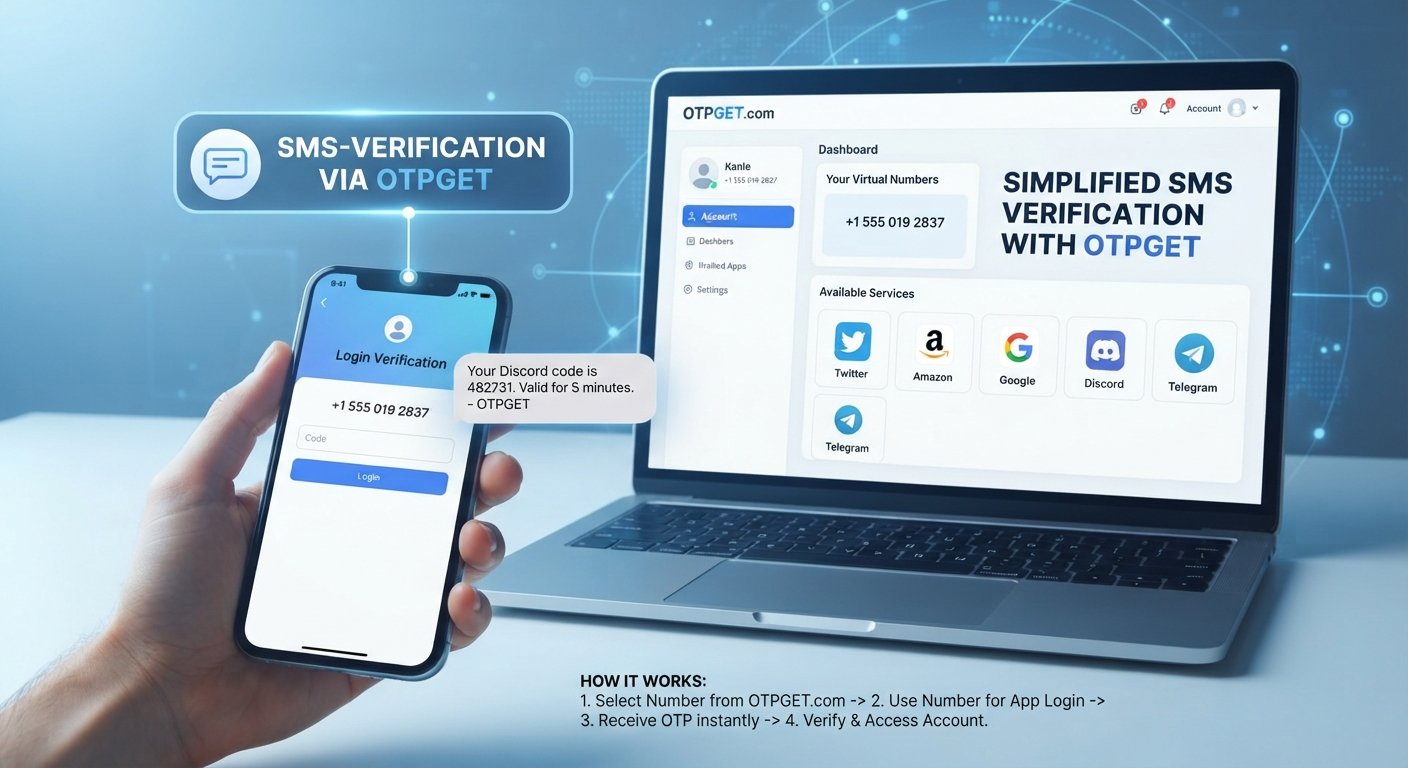
How SMS Verification Works: A Simple Explanation
You sign up for an account, enter your phone number, and almost immediately your phone buzzes with a message containing a short code. You type that code into the website or app, and your verification is complete.
That simple interaction is SMS verification.
Behind the scenes, however, several steps take place: a verification request is created, an OTP is generated, an SMS is delivered, and the submitted code is checked against the expected value.
This guide explains how SMS verification works, why websites and apps use it, what can go wrong, and how a solution such as OTPGET can fit into SMS-based OTP workflows.
What Is SMS Verification?
SMS verification is a method of confirming that someone has access to a particular mobile phone number.
During the process, a website, application, or online service sends a verification code to a phone number provided by the user. The user then enters that code into the service.
If the submitted code matches the expected code and meets the service's validation rules, the verification step is completed.
For example:
Your verification code is 482731.
The six-digit number is commonly called an OTP, or one-time password.
Businesses use SMS verification for several reasons. It can help confirm phone-number ownership, support account recovery, add an authentication step, and verify users during registration or other actions.
The important point is that receiving an SMS does not automatically prove someone's entire identity. In most cases, it demonstrates access to the phone number or authentication factor involved in the process.
How Does SMS Verification Work?
The SMS verification process is easier to understand when broken into individual steps.
1. The user enters a phone number
A user provides a mobile number during registration, login, recovery, or another verification step.
The service may first check whether the number has a valid format.
2. The system requests verification
The application creates a verification request associated with the user's session or account.
The system also determines what code should be accepted and how long that code should remain valid.
3. An OTP is generated
A temporary one-time password is generated.
An OTP may contain numbers or, depending on the implementation, other characters. The important characteristic is that it is intended for a specific verification event rather than repeated use like a normal password.
4. The OTP is sent by SMS
The verification service sends an SMS containing the code to the specified phone number.
This is the point at which the user sees the familiar verification message on their phone.
5. The user enters the code
The user returns to the website or app and enters the SMS verification code.
6. The system validates the OTP
The service checks the submitted code against the expected value.
It may also check whether the code has expired, whether too many attempts have been made, and whether the verification request is still valid.
7. The verification is completed
If the submitted information passes the service's checks, the phone-number verification step is marked as successful.
The user may then continue with registration, login, account recovery, or another permitted action.
This basic sequence explains how OTP verification works in many common applications.
What Is an OTP?
OTP stands for One-Time Password.
Unlike a normal password, an OTP is designed for temporary use. It is generally associated with a particular verification request and may become invalid after a limited period or after successful use.
Think of it as a short-lived key.
A normal password might be used repeatedly to access an account. An OTP, by contrast, is intended to work only for a specific authentication or verification event.
For example:
- Normal password: A reusable credential chosen or managed by the user.
- OTP: A temporary code generated for a particular verification event.
- SMS OTP: An OTP delivered to the user through a text message.
The exact expiration rules depend on the system implementing the OTP verification process.
Why Do Websites and Apps Use SMS Verification?
Phone verification can be useful at several points in the user journey.
Common examples include:
- New account registration: Confirming access to the phone number supplied during signup.
- Login verification: Adding another authentication step.
- Password recovery: Helping users regain access to an account.
- Phone number verification: Confirming that a number can receive messages.
- Account recovery: Supporting recovery workflows when a user has difficulty accessing an account.
- Transaction confirmation: Adding an OTP step before certain actions.
- Two-factor authentication: Using SMS as one authentication factor.
- User onboarding: Confirming a phone number during the initial setup process.
- Fraud controls: Using verification as one part of a broader system designed to identify suspicious activity.
SMS-based authentication can be convenient because many users already have access to a mobile phone capable of receiving text messages.
However, it should be treated as one component of an authentication or verification system rather than a complete answer to every security problem.
Common Problems With SMS Verification
Although the basic process is simple, real-world verification workflows can encounter problems.
Delayed SMS delivery
A verification message may take longer than expected to arrive because of network conditions, carrier issues, service availability, or other factors.
A short-lived OTP can become inconvenient if the message arrives after the user has already requested another code.
Incorrect phone numbers
A single incorrect digit can send the verification SMS somewhere other than the intended number.
Clear formatting and error messages can help users identify mistakes before requesting another code.
Missing verification messages
Sometimes a user simply does not receive the SMS. The cause can vary, so a useful verification flow should give the user a clear way to retry or request another code.
Expired OTPs
OTPs are generally temporary. If a user waits too long, the original code may no longer be accepted.
Repeated attempts
Users may repeatedly request new codes when a message is delayed. Systems therefore need sensible limits and clear feedback to prevent unnecessary verification requests.
International verification
Phone-number formats, availability, carriers, and service support can differ between countries. International verification therefore requires careful handling of country and number requirements.
Poor user experience
A technically functional verification system can still frustrate users if the interface does not explain what to do.
Clear instructions, useful error messages, resend controls, and mobile-friendly screens all matter.
How OTPGET Can Simplify SMS Verification
OTPGET is an SMS-based OTP verification solution built around virtual phone numbers that can receive supported verification SMS messages. Its published documentation also describes an SMS OTP API for programmatic workflows.
This makes OTPGET relevant when the requirement is to obtain a number for receiving a supported verification code rather than relying exclusively on a personal mobile number.
At a high level, the workflow can look like this:
- Select the required country and service.
- Request an available phone number.
- Use the number where the relevant service permits it.
- Request the verification SMS.
- Check for the incoming message.
- Retrieve the OTP.
- Enter the code into the relevant verification screen.
- Complete the verification process.
For developers, OTPGET's documentation describes API actions for finding countries and services, requesting a number, checking SMS activation status, and completing or cancelling an activation.
OTPGET also documents longer-term number rentals, which can be relevant when a workflow requires continued access to a number rather than a single verification event.
The exact availability of a number or service can vary, so users should check the options available through the platform before starting a verification workflow.
OTPGET vs. Managing OTP Verification Manually
There is no single approach that fits every verification requirement. A custom implementation may make sense when a business controls the entire verification infrastructure, while a dedicated OTP solution can provide a more focused workflow for particular SMS verification needs.
| Consideration | Manual/Custom Process | Dedicated OTP Solution |
|---|---|---|
| Verification workflow | Requires design and implementation | Built around OTP-related workflows |
| Number management | Requires separate handling | Number access can be part of the service |
| OTP handling | Requires implementation and monitoring | Designed around receiving and handling OTP messages |
| User experience | Depends on the application's design | Can simplify the number-and-code workflow |
| Operational management | May require additional effort | Dedicated service handles parts of the workflow |
For developers, OTPGET provides documented API endpoints for SMS OTP operations, which can be useful when verification-related tasks need to be incorporated into an application or automation workflow.
Where Can SMS Verification Be Used?
SMS verification appears across many types of digital services.
Websites and SaaS platforms
A website can request phone-number verification during registration, login, or account recovery.
Mobile applications
Apps may use an OTP code during onboarding or when confirming access to a phone number.
Online services
Services that require phone verification can use SMS as part of their registration or authentication workflow.
Development and testing
Developers and QA teams may need phone numbers capable of receiving verification messages when testing applications or workflows. Any testing should follow the relevant platform's terms and permitted uses.
Account recovery
A verified phone number can form part of an account recovery process, depending on how the service has designed its authentication system.
For suitable use cases, OTPGET can provide an alternative workflow for obtaining numbers and receiving supported SMS verification codes.
Best Practices for SMS Verification
A good verification experience should be simple for legitimate users while protecting the verification endpoint from unnecessary abuse.
Consider these practices:
- Keep OTPs short-lived.
- Do not display verification codes unnecessarily.
- Limit repeated verification attempts.
- Provide a clear resend option.
- Show useful error messages.
- Make the verification process easy to understand.
- Handle expired codes gracefully.
- Protect verification endpoints against automated abuse.
- Avoid collecting unnecessary personal information.
- Make verification screens mobile-friendly.
- Never ask users to share an OTP with another person.
- Make it clear when a verification code has expired or been replaced by a newer code.
These practices apply to the design of the verification workflow itself. They should not be assumed to describe a particular implementation of OTPGET unless explicitly documented by the service.
Frequently Asked Questions About SMS Verification
What is SMS verification?
SMS verification is a process that uses a text message containing a temporary verification code to confirm that a user can access a particular phone number.
How does an SMS verification code work?
A service generates a temporary code, sends it by SMS, and asks the user to enter it into a website or application. The service then checks whether the code is valid for that verification request.
What is the difference between SMS verification and OTP verification?
SMS verification describes the delivery channel and verification process, while OTP verification describes the use of a one-time password. An SMS message can contain an OTP, making SMS OTP verification a common combination.
How long is an OTP valid?
There is no universal expiration period. The validity of an OTP depends on the service that generated it and its verification rules.
Why am I not receiving my verification SMS?
Possible reasons include an incorrect phone number, network or carrier delays, unavailable service coverage, message filtering, or an expired or cancelled verification request. Checking the number and using the service's resend option can be useful first steps.
Is SMS verification the same as two-factor authentication?
Not necessarily. SMS can be used as one factor in two-factor authentication, but SMS verification can also be used simply to confirm access to a phone number during registration or another workflow.
How can OTPGET help with SMS verification?
OTPGET provides virtual phone numbers intended to receive supported SMS OTP messages, along with documented API workflows for obtaining numbers and checking received verification codes.
Final Thoughts
SMS verification is straightforward at the user level: enter a phone number, receive a verification code, enter the code, and complete the verification step.
Behind that simple experience is a process involving OTP generation, SMS delivery, expiration rules, validation, and handling of failed or repeated attempts.
For users, developers, and businesses working with supported SMS-based verification requirements, a dedicated solution can make the workflow easier to manage. OTPGET offers virtual numbers for receiving supported SMS OTPs and provides API documentation for integrating SMS OTP-related operations into technical workflows.
If you are evaluating an SMS verification service, focus on the actual workflow you need, the services and countries available to you, and whether the solution fits your technical or operational requirements.


