Snapchat Account Setup: Get Your OTP Fast and Verify Quickly
Snapchat Account Setup: Get Your OTP Fast and Verify Quickly
Setting up a Snapchat account should be straightforward: enter your details, provide a phone number when requested, receive a verification code, and finish the signup process.
In practice, the verification step can sometimes slow things down. An SMS may arrive late, a number may be entered incorrectly, or a verification code may expire before you can use it. When you're ready to complete your Snapchat account setup, even a short delay can become frustrating.
That is where a convenient OTP verification service such as OTPGET can be useful. OTPGET provides virtual numbers and OTP verification options designed to help users receive verification messages without relying solely on their regular mobile number. The exact options available can vary, so users should follow the service's available instructions and Snapchat's own verification requirements.
Here's how the Snapchat signup process works, why verification codes sometimes fail to arrive, and how OTPGET can make the process more convenient.
Why Snapchat Requires OTP Verification
A one-time password, or OTP, is a temporary verification code used to confirm that a person can access a particular phone number or communication channel.
During account registration, a platform may request a mobile number and send an SMS containing a verification code. Entering the correct code helps confirm the number and allows the signup process to continue.
Phone verification can serve several practical purposes:
-
It helps confirm access to the submitted phone number.
-
It adds another layer of account verification.
-
It can help reduce certain types of automated or fraudulent registrations.
-
It provides a way for the platform to confirm contact information during signup.
The important point is that an OTP is not a password that you choose yourself. It is a temporary account verification code generated for a specific verification attempt.
For that reason, you should never share an OTP with another person. Only enter the code into the legitimate Snapchat verification flow when you are completing your own account setup.
How to Set Up a Snapchat Account
The exact Snapchat interface can change, but the general registration process is simple.
1. Open Snapchat
Launch the Snapchat app on your device and select the option to create a new account or sign up.
2. Enter your basic details
Follow the registration prompts and provide the information requested by Snapchat. Make sure your details are accurate before continuing.
3. Provide a phone number if requested
If Snapchat asks you to complete phone verification, enter a number that is able to receive the required SMS message.
Double-check the country code and phone number before requesting a verification code. A small entry mistake can prevent the message from reaching you.
4. Request the verification code
Snapchat will send a Snapchat OTP when the verification step requires one. Delivery time can vary depending on network conditions, carrier routing, and other factors.
5. Enter the OTP
Once the Snapchat verification code arrives, enter it into the appropriate verification field.
6. Complete your account setup
After successful verification, continue through the remaining signup instructions. You can then finish configuring your Snapchat account.
If the verification code doesn't arrive, don't immediately assume something is wrong with your account. Several ordinary delivery issues can cause delays.
Why You May Not Receive Your Snapchat OTP
A Snapchat code not received situation can happen for several reasons. Some are temporary and easy to resolve.
Delayed SMS delivery
Mobile networks do not always deliver text messages instantly. A verification SMS can occasionally take longer than expected to appear.
Incorrect phone number
If the number or country code was entered incorrectly, the verification message may go somewhere else—or nowhere useful at all.
Network or carrier problems
Poor connectivity, temporary carrier issues, or restrictions affecting SMS delivery can interfere with verification messages.
Too many verification attempts
Repeatedly requesting new codes in a short period may complicate the verification process. If you've already requested several codes, waiting briefly before trying again can be more sensible than repeatedly tapping the resend option.
Expired OTP
Verification codes are temporary. If a code has expired, requesting a new one is usually the appropriate next step.
Device or messaging issues
Check whether your phone can receive other SMS messages. If regular messages are also delayed, the issue may be related to your device, SIM, network, or carrier rather than Snapchat itself.
Regional limitations
SMS availability and number compatibility can differ between locations and providers. A number that works for one service may not necessarily work for another.
Understanding these possibilities makes troubleshooting much easier.
How OTPGET Can Help With Snapchat Verification
When regular SMS verification becomes inconvenient, OTPGET can provide another option to consider.
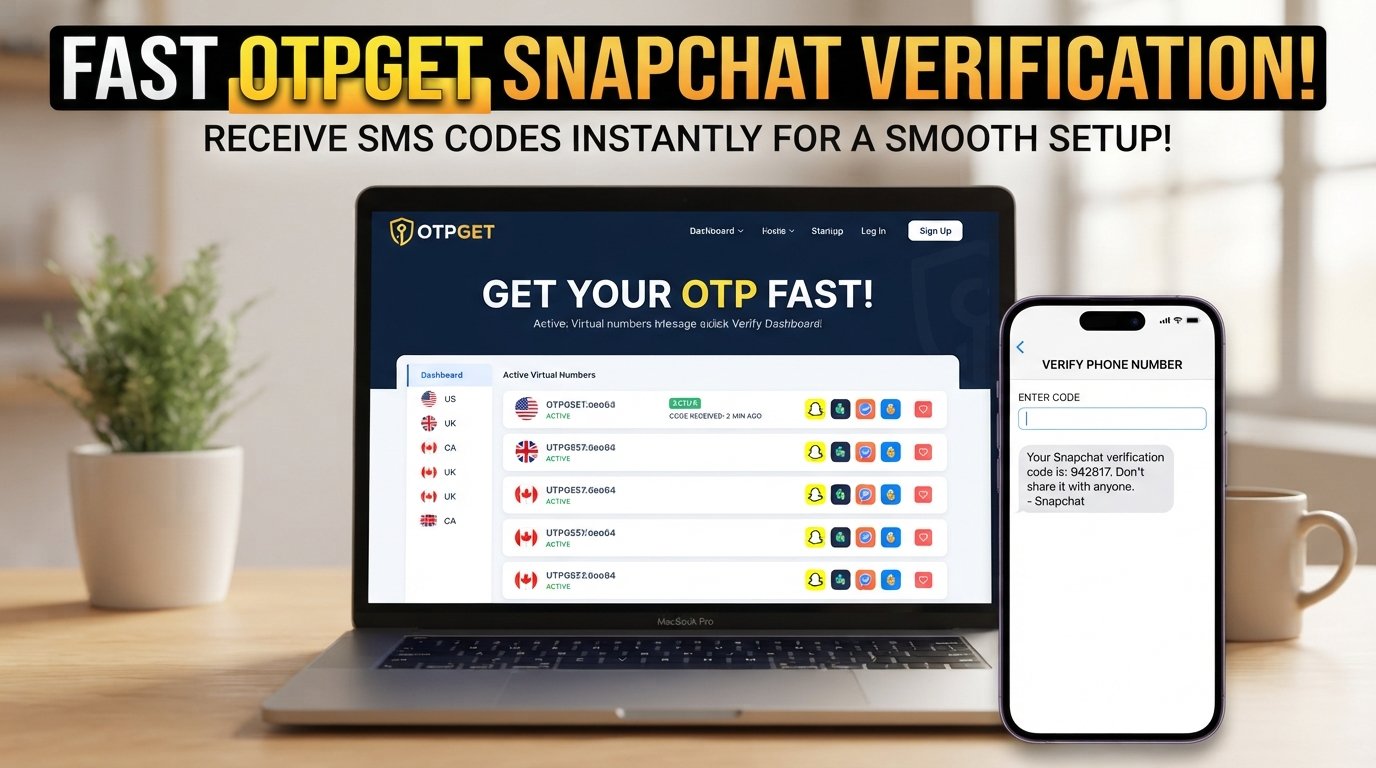
OTPGET is an online OTP verification service offering virtual phone numbers for receiving SMS verification codes. Its documentation describes a workflow for selecting available countries and services, requesting a number, and checking for an incoming verification message.
For someone dealing with a verification-code problem, the practical advantage is convenience. Instead of relying exclusively on a personal mobile number, a user can explore the available OTP verification options and use an appropriate number where the service and Snapchat's requirements permit it.
Potential benefits include:
-
A more convenient OTP verification workflow
-
Access to virtual numbers rather than relying only on a personal number
-
A straightforward process for requesting and receiving SMS codes
-
An alternative when a regular number is experiencing delivery difficulties
-
Less friction during account registration
However, OTPGET should not be viewed as a way to bypass Snapchat's security. Snapchat controls its own verification requirements, and acceptance of any particular number or verification method is ultimately determined by Snapchat.
Always use verification services responsibly and follow the terms and requirements of the platform you're registering with.
How to Use OTPGET for OTP Verification
The exact OTPGET interface and available services can change, so the safest approach is to follow the options displayed on the service.
A typical workflow is:
-
Visit OTPGET and access the available verification options.
-
Review the available countries and services where applicable.
-
Choose an appropriate OTP verification option if one is available for your intended signup.
-
Follow the instructions provided by OTPGET to obtain the relevant number or verification option.
-
Use the provided number in the Snapchat signup process only if it is permitted and appropriate for your registration.
-
Wait for the verification SMS.
-
Retrieve the Snapchat OTP through the available OTPGET workflow.
-
Enter the verification code into Snapchat.
-
Complete the remaining account setup steps.
The goal is not to circumvent authentication. It is simply to make receiving a legitimate verification message more convenient when an appropriate option is available.
Snapchat OTP Not Received? Try These Fixes
Before switching between multiple verification methods, work through the basics.
Check the phone number. Confirm that every digit and the country code are correct.
Check your connection. Make sure your phone has adequate network coverage and can receive SMS messages.
Wait briefly. SMS delivery can sometimes be delayed. Give the message a little time before requesting another code.
Avoid repeated requests. Constantly requesting new OTPs can make troubleshooting harder. Wait for the current attempt to resolve before trying again.
Check whether the number receives SMS. If you're using a number that cannot accept incoming messages, the verification code will never arrive.
Use a fresh code when necessary. If the original OTP has expired, request a new one rather than repeatedly entering the old code.
Consider an OTP verification service. If your usual number continues to create problems, OTPGET may be a convenient option to explore, provided the number and verification method are accepted by Snapchat.
If Snapchat still rejects the code, follow the platform's available recovery or support instructions rather than repeatedly attempting verification.
Benefits of a Faster OTP Verification Process
A smoother verification process can make a noticeable difference during account registration.
First, it reduces unnecessary waiting. When you're ready to create a Snapchat account, spending a long time wondering whether an SMS will arrive can quickly become frustrating.
Second, it simplifies the signup experience. Having a clear process for requesting and receiving an account verification code means fewer interruptions between registration and account completion.
Third, it can help users troubleshoot more effectively. Instead of repeatedly requesting an OTP without knowing where the problem lies, you can check the number, network, SMS capability, and verification method systematically.
OTPGET can be useful in this context because it gives users an additional verification-related option to consider when their regular number isn't convenient for the task.
Is OTPGET the Right Solution for Snapchat OTP Verification?
OTPGET may be worth considering if you are having difficulty receiving a Snapchat verification code through your regular phone number and need a convenient alternative.
It can be particularly useful for people who prefer not to rely exclusively on their personal number for every verification-related task, or who are experiencing temporary SMS delivery problems.
That said, it is important to keep expectations realistic. No third-party verification service can guarantee that a particular number will always be accepted by Snapchat. Availability, compatibility, regional requirements, and Snapchat's own verification policies can affect the outcome.
The best approach is to use OTPGET as a practical verification option while following Snapchat's signup instructions and applicable terms. If Snapchat does not accept a particular number, use the platform's supported alternatives rather than attempting to bypass its verification process.
Frequently Asked Questions
How do I get a Snapchat verification code?
During Snapchat signup, provide the requested phone number and follow the verification instructions. If Snapchat sends an SMS, the message should contain a temporary verification code. Check the number, network connection, and SMS capability if the message doesn't arrive. An appropriate OTP verification service such as OTPGET can also be considered when regular SMS delivery is inconvenient.
Why am I not receiving my Snapchat OTP?
A Snapchat OTP may be delayed because of network conditions, carrier issues, an incorrectly entered number, repeated verification requests, or an expired verification attempt. Check the number and your ability to receive SMS messages first. If the problem continues, wait before requesting another code or consider an appropriate verification option such as OTPGET.
How long does a Snapchat OTP take?
There is no universal delivery time because SMS delivery depends on several factors, including the mobile network and verification service involved. Some codes may arrive quickly while others can take longer. If your Snapchat verification code does not appear after a reasonable wait, check the number and network before requesting another code.
Can I use an OTP service for Snapchat verification?
An OTP service may be an option when completing verification, but whether a particular number or service is accepted is determined by Snapchat. If you choose to explore OTPGET, use only the available options that are appropriate for your registration and follow Snapchat's verification requirements. An OTP service should not be used to bypass account security.
What should I do if my Snapchat verification code expires?
An expired Snapchat OTP should not be reused. Return to the verification process and request a new code if Snapchat provides that option. Enter the latest valid code rather than repeatedly trying an older message. If delivery continues to be a problem, check your number and SMS access or consider an appropriate verification solution such as OTPGET.
How can OTPGET help with OTP verification?
OTPGET provides virtual numbers and an OTP verification workflow that can help users receive SMS verification messages through an online service. The available options depend on the services and numbers currently offered. For Snapchat account setup, use an appropriate option only when it complies with Snapchat's requirements and the OTPGET instructions.
What should I do if Snapchat does not accept my verification code?
First, make sure you entered the newest code correctly and that it has not expired. If it still fails, avoid repeatedly submitting codes. Restart the verification process or follow Snapchat's available support instructions. If you are using an alternative number through OTPGET, remember that Snapchat ultimately decides whether that number can be used for account verification.
Conclusion
Snapchat account setup is usually simple, but OTP verification can become the frustrating part when an SMS is delayed, a number cannot receive messages, or a verification code expires.
The first step is always to check the basics: confirm the phone number, verify your network connection, make sure SMS messages can reach the number, and avoid requesting too many codes in succession.
When receiving a verification message through a regular number remains inconvenient, OTPGET offers a practical OTP verification option worth exploring. Its virtual-number workflow can make the process more convenient while giving users another way to handle SMS verification where permitted.
For the smoothest experience, use OTPGET responsibly, follow its available instructions, and always comply with Snapchat's current signup and verification requirements. The goal is simple: make legitimate account verification easier, faster, and less frustrating.