Telegram Not Working in India? Get a Virtual Number | OTPGet
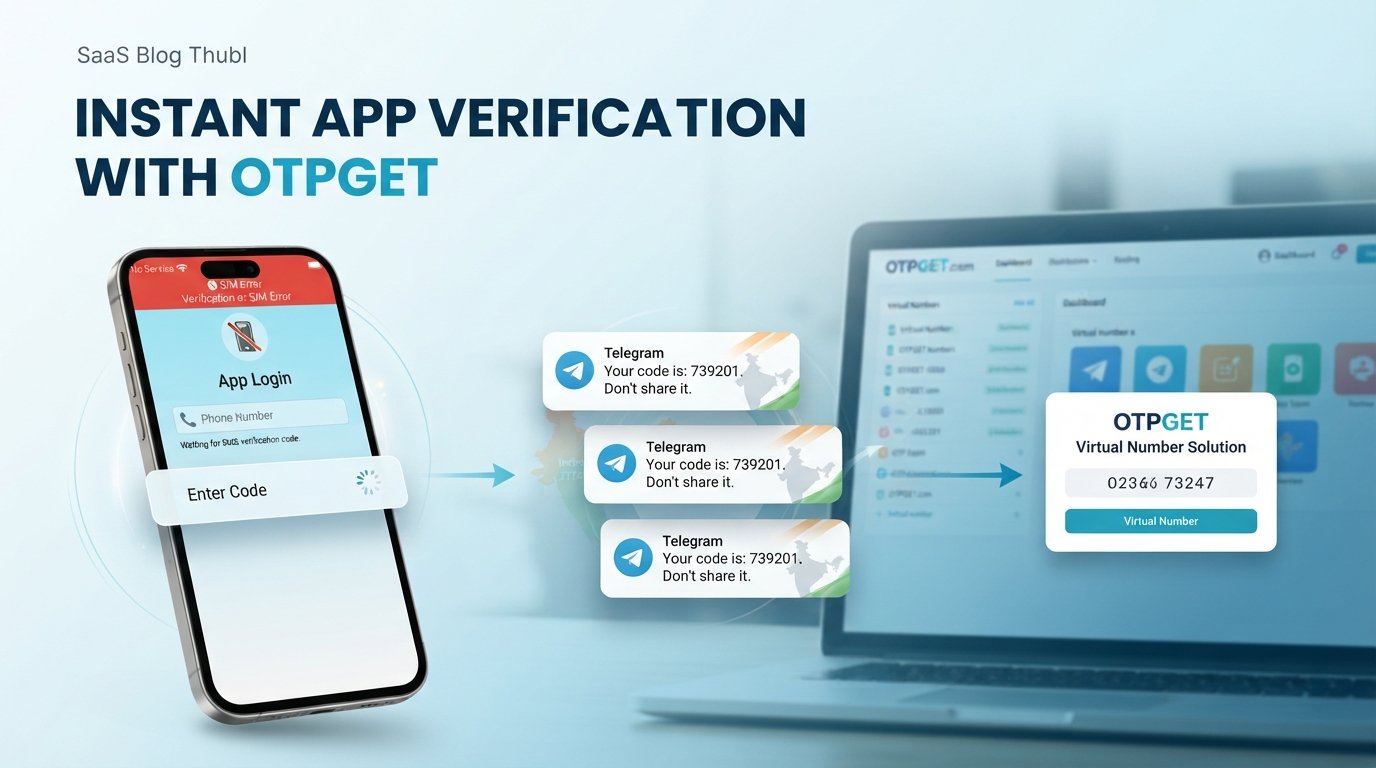
India Telegram Not Working? Use Virtual Number — OTPGet
Trying to sign up for Telegram and waiting for an OTP that never arrives? You enter your phone number, check your messages, request the code again—and still nothing.
That can be especially frustrating when your regular number is having trouble receiving verification SMS, or when you simply want to register Telegram without relying on your personal number.
The good news is that a failed SMS verification does not always mean you are stuck. After checking the usual causes, a virtual number for Telegram can be a practical alternative. Services such as OTPGet give users access to virtual numbers designed for receiving verification messages, subject to the availability and acceptance of the number by the platform.
Here is what to check first, how virtual numbers work, and where OTPGet can fit into the process.
Why Is Telegram Not Working in India?
“Telegram not working in India” can describe several different problems. Sometimes the app itself is inaccessible or unreliable; in other cases, Telegram opens normally but the registration or login process gets stuck at phone-number verification.
If your main problem is the OTP, some common possibilities include:
- SMS delivery delays: Verification messages can sometimes take time to arrive.
- Incorrect phone number: A missing digit or incorrect country code can prevent delivery.
- Mobile-network problems: Poor signal or carrier-level SMS issues can affect incoming messages.
- Repeated requests: Requesting multiple codes in quick succession can make troubleshooting more confusing because earlier codes may become invalid.
- Temporary technical issues: Problems can occur on either the messaging or verification side.
- Number-specific issues: One phone number may have trouble receiving verification messages even when other SMS messages work normally.
The exact cause can vary. If Telegram itself is working but the Telegram verification code is not received, focus first on the number and SMS-delivery side of the problem.
What to Do When Telegram OTP Is Not Received
Before switching to another number, run through a few basic checks. They take only a few minutes and can solve straightforward verification problems.
1. Check the phone number and country code
Make sure the number is entered correctly and that the appropriate country code is selected. A small formatting mistake can send the verification message somewhere else—or nowhere useful at all.
2. Confirm that your phone can receive SMS
Ask someone to send you a normal text message or use another service that sends an SMS. If regular messages are not arriving, the problem may be with your phone, SIM, carrier, or network rather than Telegram.
3. Give the code a little time
Avoid repeatedly requesting another OTP immediately. Wait for the expected message and follow the verification instructions shown by Telegram.
4. Check Telegram's available verification methods
Depending on the account and verification flow, Telegram may present another method. Follow the options shown in the app rather than assuming SMS is the only route.
5. Reconnect your network
Switching between mobile data and Wi-Fi, checking your signal, or restarting the device can help rule out a basic connectivity problem.
6. Consider another number
If your personal number consistently cannot receive the Telegram OTP, a suitable virtual phone number for Telegram may be worth considering.
That is where an OTP service such as OTPGet can become useful.
Can a Virtual Number Help With Telegram Verification?
A virtual number is a phone number provided through an online service rather than through a traditional physical SIM in your phone.
Depending on the provider and the platform's verification process, a virtual number can receive SMS messages containing verification codes. You can then view the message through the provider's service and enter the code where required.
For someone searching for a virtual number for OTP, the attraction is straightforward: you can use another number when your usual number is unavailable, inconvenient, or experiencing SMS-delivery problems.
However, there is an important limitation. Not every virtual number will necessarily be accepted by Telegram. Number availability, previous use, provider characteristics, and Telegram's own verification controls can affect whether a particular number works.
So a virtual number should be viewed as a practical option—not a guaranteed workaround for every verification attempt.
Why Use OTPGet for Telegram Verification?
If you have already checked your number, confirmed that SMS works, and still cannot receive your Telegram verification code, OTPGet offers a practical next step.
OTPGet is a third-party virtual-number and OTP solution, separate from Telegram. Its role is to provide access to virtual numbers and help users receive verification messages through its service.
For Telegram users, the potential benefits include:
- Convenient access to virtual numbers when a personal number is not suitable.
- OTP receiving functionality that keeps verification messages in one place.
- A straightforward verification workflow without needing to rely exclusively on your regular mobile number.
- Useful flexibility for users experiencing number-related verification difficulties.
- An alternative to repeated attempts with a phone number that is not receiving the required SMS.
The key is to choose an appropriate available number and understand that third-party numbers are not guaranteed to be accepted by every platform.
OTPGet should not be confused with Telegram itself. It is a separate service intended to help with virtual-number and OTP requirements.
How to Use OTPGet for Telegram Verification
If you decide that a virtual number is the right option, the process is generally simple.
- Visit OTPGet.
- Choose an available virtual number or relevant service.
- Select the appropriate verification option, if available.
- Enter the provided number in Telegram during registration or verification.
- Wait for the verification SMS.
- Retrieve the OTP through OTPGet.
- Enter the verification code in Telegram.
- Complete the registration or verification process if Telegram accepts the number and code.
The exact interface and available numbers can change, so follow the instructions displayed by OTPGet at the time you use the service.
If a particular number is not accepted, do not assume that every virtual number will have the same result. Availability and platform compatibility can differ.
Virtual Number vs. Personal Number for Telegram
Choosing between a personal number and a virtual number depends on what you need.
| Factor | Personal Number | Virtual Number |
|---|---|---|
| Convenience | Simple if SMS works normally | Useful when another number is needed |
| SMS access | Tied to your SIM/carrier | Managed through the virtual-number provider |
| Privacy considerations | Connected directly to your personal number | Can provide separation from your personal number |
| Long-term control | Usually easier to maintain | Depends on your access to the provider and number |
| Account recovery | Generally straightforward if you retain the number | Requires continued understanding of number access |
| OTP availability | Depends on your carrier and SMS delivery | Depends on the provider and platform acceptance |
A virtual number is not automatically more secure than a personal number. Its main advantage is flexibility and separation.
For an account you expect to keep for a long time, think carefully about future access to the number. Losing access to a number can complicate account recovery.
Is Using a Virtual Number for Telegram Safe?
The answer depends largely on how you use the number and which provider you choose.
If you use a virtual number, understand who controls the number and how long you can access it. Some virtual numbers may be temporary or may eventually be reassigned. That matters if the number becomes important for future account recovery.
Before using one, consider:
- Whether you can access the number again when needed.
- Whether the number is temporary or intended for longer-term use.
- How the provider handles verification messages.
- Telegram's rules and verification requirements.
- Whether you are using the account for legitimate activity.
- Whether you need the number again for account recovery.
Avoid using virtual numbers for suspicious, abusive, fraudulent, or otherwise prohibited activity. A virtual number is simply a different way of accessing a phone number; it does not remove the responsibilities associated with using an online account.
Common Telegram Verification Problems and Solutions
Telegram OTP not received
Check the number, country code, mobile signal, and SMS reception first. Avoid repeatedly requesting codes. If your personal number continues to have problems, an appropriate virtual number may provide another option.
Telegram verification code not received
If the verification message never arrives, confirm that the number can receive SMS. If everything appears normal but the code still does not arrive, consider trying a suitable alternative number through a service such as OTPGet.
Telegram number verification failed
A verification failure can happen for different reasons. Check that the number was entered correctly and that it is eligible for Telegram's verification process. A different available number may be worth trying if the original one continues to fail.
Telegram SMS verification not working
First determine whether your phone can receive other SMS messages. If regular SMS works but Telegram messages do not, waiting and checking Telegram's available verification options may help. A virtual number can be another route when appropriate.
Telegram registration problem
Registration issues often begin with the phone-number stage. Recheck your details, make sure your device has a reliable connection, and verify that the selected number can receive SMS. If your usual number remains unsuitable, OTPGet can provide an alternative number to consider.
Why OTPGet Can Be a Practical Alternative
Troubleshooting should come first. But if you have already confirmed your phone number and SMS reception and still cannot complete Telegram account verification, continuing to request the same code may not solve the underlying problem.
A virtual number gives you another route.
With OTPGet, the basic idea is to obtain an available virtual number, use it during Telegram registration or verification, and retrieve the resulting OTP through the service.
That can be particularly useful when:
- Your regular number is temporarily unavailable.
- You prefer not to use your personal number for a particular registration.
- Your number is not receiving the required verification SMS.
- You need an alternative online number for verification.
- You want a centralized way to handle an OTP instead of relying on one phone number.
The important part is setting realistic expectations. Telegram controls its own verification process, and third-party numbers may not always be accepted. OTPGet can make the alternative-number process more convenient, but it cannot guarantee acceptance by Telegram.
Frequently Asked Questions
Why is Telegram not working in India?
The phrase can refer to either an access problem with Telegram or a specific registration and verification issue. If the app opens but your OTP does not arrive, start by checking your phone number, country code, SMS reception, and network. If the problem is broader than verification, check Telegram's own service information and your network connection.
Why am I not receiving my Telegram OTP?
First check that the phone number and country code are correct and that your device can receive normal SMS messages. Give the verification process some time instead of requesting many codes repeatedly. If the problem continues, an available virtual number may provide an alternative route for receiving a Telegram verification code.
Can I use a virtual number for Telegram?
A virtual number can sometimes be used for Telegram registration or verification, depending on whether Telegram accepts that particular number. Compatibility is not universal, so there is no guarantee that every temporary virtual number will work. If you want to try one, choose an appropriate number through a reputable virtual-number service such as OTPGet.
How do I get a Telegram verification code?
Enter an eligible phone number during Telegram registration or login and follow the verification instructions provided by Telegram. If the SMS code does not arrive, check your number, signal, and SMS reception. If your regular number remains problematic, you can consider using an available virtual number through OTPGet.
What should I do if Telegram SMS verification is not working?
Confirm that your number is correct and capable of receiving SMS. Check your mobile connection and avoid repeatedly requesting codes in a short period. If normal SMS works but Telegram verification continues to fail, trying another suitable number may help. OTPGet can be considered when a virtual number is appropriate for your situation.
Is OTPGet useful for Telegram verification?
OTPGet can be useful for users who need access to a virtual number capable of receiving an OTP. It provides a third-party option when a personal number is unavailable or inconvenient. However, Telegram independently controls its verification process, so users should understand that a particular virtual number may not always be accepted.
Can I register Telegram with a virtual phone number?
It may be possible when Telegram accepts the selected virtual number for registration. The result depends on the number and Telegram's verification requirements. If you want to try this approach, obtain an available number through OTPGet, enter it during registration, and retrieve the verification message through the service.
What should I do if my number is not accepted by Telegram?
Double-check the number and country code first. If the information is correct but Telegram still will not complete verification, you can consider another eligible number. A virtual number from OTPGet may be an option, although acceptance depends on Telegram and the specific number available.
Conclusion: Try OTPGet When Your Regular Number Is the Problem
When Telegram is not working in India because you cannot complete phone-number verification, the problem may be as simple as an SMS delivery issue—or it may be specific to the number you are using.
Start with the basics: verify the number, check SMS reception, confirm your connection, and avoid repeatedly requesting codes.
If your personal number still cannot receive the Telegram OTP, a virtual number can be a practical alternative. OTPGet provides a convenient way to access available virtual numbers and retrieve verification messages through its service.
Remember that third-party numbers are not guaranteed to work with every Telegram verification attempt. Choose an appropriate number, understand your access to it, and use Telegram responsibly.
If you need an alternative number for Telegram verification, explore OTPGet and choose an available virtual number that fits your verification needs.


