Telegram Phone Verification – Receive Your Code | OTPGet
Telegram Phone Verification – Receive Your Code | OTPGet
Signing up for Telegram or accessing an existing account usually starts with one important step: phone verification. Telegram uses a verification code to confirm that the phone number being used is available to the person attempting to access the account.
For many users, this process is straightforward. However, a delayed SMS, incorrect number, network issue, or other delivery problem can quickly become frustrating. If you need a practical way to manage verification messages, an OTP receiving service such as OTPGET can make the process more convenient where supported.
This guide explains how Telegram phone verification works, why verification codes sometimes fail to arrive, and how OTPGET can help simplify the process.
What Is Telegram Phone Verification?
Telegram phone verification is the process of confirming a phone number before an account can proceed with registration or login.
During verification, Telegram may provide a code through an available verification method. The user then enters that code to confirm access to the phone number.
The verification step helps connect a Telegram account with a valid phone number and is an important part of the platform's account access process.
A typical verification flow involves:
- Entering a phone number.
- Requesting verification.
- Receiving a Telegram verification code through an available method.
- Entering the code.
- Completing the account verification process.
The exact delivery method can vary depending on the circumstances. For that reason, a user looking for a Telegram phone verification code should follow the instructions shown by Telegram rather than assuming that every verification attempt will use SMS.
How Telegram Verification Codes Work
Understanding the basic process makes it easier to identify where a problem may occur.
- Enter a phone number.
Start the Telegram sign-up or login process and enter a phone number you are authorized to use. - Telegram requests verification.
Telegram initiates its verification process and determines an available way to deliver the code. - Receive the verification message or code.
Depending on the circumstances, the verification information may be delivered through an available Telegram or phone-based method. - Enter the code.
Enter the verification code exactly as provided. - Complete verification.
If the code is accepted, the account can continue through the relevant sign-up or login process.
A Telegram OTP is sensitive information. Anyone who obtains a valid verification code may potentially gain access to an account, so verification codes should never be shared with strangers or entered into suspicious websites.
Why You May Not Receive a Telegram Verification Code
Searching for Telegram code not received is common when a verification message is delayed or unavailable. Fortunately, several ordinary issues can explain the problem.
Delayed SMS
Mobile networks can occasionally delay verification SMS messages. Waiting briefly before requesting another code may help.
Incorrect Phone Number
A single incorrect digit can prevent the verification message from reaching the intended number. Always check the country code and phone number before continuing.
Network Problems
Poor mobile connectivity or temporary network disruptions can interfere with SMS delivery.
Carrier Restrictions
Some carriers or number types may have limitations affecting certain verification messages. Availability can also vary by location and provider.
Too Many Verification Attempts
Repeatedly requesting codes can create additional delays or temporary restrictions. If a code does not arrive immediately, avoid continuously requesting new ones.
Existing Telegram Sessions
For some login situations, Telegram may use an available existing session or another supported verification method rather than relying solely on SMS.
Device or App Issues
An outdated app, connectivity problem, or temporary technical issue can interfere with the verification process. Checking the app and connection can help rule out simple problems.
These are some of the most common reasons behind Telegram verification problems. If standard troubleshooting does not help, an appropriate OTP receiving service may provide another practical option where supported.
OTPGET: A Simple Solution for Telegram Phone Verification
OTPGET is a practical option for users who need an OTP receiving service for supported verification workflows.
Instead of treating phone verification as a confusing technical process, an OTP receiving platform can provide a more organized way to handle verification messages where the service and number are supported.
For someone searching for phone verification for Telegram, the potential advantages of using OTPGET include:
- Convenient access to supported OTP messages.
- A simpler verification workflow.
- Easier handling of verification messages where supported.
- Less frustration when dealing with certain phone-based verification tasks.
- A practical approach to online phone verification.
The important point is that OTPGET should be used according to its available instructions and Telegram's own verification requirements. It should not be viewed as a way to bypass Telegram security or verification controls.
When the goal is simply to receive a legitimate verification message through an appropriate supported method, a service such as OTPGET can make the process more straightforward.
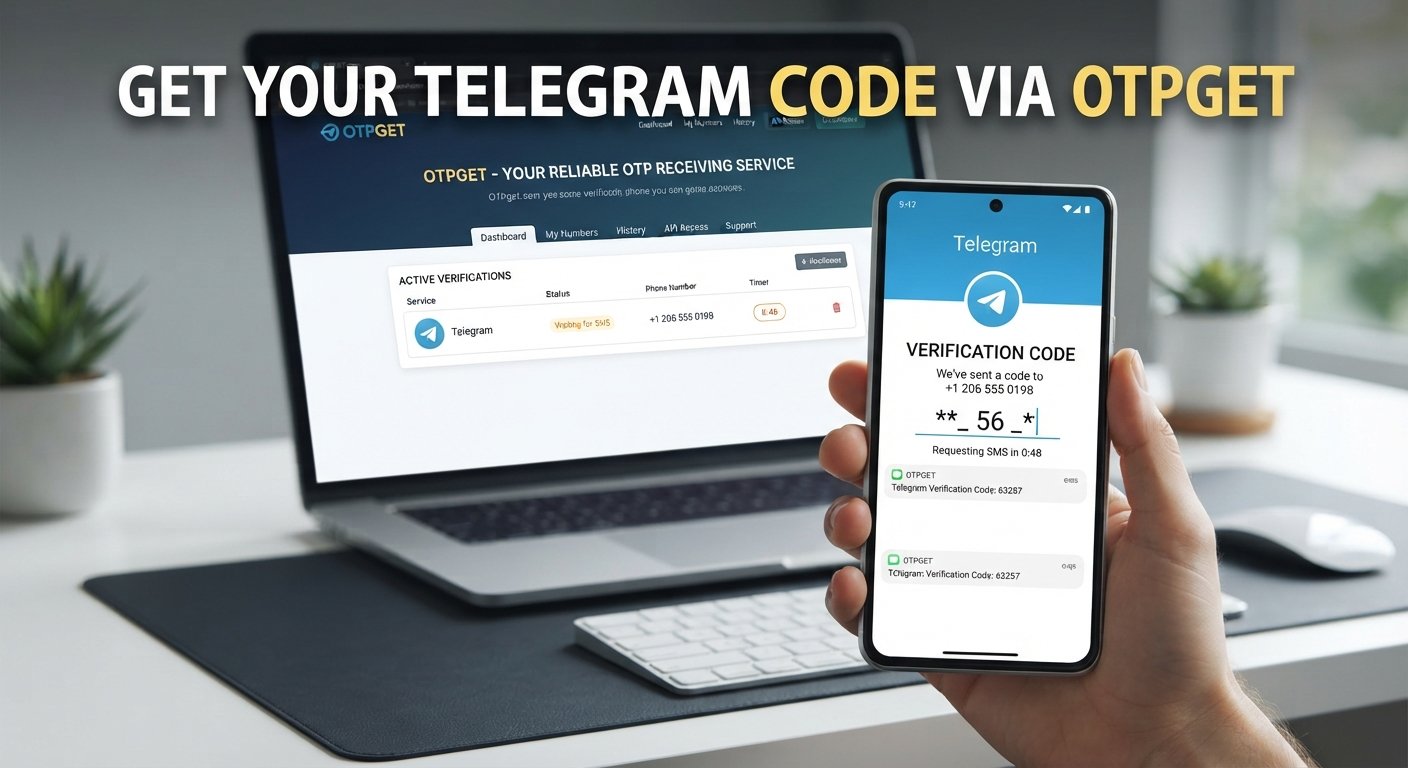
How to Receive a Telegram Verification Code With OTPGET
If you want to use OTPGET for a supported Telegram verification workflow, keep the process simple and follow the instructions provided by the platform.
- Visit OTPGET.
Open the OTPGET service and review the available verification options. - Select the relevant service or verification option.
Choose the option that corresponds to your intended verification task, where available. - Follow the platform instructions.
Review the instructions provided by OTPGET before proceeding. - Use the provided phone number where appropriate.
If OTPGET provides a suitable number for the supported verification workflow, enter it into Telegram as instructed. - Wait for the verification message.
Start the Telegram verification process and allow time for the message to arrive. - Retrieve the OTP through the supported OTPGET interface.
Check the available OTP receiving interface for the verification message. - Enter the verification code into Telegram.
Carefully enter the received code into the official Telegram verification screen. - Complete the verification process.
Continue according to Telegram's instructions.
Because services and verification requirements can change, always rely on the current instructions presented by OTPGET and Telegram rather than assuming that a particular option will be available for every number or verification attempt.
Telegram Verification Code Not Received? Try These Steps
If your Telegram verification code does not arrive, work through the following checklist before repeatedly requesting another code:
- Check the phone number. Make sure the number and country code are correct.
- Check your network connection. Confirm that your device can communicate with the mobile network or internet as required.
- Wait briefly. Verification messages can sometimes be delayed.
- Avoid repeated requests. Requesting multiple codes in quick succession can make troubleshooting more difficult.
- Check other available delivery methods. Telegram may provide verification through another supported method, particularly when an existing session is involved.
- Update the Telegram app. An outdated application can sometimes cause unexpected issues.
- Try again later. Temporary delivery or network problems may resolve themselves.
- Consider an appropriate OTP solution. Where supported, OTPGET can provide a practical option for receiving verification messages.
If the problem continues, follow Telegram's official account access and verification guidance rather than attempting to circumvent its security measures.
Benefits of Using an OTP Receiving Service
An online OTP service can be useful when a verification workflow requires access to a phone number and SMS message.
Depending on the service and use case, common benefits include:
Convenience
An OTP receiving platform can simplify the process of accessing verification messages without requiring users to manage every part of the SMS workflow themselves.
Easier Verification Workflows
A dedicated service can provide a more organized process for supported verification tasks.
Practical Online Access
For appropriate use cases, users may be able to receive SMS verification messages through an online interface rather than relying exclusively on a personal SIM.
Reduced Verification Friction
When a supported number and service work with the required platform, an OTP receiving service can reduce some of the frustration associated with waiting for or managing verification messages.
However, no OTP receiving service should be assumed to guarantee successful verification on every platform. Compatibility, availability, number type, location, and the platform's own requirements can all affect the outcome.
Telegram Phone Verification Best Practices
Whether you use a personal number or an appropriate online phone verification service, good security habits matter.
- Use only phone numbers you are authorized to use.
- Keep your Telegram credentials and account information private.
- Never share a Telegram OTP with another person.
- Do not enter verification codes into suspicious websites or forms.
- Avoid repeatedly requesting OTPs when a message is delayed.
- Follow Telegram's official verification process.
- Use reputable services when choosing an OTP receiving platform.
- Treat every verification SMS as sensitive information.
- Check the destination and context before entering a code.
A verification code is not something to forward casually. Protecting it is an important part of secure phone verification.
Why Choose OTPGET for Telegram Verification?
For users searching for a practical Telegram verification solution, OTPGET provides a straightforward way to approach supported OTP receiving tasks.
Its value comes from simplicity: users can focus on receiving the necessary verification message rather than dealing with an unnecessarily complicated workflow.
OTPGET is particularly relevant for users looking for:
- Convenient OTP access.
- A practical online verification workflow.
- Simplified handling of verification messages.
- An accessible approach to supported phone verification tasks.
- A dedicated OTP receiving platform.
The best verification solution is one that fits the requirements of the platform being verified while keeping the process understandable and secure. OTPGET can be considered as part of that process when its available service and number options support the intended verification.
Frequently Asked Questions About Telegram Phone Verification
1. What is Telegram phone verification?
Telegram phone verification is the process of confirming a phone number during account registration or login. Telegram uses a verification method to confirm access to the number before allowing the relevant account process to continue.
2. How do I receive a Telegram verification code?
Enter an authorized phone number in Telegram and follow the verification instructions provided by the app. The code may be delivered through an available verification method. If you are using a supported OTP receiving service, follow that service's instructions as well.
3. Why am I not receiving my Telegram OTP?
A delayed SMS, incorrect phone number, network issue, carrier limitation, repeated verification attempts, existing Telegram sessions, or temporary technical problem can prevent or delay delivery.
4. Can OTPGET help with Telegram verification?
OTPGET can be considered for supported OTP receiving workflows. Availability and compatibility depend on the service options provided and Telegram's verification requirements. Follow the current instructions from both services.
5. What is a Telegram verification code?
A Telegram verification code is a temporary code used as part of the account sign-up or login verification process. It should be treated as confidential and never shared with unauthorized people.
6. How long does a Telegram verification code remain useful?
Verification codes are intended for the specific verification attempt in which they are issued and may expire or become invalid. Use the code according to the instructions shown by Telegram rather than assuming it will remain valid indefinitely.
7. Is it safe to share a Telegram OTP?
No. A Telegram OTP should be treated as sensitive account-access information. Never share it with strangers, unsolicited contacts, or suspicious services.
8. What should I do if Telegram verification fails?
Check the phone number, network connection, available verification methods, and Telegram app status. Avoid repeated requests, wait if delivery is delayed, and follow Telegram's official troubleshooting guidance. For supported workflows, an appropriate service such as OTPGET may also be considered.
Conclusion
Telegram phone verification is an important part of registering and accessing a Telegram account, but receiving a verification code is not always completely frictionless. Delayed messages, network issues, incorrect numbers, carrier limitations, and other factors can make a simple verification step frustrating.
The best approach is to understand how the process works, use an authorized phone number, protect every verification code, and avoid attempts to bypass Telegram's security requirements.
When you need a practical way to manage supported OTP receiving tasks, OTPGET can simplify the verification workflow and provide a convenient approach to receiving verification messages where available.
If you're looking for a straightforward Telegram verification solution, explore OTPGET and follow the available instructions to make your next supported phone verification process simpler and more organized.