How to Get Telegram Web Login Without Phone Number Easily
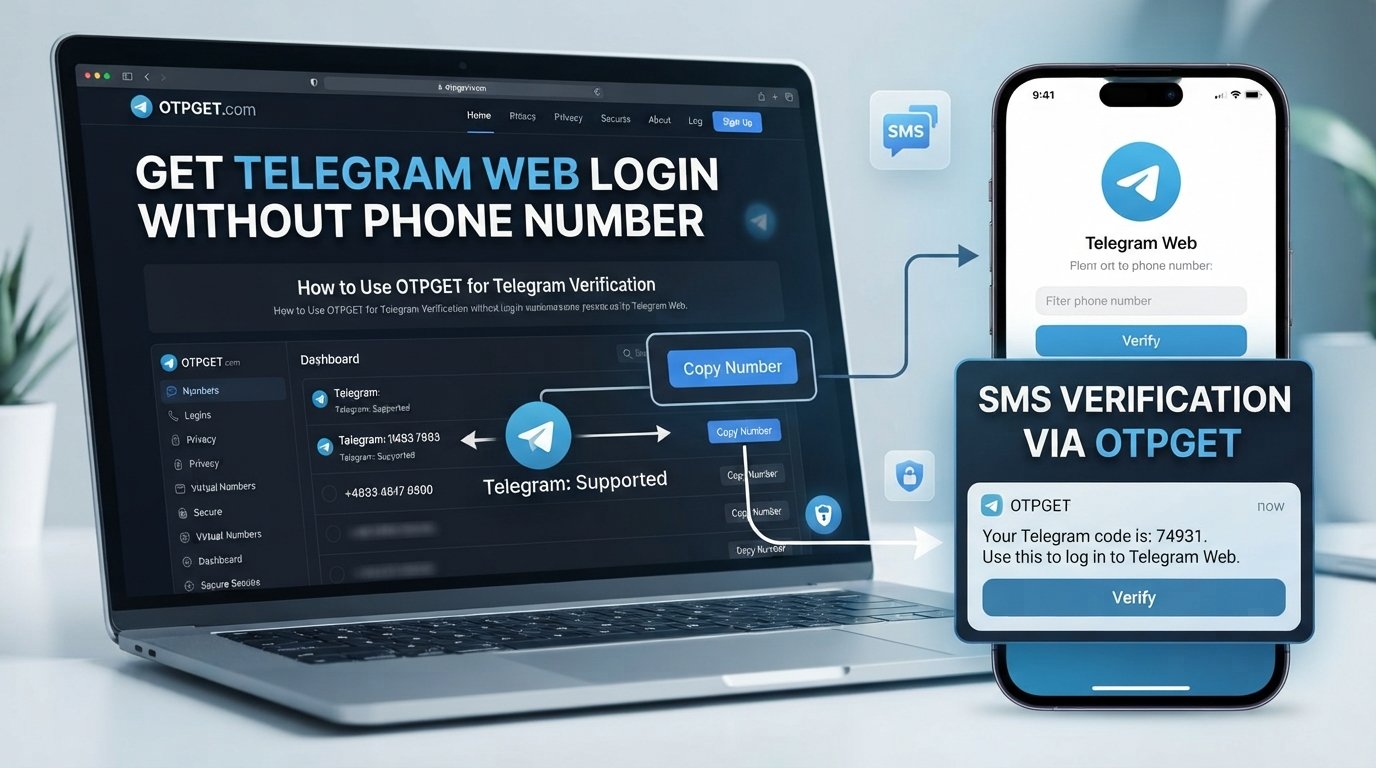
How to Get Telegram Web Login Without Phone Number
Telegram Web makes it easy to access conversations from a computer browser, but the login process can become confusing when you don't want to connect your personal phone number to the process.
There is an important distinction here: logging into Telegram without typing your personal number is not necessarily the same as using Telegram without any phone number at all.
Telegram accounts are connected to mobile numbers, and Telegram may use SMS or other verification methods during authentication. For users who need an alternative number rather than their everyday number, a temporary or virtual number can be an option where the service and Telegram's verification flow support it.
That's where OTPGET can be useful. OTPGET provides temporary and virtual phone numbers intended for online SMS verification, and its service currently lists Telegram among the supported services. Availability and successful OTP delivery can still vary, so it should be treated as a practical option rather than a guaranteed workaround.
Can You Log Into Telegram Web Without a Phone Number?
The short answer depends on what you mean by "without a phone number."
If you mean without using your personal phone number, an alternative mobile number may be used for verification when Telegram accepts it and the number can receive the required code.
If you mean without any phone number whatsoever, the situation is different. Telegram states that accounts can only be connected to a mobile number and that landline numbers are not supported.
There are also alternative login methods for an account that already exists. Telegram supports QR-based login, and its documentation also describes passkey authentication. If you're already signed into Telegram on another device, these methods can sometimes let you access Telegram Web without manually entering your phone number or waiting for an SMS.
However, these methods don't remove the underlying requirement that a Telegram account is associated with a mobile number.
So the practical question for many people isn't really:
"How can I use Telegram with no phone number?"
It's:
"How can I access Telegram Web without exposing my personal phone number?"
That is where an alternative verification number can make sense.
Why People Look for an Alternative Number for Telegram
Using a separate number for online verification can be useful for legitimate privacy and organizational reasons.
For example, someone may want to:
-
Keep personal and online communication separate.
-
Avoid unnecessarily sharing their everyday mobile number.
-
Maintain a separate account where Telegram's rules and requirements allow it.
-
Separate work-related and personal communication.
-
Use a number specifically for an online verification process.
-
Test a workflow that requires SMS verification.
The goal isn't to bypass Telegram's security. Instead, it's about choosing which number is used during a verification process.
A key consideration is long-term account access. Telegram itself recommends keeping an up-to-date phone number that you control because losing access to the number associated with an account can create account-recovery problems.
What Is OTPGET?
OTPGET is an online service for temporary phone numbers, rental numbers, and SMS-based OTP verification.
In simple terms, the service can provide an available virtual number that is intended to receive a verification SMS from a supported platform. OTPGET's website lists Telegram among the services for which virtual numbers can be used for OTP verification.
The general idea is straightforward:
-
Choose an available number and supported service.
-
Use that number in the relevant verification flow.
-
Wait for the SMS verification code.
-
Retrieve the code through the supported OTPGET interface.
-
Enter the code where requested.
OTPGET also documents both temporary SMS numbers and longer-duration rental numbers, giving users different options depending on how long they need access to a number.
There is an important limitation, though: number availability and OTP delivery are not guaranteed for every attempt. Telegram controls its own authentication and verification requirements, while temporary numbers can have their own availability constraints.
How to Use OTPGET for Telegram Verification
If you're looking for a temporary phone number for Telegram verification, the general workflow is simple.
1. Open OTPGET
Visit the OTPGET service and access the available virtual-number or SMS-verification options.
2. Select an Available Number and Service
Choose a country or number option that is currently available and select Telegram where it is offered as a supported service.
Availability can change, so don't assume that every country or number will be available at every moment.
3. Copy the Number
Once an appropriate number is provided, copy it exactly as displayed.
When entering a number into Telegram, use the required international format. Telegram's own troubleshooting guidance recommends entering mobile numbers with the appropriate country code.
4. Enter the Number in Telegram
Open the relevant Telegram sign-up or login flow and enter the alternative number.
Telegram determines which verification method is used. Depending on the circumstances, the code may be delivered through SMS or, for an existing account on another connected device, through Telegram itself.
5. Wait for the Verification SMS
If Telegram sends an SMS to the selected number, monitor the OTPGET interface for the incoming message.
Delivery time and availability can vary.
6. Retrieve the Telegram OTP
If the SMS arrives through the supported OTPGET service, retrieve the verification code.
Never share a Telegram login code with another person or unrelated service. Telegram specifically warns users not to share login codes for their accounts.
7. Enter the Verification Code
Return to Telegram and enter the received Telegram OTP.
If the code is accepted, continue through the normal Telegram login or registration process.
8. Complete Additional Security Steps
Telegram may request an additional password or another verification step depending on the account's security configuration.
Follow Telegram's prompts rather than attempting to circumvent them.
Telegram Web Login Without Phone Number: What You Should Know
This is the part that causes the most confusion.
Telegram Web login without your personal phone number can be possible when you're using an alternative number for the verification stage, or when an existing account can authenticate through another supported method.
Telegram login without any phone number is a different proposition. Telegram says accounts are connected to mobile numbers, and its authorization documentation describes phone-based verification as part of the authentication process.
For an existing Telegram account, QR login and passkeys can provide alternatives to manually entering a phone number or receiving an SMS in certain situations. Telegram also notes that an existing session may receive a login code directly inside Telegram rather than through SMS.
That means the best approach depends on your situation:
-
Already signed in on another device? Check whether QR login, a passkey, or an in-app login code is available.
-
Need to verify a number without using your personal number? An alternative number service such as OTPGET may be useful where supported.
-
Have no mobile number at all? Telegram's account requirements mean an associated mobile number may still be necessary.
Understanding that distinction prevents a lot of unnecessary trial and error.
Why OTPGET Can Be a Convenient Option
For users who specifically want an alternative number for online SMS verification, OTPGET offers a straightforward workflow.
Potential advantages include:
-
Alternative number access: You don't necessarily have to use your everyday personal number for a supported verification scenario.
-
Online OTP reception: Verification messages can be accessed through the service rather than requiring a physical SIM in your primary phone.
-
Simple process: Select a suitable number, use it for the supported verification flow, and monitor for the OTP.
-
Temporary-number flexibility: OTPGET offers temporary numbers as well as rental options, depending on the user's requirements.
-
Multiple service options: OTPGET's platform is designed for SMS verification across supported online services.
The important qualifier is "where supported." A virtual number is not a guarantee that Telegram will accept the number or that an OTP will arrive.
That's why OTPGET is best viewed as a practical verification-number option, not as a method for bypassing Telegram's security systems.
Things to Check Before Using a Temporary Number
A temporary number can solve one problem while creating another if you don't consider what happens afterward.
Before using one for Telegram, think about these points:
Number availability
The number you want may not always be available. Services and countries can change based on inventory.
Telegram acceptance
Telegram controls its own verification system. A number being available through a provider does not guarantee that Telegram will accept it.
OTP delivery
SMS delivery can fail or be delayed. OTPGET's policies explain that temporary-number orders have specific cancellation and refund conditions, so users should understand those terms before purchasing.
Number reuse or expiration
A temporary number may not be intended for permanent account ownership. If an important Telegram account depends on a number that you later lose, recovering the account can become difficult.
Account recovery
For an account you intend to keep, maintaining a phone number you control is an important security consideration. Telegram explicitly warns that relying on an outdated or inaccessible number can put continued account access at risk.
Additional Telegram security
Telegram may require additional verification, including a two-step verification password. Temporary numbers do not remove those requirements.
Most importantly, use any verification service consistently with Telegram's terms and the service provider's policies.
Common Questions About Telegram Web Login and OTP
1. Can I use Telegram Web without a phone number?
If you mean without entering your personal number, an alternative number may be an option for verification where supported. If you mean without any mobile number associated with a Telegram account, Telegram's current requirements do not generally support that approach.
For existing accounts, Telegram also provides QR and passkey login methods in supported circumstances.
2. Can I receive a Telegram OTP online?
Potentially, yes. If Telegram sends an SMS to a number that supports online SMS reception, the verification code may be accessible through that service. OTPGET provides temporary and virtual numbers for supported SMS verification scenarios.
3. Can I use a temporary phone number for Telegram?
A temporary number may be used where Telegram accepts the number and the number can receive the required verification message. There is no guarantee that every temporary number will work.
4. What is a Telegram verification code?
A Telegram verification code is a code used during an authentication or account-verification process. Telegram may deliver login codes through SMS or, in certain circumstances, through Telegram on an already connected device.
5. Why might a Telegram OTP not arrive?
Possible reasons include number availability, SMS delivery problems, Telegram's selected verification method, or other account-security requirements. Check whether Telegram is directing the code to another connected device before repeatedly requesting another SMS.
6. Is OTPGET suitable for Telegram verification?
OTPGET lists Telegram among the services supported by its virtual-number verification platform. However, suitability depends on current number availability and Telegram's verification requirements, so successful delivery should not be assumed for every number or attempt.
7. What should I do if Telegram requests additional verification?
Complete the additional step through Telegram's official login flow. If two-step verification is enabled, for example, Telegram may require the associated password in addition to the verification code.
Final Thoughts
The phrase "Telegram Web login without phone number" can mean two very different things.
If your goal is to use Telegram without exposing your personal phone number, an alternative or temporary number may provide a practical route for verification when supported. OTPGET can be useful here because its platform provides virtual and temporary numbers designed for SMS OTP verification, including Telegram as a listed supported service.
If your goal is to use Telegram with no mobile number whatsoever, that's a different situation. Telegram accounts remain associated with mobile numbers, although existing users may have other authentication options such as QR login or passkeys.
Before choosing a temporary number, consider number availability, OTP delivery, future account recovery, and Telegram's security requirements.
If an alternative number is what you need, exploring OTPGET's available verification options can be a practical next step—provided the number and verification flow are supported at the time you use them.


