How to Get TikTok Business Login Without Phone Number Safely
How to Get TikTok Business Login Without Phone Number
A personal phone number isn't always the best fit for a business account. You may want to keep your personal contact details private, separate business activity from your everyday communications, or manage more than one business account without tying everything to one number.
That raises an important question: Can you get TikTok business login without phone number?
The answer depends on the account, device, region, and authentication options TikTok presents to you. TikTok's Help Center documents email/username login and password recovery options, while some account situations may still require phone-based verification.
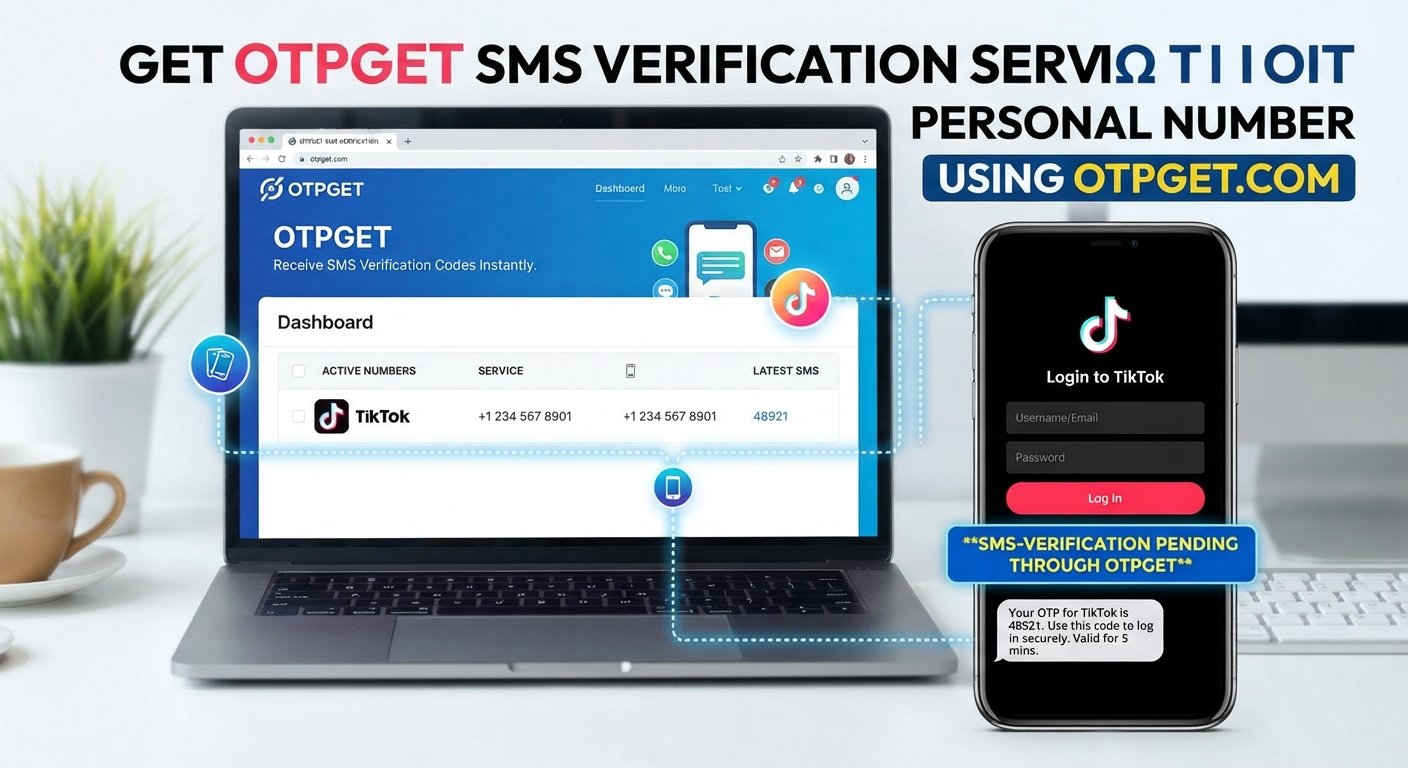
If TikTok asks for an SMS verification code and you don't want to use your personal number, an appropriate alternative number or OTP service may be an option where permitted. OTPGET is one service designed to provide virtual numbers for receiving SMS verification codes.
Can You Log In to TikTok Business Without a Phone Number?
Yes, potentially. A phone number isn't necessarily the only way to access a TikTok account.
TikTok's login flow can include options such as phone, email, or username. Its Help Center also describes password recovery through the email/username route.
However, there's an important distinction between logging in and verifying an account.
You might be able to:
-
Log in with an existing email or username and password.
-
Recover access through an available account recovery method.
-
Use another authentication method if TikTok presents it.
-
Encounter an SMS verification request when TikTok requires additional confirmation.
TikTok controls which authentication options are available during a particular account action. Therefore, there is no universal method that guarantees TikTok business account login without a phone number.
If an SMS code is specifically required, you'll need access to a number capable of receiving that verification message.
Why Users Look for TikTok Login Without a Personal Phone Number
There are several practical reasons someone may search for TikTok login without phone number.
1. Privacy
You may not want your personal number associated with business activity. Keeping business and personal contact details separate can make account administration easier.
2. Business separation
A company account may be managed by several people. Using a dedicated verification number can help separate business operations from an employee's personal device.
3. Multiple accounts
Businesses, agencies, and teams may work with several social media accounts. A personal number isn't always convenient for every account or workflow.
4. SMS delivery problems
International roaming, carrier restrictions, weak cellular coverage, or delayed messages can make phone verification frustrating.
5. International account management
Businesses operating across different markets may need access to appropriate phone verification options rather than relying on one personal number.
6. Temporary verification needs
Sometimes, you simply need to receive a verification code for a particular account action without making your personal phone number the default contact method.
The key is to use an alternative method responsibly rather than attempting to defeat TikTok's authentication process.
Ways to Access TikTok Business Without Using Your Personal Number
Depending on what TikTok shows for your account, you may have several legitimate approaches.
Use an available email or username login
If TikTok provides an email/username option, this can allow you to log in without entering a phone number at the login stage. TikTok's support documentation specifically describes using Use phone/email/username and then selecting Email/Username for account access and password recovery.
Use a dedicated business number
If your business has its own phone line, you can use an appropriate business number for account verification when TikTok permits it.
This approach can make ownership and account administration clearer, especially when multiple team members need access.
Use an appropriate SMS/OTP receiving service
If TikTok requests phone verification and you don't want to expose your personal number, an SMS verification service may provide an alternative number for receiving the code.
The number still needs to be accepted by TikTok for the specific verification flow. Availability and compatibility can vary.
Use OTPGET where appropriate
OTPGET provides virtual numbers intended for SMS OTP verification and states that TikTok is among the services supported through its platform. Its documentation describes obtaining a number, requesting an SMS, and checking the activation status for the received code.
OTPGET isn't TikTok, and there is no basis to treat it as affiliated with or endorsed by TikTok. Think of it as a separate service for handling the phone-number portion of an OTP workflow.
How OTPGET Can Help With TikTok OTP Verification
If TikTok requires an SMS verification code, OTPGET can provide an alternative to using your personal phone number, where the number and verification flow are permitted.
The basic process is straightforward:
Choose an appropriate number or service → enter the number when TikTok requests phone verification → request the OTP → receive the SMS through the applicable service → enter the valid code into TikTok.
OTPGET's published documentation explains that its SMS OTP service can provide a number and allow the user to check whether an SMS code has been received.
This can be useful when you want to:
-
Keep your personal number separate from business activity.
-
Receive an SMS verification code through an alternative number.
-
Reduce dependence on your personal phone for a particular verification step.
-
Create a cleaner separation between personal and business communications.
-
Handle OTP verification as part of an appropriate business workflow.
There are limits, though. An OTP service cannot guarantee that TikTok will accept a particular number, send a code to it, or allow an account action. TikTok makes those decisions.
For users who need an alternative way to handle phone-based verification, it's worth exploring OTPGET and checking whether the available service and number fit the specific TikTok verification requirement.
Step-by-Step Guide to TikTok Business Login Without a Personal Phone Number
If you're trying to access or set up a business account without using your personal number, follow this general workflow.
-
Open TikTok and go to the relevant login or registration screen.
Start with TikTok's normal account access process rather than attempting to circumvent a security check. -
Review the available login methods.
If TikTok offers email, username, or another authentication method, use the option appropriate for your account. -
Check whether phone verification is required.
If TikTok asks for an SMS verification code, determine whether its interface allows an alternative number. -
Choose an appropriate verification number.
If permitted for your situation, an OTP service such as OTPGET can provide a number for receiving SMS verification messages. -
Enter the number into TikTok.
Use the correct country and number format displayed by the platform. -
Request the verification code.
Wait for TikTok to send the SMS. -
Check for the incoming OTP.
OTPGET's documented workflow allows users to check the status of an activation and retrieve the received code. -
Enter the valid verification code in TikTok.
Use the current code before it expires. -
Complete any additional verification.
TikTok may request another authentication step depending on the account or activity. -
Secure the account after access.
Review available security settings, recovery information, and logged-in devices.
TikTok can change its authentication requirements, and not every number or verification method will necessarily work for every account.
Common Problems When Receiving a TikTok Verification Code
SMS verification doesn't always go smoothly. Here are common problems and practical steps to try.
OTP isn't arriving
Wait briefly and check that the number and country code are correct. Avoid repeatedly requesting codes because excessive attempts can create additional restrictions.
The verification code has expired
Request a new code and enter the latest valid message rather than an older OTP.
The number isn't accepted
Some numbers may not be supported for a particular verification flow. If TikTok rejects a number, don't repeatedly force the same attempt. Check whether another permitted authentication method or appropriate number is available.
SMS delivery is delayed
Network congestion or provider issues can delay messages. Give the service time to process the request before requesting another code.
Too many verification attempts
Repeated requests can trigger temporary restrictions. Stop attempting for a while and follow TikTok's prompts before trying again.
The country or number format is wrong
Make sure the selected country corresponds with the number you're entering. A formatting error can prevent delivery or cause rejection.
Is Using an OTP Service Safe for TikTok Business Login?
An OTP service can be useful, but you should treat it as part of your account-security workflow rather than a security shortcut.
Before using one, consider:
-
Whether the service is appropriate for your intended use.
-
Whether TikTok's applicable rules permit the number and account activity.
-
How the service handles verification messages.
-
Whether you are protecting your TikTok password and recovery information.
-
Whether the account will depend on the number for future recovery.
Never share your TikTok password or verification code with another person simply because they claim to be helping with account setup.
You should also avoid using an OTP service to gain unauthorized access to another person's account. The legitimate use case is handling verification for an account you are authorized to create or manage.
After successful access, protect the business account with a strong, unique password and any security features TikTok makes available.
OTPGET vs. Using Your Personal Phone Number
Both approaches have different practical characteristics.
| Factor | Personal Phone Number | OTPGET |
|---|---|---|
| Privacy | Personal number is used | An alternative number/service may be used |
| Business separation | Personal and business activity may overlap | Can help separate business activity |
| OTP access | Delivered through your personal device | Delivered through the applicable OTP service |
| Convenience | Depends on your phone and SMS availability | Depends on number and service availability |
| Best for | Users comfortable using their own number | Users needing an alternative verification option |
This isn't a question of one method being universally better. Your choice depends on privacy preferences, business requirements, account recovery needs, and what TikTok accepts during the verification process.
Tips for Managing a TikTok Business Account Securely
Getting access is only the first step. Good account management matters just as much.
-
Use a strong, unique password. Don't reuse the password from another service.
-
Enable available security features. Check TikTok's account security settings regularly.
-
Protect recovery information. Make sure authorized account managers can access the necessary recovery options.
-
Never share verification codes casually. Treat an OTP as sensitive authentication information.
-
Review logged-in devices. Remove devices or sessions you don't recognize.
-
Limit account access. Give business account credentials only to trusted team members.
-
Keep business contact information organized. Separate personal and company information where practical.
-
Follow TikTok's rules. Alternative verification methods should never be used to bypass platform security or obtain unauthorized access.
TikTok also provides account-status and troubleshooting resources for users who encounter account problems.
Frequently Asked Questions
Can I log in to TikTok Business without a phone number?
Possibly. TikTok may provide email, username, or other login options depending on your account and platform. However, it may still request phone verification for certain actions.
Can I receive a TikTok verification code online?
Potentially. If TikTok accepts the number, an appropriate online SMS or OTP service can receive the verification message without requiring your personal SIM card.
What is TikTok OTP verification?
It is a verification process that uses a one-time code sent by SMS or another supported method to confirm access or authorize an account action.
Can OTPGET help me receive a TikTok OTP?
OTPGET provides virtual numbers for SMS OTP verification and lists TikTok among its supported services. Whether a particular number works depends on TikTok's verification requirements and the specific account.
Why am I not receiving my TikTok verification code?
Possible causes include incorrect number formatting, SMS delays, unsupported numbers, expired codes, or too many verification attempts. Check the number, wait for delivery, and follow TikTok's on-screen troubleshooting steps.
Is an OTP service suitable for a TikTok Business account?
It can be appropriate when you need an alternative phone verification method and the service and number are permitted for your intended account activity. Consider long-term account recovery needs before relying on any alternative number.
What should I do if TikTok rejects a verification number?
Don't repeatedly submit the same number. Check the country and format, look for another authentication method, or use an appropriate number that TikTok accepts. If the problem continues, use TikTok's support and problem-reporting options.
Final Thoughts
You don't necessarily need to connect your personal phone number to every TikTok business login or account workflow. Depending on your account, TikTok may offer email, username, or other authentication options.
When TikTok specifically requires SMS verification, an appropriate alternative number can provide another way to handle the phone-based step. OTPGET is one practical option for receiving SMS OTP messages through virtual numbers, where the service and number are appropriate for the verification process.
The important point is to use alternative verification responsibly. TikTok controls account authentication and acceptance, while an OTP service simply provides the applicable number and SMS-receiving capability.
If you want to keep personal and business communication separate, explore OTPGET and choose the verification approach that best fits your account, privacy preferences, and business workflow.


