Verify Booking.com with a Virtual Number – OTPGET Explained
Verify Booking.com with a Virtual Number – OTPGET Explained
Phone verification can be a simple step until you would rather not use your personal number for another online account. Whether you are trying to keep personal and online activity separate, need a dedicated number for verification, or simply want a convenient way to receive an SMS code, a virtual number can be worth considering.
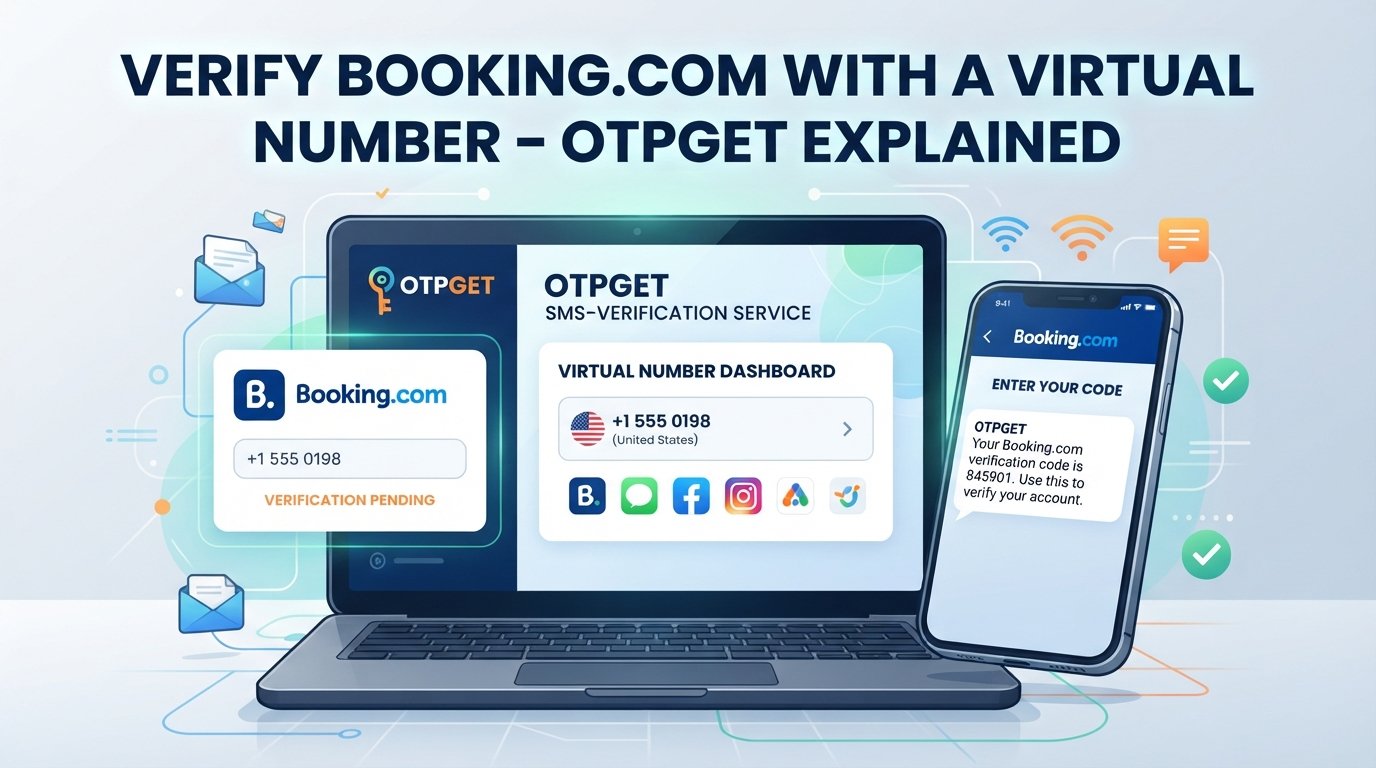
For users looking for a Booking.com virtual number, the basic process is straightforward: obtain a suitable virtual number, enter it when Booking.com requests phone verification, receive the verification code by SMS, and enter the OTP as instructed.
However, not every virtual number works with every service. Acceptance can depend on the number type, country, carrier, availability, and the platform's verification requirements.
This guide explains how virtual numbers work, what to consider for Booking.com verification, common OTP problems, and how OTPGET can provide a practical option for users who need an online number for SMS verification.
Why Booking.com Verification May Require a Phone Number
Online services may use phone verification as an additional way to confirm an account or protect certain actions. When phone verification is requested, the service may send a one-time password, commonly called an OTP, to the supplied number.
A typical verification process looks like this:
- You enter a phone number.
- The service sends a verification code by SMS.
- You receive the code.
- You enter the OTP in the requested field.
- The service checks the code and completes the verification step.
For Booking.com, phone verification may be requested depending on the account, activity, security requirements, or applicable verification flow. It is therefore better to treat phone verification as a possible requirement rather than assume that every Booking.com user will always need it.
Using a separate number can also be useful when you want to keep your primary mobile number reserved for personal communication. A dedicated number can create a clearer separation between personal contacts and selected online activities.
What Is a Virtual Number?
A virtual phone number is a number that is not necessarily tied to a traditional physical SIM card in the same way as a standard mobile number. Depending on the service, it can be managed through an online platform and may support incoming calls, SMS, or both.
For verification purposes, an SMS-enabled virtual number can receive a one-time verification code sent by an online service.
This makes a virtual number useful for legitimate situations such as:
- Separating personal and online communications
- Receiving SMS verification codes
- Testing services that support virtual numbers
- Maintaining a dedicated number for selected online activities
- Avoiding unnecessary use of a primary personal number
An online virtual number is not automatically equivalent to a regular mobile number, though. Some services distinguish between mobile, VoIP, temporary, recycled, and other number types. That distinction can affect whether a particular number is accepted.
Can You Use a Virtual Number for Booking.com Verification?
A virtual number may be usable for Booking.com verification when the number is supported by the applicable verification system. However, acceptance is not guaranteed for every virtual number.
Whether a virtual number for Booking.com works can depend on several factors, including the country associated with the number, number type, carrier classification, SMS capability, and Booking.com's verification requirements.
That means choosing the first available number is not always the best approach.
Before starting verification, consider whether the number:
- Can receive SMS messages
- Uses the required country or calling code
- Is available for the intended verification purpose
- Has not been restricted or associated with incompatible services
- Is supported by the platform's verification process
If a particular number is not accepted, repeatedly requesting codes will not necessarily solve the problem. Selecting another appropriate number or following Booking.com's recommended verification process may be more effective.
How to Verify Booking.com with a Virtual Number
If Booking.com asks you to verify a phone number, the process can generally be approached in a few simple steps.
1. Choose a suitable virtual number
Start by selecting an SMS-enabled number from a virtual number service such as OTPGET. Pay attention to the available country and number type.
2. Select the appropriate country or number
If the verification form asks for a country code, make sure it matches the virtual number you selected. An incorrect country code can prevent the SMS from being delivered correctly.
3. Enter the number on Booking.com
Enter the virtual number exactly as requested by Booking.com's verification form. Check the digits carefully before submitting.
4. Request the verification code
If the platform offers an option to send an SMS verification code, follow the displayed instructions. Avoid repeatedly requesting codes in a short period.
5. Check the incoming SMS
Return to the virtual number service and look for the incoming Booking.com verification message. Delivery time can vary.
6. Enter the OTP
Copy the verification code into the appropriate field on Booking.com. Use the latest valid code if multiple requests have been made.
7. Complete the verification process
Once the code is accepted, continue following Booking.com's instructions to finish the applicable account or phone verification process.
The important point is that a virtual number is simply a means of receiving the SMS. It does not bypass Booking.com's security or verification requirements.
Why Choose OTPGET for Virtual Number Verification?
Finding a virtual number is only part of the process. The number also needs to be practical for receiving the SMS you need.
OTPGET is designed around online number access and OTP/SMS receiving use cases, making it a practical option for people who need a virtual number for verification-related activities.
Instead of relying on a personal mobile number for every online verification request, a service such as OTPGET can provide a separate number for appropriate SMS verification scenarios.
Potential advantages include:
- Convenient access to virtual numbers
- Support for SMS and OTP receiving use cases
- A straightforward online verification workflow
- Separation between a primary number and selected online activities
- Practical access to verification messages through an online platform
The key consideration is compatibility. A virtual number service cannot guarantee that every platform will accept every number. Users should always consider the requirements of the service they are attempting to verify.
Benefits of Using a Virtual Number for OTP Verification
A virtual number can be useful when it fits the specific verification requirement.
Separation from your primary number
Using a separate number can help keep your personal mobile number separate from selected online services.
Convenience
An online number can be accessed through a virtual number platform rather than requiring another physical SIM for every verification-related use case.
Privacy considerations
Some users prefer not to provide their primary number to every online service. A separate number can provide an additional layer of separation, although it should not be treated as a guarantee of anonymity.
Dedicated verification use
A suitable virtual SMS number can be convenient when you regularly encounter services that require phone verification.
Flexible online access
For users who need to receive OTP messages through an online platform, a virtual number can be more convenient than managing additional physical phone numbers.
The benefits depend on the provider, number type, and requirements of the service being verified.
What to Look for in a Virtual Number Service
Not all virtual number services are the same. Before selecting one for Booking verification, consider these factors.
SMS support
The most important requirement for OTP verification is the ability to receive SMS messages. A number intended primarily for calls may not be suitable.
Number availability
Check whether the service offers a number in the country or region required by the verification form.
Reliability
A verification service is only useful if incoming messages can be accessed when needed. Look for a service with a straightforward receiving process.
Ease of use
The interface should make it easy to identify the selected number and locate incoming SMS messages.
Transparency
Pricing, number availability, usage conditions, and any applicable limitations should be clearly explained.
Number reuse policies
Find out whether numbers are temporary, reusable, recycled, or assigned exclusively for a particular period. This can matter when an account requires future verification.
Compatibility
Most importantly, consider whether the number type is compatible with the platform you want to verify. No provider can reasonably guarantee acceptance by every online service.
Customer support
Clear support options can be valuable if an SMS does not arrive or you encounter an issue with the number.
These are also useful criteria when evaluating OTPGET as a virtual number service.
Common Problems When Receiving a Booking.com OTP
Even when the process is configured correctly, an OTP may not arrive immediately. Here are several common issues and what to check.
The OTP does not arrive
First, confirm that the number and country code were entered correctly. Then wait briefly before requesting another code. Repeated requests can sometimes create multiple codes and make it harder to identify the valid one.
The number type is unsupported
Some services restrict certain categories of virtual or VoIP numbers. If Booking.com does not accept the number, another supported number type may be necessary.
The number format is incorrect
Check the country code, leading digits, and formatting requirements shown in the verification form.
The number is already associated with an account
A number may have a previous association with an online service. If the platform indicates that the number cannot be used, follow its instructions rather than attempting to circumvent the restriction.
SMS delivery is delayed
Network routing, carrier systems, or platform processing can affect delivery. Give the message some time before trying again.
The verification service has restrictions
Some platforms apply their own rules to phone numbers. If a number does not work, the safest approach is to use an accepted number and follow the platform's normal verification procedure.
Tips for a Smooth Booking.com Verification Process
A few simple habits can make OTP verification easier:
- Double-check the phone number before submitting it.
- Confirm that the country code is correct.
- Use an SMS-enabled number.
- Wait for a delayed message before requesting another code.
- Avoid repeatedly requesting OTPs.
- Make sure the selected number type is appropriate for the service.
- Follow Booking.com's displayed verification instructions.
- Keep your verification code private.
- Never share an OTP with another person.
- If verification fails, use the platform's official support or recovery options.
These steps are more reliable than trying to work around a service's security controls.
Why OTPGET Can Be a Practical Choice
The basic problem is simple: you need a number capable of receiving a verification SMS, but you may not want to use your primary phone number for every online activity.
A virtual number can provide that separation when the platform supports the number type. OTPGET fits into this workflow by providing an online option for users looking for virtual numbers and OTP/SMS receiving functionality.
The process can be summarized as:
Verification request → Select a suitable virtual number → Enter the number → Receive the SMS → Enter the OTP → Complete verification
The important distinction is that OTPGET is a tool for the number and SMS-receiving side of the process. It does not guarantee acceptance by Booking.com and should not be viewed as a way to bypass platform security.
If the number you select is not supported, the appropriate response is to follow Booking.com's instructions and choose an accepted verification method.
FAQ: Booking.com Virtual Number and OTP Verification
What is a Booking.com virtual number?
A Booking.com virtual number is an online-accessible phone number that may be used to receive an SMS verification code when Booking.com's applicable verification process supports that number type. Acceptance can vary by number and verification requirements.
Can I use a virtual number for Booking.com verification?
A virtual number may work for Booking.com verification if the number type, country, carrier classification, and applicable requirements are supported. Booking.com does not necessarily accept every virtual number, so compatibility should be checked.
How do I receive a Booking.com OTP online?
To receive a Booking.com OTP online, select an appropriate SMS-enabled virtual number, enter it where Booking.com requests phone verification, request the code, and check the virtual number service for the incoming SMS.
What should I do if my Booking.com verification code does not arrive?
Check the number and country code first. Then wait briefly for delivery and avoid repeatedly requesting new codes. If the SMS still does not arrive, check whether the number type is supported or follow Booking.com's available verification and support options.
Is a virtual number the same as a regular phone number?
Not necessarily. A virtual number can be managed through an online service and may use different underlying technology from a conventional mobile number. Its compatibility with SMS verification depends on the provider, number type, and receiving service.
How does OTPGET help with OTP verification?
OTPGET can provide access to virtual numbers intended for SMS and OTP receiving use cases. Users can select a suitable number, use it for an applicable verification request, and access the incoming message through the service.
Are virtual numbers suitable for every verification service?
No. Different platforms have different verification requirements and may distinguish between mobile, VoIP, temporary, recycled, or other number types. A virtual number should therefore be selected based on the requirements of the service being verified.
Final Thoughts
A Booking.com virtual number can be a practical option when you need to complete phone verification without relying on your primary personal number. The concept is straightforward: use an appropriate SMS-enabled number, receive the verification code, and enter the OTP according to the platform's instructions.
The main consideration is compatibility. Not every virtual number is accepted by every service, and verification requirements can vary.
If you need a convenient virtual number for an SMS verification use case, OTPGET is worth exploring as part of your options. Choose a suitable number, follow Booking.com's verification instructions, and keep your OTP private throughout the process.
Suggested Internal Links
- Virtual numbers — Suggested page/topic: — Place near the first explanation of what a virtual phone number is.
- OTP verification — Suggested page/topic: — Place in the section explaining how one-time passwords work.
- Receive SMS online — Suggested page/topic: — Place in the step-by-step verification section.
- Virtual numbers for verification — Suggested page/topic: — Place in the section discussing what to look for in a provider.
- OTP receiving service — Suggested page/topic: — Place near the OTPGET solution section