Verify Steam Account with a Virtual Number: Easy OTP Tips
Verify Steam Account with a Virtual Number
Setting up or securing an online gaming account can sometimes involve an extra verification step. Depending on the account activity and verification requirements presented to you, Steam may request a phone number or send an SMS verification code.
For users who prefer not to use their personal mobile number for every online service, a virtual number can be an alternative for supported verification workflows. Instead of connecting the process directly to a personal phone, you can use a separately provided number to receive an eligible SMS verification message.
OTPGET is designed to provide virtual numbers for supported verification use cases, making it an option for users who need a separate number for SMS-based verification.
Before using any virtual number, however, it is important to understand that acceptance depends on the platform, number type, country or region, and other verification requirements. A virtual number is not guaranteed to work for every Steam verification request.
Why Does Steam Ask for Phone Verification?
Phone verification is commonly used as an additional layer of account security. An SMS-based verification process can help confirm that the person completing a particular account action has access to the phone number entered during the process.
A typical SMS verification workflow involves an OTP, or one-time password. The service sends a temporary verification code to the submitted number, and the user enters that code into the relevant verification process.
For Steam users, phone-related verification may be relevant to account setup, security, login-related activity, or other account features. The exact requirements can vary, so it is best to follow the verification instructions shown by Steam rather than assuming every account will have the same process.
The important point is simple: a verification code is intended for the account owner or authorized user. Never give an OTP to another person.
What Is a Virtual Number?
A virtual phone number is a phone number provided through an online service rather than being tied to your everyday personal SIM card in the traditional way.
Depending on the provider, a virtual number may be capable of receiving SMS messages through an online dashboard or other supported interface. This can make it useful for certain online verification processes.
Common reasons someone might consider a virtual number include:
- Keeping personal and online communication separate
- Reducing exposure of a personal mobile number
- Receiving SMS verification messages online
- Using a dedicated number for supported account verification
- Managing online verification without relying on a primary phone number
A virtual number is not automatically equivalent to a normal mobile number from the perspective of every website or platform. Some services may restrict certain number types, so compatibility should always be considered.
[Internal Link: Virtual Number Guide]
Can You Verify a Steam Account with a Virtual Number?
Yes, you may be able to verify Steam account with a virtual number, but there is an important limitation: compatibility is not guaranteed.
Whether a virtual number works can depend on several factors, including:
- The type of number being provided
- The country or region associated with the number
- Whether Steam accepts that particular number
- Whether the number can receive the required SMS
- Whether the number has previously been used in a restricted verification scenario
- Current platform and carrier limitations
For this reason, users should avoid assuming that every online phone number will receive a Steam verification code.
The safest approach is to use a legitimately available number, follow Steam's current verification instructions, and confirm that the number is suitable for the intended verification process.
How to Verify Steam Account with a Virtual Number
If Steam presents you with a phone verification process and you want to use a virtual number, the general workflow is straightforward.
1. Choose a suitable virtual number
Select a virtual number from a reputable provider such as OTPGET. Make sure the number is intended for legitimate online verification use and can receive SMS where supported.
2. Select the appropriate country or region
If the service provides a choice of countries or regions, select an option that is appropriate for your verification requirements. Availability can vary by service and platform.
3. Enter the number during Steam verification
When Steam asks for a phone number, enter the virtual number exactly as provided. Double-check the country or region and number formatting before submitting it.
4. Request the verification SMS
Continue with Steam's verification process and request the SMS code if prompted. The exact wording or flow may differ depending on the account and verification scenario.
5. Open OTPGET and check for the message
If the number and verification request are supported, check OTPGET for the incoming SMS. Look for the verification message associated with your request.
6. Copy the OTP carefully
Read the verification code carefully. Avoid copying extra spaces or characters if the interface does not accept them.
7. Enter the verification code
Return to the Steam verification process and enter the received OTP in the appropriate field.
8. Complete verification
Follow the remaining instructions presented by Steam. If the code is accepted, the relevant verification step should be completed.
The exact process can vary, and a virtual number may not be accepted in every situation. If a number does not work, troubleshooting the number, region, delivery status, or verification request is usually the next step.
Why Use OTPGET for Steam Verification?
For users who want a separate number for supported SMS verification, OTPGET can simplify the process by providing access to virtual numbers intended for online verification use cases.
The main advantage is convenience. Rather than exposing a personal phone number whenever a separate number is appropriate, users can work with a virtual number and check for incoming verification messages through the service.
A typical workflow is simple:
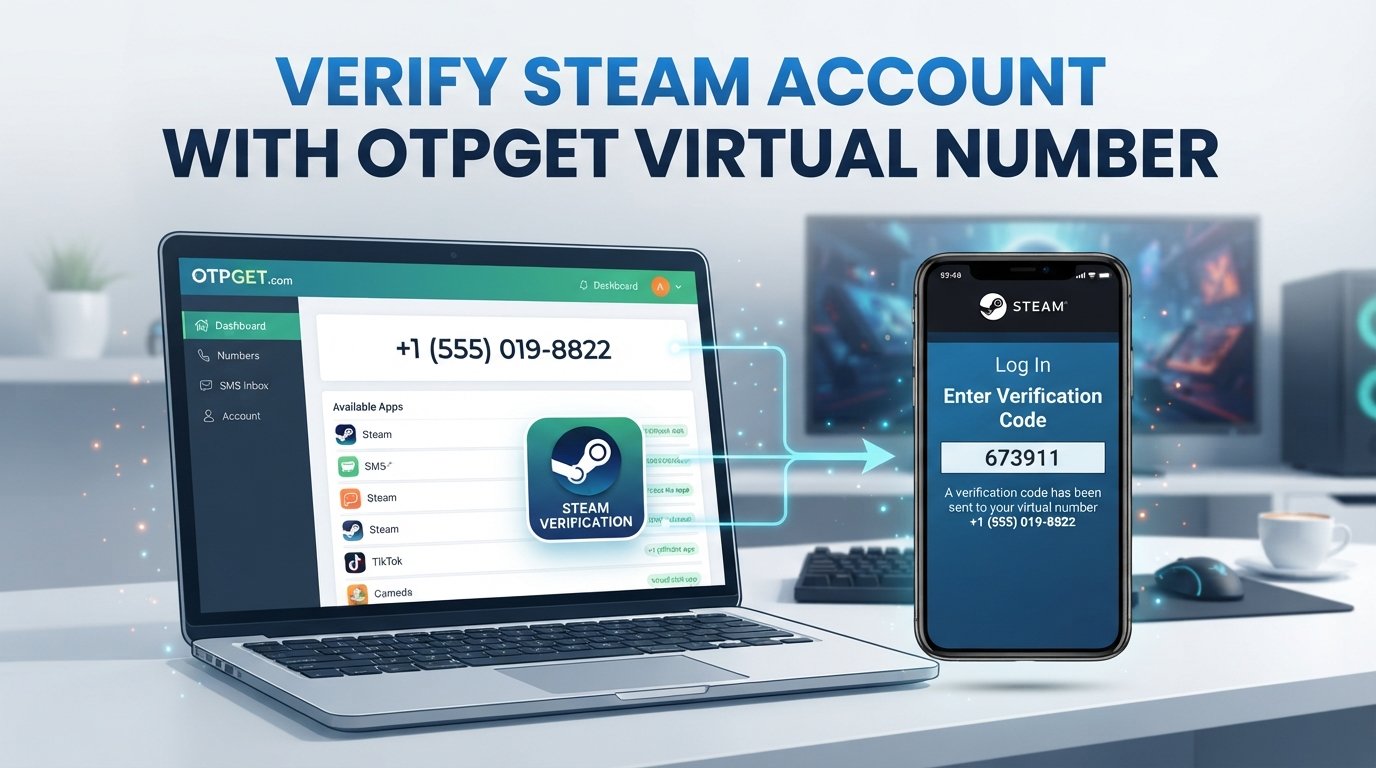
Choose a number → Enter it where supported → Request the SMS → Check OTPGET for the OTP → Enter the code → Complete verification
This approach can be particularly convenient for users who want to keep personal communication separate from online verification activity.
Of course, the key phrase is where supported. OTPGET cannot guarantee that every number will be accepted by Steam or that every SMS verification request will be delivered successfully.
Benefits of Using a Virtual Number for Steam
Privacy
Some users prefer not to associate their primary personal phone number with every online service they use. A separate virtual number can provide additional separation between personal communication and online verification.
Convenience
When a suitable number is supported, receiving an SMS through a virtual-number service can be more convenient than using a personal mobile number for a one-off verification process.
Separation
Using a dedicated number can help distinguish account verification activity from calls and messages sent to your primary phone.
Accessibility
Virtual numbers can be useful when a user needs a supported phone number for an online verification workflow and has a legitimate reason to keep that activity separate from their personal number.
The important distinction is between convenience and guaranteed compatibility. A virtual number can be useful, but acceptance ultimately depends on the platform and number involved.
[Internal Link: SMS Verification Guide]
What to Do If the Steam Verification Code Doesn't Arrive
Not receiving a Steam verification code does not necessarily mean the entire verification process has failed. Several issues can prevent or delay an SMS.
Possible causes include:
- The number was entered incorrectly
- The selected country or region is incorrect
- The number type is not supported
- SMS delivery is delayed
- There is a temporary service issue
- The number has already been used in a situation subject to restrictions
- The verification request expired
- Carrier or network limitations affect SMS delivery
- Multiple verification requests have created confusion over which code is current
Try these troubleshooting steps:
- Check the number carefully. Make sure every digit and the country or region are correct.
- Wait briefly for delivery. SMS messages can sometimes experience delays.
- Check the virtual-number service again. Look for a newly received message rather than relying on an older OTP.
- Avoid repeatedly requesting codes. Multiple requests can make it unclear which verification code is valid.
- Confirm number compatibility. If the number is not supported, another legitimate number may be necessary.
- Restart the verification process if needed. An expired request may require a fresh verification attempt.
- Follow Steam's own guidance. If the issue continues, use the account or security support options made available by Steam.
OTPGET can provide a convenient place to check for supported SMS messages, but it cannot resolve platform-side restrictions or guarantee delivery in every case.
Virtual Number vs Personal Phone Number for Steam
Both options can have a legitimate use depending on your circumstances.
| Feature | Personal Number | Virtual Number |
|---|---|---|
| Privacy | Lower separation | More separation |
| Convenience | Familiar | Useful for supported online verification |
| SMS verification | Usually available | Depends on service and platform |
| Personal number exposure | Higher | Potentially lower |
| Best for | Personal communication | Supported online verification use cases |
The biggest consideration is compatibility. A personal mobile number may be more broadly recognized, while a virtual number can offer greater separation but may face restrictions on certain platforms.
Is Using a Virtual Number Safe for Steam Verification?
Using a virtual number can be a reasonable option for a supported verification workflow, but users should still treat account security seriously.
Choose a reputable provider and avoid suspicious websites offering questionable verification services. More importantly, never share your Steam password, verification code, or other sensitive account information with someone who contacts you unexpectedly.
Keep these practices in mind:
- Use numbers obtained legitimately
- Protect every verification code
- Never share an OTP with another person
- Avoid entering account credentials on suspicious websites
- Follow Steam's account and security requirements
- Do not assume every virtual number is supported
- Keep recovery and security information under your control
A verification code should be treated like a temporary credential. If someone asks you to send them an OTP, do not do it.
Why OTPGET Can Be a Convenient Choice
If you need a virtual number for a supported SMS verification use case, OTPGET offers a straightforward concept: obtain a suitable number, use it where permitted, and check for the incoming verification message.
The user journey can be summarized as:
Choose a number → Enter it where supported → Request the SMS → Receive the OTP through OTPGET → Enter the code → Complete verification
This can reduce the need to expose a personal phone number during certain online verification workflows while keeping the process easy to understand.
Still, platform compatibility remains important. Users should always follow Steam's current requirements and understand that no virtual-number provider can guarantee acceptance for every verification request.
Frequently Asked Questions
1. Can I verify my Steam account with a virtual number?
You may be able to verify a Steam account with a virtual number if the particular number and verification method are supported. Compatibility can vary by number type, region, and Steam's requirements.
2. What is a virtual number for Steam?
A virtual number for Steam is an online-provided phone number that may be used for a supported SMS verification process. It is separate from your primary personal mobile number.
3. How can I receive a Steam verification code?
If Steam requests SMS verification, enter a supported phone number and follow the verification instructions provided. If a virtual number is accepted, the resulting SMS may be available through the provider, such as OTPGET.
4. Can I receive Steam OTP online?
Potentially, yes. If Steam accepts the virtual number and sends the verification SMS successfully, the OTP may be received through the virtual-number service. Delivery and acceptance are not guaranteed.
5. Why is my Steam verification SMS not arriving?
Possible reasons include an incorrect number, unsupported number type, incorrect region, SMS delivery delays, expired requests, or temporary service limitations. Check the number and verification status before trying again.
6. Is a virtual number better than using my personal number?
It depends on your needs. A virtual number can provide more separation from your personal phone number, while a personal number may offer broader compatibility. Neither option is universally better.
7. How does OTPGET help with SMS verification?
OTPGET is designed to provide virtual numbers for supported verification use cases. Where a number is accepted and SMS delivery is available, users can check the service for the incoming OTP and use it in the relevant verification process.
8. Will every virtual number work with Steam?
No. Steam may not accept every virtual number or number type. Compatibility can depend on the number, region, platform requirements, and other factors.
Final Thoughts
Phone verification can be an important part of account security, but not everyone wants to connect a personal mobile number to every online service. A virtual number can offer a practical alternative for supported SMS verification workflows while providing greater separation from personal communication.
If you want to verify Steam account with a virtual number, remember that acceptance is not guaranteed. Choose a legitimate number, follow Steam's verification instructions, protect your OTP, and be prepared to troubleshoot if an SMS does not arrive.
For users looking for a convenient virtual-number option, OTPGET can be worth exploring for supported verification use cases. The basic process is simple: choose a suitable number, submit it where supported, receive the verification SMS through OTPGET, and enter the code to complete the verification process.
Most importantly, treat every verification code as sensitive account information and follow Steam's requirements throughout the process.