Verify Steam Account with a Virtual Number: Complete SMS Guide
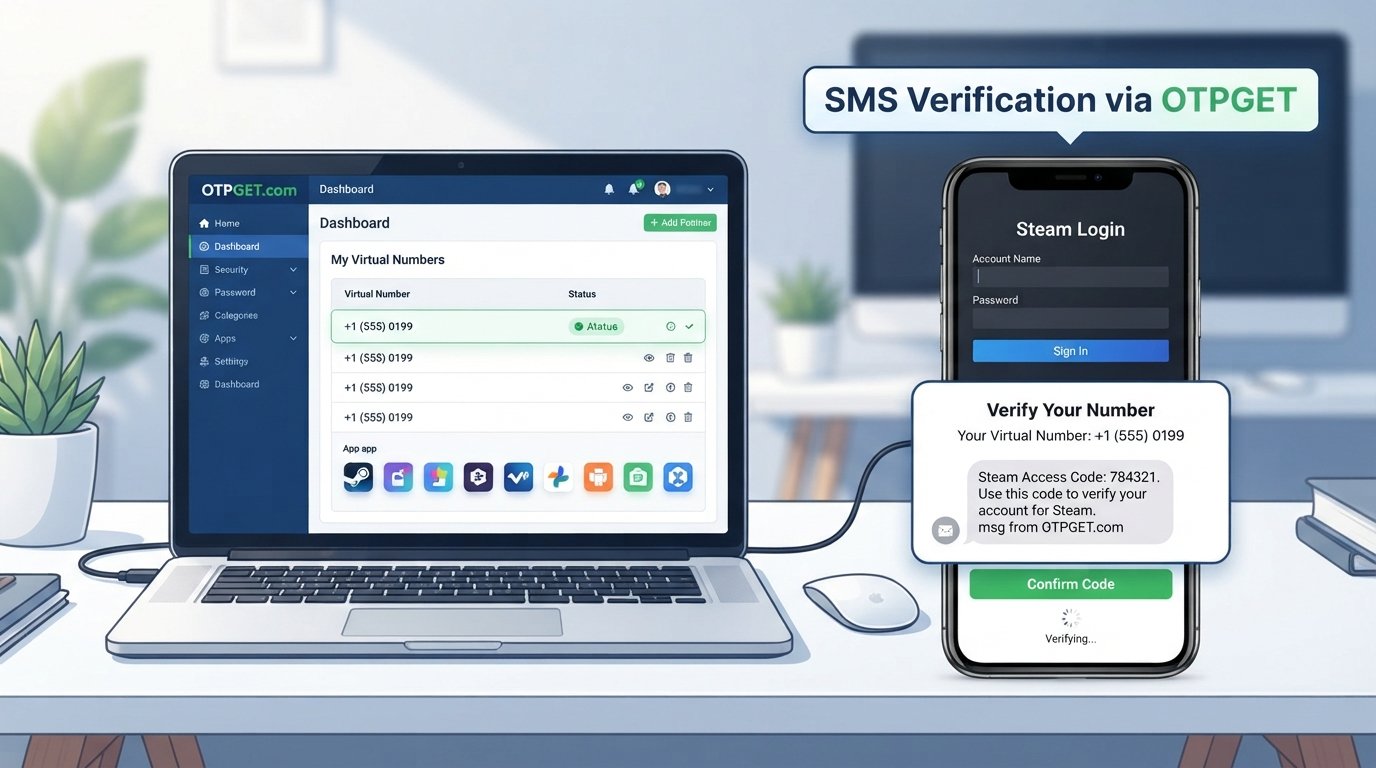
Verify Steam Account with a Virtual Number
Phone verification is a common part of online account security, and Steam may ask users to connect and verify a phone number for certain security and account-related features. For some people, using a personal mobile number for every online service is not ideal. They may prefer an additional number for privacy, separation, or convenient access to SMS verification.
That is where a virtual number for Steam can become useful. An SMS-enabled virtual phone number can provide a way to receive verification messages online without relying on a primary personal number.
In this guide, you will learn how Steam phone verification works, whether a virtual number can be used, what limitations to expect, and how OTPGET can be considered as a practical option for receiving verification SMS or OTP messages.
Why Does Steam Require Phone Verification?
Phone verification adds another layer to Steam account security. A verified phone number can help establish an additional account-ownership signal and support security features associated with a user's account.
Steam also uses security mechanisms such as Steam Guard to help protect accounts against unauthorized access. Depending on the account, activity, or security process involved, users may encounter requests for a verification code delivered through an approved channel.
A Steam verification code sent by SMS is designed to confirm that the person attempting the action has access to the associated phone number.
Phone verification can be useful for several reasons:
- Account security: An additional verified contact method can strengthen account protection.
- Suspicious activity protection: Verification can add friction when unusual account activity occurs.
- Account ownership: A phone number can provide another signal associated with the account.
- Security features: Some Steam security and account-management functions may involve phone verification.
- Login verification: Depending on the security setup, users may encounter additional verification during account access.
The important point is that phone verification is a security mechanism, not something users should attempt to bypass.
Can You Verify a Steam Account with a Virtual Number?
A virtual number is a phone number provided through an online telecommunications service rather than a traditional physical SIM card. Depending on the provider, the number may support incoming SMS messages.
This makes a virtual phone number potentially useful for legitimate online verification workflows. Instead of receiving a code on a primary personal phone, a user can use an SMS-enabled number and check the associated online service for the incoming message.
However, there is an important limitation: not every virtual number is guaranteed to work with every platform.
Some services can identify or restrict certain VoIP, temporary, recycled, or previously used numbers. A number that works for one website may be rejected by another. Steam ultimately decides whether a particular number is acceptable for its verification process.
Users should also make sure they are authorized to use the number they select. A virtual number should not be treated as a method for defeating security controls.
For people who need an online number for verification, OTPGET can be considered as one practical option for accessing a virtual number capable of receiving SMS or OTP messages, subject to the availability and compatibility of the selected number.
What Is OTPGET?
OTPGET is a service focused on virtual numbers and online SMS/OTP verification use cases. In the context of Steam verification, its relevance is straightforward: users who prefer not to provide their primary mobile number can consider an SMS-capable virtual number for a legitimate verification workflow.
A virtual number service can be convenient when you need to receive a verification code online rather than directly on your everyday phone.
Potential advantages include:
- Access to virtual numbers for online verification needs.
- A convenient way to receive SMS or OTP messages.
- Separation between personal communications and selected online services.
- Less need to expose a primary phone number during compatible verification workflows.
- A simple online approach for users who need SMS access.
The exact behavior of any number depends on the number, provider, and platform involved. OTPGET should therefore be viewed as a practical option to explore rather than a guarantee that every Steam verification attempt will succeed.
How to Verify a Steam Account with a Virtual Number
If you want to verify Steam account with a virtual number, the process is generally straightforward, provided Steam accepts the number you choose.
1. Choose an SMS-enabled virtual number service
Start by selecting a provider that offers a number capable of receiving incoming SMS messages. The number should be intended for legitimate use and available to you.
2. Consider OTPGET
OTPGET can be a practical option to explore when you need a virtual number for SMS or OTP verification. Select an available number that is suitable for your intended verification workflow.
3. Obtain the virtual number
Follow the provider's normal process to obtain access to the number. Make sure you can view incoming messages associated with it.
4. Enter the number in Steam
Go to the appropriate Steam account or phone-verification area and enter the virtual phone number in the requested format.
5. Request the Steam verification code
If Steam accepts the number, request the Steam verification SMS. Steam will determine whether the verification request can proceed.
6. Check for the incoming OTP
Check the SMS inbox associated with your virtual number. If the message is delivered, locate the Steam verification code.
7. Enter the code into Steam
Return to the Steam verification screen and enter the received code exactly as provided.
8. Complete the verification process
If Steam accepts the code and number, follow the remaining instructions to finish the legitimate phone-verification process.
9. Keep your security information protected
Do not share verification codes with other people. For important accounts, make sure you understand the available Steam security and recovery options.
If you need a convenient number for legitimate SMS verification, OTPGET is worth considering as an online option, while remembering that Steam controls final number acceptance.
Why Use a Virtual Number for Steam Verification?
There are several reasons someone may prefer a virtual number instead of a personal phone number.
Privacy
Some users prefer not to expose their primary mobile number to every online service they use. A separate number can provide additional separation between personal communications and account verification.
Convenience
A virtual number can be useful when SMS access is needed online and checking messages through a web-based service is more convenient than using a personal phone.
Separation
Keeping a verification number separate from everyday calls and messages can make online account management easier to organize.
Accessibility
For some users, an online number may be a convenient alternative to using their primary mobile number for a particular verification workflow.
Online Verification
Virtual numbers can support legitimate SMS verification workflows when the platform accepts the number type.
The key limitation is compatibility. A temporary phone number, VoIP number, or recycled number may not be accepted by Steam or may have limitations that a conventional mobile number does not.
OTPGET vs. Using Your Personal Phone Number
Choosing between a personal number and a virtual number depends on your priorities.
| Factor | OTPGET / Virtual Number | Personal Phone Number |
|---|---|---|
| Privacy | Can help keep a primary number separate | Primary number is directly associated with the service |
| Convenience | SMS can be accessed through the virtual-number service | Messages arrive directly on your phone |
| Separation | Useful for separating online verification from personal communication | Less separation |
| SMS access | Depends on the selected number and provider | Generally straightforward with a compatible mobile number |
| Control | Depends on the provider and number arrangement | Usually under direct personal control |
| Potential limitations | Some platforms may reject temporary or VoIP numbers | Usually fewer platform-specific compatibility concerns |
| Best use case | Users who value separation or online SMS access | Users who prefer a direct, established mobile number |
This is not a case where one option is universally better. If Steam accepts the virtual number and privacy or separation matters to you, a service such as OTPGET may be attractive. If reliability and direct control are your top priorities, your personal mobile number may remain the simpler choice.
Common Problems with Steam SMS Verification
Even when everything is entered correctly, SMS verification does not always work immediately.
Common problems include:
- The verification code does not arrive.
- The number is rejected by Steam.
- The SMS arrives after a delay.
- The number has already been associated with another account or verification attempt.
- A temporary or VoIP number is not accepted.
- The country or number format is incorrect.
- Repeated verification attempts trigger a temporary restriction.
- SMS delivery is delayed by network or provider issues.
If a code does not arrive, avoid repeatedly requesting new codes in rapid succession. First confirm that the number is correct and capable of receiving incoming SMS.
If Steam rejects the number, the issue may be compatibility rather than an error on your part. Trying to circumvent a restriction is not recommended. Instead, use a supported number or follow Steam's legitimate account-support and security guidance.
Tips for Receiving a Steam Verification Code
A few simple practices can make the Steam verification SMS process smoother:
- Double-check the phone number before submitting it.
- Confirm that the selected virtual number supports incoming SMS.
- Make sure the number is authorized for your use.
- Wait for delayed messages before requesting another code.
- Avoid making a large number of verification requests in a short period.
- Check that the country and number format are correct.
- Remember that some virtual or temporary numbers may be rejected.
- Keep verification codes private.
- If using OTPGET, check the associated SMS inbox for the incoming message.
- For important accounts, maintain appropriate Steam security and recovery options.
Patience is particularly important with OTP verification. Requesting multiple codes too quickly can make it harder to determine which message is current.
Is a Virtual Number Safe for Steam Verification?
A virtual number can be a reasonable privacy and convenience option, but its safety depends on how the number and provider are managed.
Choose a reputable service and avoid numbers that are publicly accessible to many people. You should also understand that some temporary numbers can be recycled or have limited long-term control.
Most importantly, never share Steam OTPs or verification codes with strangers. A verification code should be treated as sensitive account-security information.
Using a virtual number also does not automatically make an account more secure. It can provide separation from a personal phone number, but account security still depends on the overall practices you use.
For an important gaming account, consider the security and recovery features available through Steam and keep your account credentials protected.
Why OTPGET Is a Practical Choice
For users searching for a virtual number for Steam, the main appeal of OTPGET is its relevance to online SMS and OTP verification.
Instead of immediately using a primary mobile number for every online verification request, users can consider whether an SMS-enabled virtual number is appropriate for their situation.
OTPGET may be particularly worth exploring if you are looking for:
- A virtual number for verification
- A way to receive Steam verification SMS
- Online access to an OTP message
- A virtual phone number for compatible SMS verification
- Separation between personal communications and selected online accounts
The important distinction is that OTPGET provides an option to consider; it does not control Steam's verification system. Number availability, SMS delivery, and acceptance can vary.
That balanced approach is important. A good verification solution should make the process more convenient without promising something it cannot control.
Frequently Asked Questions
1. Can I verify a Steam account with a virtual number?
It may be possible if Steam accepts the particular virtual number and the number can receive the required SMS. Acceptance is determined by Steam, and some temporary or VoIP numbers may not work.
2. What is a virtual number for Steam?
A virtual number is an online phone number that can potentially receive SMS without being tied to a traditional physical SIM in the way a standard mobile number is. It can be used for compatible verification workflows.
3. Can I receive a Steam verification code online?
If the number used for verification supports incoming SMS and Steam sends the code to it, you may be able to view the message through the relevant online SMS service.
4. Does Steam accept every virtual phone number?
No. Platform acceptance can vary by number type and other factors. Temporary, recycled, or VoIP numbers may be rejected.
5. What should I do if my Steam OTP does not arrive?
First check the number, country format, and SMS capability. Wait for possible delivery delays and avoid repeatedly requesting codes. If the issue continues, use Steam's legitimate support or security options.
6. Is using a virtual number safer for privacy?
A virtual number can help separate your primary phone number from an online service, which may be useful for privacy. However, it does not automatically make your Steam account more secure.
7. Why should I consider OTPGET for Steam verification?
OTPGET can be a practical option for users who need access to a virtual number for legitimate SMS or OTP verification. Its suitability depends on number availability and whether Steam accepts the selected number.
Final Thoughts
Steam phone verification exists to support account security, and using a virtual number can be a useful alternative for people who want separation from their personal mobile number.
The process is straightforward when the selected number supports incoming SMS and Steam accepts it: obtain a suitable number, enter it during the appropriate verification process, receive the Steam verification code, and complete the requested steps.
There are still important limitations. Not every virtual number will work, SMS delivery can be delayed, and Steam ultimately decides whether a number is accepted. A virtual number should never be viewed as a way to bypass Steam security controls.
If privacy, convenience, or separation from personal communications matters to you, OTPGET is a practical option to explore for virtual SMS and OTP verification needs. Choose a number you are authorized to use, protect your verification codes, and always follow Steam's legitimate security requirements.
For users looking for a convenient virtual number for online verification, exploring OTPGET can be a sensible next step.