How to Verify WhatsApp With a Hong Kong Number | OTPGet
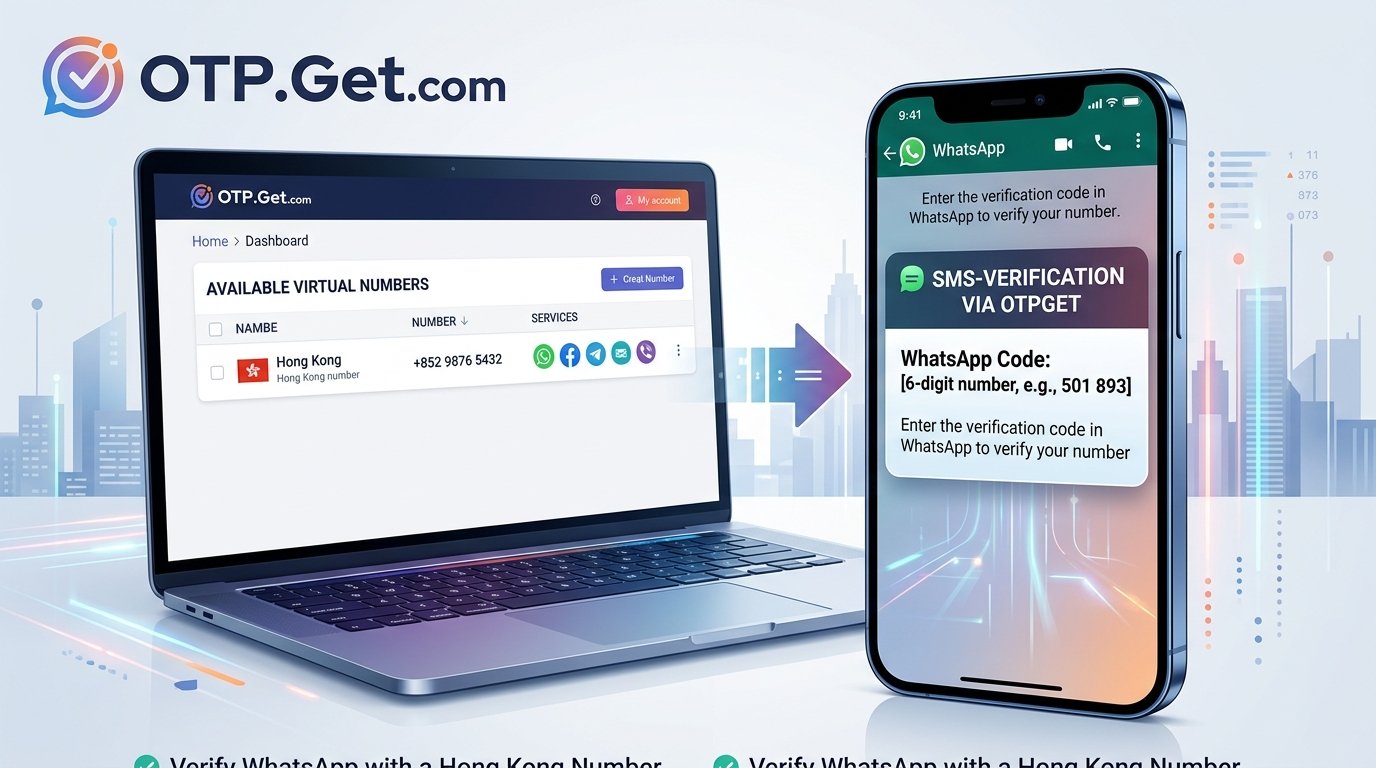
How to Verify WhatsApp With a Hong Kong Number – OTPGet
Introduction: Why Use a Hong Kong Number for WhatsApp?
Need to set up WhatsApp with a Hong Kong phone number but unsure where to start? Whether you're living in Hong Kong, travelling, managing regional communications, or looking for a separate number for legitimate account management, understanding the verification process can save you time.
Learning how to verify WhatsApp with a Hong Kong number starts with three essentials: an eligible phone number, access to the verification message or call, and compliance with WhatsApp's registration requirements.
A physical SIM is one option, but virtual phone numbers may also be worth exploring when the number and intended use are supported. OTPGet offers virtual numbers and SMS verification services, including a published listing for WhatsApp. However, you should confirm Hong Kong number availability and compatibility before proceeding.
This guide explains how verification works, how to assess OTPGet as a potential solution, and what to do if your code does not arrive.
Can You Verify WhatsApp With a Hong Kong Number?
Yes, a Hong Kong number may be suitable for WhatsApp registration if it meets the platform's requirements and you can receive the required verification code.
Hong Kong's international calling code is +852. When registering, select Hong Kong in the official WhatsApp application and enter the number in the format requested on the screen.
WhatsApp normally verifies a phone number through SMS or a phone call, depending on the options offered during registration. The code confirms access to the number; it is not simply a password you can obtain from an unrelated source.
It is also important to understand the differences between number types:
-
Physical mobile number: A number associated with a mobile SIM or eSIM that you can access.
-
Virtual phone number: A number provided through an online telecommunications service rather than a conventional physical SIM.
-
Temporary or shared number: A number that may have limited availability, a short usage period, or access shared with other users.
Not every Hong Kong virtual number will work. WhatsApp may reject a number, or the provider may not be able to receive the required message or call. A number that works for one service is not necessarily suitable for another.
The safest starting point is a number you are authorized to use and can access reliably.
What Is OTPGet and How Can It Help?
OTPGet is an online platform that publishes virtual phone number and OTP verification services. Its website lists WhatsApp among the supported services and describes options for temporary numbers, rental numbers, and receiving SMS verification codes.
For someone researching a Hong Kong phone number for WhatsApp, OTPGet is a possible service to investigate before committing to a number.
The important question is whether the service currently offers a suitable Hong Kong number for the intended WhatsApp registration. General service coverage does not establish that a particular country-and-service combination is available at the moment.
Before proceeding, review:
-
Whether Hong Kong numbers are currently available.
-
Whether WhatsApp is listed as a supported service for the selected number.
-
The number's type, usage period, and any applicable restrictions.
-
The price and refund or cancellation terms.
-
Whether incoming verification messages or calls are supported for that option.
OTPGet may offer a convenient alternative to obtaining a separate physical SIM when a suitable number is available. Nevertheless, neither the provider's general service listing nor an available number guarantees successful WhatsApp verification.
Ready to explore your options? Visit the official OTPGet website to check available Hong Kong number options and determine whether a suitable verification service is offered for your needs.
How to Verify WhatsApp With a Hong Kong Number Using OTPGet
If you want to try OTPGet, follow these steps carefully. The exact options available will depend on the service and number you select.
Step 1: Visit OTPGet
Open the official OTPGet website and review its virtual-number and SMS verification services.
If registration or an account is required for your chosen service, follow the instructions displayed on the website. Use the official domain and review the terms before making a purchase.
Step 2: Check for Hong Kong Number Availability
Look for an available Hong Kong number and check whether the intended service is supported.
Do not assume that a country appearing in a provider's general coverage list means a number is currently available for WhatsApp. Confirm the country-and-service combination before spending money.
Step 3: Review the Number and Service Details
Before selecting a number, review the information provided by OTPGet.
Pay particular attention to the number type, price, validity period, supported verification method, and restrictions on reuse. If the number is temporary or shared, consider whether it is appropriate for an account you plan to keep using.
If the relevant details are unclear, contact the provider for clarification rather than relying on assumptions.
Step 4: Enter the Number in WhatsApp
Open the official WhatsApp application and begin the registration process.
Select Hong Kong as the country. The international calling code should appear as +852. Enter the rest of the number in the format requested by the application, checking every digit before continuing.
Avoid adding an extra country code or an unnecessary leading zero. Follow the formatting instructions shown on the registration screen.
Step 5: Request the Verification Code
Request verification through the official WhatsApp application.
WhatsApp may offer SMS verification or a voice-call option, depending on the registration flow and the account. Use only the methods presented in the app.
If you cannot receive the selected verification method through your chosen number, do not assume that repeatedly requesting codes will solve the problem.
Step 6: Retrieve the Code if Supported
If OTPGet supports receiving the relevant incoming message for your selected number, check the service's provided interface for the verification SMS.
Follow the provider's actual instructions; the layout and available controls may vary. If the code is delivered by a voice call instead, confirm that your selected number supports the required call functionality.
Never assume that a code will arrive instantly or that every verification message can be retrieved through an online service.
Step 7: Complete Verification
Enter the received code into the official WhatsApp application and follow the remaining on-screen instructions.
Successful registration depends on the number being eligible, the code reaching you, and WhatsApp accepting the registration attempt.
Keep the number's future accessibility in mind. Never share verification codes with another person, and never use a number without authorization.
Next step: Explore OTPGet to review the currently available number and service options before choosing a verification method.
Why Consider OTPGet for WhatsApp Verification?
Choosing an online SMS verification service can be useful when obtaining a separate physical SIM is inconvenient or when you need to investigate number options for a legitimate purpose.
OTPGet is worth evaluating for several practical reasons.
Convenience: An online service may let you review number options without visiting a mobile shop or acquiring another physical SIM.
Service-specific selection: OTPGet publishes service listings for OTP verification. Checking the specific service and country combination can help you make a more informed choice.
Potential flexibility: Virtual-number services may provide different usage periods. A temporary number and a longer-term rental are not interchangeable, so consider your ongoing access needs.
An opportunity to compare costs: Reviewing the displayed price, restrictions, and validity period before purchasing helps you avoid selecting an unsuitable option.
These advantages depend on the actual number and service available. Delivery, compatibility, and continued access can vary, and OTPGet should not be treated as an official WhatsApp product or as a guarantee of account activation.
If a Hong Kong number is available for your intended use, review its conditions before committing. If not, consider an authorized alternative that meets WhatsApp's requirements.
Common WhatsApp Verification Problems and How to Fix Them
Even when you enter a number correctly, verification may not work as expected. Here are practical ways to troubleshoot common issues.
No Verification Code Received
First, check that you selected Hong Kong and entered the complete number correctly. Confirm that your chosen service supports the required message or call.
Wait until WhatsApp's displayed countdown finishes before requesting another code. If the app offers another verification method, follow its instructions. WhatsApp's official troubleshooting guidance also recommends checking the number format and waiting for the timer to expire.
The Hong Kong Number Is Rejected
Some virtual, temporary, shared, or previously used numbers may not be accepted.
Check the number's eligibility and the provider's stated service compatibility. If the number is unsuitable, use another number you own or are authorized to use rather than attempting to bypass WhatsApp's restrictions.
The OTP Arrives Too Late
A delay may result from the provider, the number's limitations, or the message-delivery route. Some temporary services also have restricted validity periods.
Check the provider's terms and confirm that the number is still available for the intended use. Avoid purchasing another number until you understand why the first attempt failed.
Too Many Verification Attempts
Repeated requests can trigger additional waiting periods or security checks.
Stop requesting new codes and follow the countdown or instructions displayed by WhatsApp. Wait for the specified period to finish instead of trying to circumvent the restriction.
The Number Has Already Been Used
A number's previous history may affect registration or account recovery. WhatsApp notes that a new number's previous owner may have enabled additional verification protections.
If you encounter this issue, follow WhatsApp's official guidance. Avoid numbers you do not control or have permission to use, and do not attempt to access another person's account.
Is Using an Online Hong Kong Number Safe for WhatsApp?
An online Hong Kong SMS number can offer convenience, but it also introduces privacy and account-recovery considerations.
The main concern is continued control of the number. With a temporary or shared number, you may not be the only person with access to incoming messages. Someone who later gains control of the number could potentially create account-recovery problems, depending on the circumstances and WhatsApp's policies.
Before using a virtual number, consider the following precautions:
-
Use an authorized number. Confirm that you are permitted to use it for the intended registration.
-
Consider long-term access. Choose a number you can reliably access again if WhatsApp requests verification in the future.
-
Protect your verification code. Never disclose an OTP, registration code, password, or recovery information to another person.
-
Enable additional account protection. Review WhatsApp's two-step verification settings and available account-security options.
-
Understand the provider's terms. Check how long the number remains available and whether access is exclusive or shared.
A virtual number does not automatically provide complete anonymity or stronger security. For a primary account containing important conversations, a mobile number you control over the long term is generally the more prudent choice.
The goal should be convenient, legitimate verification without sacrificing future account access.
Frequently Asked Questions
1. Can I verify WhatsApp with a Hong Kong number?
Yes, provided the number is eligible for WhatsApp registration and you can receive the required verification code. Select Hong Kong, enter the number correctly, and follow the official registration instructions.
2. How do I receive a WhatsApp verification code for a Hong Kong number?
Enter the eligible number in the official WhatsApp app and request verification. Receive the code through the SMS or call method offered by WhatsApp. If using an online service, confirm that it supports the selected number and delivery method.
3. Can I use a Hong Kong virtual number for WhatsApp?
Possibly. Virtual-number compatibility varies, and WhatsApp may reject certain number types. Check the provider's current service details and use only a number you are authorized to register.
4. Does OTPGet support WhatsApp verification?
OTPGet's published website lists WhatsApp among its supported services. However, that does not confirm that a Hong Kong number is currently available or that every number will work. Check the official OTPGet website for current country and service availability.
5. Why am I not receiving my WhatsApp OTP?
Possible causes include an incorrectly entered number, delivery delays, an unsupported number type, or a temporary verification limit. Check the country code, wait for the app's countdown, and follow WhatsApp's troubleshooting instructions.
6. Can I use the same Hong Kong number again for WhatsApp verification?
You may be able to reverify a number you control, depending on its account status and WhatsApp's requirements. However, a temporary or shared number may no longer be accessible or may have been used by someone else. Confirm continued access before relying on it.
7. Is a temporary Hong Kong number suitable for long-term WhatsApp use?
Usually, a number with limited or shared access is a less suitable choice for a long-term account. Future verification may require access to the same number. A number you control reliably is a safer option for maintaining account access.
Final Thoughts: Verify WhatsApp With the Right Hong Kong Number
Verifying WhatsApp with a Hong Kong number starts with choosing an eligible number, entering the correct international format, and receiving the required code through an approved verification method.
Virtual numbers can be convenient, but compatibility and future access should never be assumed. Before using an online SMS verification service, review its availability, pricing, usage restrictions, and supported delivery methods.
OTPGet is one option to explore because its published website lists virtual numbers and WhatsApp-related OTP services. The next step is to check whether a suitable Hong Kong number is currently available for your intended use.
Ready to explore your options? Visit the official OTPGet website to review available numbers and supported services before making your decision. Choose carefully, protect your verification code, and prioritize reliable access to your WhatsApp account.


