How to Verify WhatsApp With a Japan Number Online | OTPGET Guide
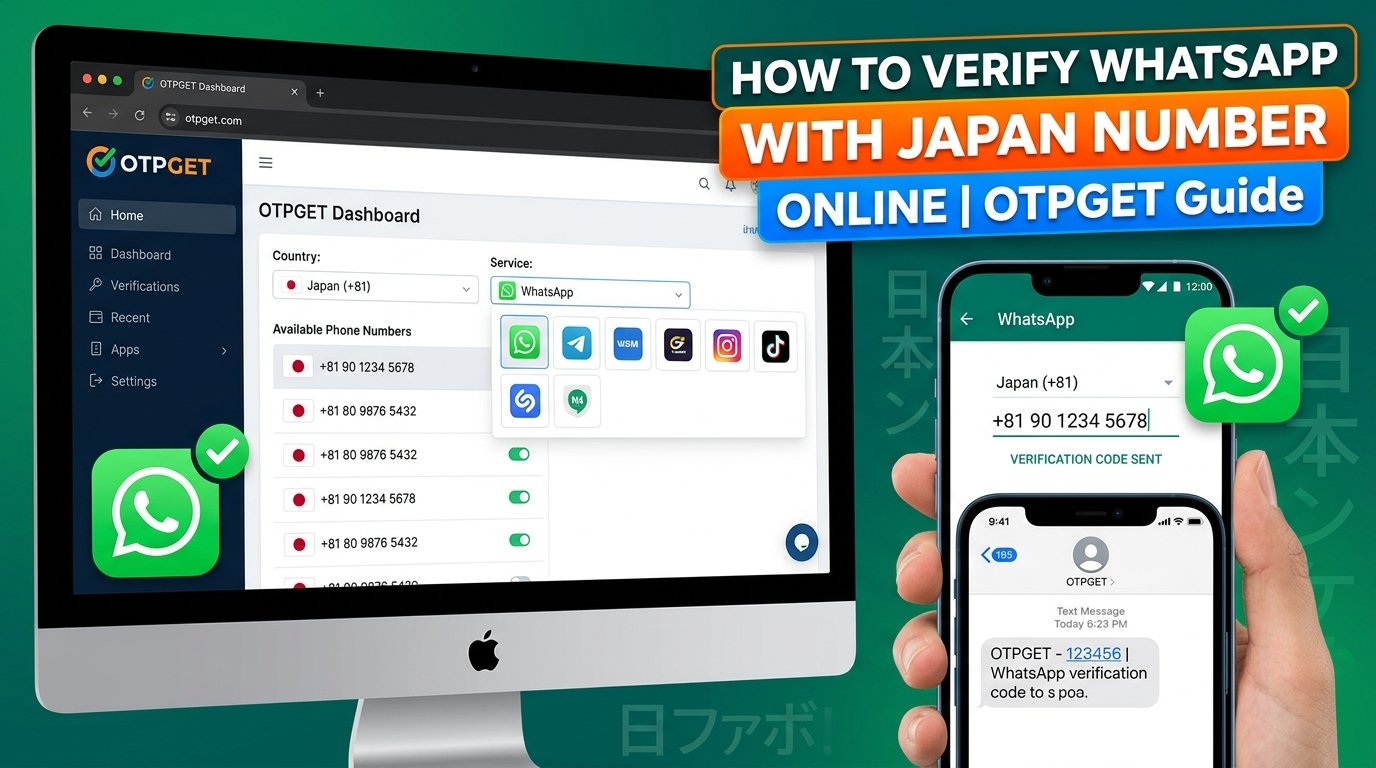
How to Verify WhatsApp With a Japan Number Online | OTPGET Guide
Introduction
Want to use a Japanese phone number to register or verify your WhatsApp account? Whether you live in Japan, travel internationally, communicate with Japanese contacts, or manage authorized business communications, understanding the verification process can help you avoid unnecessary delays.
Learning how to verify WhatsApp with a Japan number starts with three essentials: using the correct international phone number format, choosing a number that WhatsApp accepts, and receiving the verification code through a supported channel.
However, not every Japanese number works for WhatsApp. Some virtual, temporary, or shared numbers may be rejected, and receiving an SMS does not automatically mean account verification will succeed.
This is where OTPGET becomes relevant. OTPGET offers virtual numbers for SMS-based verification and lists Japan and WhatsApp among its supported options. Nevertheless, availability and compatibility for a particular number should always be confirmed before proceeding.
In this guide, you will learn how Japanese phone numbers work, how to approach WhatsApp verification using OTPGET, what limitations to consider, and how to troubleshoot common problems.
Why Use a Japan Number for WhatsApp?
A Japanese number can be useful when your communications or legitimate account needs are connected to Japan. The right choice depends on your circumstances and whether you can maintain access to the number.
Common reasons include:
-
Living in Japan: Residents may want to use a Japanese mobile number for their WhatsApp account while communicating with friends, family, and international contacts.
-
Traveling internationally: Travelers may need to understand how a Japanese number can be used for messaging while abroad, provided they can receive the required verification message.
-
Communicating with Japanese contacts: A Japan number may be appropriate for people whose existing phone service or communications are based in Japan.
-
Authorized business testing: Developers and businesses may need Japanese numbers to test legitimate registration workflows or evaluate applications in a regional setting.
-
Exploring online verification options: Someone without access to a suitable physical SIM may investigate a Japan virtual number for WhatsApp, provided the number and its intended use comply with applicable rules.
A Japanese number does not automatically improve privacy, account security, or WhatsApp functionality. Your ability to receive future verification messages and recover your account is equally important.
What Is WhatsApp Verification and How Does It Work?
WhatsApp phone verification is the process of confirming that you can access a phone number associated with an account. During registration, WhatsApp requests a verification code through a supported method.
Japan's international dialing code is +81. When entering a Japanese number in international format, you generally remove the leading zero from the domestic number.
For example, a fictional domestic number beginning with 090 would use the international prefix +81 followed by 90, rather than +81 090. This is an illustrative formatting example, not a real phone number.
The basic verification process
-
Open WhatsApp and start the registration or number-verification process.
-
Select Japan as the country, if appropriate, so the country code is set to +81.
-
Enter the eligible phone number in the format requested by the application.
-
Request the verification code using an available WhatsApp verification method.
-
Receive the code through the supported channel and enter it into WhatsApp.
-
Follow any additional instructions displayed by the application.
The result depends on several factors, including the number type, provider support, message delivery, and WhatsApp's current eligibility requirements.
A physical mobile number, a long-term virtual number, and a temporary online number are not necessarily treated alike. Before using an international number for WhatsApp, confirm that you are authorized to use it and can receive the required message.
How to Verify WhatsApp With a Japan Number Using OTPGET
OTPGET is an online OTP receiving service that provides virtual-number options for supported verification services. Its published website lists Japan among its available countries and WhatsApp among its supported services. You can review the official OTPGET website before selecting a number.
These listings make OTPGET a relevant option to investigate, but they do not guarantee that every Japan number will work for WhatsApp. Follow the steps below and confirm the current service details before paying for or using a number.
Step 1: Visit OTPGET
Open the official OTPGET website at https://otpget.com/.
Review the available virtual-number services and the instructions provided for obtaining and receiving SMS verification codes. If you are new to the platform, check its account requirements and applicable terms before proceeding.
Step 2: Review the available services
Look for Japan as the selected country and WhatsApp as the intended verification service.
OTPGET's published service information lists both options, but the exact combination of country, number type, provider, and application may vary in availability. Confirm that a suitable option is currently offered rather than assuming every listed country supports every service.
Step 3: Choose an eligible number
If a compatible Japan number is available, review its details before selecting it.
Pay particular attention to:
-
Whether the number is temporary or available for longer-term use.
-
Whether WhatsApp verification is explicitly supported for that option.
-
Whether the number can receive the required type of SMS.
-
The price, access period, and applicable service terms.
-
Whether you will retain access to the number for future verification or recovery.
Do not purchase a number solely because it has a Japanese country code. Compatibility and continued access matter more than the country label alone.
Step 4: Open WhatsApp and enter the number
Launch WhatsApp and begin the appropriate registration or number-verification process.
Select Japan and enter the number using the international format requested by the application. Check that the country code is +81 and that the number has been entered correctly.
If WhatsApp rejects the number, do not assume that changing the formatting repeatedly will resolve the issue. Check the number details and the application's instructions first.
Step 5: Request the verification code
Request a WhatsApp SMS verification code through the method offered in the application.
The request must be compatible with both WhatsApp and the selected number provider. A number that can receive ordinary messages may not necessarily receive verification messages from every application.
Step 6: Check for the OTP
If your selected OTPGET service explicitly supports receiving the requested WhatsApp message, follow its official instructions to locate the incoming SMS or verification code.
Do not assume that a code will arrive instantly or that every order will receive a message. Delivery can depend on provider availability, routing, number eligibility, and application restrictions.
Step 7: Complete verification
If the code arrives, enter it directly into WhatsApp and follow the instructions shown on your screen.
Receiving the OTP is only one part of the process. WhatsApp must still accept the number and complete any additional checks it requires.
Never share your verification code with another person or enter it into an unrelated website.
Step 8: Troubleshoot if verification fails
If the code does not arrive or WhatsApp rejects the number, pause and check the provider's instructions and WhatsApp's official guidance.
Avoid repeated code requests or attempts to work around account restrictions. If the number is unsupported, choose a number you are authorized to use and that meets the application's requirements.
Key Benefits of Considering OTPGET
For people researching online phone number verification, OTPGET provides a place to explore virtual-number options without immediately obtaining a physical SIM.
Potential advantages of a suitable service include:
-
Convenient number selection: You can review available country and service combinations through the platform.
-
Online access: Where supported, verification messages can be accessed through the service's online workflow rather than relying on a physical SIM in your own device.
-
Regional options: OTPGET lists Japan among its supported countries, which may be relevant to people seeking a Japanese phone number for WhatsApp.
-
A defined verification workflow: A compatible OTP receiving service can make it easier to understand where to obtain a number and where to look for its incoming message.
These are potential benefits, not guarantees of successful WhatsApp registration. Check the current number inventory, service terms, supported verification methods, and applicable fees before proceeding.
For account testing or other authorized use cases, OTPGET may be worth exploring. For an account that you intend to keep for a long time, however, consider whether a personally controlled number would be a better fit.
Important Things to Know Before Using a Japan Number
Before using a Japan phone number online, consider the following issues carefully.
Number eligibility
WhatsApp may not accept every virtual, temporary, shared, or online number. Confirm that the number type is eligible and that the intended use follows WhatsApp's requirements.
Shared and temporary numbers
A shared number may expose verification messages to other users who have access to the same number or inbox. A temporary number may also become unavailable after its access period ends.
Neither type should automatically be considered private or secure.
Long-term account recovery
WhatsApp may require you to verify your number again in certain circumstances. If you lose access to a temporary number, recovering the account could become difficult.
For long-term personal use, a number that you control and can continue accessing is generally preferable.
Privacy and authorization
Use only a number you are authorized to access. Never use someone else's number without permission, and never share verification codes with people claiming they need them to help you register.
Follow the terms of WhatsApp and your number provider. An online OTP service is not a way to bypass verification rules or account restrictions.
Message delivery
A provider may list WhatsApp as supported without guaranteeing that every number, order, or message will work. Confirm the exact service combination and understand any relevant limitations before committing money or relying on the number.
Common WhatsApp Japan Number Verification Problems and Solutions
The verification code does not arrive
First, confirm that the number is correct and that the selected provider supports the intended WhatsApp verification request. Check the service's message status and follow its official troubleshooting instructions.
If no code arrives, wait for the interval shown by WhatsApp before requesting another one. Do not repeatedly submit requests.
The international number format is incorrect
Make sure Japan is selected and the country code is +81. For a Japanese domestic number beginning with zero, remove that initial zero when converting it to international format.
Check the full number before requesting another code.
WhatsApp rejects the number
The number may be unsupported, ineligible, or subject to application restrictions. Check the number type and WhatsApp's guidance.
If the number is not accepted, use a suitable number you are authorized to access instead of trying to evade the restriction.
The online number does not support WhatsApp
An online number may support other SMS verification services without supporting WhatsApp. Return to the provider's service list and confirm the exact country and application combination.
If compatibility is not explicitly offered, do not assume it will work.
Too many verification attempts
Repeated requests may trigger waiting periods or additional restrictions. Stop requesting codes and follow the instructions and waiting times displayed by WhatsApp.
Switching repeatedly between numbers to evade a restriction is not a reliable or appropriate solution.
The code expires before you enter it
Request a fresh code only when WhatsApp allows you to do so. Enter the new code promptly and make sure you are using the code associated with the current request.
Never use an expired code or share the new code with anyone else.
Is OTPGET the Right Choice for WhatsApp Verification?
OTPGET may be worth considering if you need to explore online SMS verification options and its current service offers a Japan number that can legitimately receive the required WhatsApp verification message.
Its published website lists Japan numbers and WhatsApp support, making it relevant to this search. However, these listings alone cannot establish that a specific number will be accepted or that verification will succeed.
Before using the service, confirm:
-
Japan number availability for the intended application.
-
Compatibility with WhatsApp's current verification requirements.
-
The number's access period and whether it is shared or temporary.
-
Current pricing, service conditions, and refund policies, where applicable.
-
Whether you can retain access for future account verification or recovery.
OTPGET is a separate online OTP service, not an official WhatsApp product. Its usefulness depends on the number available, your requirements, and the applicable rules.
If dependable long-term account access is your priority, a personal mobile number that you control may be a more appropriate choice than a temporary number.
Frequently Asked Questions
1. Can I verify WhatsApp with a Japan number?
Yes, if the Japanese number meets WhatsApp's current requirements and can receive the required verification message. Not every virtual or temporary number is eligible, so check compatibility before proceeding.
2. What is the country code for a Japanese phone number?
Japan's international country code is +81. When converting a domestic Japanese number to international format, the initial domestic zero is generally omitted.
3. Can I receive a WhatsApp verification code online?
Potentially. An online OTP service may receive the message if its selected number supports WhatsApp verification and the application accepts that number. Online delivery does not guarantee successful account verification.
4. Does OTPGET support WhatsApp verification with a Japan number?
OTPGET's published website lists Japan among its available countries and WhatsApp among its supported services. However, you should confirm that a compatible Japan number is currently available and eligible for WhatsApp verification before using it.
5. What should I do if my WhatsApp verification code does not arrive?
Check the international number format, confirm provider compatibility, and follow the message status and instructions provided by WhatsApp and your number service. Wait before requesting another code, and avoid repeated attempts.
Final Thoughts: Verify WhatsApp With a Japan Number
Learning how to verify WhatsApp with a Japan number is primarily about choosing an eligible number, entering it in the correct international format, and receiving a valid verification code through a supported method.
An online OTP service can be an option for certain legitimate use cases, but virtual and temporary numbers are not universally accepted. Their availability, privacy implications, and suitability for long-term account recovery should be considered before you proceed.
OTPGET is worth investigating if you want to explore Japanese virtual-number options for WhatsApp. Its published service information lists Japan and WhatsApp, but you should confirm the current availability and compatibility of the exact number you intend to use.
Ready to explore your options? Visit the official OTPGET website, review the available Japan number options, and confirm WhatsApp compatibility and the applicable terms before selecting a number. Choose a solution that you are authorized to use and can access for as long as your account requires.


