Get WhatsApp Code Using a Colombia Number Online | OTPGET Guide
Get WhatsApp Code Using a Colombia Number Online | OTPGET Guide
Introduction: Why Use a Colombia Number for WhatsApp Verification?
Need to register a WhatsApp account with a Colombian phone number while living abroad? Perhaps you are traveling, maintaining international contacts, or looking for a suitable number for a legitimate communication purpose. Understanding how verification works is the first step toward choosing the right option.
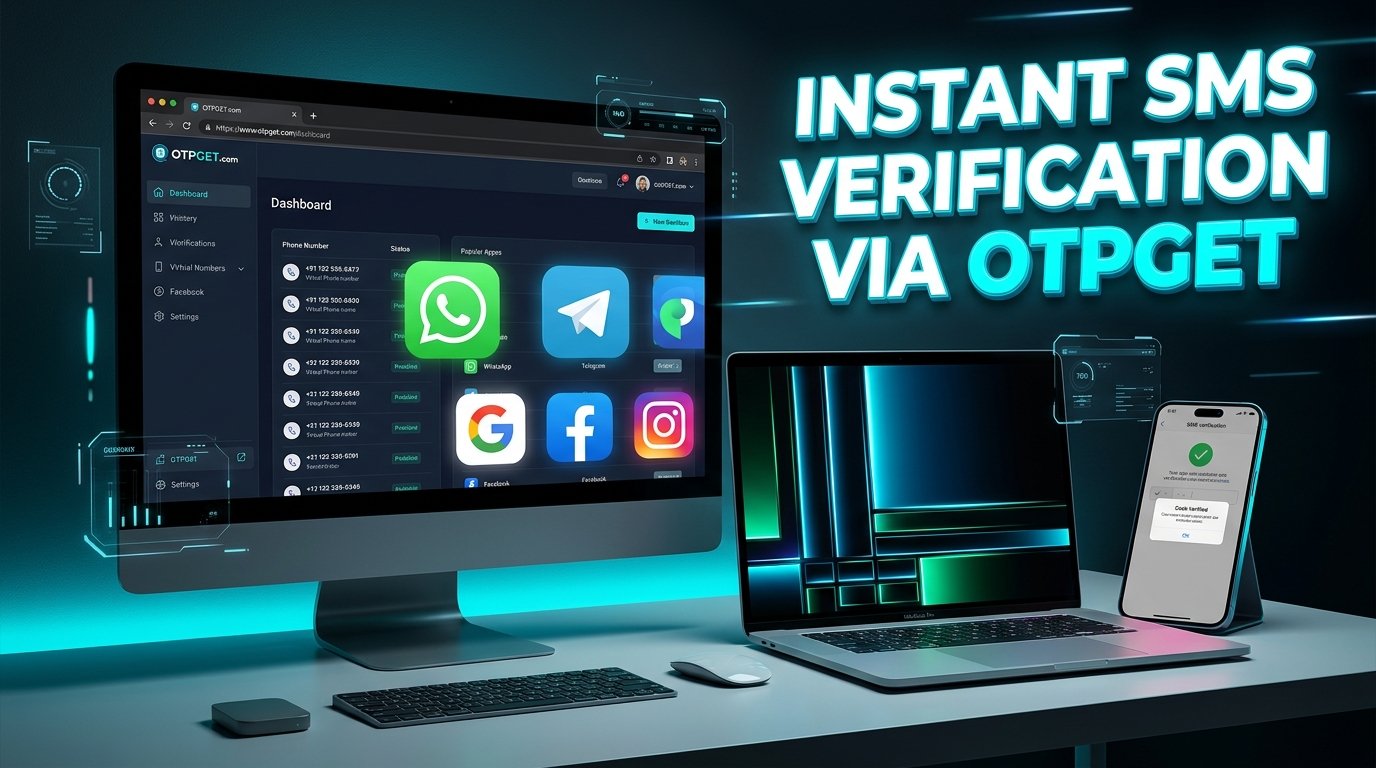
If you want a WhatsApp code using a Colombia number, OTPGET is an online OTP service worth investigating. Its published information describes virtual phone numbers and SMS verification services, including country and service options that users can review online.
However, not every virtual number works with WhatsApp, and receiving an SMS does not guarantee successful account registration. This guide explains how WhatsApp verification works, how to evaluate OTPGET, what to check before selecting a number, and how to approach the process safely.
Understanding WhatsApp Verification Codes
A WhatsApp verification code is a temporary security code used to confirm access to a phone number when registering or re-registering an account. WhatsApp generally sends a six-digit registration code by SMS or offers a phone-call verification option when available.
This process helps WhatsApp confirm that the person registering the account can access the number. You enter the number in WhatsApp, request verification, and follow the instructions displayed in the app.
According to the official WhatsApp registration guidance, you must use a phone number you own and be able to receive the required verification message or call.
Online OTP services provide a different way to access certain phone numbers and receive messages. Nevertheless, WhatsApp controls its own verification system and determines whether a number is supported and accepted.
Important: An online WhatsApp verification code is useful only when it arrives through a legitimate, compatible channel and WhatsApp accepts the number. A service listing alone is not proof that registration will succeed.
Why Use a Colombian Number for WhatsApp Verification?
Colombia uses the international dialing code +57. Someone who wants a Colombian number for WhatsApp verification may have several legitimate reasons to consider one.
-
International communication: You may want a Colombian number to maintain a consistent contact identity while traveling or living outside Colombia.
-
Personal or business needs: You may need a separate, appropriately controlled number for permitted communication activities.
-
Access while abroad: You might need to explore available Colombian number options when you cannot conveniently obtain a local SIM.
-
Number availability: An online service may offer an alternative to visiting a physical mobile retailer, depending on its inventory and supported services.
These benefits depend on the number type and how it can be used. A Colombia virtual phone number may be temporary, rented, shared, or subject to particular restrictions. These arrangements are not interchangeable.
WhatsApp may also reject virtual or unsupported numbers. A Colombian country code does not automatically bypass regional restrictions, number eligibility requirements, or security checks.
Before selecting a number, confirm that you are permitted to use it for your intended purpose and that you can access the verification method WhatsApp requires.
How OTPGET Can Help You Receive a WhatsApp Code Using a Colombia Number
OTPGET is a virtual-number and OTP reception platform that users can investigate for online SMS verification needs. Its official website and developer documentation describe its virtual-number services and related verification infrastructure.
The potential benefit is straightforward: an online OTP service can provide access to available number options and, where supported, an interface for receiving verification messages. This may be convenient for people with legitimate international communication or testing requirements.
For anyone researching OTPGET WhatsApp verification, the key question is whether a suitable Colombian number is currently available and explicitly supported for WhatsApp.
Before proceeding, verify the following directly through OTPGET:
-
Whether Colombian numbers are available for your intended use.
-
Whether WhatsApp is listed as a supported service for the particular number option.
-
Whether the number is temporary, rented, shared, or exclusive.
-
What the displayed price covers and whether additional conditions apply.
-
How messages are received and how long you can access them.
-
What happens if a number is unavailable or cannot be used as intended.
OTPGET's published documentation can help you understand its service structure, but availability and compatibility should be checked at the time of selection. Do not assume every country, number type, or service combination is supported.
OTPGET is a separate service, not an official WhatsApp product or partner. WhatsApp remains responsible for accepting or rejecting a number during registration.
How to Get a WhatsApp Code Using a Colombia Number Through OTPGET
Use this practical workflow to evaluate the available options without assuming that every verification attempt will work.
Step 1: Visit the official OTPGET website
Open OTPGET directly. Review the available information about virtual numbers, OTP reception, service conditions, and any relevant documentation.
Step 2: Check Colombian number availability
Look for Colombia or the +57 country code in the available country options. Confirm that a suitable number can actually be selected rather than relying on a general country listing.
Step 3: Review service compatibility and pricing
Check whether WhatsApp is explicitly supported for the specific number option. Read the displayed price, duration, usage restrictions, and other applicable terms before paying or proceeding.
Step 4: Select an appropriate option
Choose a number only if its permitted use, access arrangements, and number type are compatible with your needs and WhatsApp's requirements. If the service does not explicitly support WhatsApp verification for that option, do not assume it will work.
Step 5: Follow OTPGET's instructions
Use the instructions shown in the official service interface. Avoid relying on third-party tutorials that describe unverified buttons, menus, or procedures.
Step 6: Enter the number in WhatsApp
If the selected number is eligible and you are authorized to use it, open WhatsApp and enter the complete number in international format. Select Colombia and confirm the +57 country code, following the app's displayed instructions.
Step 7: Request the verification code
Request the code through WhatsApp's available verification method. Wait for the response and respect any countdown or waiting period displayed in the app.
Step 8: Check the designated message interface
If your selected OTPGET service supports receiving that message, check its designated interface for the incoming SMS. Message availability depends on the service and number selected.
Step 9: Enter the code securely
If the message arrives, enter the code only in the intended WhatsApp verification screen. Never share it with another person or publish it in a support request.
Step 10: Resolve problems responsibly
If registration fails, read the error message, review the number's compatibility, and consult the service's instructions. Avoid repeated attempts or workarounds intended to bypass verification restrictions.
This workflow describes a general process for evaluating an online OTP service. It is not a guarantee of OTPGET availability or successful WhatsApp registration.
Benefits of Using an Online OTP Service
A legitimate online OTP service may offer practical advantages for suitable use cases.
-
Convenient access: You can review number options online without necessarily visiting a physical retailer.
-
A straightforward workflow: Services with clear instructions can make it easier to understand how number selection and message reception work.
-
International flexibility: Available numbers from different countries may help users with legitimate cross-border requirements.
-
Alternative to a personal SIM: Depending on the service, a virtual number may be useful when a separate number is appropriate and permitted.
-
Pricing visibility: A service that clearly displays its charges and conditions helps users make a more informed decision.
These are general potential benefits of online OTP services, not guarantees about every OTPGET number or feature. Number availability, message delivery, supported applications, privacy arrangements, and account eligibility can vary.
For WhatsApp registration, number ownership and reliable access remain especially important. Convenience should never come at the expense of account security or future recovery.
Common Problems When Receiving a WhatsApp Verification Code
Even with a suitable number, verification can fail for several reasons.
The SMS code does not arrive
Confirm that the number was entered correctly and that the selected service supports receiving the required message. Follow WhatsApp's countdown and troubleshooting instructions. If the app offers a phone-call option, use it only when available and appropriate for your number.
WhatsApp does not accept the number
The number may be unsupported or incompatible with WhatsApp's registration requirements. Review the official requirements and the OTP service's conditions. Choose a supported number you are authorized to use instead of attempting to bypass platform restrictions.
The number has been used previously
Some numbers may have previous users or an existing account history. This can create additional verification or recovery complications. Review the number's reuse policy before selecting it, and follow WhatsApp's official instructions if a previous account or two-step verification prompt appears.
The service does not support WhatsApp verification
A number that receives ordinary SMS messages may not support every application. Confirm the specific service listing before proceeding. Do not interpret general SMS capability as confirmation of WhatsApp compatibility.
Too many verification attempts have been made
WhatsApp may impose a waiting period after repeated requests or incorrect code entries. Stop requesting new codes and wait for the period displayed in the app to finish. Do not try to circumvent the restriction.
An error or waiting screen appears
Read the message carefully and follow the instructions provided. Check your internet connection, confirm the number format, and consult the relevant official support guidance if the problem persists.
For additional help, consult the WhatsApp registration troubleshooting page. It is safer to resolve the stated problem than to keep trying alternative numbers without understanding the cause.
Is It Safe to Use OTPGET for WhatsApp Verification?
Safety depends on the number arrangement, the service's practices, and how you use the account. An online OTP service should not automatically be treated as private, anonymous, or risk-free.
Before using OTPGET, take these precautions:
-
Access the official OTPGET website and check the published privacy policy and terms of service.
-
Determine whether a number is shared, temporary, rented, reusable, or exclusive.
-
Understand who can access incoming messages and how long those messages remain available.
-
Review the service's pricing, usage restrictions, and available support information.
-
Never share a WhatsApp verification code with another person, even if they claim to represent a service provider.
-
Avoid using shared or temporary numbers for accounts containing sensitive personal, financial, or business information.
-
Consider whether you will retain reliable access to the number for future verification or account recovery.
-
Follow WhatsApp's terms and all applicable laws.
A number you cannot access later may create problems when you need to recover your account. If you intend to maintain a long-term WhatsApp account, a number under your reliable, ongoing control is generally a more practical choice.
OTPGET should be evaluated using its actual policies and service information, not assumptions about security or anonymity.
Why Consider OTPGET for a Colombia Number?
If you are searching for a Colombian phone number online, OTPGET is worth evaluating because its published service information covers virtual numbers and OTP-related functionality. Its website provides a starting point for reviewing country availability and understanding the platform's options.
Before choosing an OTPGET Colombia number, focus on four practical questions:
-
Availability: Is a Colombian number actually available for your intended use?
-
Compatibility: Does the selected option explicitly support WhatsApp verification?
-
Transparency: Are pricing, duration, reuse arrangements, and restrictions clearly explained?
-
Access and support: Can you receive the required message, understand the instructions, and obtain help if a problem occurs?
Answering these questions helps you compare the available options without relying on unsupported promises.
Ready to explore your options? Visit OTPGET, review the available Colombian numbers and service conditions, and select an option only if it supports your intended use and complies with WhatsApp's requirements. If compatibility is unclear, check with the service before proceeding.
Frequently Asked Questions
1. How can I get a WhatsApp code using a Colombia number?
Start by checking whether a Colombian number is available and eligible for WhatsApp registration. You can investigate OTPGET's available options, confirm the selected service supports WhatsApp, and review its pricing and conditions. If the number is compatible and you are authorized to use it, follow WhatsApp's registration instructions and receive the code through the supported verification method.
2. What is the country code for Colombia?
Colombia's international telephone country code is +57. When registering a Colombian number, select Colombia in WhatsApp and enter the number in the international format requested by the app. Make sure the complete number is correct before requesting verification, since an incorrect number can prevent the code from reaching the intended recipient.
3. Can I receive a WhatsApp verification code online?
Potentially, if you use a compatible number and a service that can receive the required message. An online OTP service may provide an interface for receiving SMS, but WhatsApp does not accept every virtual number. Check number eligibility, service compatibility, and access arrangements before proceeding. Receiving an SMS does not guarantee successful WhatsApp registration.
4. Does OTPGET support WhatsApp verification with Colombian numbers?
OTPGET publishes information about virtual numbers and OTP services, but availability and compatibility depend on the specific option offered. Check the official OTPGET website to confirm whether a Colombian number is available and explicitly supports WhatsApp verification. Do not assume a general SMS service listing guarantees acceptance by WhatsApp.
5. Why is my WhatsApp verification code not arriving?
Possible reasons include an incorrect number, message-delivery issues, number incompatibility, or a temporary restriction following previous attempts. Check the international number format, follow the timer in WhatsApp, and review the OTP service's instructions. If the problem continues, consult WhatsApp's official troubleshooting guidance instead of making repeated requests.
6. Is it safe to use an online OTP service for WhatsApp?
Safety depends on the provider's policies, the number type, and your intended use. Review OTPGET's privacy policy and terms, understand whether messages or numbers are shared, and consider future account recovery. Never share verification codes with others. For accounts involving sensitive information, a number under your reliable control is generally preferable.
7. Can I use the same Colombian number again for WhatsApp verification?
That depends on the number's availability, your authorization to use it, its reuse arrangements, and WhatsApp's registration requirements. A temporary or shared number may not remain accessible, and a previously used number can create account-history complications. Check OTPGET's specific terms and ensure you can access the number whenever WhatsApp requires legitimate re-verification.
Final Thoughts: Get Your WhatsApp Code With OTPGET
Getting a WhatsApp code using a Colombia number starts with choosing a suitable number, understanding WhatsApp's verification requirements, and confirming that the number can receive the required message.
OTPGET is an option worth investigating if you need to explore Colombian virtual numbers and online OTP reception. However, availability, pricing, number type, message delivery, and WhatsApp compatibility must be confirmed through the actual service interface. No online OTP provider can guarantee that WhatsApp will accept a particular number.
Visit the official OTPGET website, review its available options and terms, and choose a service only if it fits your needs and complies with the relevant requirements. Taking time to check compatibility and account security can help you make a better-informed decision.


