How to Verify WhatsApp With a Bangladesh Number Online Easily
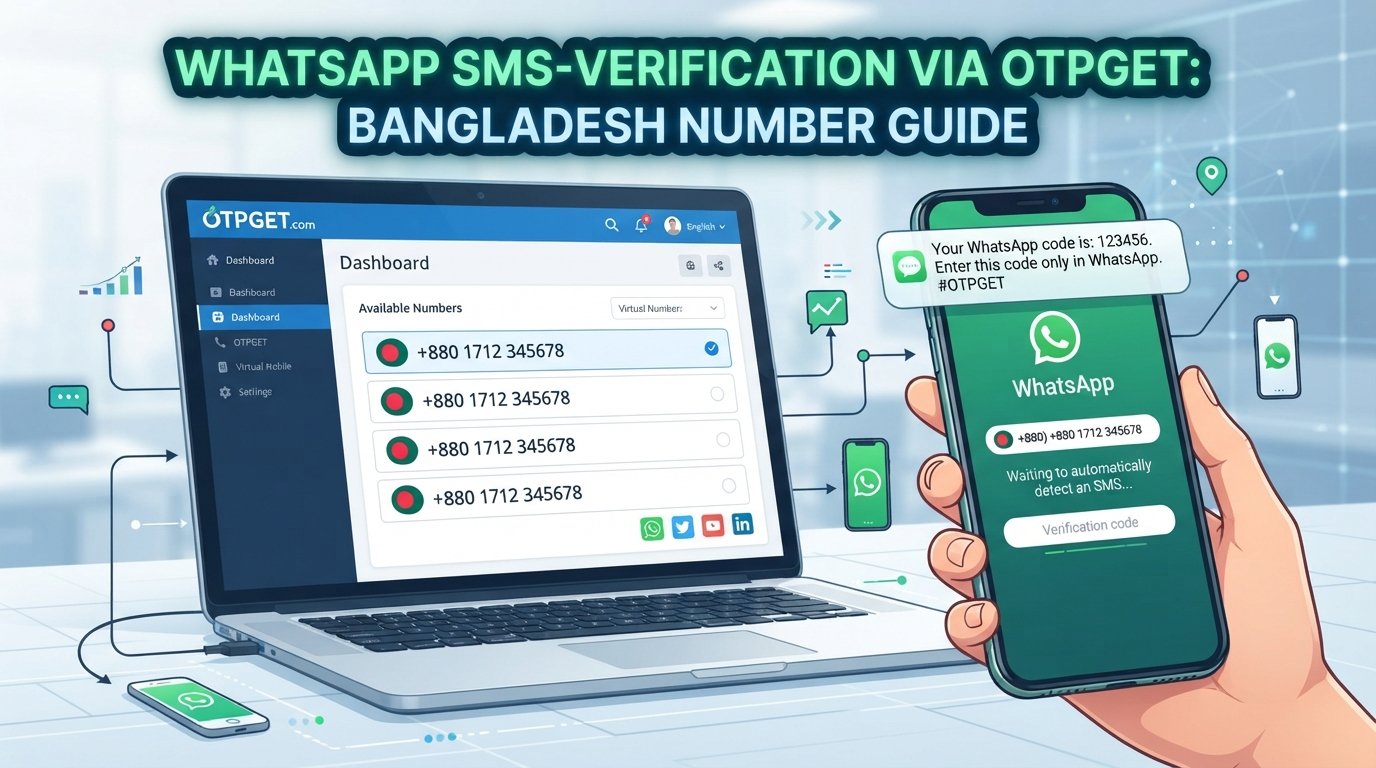
WhatsApp Verification With Bangladesh Number: Quick Guide
Verifying WhatsApp with a Bangladesh number can be straightforward when you have an eligible phone number and can receive the required verification code. However, problems can arise when the number format is incorrect, an SMS is delayed, or WhatsApp does not accept the number.
If you are exploring online verification options, OTPGET is one service worth investigating. Its official website describes virtual phone numbers and SMS-based OTP services, but you should check the current Bangladesh number availability and WhatsApp compatibility before proceeding.
In this guide, you will learn how WhatsApp verification with a Bangladesh number works, how to explore OTPGET, what to do when a code does not arrive, and how to protect your account.
Why Do People Need WhatsApp Verification With a Bangladesh Number?
People may want a Bangladesh number for WhatsApp for several practical reasons.
-
Local communication: A Bangladesh mobile number can be useful for communicating with friends, family, customers, or contacts in Bangladesh.
-
International access: People living or working abroad may need to register a number from Bangladesh, provided they can legitimately access and verify it.
-
Business communication: Some businesses prefer a locally recognizable contact number for customer conversations.
-
Personal number separation: Users may want to separate a personal number from another account, subject to WhatsApp's requirements.
-
Testing and research: Developers and technical teams may investigate phone-number verification workflows for legitimate testing purposes.
A Bangladesh number is not universally required to use WhatsApp. The appropriate number depends on your needs, ownership, and ability to receive verification messages.
Before selecting an online OTP service, consider whether you need a number for one-time registration or ongoing access. A number that works for an initial code may not provide reliable access for future account recovery.
How WhatsApp Verification With a Bangladesh Number Works
WhatsApp uses phone-number verification to confirm access to the number being registered. The official process requires a supported number that can receive the required code through an available verification method. Read WhatsApp's registration guidance.
Follow these general steps:
-
Open the official WhatsApp application. Start the registration process on your phone.
-
Select Bangladesh when applicable. The international calling code for Bangladesh is +880.
-
Enter the number correctly. For a standard Bangladesh domestic mobile number beginning with
01, omit the initial0when entering it after+880. For example, a domestic-format number beginning017...would generally be entered internationally as+88017.... Always follow the format displayed in WhatsApp. -
Request the verification code. Submit the number and choose the available verification option.
-
Receive the code. Depending on the number and the options WhatsApp provides, verification may be available through SMS or a phone call.
-
Enter the code in WhatsApp. Type the received code directly into the official application to continue registration.
A correctly formatted number does not guarantee successful verification. WhatsApp may reject unsupported numbers, and an online number may not be eligible even if it can receive messages from other services.
Why Consider OTPGET for WhatsApp Verification?
OTPGET is an online service whose official website describes virtual phone numbers, SMS OTP verification, rental numbers, and developer APIs. Its published information also lists WhatsApp among the platforms it supports. However, that general claim does not establish that a Bangladesh number suitable for your specific WhatsApp registration is currently available. Explore OTPGET's official website.
There are several reasons to investigate OTPGET before deciding how to proceed.
A place to explore available verification options
Instead of searching through unrelated sources, you can review the options described on OTPGET's website and check whether they match your intended use.
An online verification workflow
OTPGET documents a process for requesting virtual numbers and checking SMS status through its verification services. The precise steps and available options depend on the service you choose, so consult its current instructions before making a purchase.
Options to investigate before committing
If you are comparing a regular mobile number with an online OTP service, check these details first:
-
Is a Bangladesh number currently listed?
-
Is WhatsApp specifically supported for that number and service option?
-
What is the displayed price and what usage conditions apply?
-
Can you access the number again if future verification is required?
-
Are there restrictions on registration, reuse, or message delivery?
These checks help you make a more informed decision instead of assuming that every virtual number will work.
Explore OTPGET: Visit https://otpget.com/ to review the currently published services, number options, and terms. Proceed only when the available option fits your needs and WhatsApp's requirements.
How to Use OTPGET for WhatsApp Verification
The following workflow explains how to evaluate OTPGET for WhatsApp number verification. The exact process depends on the current service options and whether a suitable number is available.
-
Visit the official website. Open OTPGET and review the available information.
-
Explore the available services. Check the number and verification options listed by the platform.
-
Confirm WhatsApp compatibility. Verify that the particular number option is intended for WhatsApp and that your use complies with the applicable terms.
-
Check availability and pricing. Review the displayed cost, limitations, and usage conditions before proceeding.
-
Follow the documented instructions. If an appropriate number option is offered, follow OTPGET's actual instructions to access it.
-
Enter the number in WhatsApp. Select the correct country and use the international number format requested by the application.
-
Request a verification code. Submit the number and follow the available WhatsApp verification flow.
-
Check for the message. If the selected service supports receiving the requested SMS, use its documented process to check whether the message arrived.
-
Enter the code in the official app. Do not send your verification code to another person.
-
Troubleshoot if necessary. If the code does not arrive or WhatsApp rejects the number, follow the troubleshooting steps below instead of repeatedly requesting new codes.
This workflow is conditional, not a guarantee of success. Number availability, WhatsApp eligibility checks, message delivery, and the selected OTPGET service all affect the result.
Benefits of Using an Online OTP Verification Service
An online OTP service may offer convenience for people who need to explore phone-number verification options. A documented workflow can also make it easier to understand how number selection, SMS delivery, and code retrieval fit together.
OTPGET is worth investigating if you want to compare virtual-number and SMS verification options in one place.
However, online verification has important limitations:
-
Not every number can be registered with WhatsApp.
-
Shared or recycled numbers may have been used by someone else.
-
Some virtual or internet-based numbers may be rejected.
-
SMS delivery can be delayed or unavailable.
-
Temporary access may not be sufficient for future account recovery.
-
A service's general platform-support list does not guarantee that every country and number type is eligible.
Consider your long-term needs before choosing a number. Convenience at registration is not the same as reliable ownership and account access.
Common WhatsApp Verification Problems and How to Fix Them
If WhatsApp verification fails, identify the likely cause before trying again.
OTP not received
Check that the number is correct and can receive messages. Confirm that your phone has a working network connection and that SMS service is functioning. If you are using an online number, check the provider's documented message-retrieval process and compatibility information.
Incorrect country code or number format
Choose Bangladesh and confirm that +880 is the correct international calling code for your number. Do not add the domestic leading zero after the country code when entering a standard Bangladesh mobile number in international format.
WhatsApp rejects the number
The number may be unsupported, previously used, or otherwise ineligible. Check WhatsApp's number requirements. If the number comes from an online service, ask the provider whether that specific option is supported rather than assuming all virtual numbers are accepted.
Too many verification attempts
Repeated requests may trigger a waiting period. Stop requesting codes and wait until the timer shown in WhatsApp allows another attempt. Avoid switching numbers repeatedly to get around restrictions.
Delayed SMS messages
Allow time for delivery and check the network connection. Avoid requesting multiple codes in quick succession, since this can make troubleshooting more confusing.
Voice verification is unavailable
A phone-call option may not always be offered. Follow the options displayed in WhatsApp and wait for any indicated timer to finish before trying again.
The number has already been used
A previously used number may have account-related complications. Follow WhatsApp's official registration and recovery guidance. If you cannot establish reliable control of the number, consider using a number you personally control.
For more help, consult the official WhatsApp Help Center.
Is It Safe to Use an Online Number for WhatsApp Verification?
Safety depends on who controls the number, who can access incoming messages, and whether you can retain access over time.
A shared or temporary number can introduce privacy and account-recovery risks. Another person might have access to incoming verification messages, or the number might become unavailable when you need to register again.
Before using any online number, ask:
-
Is the number dedicated to me or potentially shared?
-
Who can view incoming verification messages?
-
How long will I be able to access the number?
-
Can I recover the account if I lose access?
-
Does the arrangement meet the service's terms and my security needs?
For a main personal or business account, a long-term number under your control is generally the more dependable choice.
Never share your WhatsApp registration code with another person, including someone claiming to be a support representative. Enter it only in the official WhatsApp verification flow. Enable WhatsApp's additional account-protection features where appropriate.
Frequently Asked Questions
1. How can I verify WhatsApp with a Bangladesh number?
Select Bangladesh, enter an eligible number in the correct international format, request the verification code, and enter it in the official app. The number must be able to receive the required message or call.
2. Can I receive a WhatsApp OTP online?
Possibly, if you have access to an eligible number through a service that can receive the relevant WhatsApp message. WhatsApp may reject some online numbers, so compatibility must be checked first.
3. Does OTPGET support WhatsApp verification with a Bangladesh number?
OTPGET's website lists WhatsApp among its supported services and describes virtual-number verification. However, you should check its current country and service listings to confirm whether an eligible Bangladesh number is available for your intended use. Availability and successful verification are not guaranteed.
4. Why is my Bangladesh number not receiving the WhatsApp verification code?
Possible reasons include an incorrect number format, network problems, delayed SMS delivery, an unsupported number, or a temporary verification limit. Check the number, wait for any displayed timer, and follow WhatsApp's official troubleshooting guidance.
5. Can every virtual Bangladesh number be used for WhatsApp?
No. Eligibility depends on the number type and WhatsApp's checks. A virtual number may work for some services but still be rejected by WhatsApp.
6. Should I use a temporary number for my main WhatsApp account?
Usually, a number you personally control for the long term is preferable. Temporary access may leave you unable to receive future verification codes or recover your account.
Final Thoughts
WhatsApp verification with a Bangladesh number depends on choosing an eligible number, entering it in the correct international format, and receiving the required code through a supported method.
OTPGET may be a useful starting point for exploring online OTP and virtual-number options. Before proceeding, verify that a suitable Bangladesh number is available, review the applicable terms, and confirm compatibility with WhatsApp.
For an account you depend on, prioritize long-term number control, privacy, and recovery over short-term convenience.
Ready to explore your options? Visit OTPGET's official website, review its current offerings, and choose a verification method only if it meets your needs and the platform's requirements.