WhatsApp Verification With Pakistan Number: Quick Guide & Tips
Why WhatsApp Verification Requires a Phone Number
WhatsApp uses phone-number verification to associate an account with a number that the user can access. During registration, the service sends a verification code to the number entered by the user.
That code, commonly referred to as an OTP or one-time password, is an important part of the account-verification process. You need access to the number because the verification code is delivered through an available communication channel, such as SMS or another method offered during the process.
For someone using a Pakistan number, the country code and complete phone number must be entered correctly. Having the number available to receive the code is equally important.
Verification problems can happen when:
- The phone number is entered incorrectly.
- The Pakistan country code is missing or formatted incorrectly.
- SMS delivery is delayed.
- Mobile connectivity is weak.
- The number cannot receive the required message.
- Too many verification attempts have been made.
- The carrier or network is experiencing a temporary issue.
Understanding these basics makes troubleshooting much easier.
How WhatsApp Verification With a Pakistan Number Works
The general WhatsApp phone-number verification process follows a straightforward sequence:
- Enter the Pakistan phone number.
Select the appropriate country and enter the number in the format requested by WhatsApp. - Request the verification code.
WhatsApp will initiate the verification process and provide the available delivery option. - Receive the OTP.
The verification code is sent to the number associated with the registration attempt. - Enter the code.
Type the received verification code into the appropriate verification screen. - Complete account setup.
Once the code is accepted, continue with the remaining WhatsApp registration steps.
The important point is that WhatsApp controls the verification process. An OTP service does not control whether WhatsApp sends a code, how quickly it sends one, or whether a particular number is accepted.
For that reason, the goal should always be to use a legitimate number that you can access and that is appropriate for the intended account.
Common Problems Receiving a WhatsApp OTP in Pakistan
Not receiving a WhatsApp verification code does not necessarily mean something is wrong with your account. Several practical issues can interfere with delivery.
Incorrect number formatting
Double-check the selected country and the Pakistan phone number before requesting another code. An incorrect country selection or incorrectly entered number can send the verification attempt somewhere else.
Poor network connectivity
Weak cellular coverage or temporary network problems can delay SMS delivery. Check that the phone has a usable connection before trying again.
Delayed SMS
Sometimes the verification message simply takes longer than expected. Repeatedly requesting new codes may not improve the situation and can make the process more confusing.
Too many verification attempts
If you have requested several codes within a short period, it may be better to wait and follow the instructions shown by WhatsApp rather than continuing to request additional codes.
Number access problems
A Pakistan number for WhatsApp verification is only useful if you can actually access the incoming verification message. If you no longer control the number, you may not be able to complete verification.
Carrier or service issues
Mobile carriers and messaging systems can experience temporary delivery problems. If everything appears correct but the code is still missing, waiting and trying again later may be appropriate.
Can You Receive a WhatsApp Verification Code Online?
Yes, users may consider online or virtual-number services when they need access to a number capable of receiving a verification code. However, this option requires some care.
Not every virtual number is necessarily suitable for every service. Availability, number type, delivery capability, previous usage, and service compatibility can all affect whether a verification code is received and accepted.
Before using an online OTP verification service, consider:
- Number availability: The required country or number may not always be available.
- OTP delivery: The number must be capable of receiving the relevant verification message.
- Access: You should have legitimate access to the verification code.
- Compatibility: Some services may not accept certain virtual or previously used numbers.
- Privacy: Understand how the service handles verification messages and account-related information.
- Terms and policies: Use the number in a way that complies with the relevant platform's rules.
An online number should be viewed as a convenience option, not as a way to bypass WhatsApp's security or verification requirements.
OTPGET: A Convenient Solution for WhatsApp Verification
For users who need a practical way to manage verification-number access, OTPGET can be worth exploring.
The main advantage of an OTP-focused service is convenience. Instead of making the verification process depend entirely on access to a personal phone number, users can explore available verification options through a dedicated service where appropriate.
If OTPGET offers a suitable Pakistan number or OTP functionality for your intended verification at the time you use it, the process can be more straightforward: obtain an appropriate number, use it for the legitimate verification request, and access the incoming code through the supported workflow.
That said, it is important to keep expectations realistic. OTPGET does not determine whether WhatsApp accepts a number or sends a verification code. Availability and successful delivery can depend on WhatsApp, the number, the network, and other factors outside the OTP service's control.
If you are looking for a convenient WhatsApp verification solution, explore OTPGET to see which relevant options are currently available for your needs.
How to Use OTPGET for WhatsApp Verification
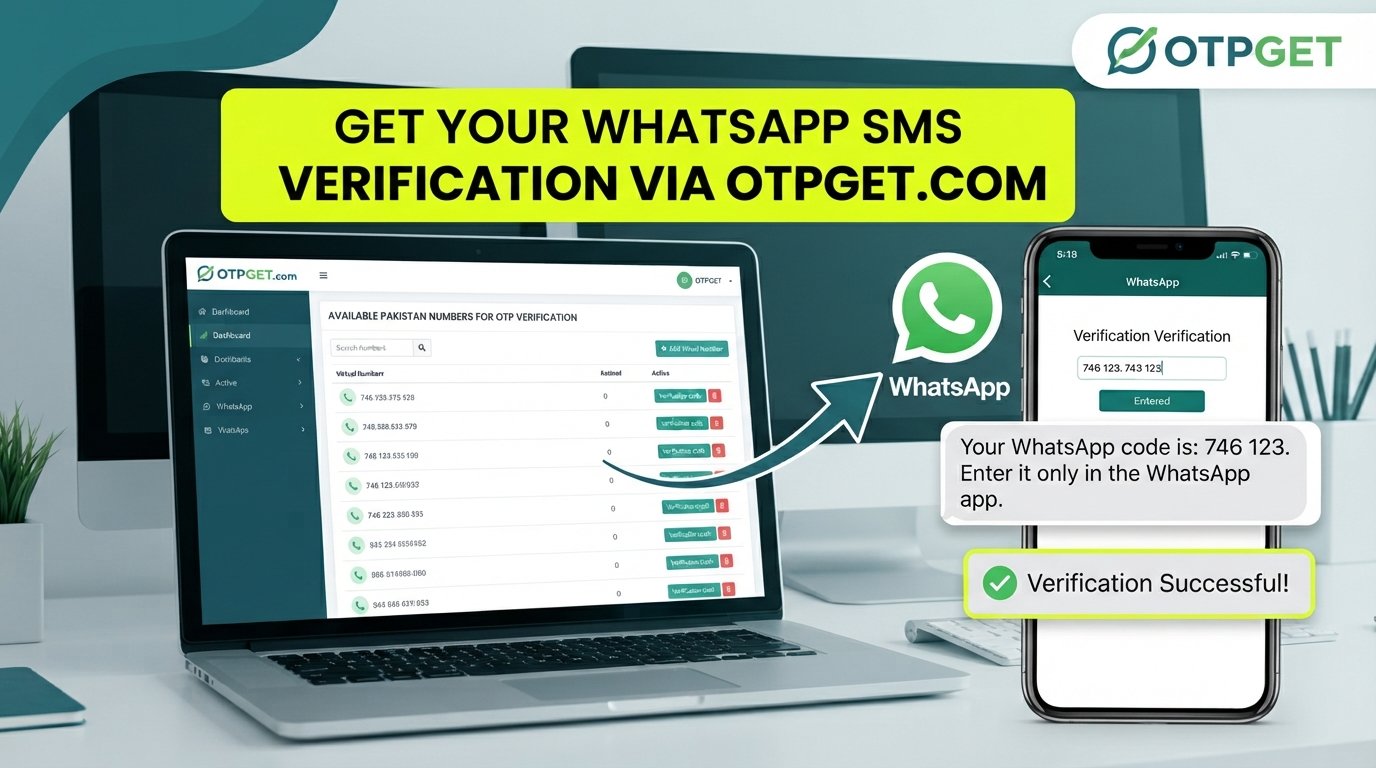
The exact options available through an OTP service can change, so always follow the current instructions provided by the service. A typical workflow, where supported, may look like this:
- Visit OTPGET.
- Review the available verification options.
- Choose a suitable Pakistan number if one is available and appropriate for your purpose.
- Enter the number into WhatsApp's verification process.
- Request the WhatsApp verification OTP.
- Check the supported OTPGET interface for the incoming verification code, if that functionality is provided for the selected service.
- Enter the received code into WhatsApp.
- Complete the remaining account-verification steps.
If a particular number or service is unavailable, do not repeatedly retry the same setup. Instead, check the current options and follow the relevant instructions.
Why Users May Consider OTPGET
The biggest reason to consider an OTP service is to reduce unnecessary friction around verification.
For someone who needs a Pakistan virtual number or another suitable verification option, a dedicated service can make the process easier to manage than searching for an appropriate number independently.
Potential practical advantages include:
- Convenient access to verification-number options
- A simpler OTP-focused workflow
- Less dependence on a personal number for certain legitimate use cases
- Easier management of verification messages where supported
- A straightforward option to explore when traditional SMS access is inconvenient
The key is to choose an option that is actually compatible with the service you are trying to verify. Number availability and acceptance can vary, so it is sensible to check the current options before starting registration.
Tips for a Smoother WhatsApp Verification Process
A few simple precautions can prevent many verification problems.
- Check the country code: Make sure Pakistan is selected correctly before entering the number.
- Verify every digit: A single incorrect digit can prevent the OTP from reaching you.
- Confirm number access: Use a number you can legitimately access during the verification process.
- Check connectivity: Make sure the device has a functioning mobile or internet connection as appropriate.
- Avoid repeated requests: If a code is delayed, give the system time rather than continuously requesting new ones.
- Follow on-screen instructions: WhatsApp may provide specific guidance when a verification attempt is delayed or unsuccessful.
- Use legitimate services: Avoid methods designed to bypass security controls or platform restrictions.
- Protect your OTP: Treat a verification code as sensitive information and do not share it unnecessarily.
- Check compatibility: If using an online or virtual number, understand that acceptance can vary between services.
These steps are useful whether you are using your personal Pakistani number or exploring an online verification-number option.
Frequently Asked Questions
Can I verify WhatsApp with a Pakistan number?
Yes. You can use a Pakistan phone number for WhatsApp registration when the number is eligible and you can receive the required verification code. Enter the number correctly and follow WhatsApp's verification instructions.
How do I receive a WhatsApp OTP in Pakistan?
Enter your eligible Pakistan number during registration and request verification. The OTP is then delivered through the verification method made available by WhatsApp. Delivery can depend on network and service conditions.
Why am I not receiving my WhatsApp verification code?
Check the number, country code, network connection, and SMS access first. A delayed carrier message or repeated verification attempts can also contribute to problems. Follow the instructions shown by WhatsApp before trying again.
Can I use an online number for WhatsApp verification?
An online or virtual number may be considered for legitimate verification if it can receive the required code and is accepted by the relevant service. However, not every virtual number will work, so compatibility should be checked beforehand.
Is OTPGET useful for WhatsApp OTP verification?
OTPGET can be a convenient option to explore if you need access to a suitable verification number or OTP functionality and the relevant option is available. It does not control WhatsApp's verification decisions or guarantee code delivery.
How long does a WhatsApp verification code take to arrive?
Delivery time can vary. Network conditions, carrier delivery, service availability, and other factors can affect how quickly an OTP arrives. If it is delayed, avoid repeatedly requesting codes and follow WhatsApp's instructions.
What should I do if my verification code does not arrive?
First, confirm that the number and country code are correct and that the number can receive messages. Check connectivity, wait for a reasonable period, and follow WhatsApp's available verification guidance. If you are using an online number, also check whether that number supports the required service.
Final Thoughts
WhatsApp verification with a Pakistan number is generally straightforward when you have access to a suitable number and can receive the required OTP. Most problems come down to number formatting, connectivity, delayed messages, repeated attempts, or lack of access to the selected number.
If using your personal number is inconvenient, an online verification service can be another option to investigate, provided the number is suitable and the use complies with the relevant platform's requirements.
OTPGET provides a practical place to explore verification-number and OTP options where available. Before starting, check the currently available Pakistan options and make sure the selected number is appropriate for your intended use.
For a simpler verification experience, explore OTPGET and review the available options for your WhatsApp verification needs.