WhatsApp Verification With Poland Number: Quick Guide | OTPGET
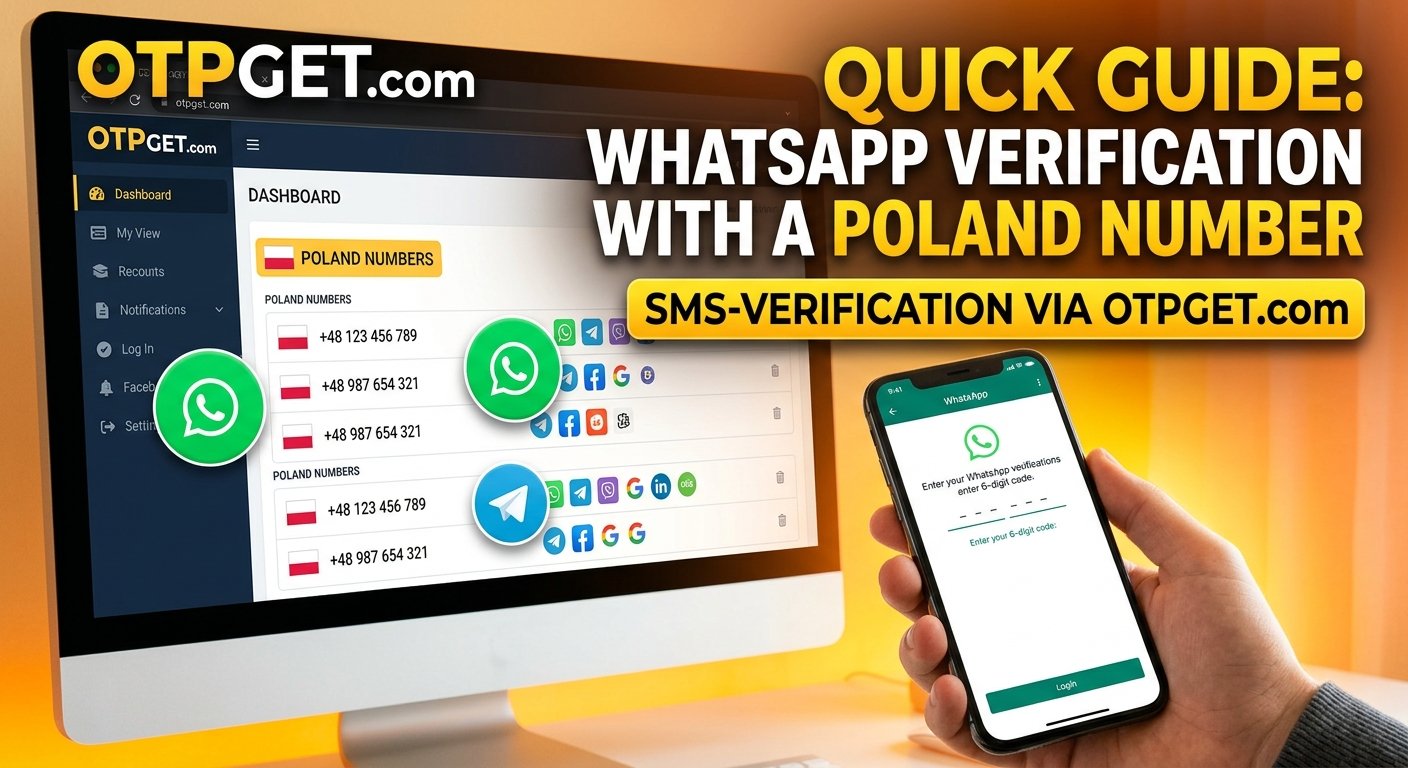
WhatsApp Verification With a Poland Number: Quick Guide
Using a Polish phone number can be useful when setting up WhatsApp for international communication, managing professional contacts, or maintaining a separate business identity. However, successful registration depends on more than the country code: the number must be eligible, accessible, and capable of receiving the required verification message or call.
This guide explains WhatsApp verification with Poland number, including how the process works, what to do when a code does not arrive, and how to evaluate online verification services. We will also explore OTPGET as a potential option for people looking for phone numbers and OTP verification services, subject to current availability and compatibility.
Why Use a Poland Number for WhatsApp Verification?
Poland's country calling code is +48. A Polish number may be appropriate for users who live in Poland, travel there, work with Polish customers, or regularly communicate with contacts in the region.
Common reasons to consider a Polish number include:
-
International communication: A regional number can make it easier for Polish contacts to recognize and reach you.
-
Business and personal communication: Professionals may prefer to separate work communications from personal conversations, provided they use eligible numbers and follow WhatsApp's requirements.
-
Regional preferences: Businesses serving Polish customers may want a number associated with their target market.
-
Testing and development: Authorized testers and developers may need to evaluate registration flows or messaging experiences using suitable phone numbers.
-
Travel and relocation: People spending time in Poland may prefer a number they can continue accessing while abroad.
Choosing a Polish number does not automatically change your account eligibility, guarantee privacy, or remove platform restrictions. Before selecting a Polish number for WhatsApp verification, check whether it supports the intended use and whether you can retain access to it.
What Is WhatsApp Verification With a Polish Number?
WhatsApp verification is the process of confirming that you control the phone number you want to register. During registration, WhatsApp generally sends a verification code by SMS or offers an available phone-call method.
For a Polish number, the process involves selecting Poland, using the +48 country code, entering the eligible number, and receiving the requested code through a supported channel.
According to the official WhatsApp registration guidance, users must register a phone number they own and be able to receive the required verification code. WhatsApp also identifies certain number types, including VoIP numbers, as unsupported for standard registration.
This is why a Poland virtual phone number for WhatsApp may not work simply because it appears in an online service's country list. Number availability and WhatsApp compatibility are separate considerations.
How to Verify WhatsApp With a Poland Number
Follow these steps to understand how to verify WhatsApp with a Poland number.
-
Choose an eligible number. Use a number you own or are explicitly authorized to use. Make sure you can securely access its incoming verification messages or calls.
-
Check the country code. Select Poland (+48) in WhatsApp's country selector. Follow the application's formatting instructions and avoid adding an extra country code.
-
Open the official WhatsApp application. Use the legitimate application and follow the registration instructions displayed on your device.
-
Enter your phone number. Provide the complete number in the appropriate field. Check for missing digits, extra digits, and incorrect formatting.
-
Request verification. Select the available verification method presented by WhatsApp, typically SMS or a phone call where offered.
-
Retrieve the verification code. Check the phone or supported message channel associated with your number.
-
Enter the code. Type the code into WhatsApp yourself. Never share it with another person or an unofficial support representative.
-
Complete registration. Follow any additional instructions displayed by the application.
If the number is unsupported, cannot receive the code, or is otherwise ineligible, you may need to use another suitable number.
For more details, consult the official WhatsApp phone number registration guide.
How OTPGET Can Help With WhatsApp Verification
When a personal SIM is inconvenient or you need to investigate alternative phone verification options, an online OTP verification service may be worth considering. OTPGET is a platform to explore for virtual phone numbers and SMS-based verification options.
Its official website describes virtual numbers for OTP verification, service-specific options, and number availability across multiple countries. Its published service information also lists Poland among its country options and WhatsApp among the services it supports. However, these listings should not be interpreted as a guarantee that every Polish number will work for WhatsApp registration.
For someone researching OTPGET WhatsApp verification, the most important step is to check the exact country, service, and number options available at the time of purchase.
How to check OTPGET for your needs
-
Visit the official website: Go to OTPGET and review the available verification services.
-
Check Poland availability: Look for Poland in the current country listings rather than assuming every number type is available.
-
Confirm service compatibility: Check whether the specific number option is listed for your intended service and whether the intended use is permitted.
-
Review the conditions: Read the displayed pricing, expiration period, number access arrangements, and usage restrictions before paying.
-
Follow the provider's instructions: If an eligible option is available, use it only in accordance with the provider's terms and WhatsApp's applicable rules.
-
Complete verification through WhatsApp: Request the supported code and enter it in the official application if the number is eligible and you can securely access it.
This approach can help you avoid unnecessary trial and error. It also lets you compare temporary numbers with longer-term options before making a decision.
Ready to investigate your options? Visit OTPGET, review its available services, and check whether a Polish number supports your intended verification use.
Common WhatsApp Verification Problems and How to Fix Them
Even when you enter a valid number, verification may not work immediately. The following checks can help identify common issues.
The SMS verification code does not arrive
Confirm that the number is correct and can receive incoming messages. Check mobile reception, carrier restrictions, and any message-filtering settings. If WhatsApp displays a countdown, wait until it finishes before requesting another code.
Where available, use the alternative verification method offered by the application. See the official WhatsApp troubleshooting guidance for additional steps.
The country code or number format is incorrect
Select Poland (+48) from the country list and carefully check the number you entered. Avoid including a second country code or adding digits that the application does not request.
Your mobile connection is unreliable
Check that your phone has a working internet connection and adequate mobile reception. Restarting the device or reconnecting to a stable network may help if a temporary connectivity problem is interfering with registration.
You requested too many verification codes
Repeated requests or incorrect code attempts can trigger temporary restrictions. Stop retrying, follow the countdown or instructions shown by WhatsApp, and wait for the permitted retry period.
Do not guess verification codes or use methods designed to bypass security checks.
Your number is unsupported or verification is delayed
Some virtual, temporary, and other non-standard number types may not be eligible for WhatsApp registration. A provider's claim that a number is available for SMS verification does not establish that WhatsApp will accept it.
If the number remains ineligible or cannot receive the required code, consider another number that meets WhatsApp's requirements. Avoid paying for a replacement until you have reviewed the provider's relevant conditions.
Is a Poland Virtual Phone Number Suitable for WhatsApp?
A virtual number is a phone number provided through an online service rather than necessarily through a traditional mobile SIM. A temporary number is intended for a limited period or a particular use, while a longer-term number may remain accessible under the provider's terms.
Each option has advantages and limitations.
| Number type | Potential advantage | Important limitation |
|---|---|---|
| Personal mobile number | Direct control and better continuity | Requires an active mobile service |
| Virtual number | Convenient online access, depending on the service | May be unsupported by WhatsApp |
| Temporary number | May suit limited, low-risk testing | Expiration or reassignment can cause access problems |
| Longer-term rented number | May offer more continuity than a disposable number | Continued access depends on the rental terms |
A Poland virtual phone number for WhatsApp is suitable only if the particular number meets WhatsApp's requirements and you can receive its verification code. Temporary numbers may be unsuitable for accounts that you need to keep for years, because losing access can complicate account recovery.
For personal, business, or otherwise important accounts, a number you control over the long term is generally the more dependable choice.
Safety Tips for WhatsApp OTP Verification
Verification codes protect account access. Treat them as confidential credentials rather than ordinary text messages.
Keep these precautions in mind:
-
Use authorized numbers: Do not register a number without permission from its owner.
-
Never share your OTP: WhatsApp's registration code should not be disclosed to strangers, service representatives, or anyone who asks for it unexpectedly.
-
Be cautious with shared inboxes: Publicly accessible messages may expose your code to other users.
-
Check privacy policies: Understand what information a verification provider collects, how it handles messages, and what its terms permit.
-
Understand number expiration: Check how long you can access a number and whether it may later be assigned to someone else.
-
Avoid unsupported guarantees: No third-party provider can responsibly guarantee that every number will pass WhatsApp verification.
-
Protect long-term access: Avoid temporary numbers for sensitive accounts unless you understand the recovery risks.
-
Follow platform rules: Use the official application and respect WhatsApp's applicable terms and security instructions.
If you register an account using a number that you later lose, someone else who obtains that number may create complications for future account access. Consider enabling WhatsApp's available additional security features and keeping your recovery information up to date.
Why Consider OTPGET?
OTPGET may be relevant if you want to explore online phone number verification options without immediately committing to a traditional mobile-number arrangement.
Its published service information provides a starting point for investigating virtual numbers, country availability, and supported OTP services. That can be useful when comparing potential options for legitimate testing or verification needs.
Before choosing a service, confirm:
-
Whether Poland numbers are currently listed.
-
Whether the specific intended service is supported.
-
Whether the number type meets WhatsApp's requirements.
-
What the price, expiration period, and access conditions are.
-
Whether the provider's privacy and usage terms fit your needs.
The key is to evaluate the specific option rather than assuming all numbers behave the same way. OTPGET is worth exploring, but successful WhatsApp registration depends on the number, the verification channel, and WhatsApp's eligibility requirements.
Frequently Asked Questions
1. How can I verify WhatsApp with a Poland number?
Select Poland (+48) in the official WhatsApp application, enter an eligible number you are authorized to use, request the available verification method, and enter the code you receive. The number must meet WhatsApp's requirements.
2. What is the country code for Poland?
Poland's international calling code is +48. Select Poland in the application's country selector and follow its instructions for entering the rest of the number.
3. Can I use a virtual Poland number for WhatsApp verification?
Possibly, but not every virtual number is supported. WhatsApp may reject certain number types, so confirm the number's eligibility and ability to receive the required code before purchasing it.
4. How do I receive a WhatsApp verification code online?
You need an eligible number and access to a verification channel supported by WhatsApp. If considering an online service, check its current number options and compatibility first. A number listed for online SMS verification is not automatically eligible for WhatsApp.
5. Why is my WhatsApp verification code not arriving?
Check your number format, country code, mobile reception, and ability to receive messages. Wait for any countdown to finish before retrying, and follow the alternative instructions shown in WhatsApp. Repeated requests may lead to temporary restrictions.
6. Does OTPGET support WhatsApp verification with Poland numbers?
OTPGET's published website lists Poland among its country options and WhatsApp among its supported services. However, availability and compatibility can vary by number and service. Check its current country and service listings before purchasing or attempting verification.
7. Is a temporary Poland number suitable for long-term WhatsApp use?
It is generally a riskier choice for long-term use. If the number expires or is reassigned, you may lose reliable access to your account. A number you can retain and control is usually preferable for important communications.
8. How can I protect my WhatsApp verification code?
Never share the code, avoid public or shared inboxes, and enter it only in the official application. Be cautious of anyone asking you to forward a code, and enable available additional account security features.
Final Thoughts
WhatsApp verification with Poland number can be straightforward when you choose an eligible number, enter the +48 country code correctly, and follow the verification instructions in the official application. The main challenges usually involve number eligibility, message delivery, temporary restrictions, and maintaining access to the number after registration.
Virtual and temporary numbers may offer convenience, but they are not universally compatible with WhatsApp. For long-term use, prioritize a number you can securely retain and access.
If you are comparing online verification options, OTPGET is a potential starting point. Review its current Poland number availability, supported services, pricing, and usage conditions before making a decision.
Visit the official OTPGET website to explore available verification options and determine whether a suitable service meets your needs.


