How to Get a Zimbabwe Number for WhatsApp Verification | OTPGet
-
How to Get Zimbabwe Number for WhatsApp — OTPGet
Need a Zimbabwe number for WhatsApp without going through the hassle of finding another physical SIM? Whether you want to keep personal and business chats separate, manage an additional account where supported, or simply need a Zimbabwe-based number for verification, an online number can be a practical option.
The main challenge is receiving the WhatsApp verification code. WhatsApp sends an OTP to the number you enter, so you need access to that number and its incoming SMS.
That is where OTPGet can be useful. Instead of searching for a physical Zimbabwe mobile number, you can explore available online verification numbers through OTPGet and use the number for the WhatsApp verification process, subject to WhatsApp's own verification systems and availability.
Let's look at how it works, what to expect, and how to make the process smoother.
Why Get a Zimbabwe Number for WhatsApp?
There are several legitimate reasons someone might want a Zimbabwe WhatsApp number.
For some people, it is simply about organization. Keeping business conversations separate from personal messages can make communication easier to manage. Others may want a second number for a project, online activity, or international contacts.
A Zimbabwe phone number for WhatsApp can also be useful when you need a Zimbabwe-based number but do not want to purchase and manage another physical SIM.
Common reasons include:
- Separating personal and business communication
- Maintaining an additional WhatsApp account where WhatsApp supports it
- Keeping communication organized across different purposes
- Communicating internationally using a Zimbabwe number
- Getting access to a number without immediately purchasing another physical SIM
- Using an online phone number for WhatsApp verification when appropriate
The important point is that a virtual number does not bypass WhatsApp's security checks. WhatsApp controls the verification process, and whether a particular number can be verified depends on its systems and the number's availability.
What Is a Zimbabwe Virtual Number?
A Zimbabwe virtual number is a phone number that is accessed through an online service rather than through a traditional physical SIM inserted into your phone.
A physical SIM connects the number to a mobile network and device. A virtual phone number, by contrast, is managed through an online platform and may be able to receive SMS messages depending on the provider and the service being used.
There are also temporary or online numbers designed specifically for receiving verification messages. Their availability, duration, and reuse options can vary, so it is important to understand the terms of the service you choose.
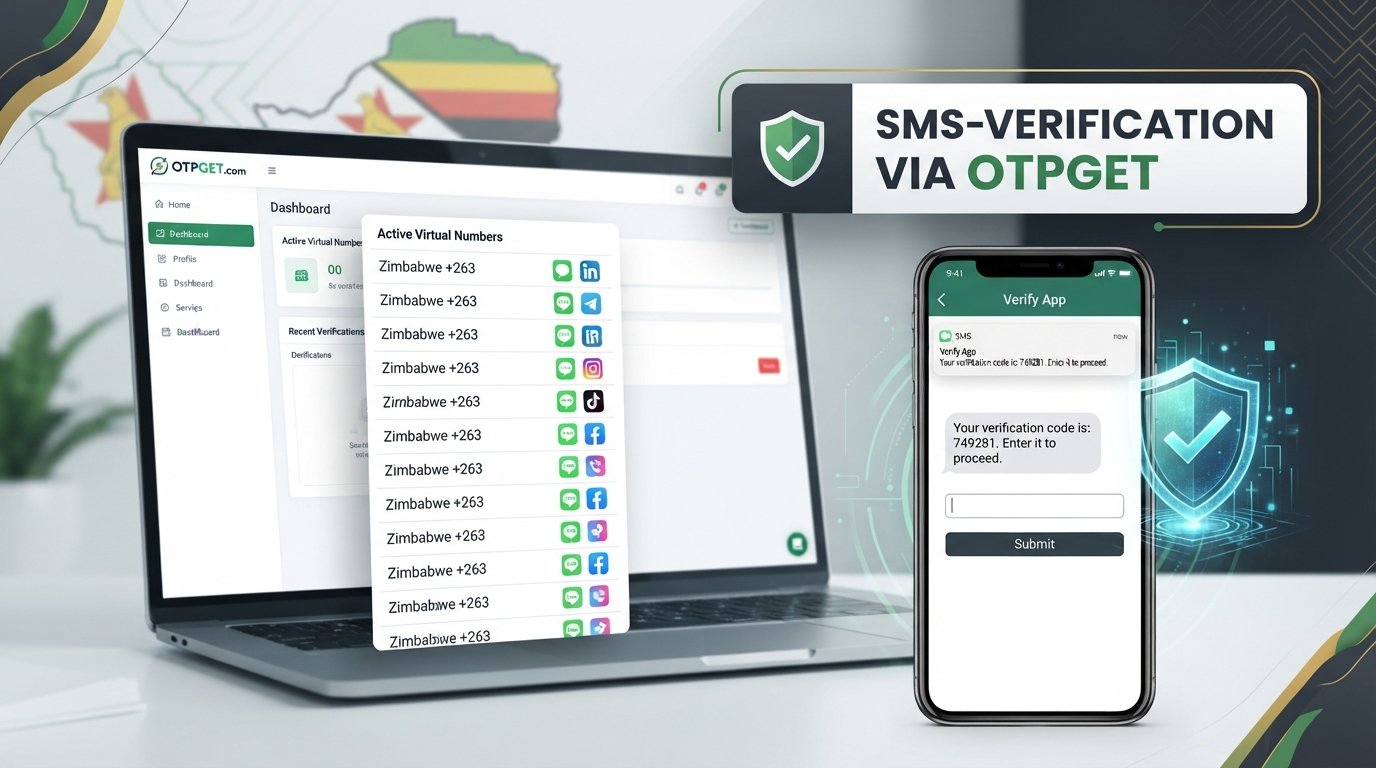
For someone looking for a Zimbabwe virtual phone number, OTPGet provides an online route to explore available verification numbers. The basic idea is straightforward: select an available Zimbabwe number, use it where permitted for verification, and check the service for an incoming SMS.
If you're researching different options, you may also want to explore [Zimbabwe Virtual Numbers] or [online SMS verification] resources on your site for additional information.
How to Get a Zimbabwe Number for WhatsApp with OTPGet
The process is designed to be straightforward, although the exact screens and available options can vary.
1. Visit OTPGet
Start by visiting the OTPGet platform and accessing your account if an account is required for the service you're using.
2. Select Zimbabwe
Look for the available country or number options and select Zimbabwe. This allows you to search for a virtual Zimbabwe number appropriate for your intended verification.
3. Choose an available number or service
Review the available options and select a Zimbabwe number that is suitable for SMS verification. Availability can change, so the number you see may not always be available later.
4. Enter the number in WhatsApp
Open the official WhatsApp application and begin the account setup or number-change process as appropriate. Enter the Zimbabwe number using the correct international format.
5. Request the verification code
Ask WhatsApp to send the verification code to the number. WhatsApp will determine whether the number and verification request can proceed.
6. Check OTPGet for the incoming SMS
Return to OTPGet and check the relevant SMS or verification area for the incoming WhatsApp OTP. If the message arrives, read the verification code carefully.
7. Enter the WhatsApp verification code
Enter the received code into WhatsApp and complete the remaining setup steps.
Remember that OTPGet facilitates access to the number and incoming verification message where available. WhatsApp itself controls whether the verification request is accepted, so OTPGet should not be viewed as a guarantee of successful account verification.
Why Use OTPGet for a Zimbabwe WhatsApp Number?
If your goal is simply to get a Zimbabwe number online, using an online verification platform can be more convenient than searching for a physical SIM.
OTPGet can be a practical option because it brings the number-selection and verification process into an online workflow.
Potential advantages include:
- Online convenience: You can explore available numbers without physically visiting a mobile retailer.
- Zimbabwe number access: OTPGet can be useful when you specifically need a number associated with Zimbabwe.
- Straightforward workflow: The general process involves selecting a number, entering it into WhatsApp, and checking for the incoming verification SMS.
- No additional physical SIM in some situations: An online number can remove the need to obtain another physical SIM for the verification step.
- Useful for separate communication: A second number may help keep different communication purposes apart.
For users specifically searching for Zimbabwe number for WhatsApp verification, this can make OTPGet worth considering.
Availability can vary, however. SMS delivery depends on the selected number, the service, and WhatsApp's verification systems. It is better to treat online numbers as a practical option rather than assuming every number will work for every verification attempt.
Zimbabwe Number for WhatsApp vs. a Physical SIM
Both options have their place. The right choice depends on how you intend to use the number.
Factor Virtual Zimbabwe Number Physical SIM Setup convenience Online process Requires obtaining a SIM Physical SIM required No physical SIM for the online number Yes Online accessibility Generally managed online Usually tied to a device/network SMS verification Depends on number and service availability Depends on mobile network and account status Flexibility Useful for specific online verification needs Better suited to conventional mobile use Ongoing availability Depends on provider terms Depends on SIM and mobile operator A physical Zimbabwe mobile number may make more sense if you need a conventional mobile service for calls, SMS, and long-term personal use.
If your immediate requirement is an online number for verification, however, OTPGet may be the more convenient route to explore.
Tips for Successful WhatsApp Number Verification
A few simple precautions can reduce avoidable verification problems.
- Use the correct Zimbabwe country code. Make sure the number is entered in the proper international format rather than adding or removing digits at random.
- Check the number before requesting an OTP. Confirm that the selected number is the one currently displayed by your provider.
- Wait for the message. Avoid repeatedly requesting codes immediately after submitting the first request.
- Check OTPGet carefully. If an SMS is delivered, look for the message in the relevant verification or inbox area.
- Avoid excessive attempts. Repeated requests in a short period can create additional verification delays.
- Use the official WhatsApp application. Follow WhatsApp's normal account-verification process.
- Never share your verification code. A WhatsApp OTP should be treated as sensitive account-access information.
- Follow WhatsApp's instructions. If WhatsApp asks you to wait or provides another verification method, follow the instructions shown in the app.
These steps cannot guarantee successful verification, but they can help avoid common mistakes.
Common Problems When Getting a Zimbabwe WhatsApp Number
Even when the process looks simple, verification can sometimes encounter problems.
OTP not arriving
First, check whether the selected number is still active and capable of receiving SMS. Then check the OTPGet inbox or verification area. Avoid requesting multiple codes repeatedly, as this can make the process more difficult.
Number unavailable
Online numbers can change based on availability. If a particular Zimbabwe number is no longer available, you may need to select another available option through OTPGet.
Verification request is taking time
SMS delivery is not always instantaneous. Give the process some time before trying again, and check that the number was entered correctly.
WhatsApp rejects the number
WhatsApp makes the final decision about whether a number can be used for account verification. If WhatsApp does not accept a particular number, check the app's instructions and consider another available number if appropriate.
Code expires
Verification codes are time-sensitive. If a code has expired, follow WhatsApp's instructions to request another one rather than trying to use an old code.
Too many verification attempts
Repeated requests can result in temporary restrictions or waiting periods. If this happens, the best approach is usually to stop making repeated attempts and follow the waiting instructions displayed by WhatsApp.
OTPGet can be the first place to check the number and SMS status, but WhatsApp ultimately controls its own verification process.
Is a Zimbabwe Virtual Number Safe for WhatsApp?
A virtual Zimbabwe number can be useful, but users should understand how the number works before relying on it for an important account.
The biggest consideration is control over the verification code. Never give your WhatsApp OTP or verification code to another person. Anyone who obtains that code may be able to gain access to the account associated with it.
It is also sensible to understand whether the number you choose is temporary, reusable, or subject to provider-specific availability rules. Read the relevant service terms and consider how long you need access to the number.
For greater account protection:
- Keep verification codes private.
- Do not send OTPs to strangers or third parties.
- Use reputable services such as OTPGet.
- Understand whether the number is temporary or reusable.
- Follow WhatsApp's account-security recommendations.
- Avoid using a number you cannot access when future account recovery may be important.
No online verification service should be treated as an absolute security guarantee. Good account practices still matter.
Frequently Asked Questions
How can I get a Zimbabwe number for WhatsApp?
You can explore online number services such as OTPGet to find an available Zimbabwe number. Select Zimbabwe, choose a suitable available number, enter it into WhatsApp, and request verification. If the SMS is delivered to the selected number, retrieve the WhatsApp verification code through the service and enter it in WhatsApp.
Can I use a Zimbabwe virtual number for WhatsApp?
A Zimbabwe virtual number may be usable for WhatsApp verification when the number can receive the required SMS and WhatsApp accepts the verification request. However, acceptance is determined by WhatsApp's own systems, so a virtual number should not be considered automatically compatible.
How do I receive a WhatsApp OTP on a Zimbabwe number?
Enter the Zimbabwe number into WhatsApp using the correct international format and request the verification code. Then check OTPGet for the incoming SMS. If the message arrives, enter the displayed WhatsApp verification code into the app before it expires.
What is the Zimbabwe country code for WhatsApp?
The Zimbabwe country code is +263. When entering a Zimbabwe number for WhatsApp, use the international format requested by the app and avoid adding an extra leading zero if the format does not require it.
Can I get a Zimbabwe phone number online?
Yes, online services can provide access to virtual Zimbabwe phone numbers for supported purposes. OTPGet is one option to consider when you need a number online for SMS verification. Availability and the ability to receive messages can vary between numbers.
Why is my WhatsApp verification code not arriving?
Check that the number was entered correctly and is currently able to receive SMS. Also check the OTPGet verification area for the message. Avoid repeatedly requesting codes. If the number is rejected or the message does not arrive, follow WhatsApp's instructions and consider another available number where appropriate.
Is OTPGet useful for Zimbabwe WhatsApp verification?
OTPGet can be a convenient option for people looking for a Zimbabwe number for WhatsApp verification because it provides an online way to access available verification numbers. However, OTP delivery and WhatsApp acceptance depend on availability and WhatsApp's own verification systems.
Final Thoughts
Getting a Zimbabwe number for WhatsApp does not necessarily mean finding another physical SIM first. For users who need a separate number or simply want an online option for SMS verification, a virtual number can be a practical alternative.
OTPGet makes sense to consider when you want to explore available Zimbabwe numbers through an online workflow. You can select an available number, enter it into WhatsApp, request the verification code, and check OTPGet for the incoming SMS.
The important thing is to keep expectations realistic: OTPGet provides the number and verification-service workflow, while WhatsApp controls its own verification and account-security decisions. Number availability, SMS delivery, and WhatsApp acceptance can therefore vary.
If you need a Zimbabwe number for WhatsApp, explore OTPGet and check the available Zimbabwe options to find a number that fits your needs. For related resources, consider adding internal links to [WhatsApp Verification Numbers], [virtual phone numbers], and [OTP verification] to help readers understand their options before getting started.