How to Get Bilibili Login Without Phone Number: A Simple Guide
How to Get Bilibili Login Without Phone Number
Trying to access Bilibili can become frustrating when the platform asks for phone verification at a point where you would rather not provide your personal number. Maybe you are concerned about privacy, cannot receive international SMS, are using a temporary account, or simply want to keep your personal mobile number separate from online services.
The good news is that phone verification is not necessarily the same thing as having to expose your everyday personal number. Depending on the Bilibili login or registration flow you encounter, an online verification number may be an option.
This is where OTPGET can be useful. OTPGET The service provides virtual numbers intended for receiving SMS verification codes, with availability depending on the selected service and number. Its documentation describes options for one-time virtual numbers as well as longer-term rentals.
However, there is an important limitation: Bilibili decides which numbers and verification methods it accepts. A temporary number should therefore be treated as an option to try where supported, not as a way to bypass Bilibili's security controls.
What Is Bilibili?
Bilibili is a major online video and entertainment platform offering videos, livestreaming, anime, entertainment content, communities, and other digital services.
Depending on the version of Bilibili you use and your account situation, different login methods can be presented. For example, BiliBili's international-facing website currently displays options including Facebook, Google, Twitter, email, QR-code login, and mobile-to-web cross login.
At the same time, Bilibili's published privacy information states that signup and login may involve a mobile phone number or email for receiving verification codes, depending on the applicable flow.
That means there is no single universal answer for every Bilibili account. The verification screen you see matters.
Can You Log In to Bilibili Without a Phone Number?
Sometimes, yes—but it depends on the account and verification flow.
Bilibili supports more than one authentication method in some environments. Its international site, for example, currently lists email and several third-party login options alongside QR-code and other methods.
However, some account actions can require phone-based verification. Bilibili's own account information also shows that phone numbers can be involved in account security and verification.
It helps to separate four different situations:
- Logging into an existing account: You may already have an available login method such as email, a linked account, QR code, or another supported option.
- Creating a new account: The registration flow may request a phone number or email for verification.
- Receiving a verification code: If SMS verification is required, you need a number capable of receiving the message.
- Recovering an account: Recovery requirements can be stricter because Bilibili may use previously associated account information or verification methods.
So, if Bilibili specifically asks for an SMS code, an online number service such as OTPGET may be worth considering where the service and Bilibili's verification flow support it.
Why Users Look for Bilibili Login Without a Personal Phone Number
There are several ordinary reasons someone may prefer not to use their everyday mobile number.
Privacy
Some users simply prefer to keep their personal phone number separate from online registrations and entertainment accounts.
International SMS limitations
A phone number that works perfectly for calls may not reliably receive SMS from an overseas service. Bilibili's own help material notes that verification messages can sometimes be delayed and suggests trying again or changing the number when appropriate.
Temporary access
If you only need to complete a one-time verification process, maintaining another dedicated number may not make sense.
Separating online accounts
Using a separate verification number can help keep your personal contact information separate from accounts used for testing, temporary access, or other legitimate purposes.
Whatever the reason, users should still follow Bilibili's applicable terms and use legitimate account-access methods.
How OTPGET Can Help With Bilibili Verification
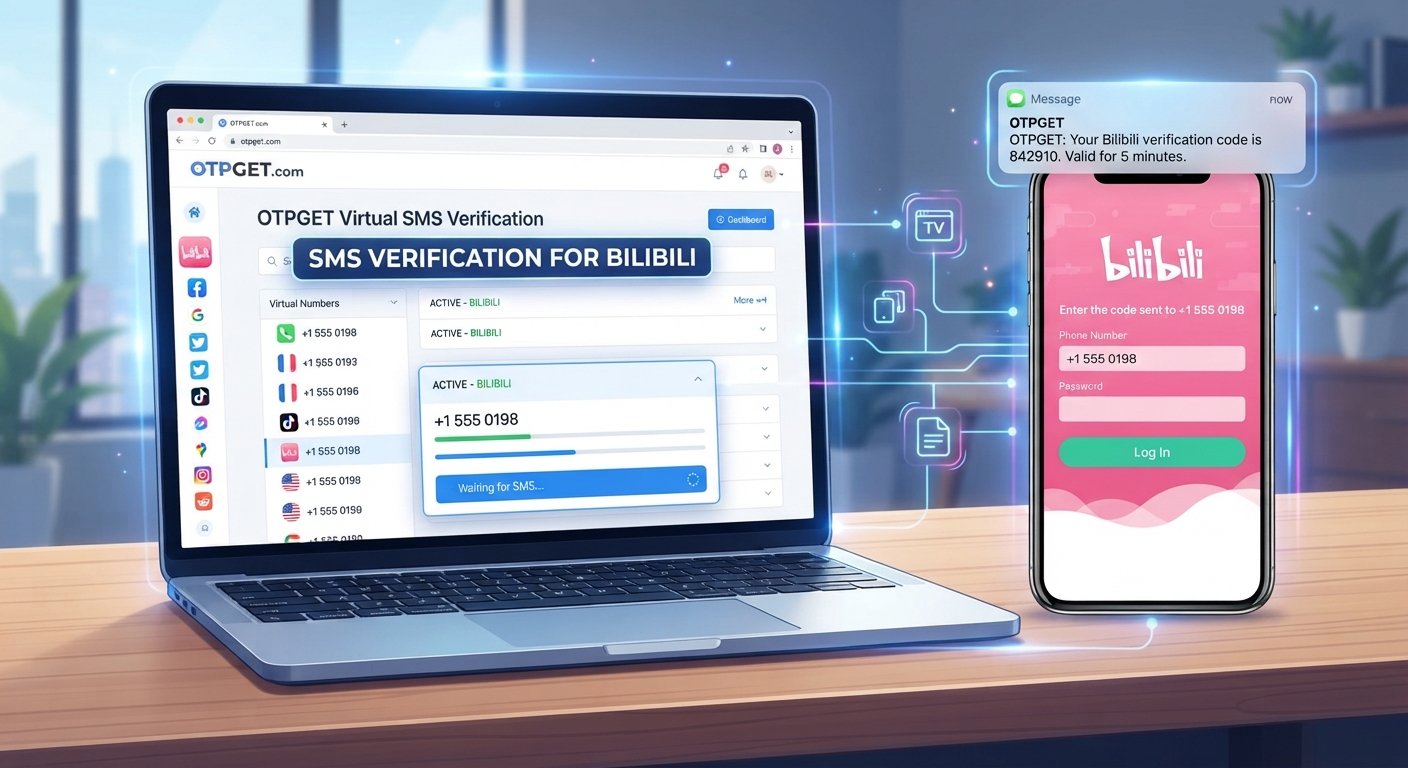
OTPGET is a virtual-number and SMS-OTP service that can provide numbers for receiving verification messages where supported. Its published documentation describes selecting a country and service, obtaining a virtual number, and checking the order for an incoming SMS code.
For a Bilibili verification attempt, the general process looks like this:
- Visit OTPGET and review the available verification options.
- Look for a suitable number or service if Bilibili is supported.
- Use the provided number in the Bilibili verification field.
- Request the SMS verification code from Bilibili.
- Wait for the message to appear through OTPGET.
- Enter the received OTP into the Bilibili verification screen.
- Continue the login or registration process if Bilibili accepts the number and code.
The key phrase is “if Bilibili accepts the number.” Temporary and virtual numbers do not work with every platform or every verification attempt. Number availability can also change.
OTPGET's documentation specifically describes virtual numbers for OTP verification and provides mechanisms for checking whether an SMS has arrived.
Step-by-Step: How to Try Bilibili Login Without Your Personal Phone Number
If Bilibili asks for phone verification, use this practical workflow.
1. Open the official Bilibili login or registration page
Start with Bilibili's legitimate website or official application. Avoid unofficial login pages that request your account credentials.
2. Identify the verification method
Check whether Bilibili offers email, QR-code, a linked account, or another supported login method. If SMS verification is specifically required, continue with the phone-verification route.
3. Check OTPGET for an appropriate number
Open OTPGET and review the available countries and services. OTPGET says its virtual-number availability varies by country and service.
4. Enter the number in Bilibili
If you have found an appropriate number, enter it where Bilibili requests the verification phone number.
5. Request the OTP
Ask Bilibili to send the verification message. Avoid repeatedly requesting codes because excessive attempts can create additional verification problems.
6. Check OTPGET for the SMS
If the message is supported and successfully delivered, the verification code should appear through the OTPGET service. Its documentation provides a status-check process for incoming SMS.
7. Enter the valid code
Copy the current OTP into Bilibili before it expires.
8. Finish the account process
If Bilibili accepts the number and verification code, complete the remaining login, registration, or account setup steps.
If it fails, do not assume something is wrong with your Bilibili account. The number may have been rejected, unavailable, previously used, or unsupported by that particular verification system.
Why Consider OTPGET?
OTPGET is relevant to this use case because its core service is built around virtual numbers and SMS verification. Its published service information says users can obtain virtual numbers from multiple countries and receive OTP messages online.
Potential advantages include:
- Less reliance on your personal number: You can use a separate number for supported verification tasks.
- Online SMS access: Messages can be viewed through the service instead of relying on your physical SIM.
- Temporary verification: One-time numbers can be useful when you do not need a number for long-term account management.
- Country selection: OTPGET documents country-based number availability, although the appropriate option depends on the service you are trying to verify.
- Different usage options: OTPGET also documents rental numbers for situations where a longer-lived number is more appropriate.
These benefits do not mean every Bilibili verification attempt will succeed. Compatibility remains dependent on Bilibili's requirements.
Common Problems and How to Fix Them
The verification SMS does not arrive
Wait briefly and check the OTP service again. Bilibili's own help center recommends waiting, requesting another code, or trying another number when a verification SMS is not received.
If OTPGET does not receive a message, check the order status and follow the service's cancellation or refund rules where applicable.
The number is unavailable
Virtual numbers are inventory-based. Try another available number or country if Bilibili permits it.
Bilibili rejects the number
Some platforms may reject temporary, virtual, recycled, or otherwise unsupported numbers. If that happens, use another legitimate Bilibili-supported verification method.
The OTP expires
Request a fresh code and enter it promptly. Avoid using an older message after requesting a new one.
You have made too many attempts
Stop repeatedly requesting codes and allow the verification process to reset before trying again.
Regional restrictions appear
Number availability and platform verification can vary by country or region. A different number may not necessarily solve the issue if Bilibili itself restricts the verification route.
OTPGET vs. Using Your Personal Phone Number
| Factor | Personal Phone Number | OTPGET |
|---|---|---|
| Privacy | Requires sharing your personal number where requested | Can separate verification from your personal number |
| Convenience | Convenient if SMS works normally | Convenient when a suitable number is available |
| Temporary use | Not specifically designed for one-time verification | Temporary numbers can suit one-time needs |
| SMS access | Received directly on your phone | Received through the OTPGET service |
| Long-term recovery | Often more suitable when permanently associated with an account | May be less suitable if the number is temporary or later unavailable |
The important trade-off is long-term ownership. A personal number that remains under your control can be more practical for account recovery and security. A temporary number can make sense for a limited verification task, but it should not be treated as a permanent replacement for an account-recovery method.
Is It Safe to Use a Temporary Number for Bilibili?
A temporary number can reduce the need to disclose your personal number, but there are important considerations.
First, think about account recovery. If your Bilibili account becomes locked or requires another SMS verification later, you may need access to the number associated with it.
Second, consider number recycling. Temporary numbers are not necessarily permanent assets. Depending on the service and number type, you may not control the same number indefinitely.
Third, consider compatibility. Bilibili may decide that a particular number cannot be used for verification. Using a temporary number does not override Bilibili's requirements.
Finally, follow the applicable terms and policies. OTPGET's own terms prohibit illegal, fraudulent, abusive, or harmful use of its services.
For a long-term Bilibili account that you expect to recover or manage regularly, a stable verification method may therefore be more appropriate.
Frequently Asked Questions
Can I log in to Bilibili without a phone number?
Sometimes. Available methods depend on the Bilibili service, account, location, and login flow. The international BiliBili website currently lists options such as email, social accounts, QR-code login, and mobile-to-web login.
Can I create a Bilibili account without my personal number?
It depends on the registration flow. Bilibili's published privacy information indicates that signup may require a mobile number or email for verification. If SMS is required, a suitable virtual number may be an option where accepted.
How can I receive a Bilibili verification code online?
If Bilibili requires SMS verification, a service such as OTPGET may provide a virtual number capable of receiving the message, provided the relevant Bilibili verification route supports that number.
Can I use a temporary phone number for Bilibili?
You can try one where Bilibili's verification system accepts it. However, temporary numbers are not guaranteed to work, and they may be less suitable for accounts that require long-term recovery access.
Why am I not receiving my Bilibili OTP?
Possible causes include SMS delays, an incorrect number, number incompatibility, regional restrictions, or too many verification requests. Bilibili's help center recommends waiting, requesting another code, or trying a different number.
Does OTPGET work for Bilibili verification?
OTPGET provides virtual numbers and SMS-OTP services, but that does not mean every Bilibili verification attempt will accept every available number. Check whether a suitable number is available and whether Bilibili accepts it.
Is a temporary number suitable for a long-term Bilibili account?
It may not be the best choice if you expect to need the number for future recovery or repeated security checks. A stable number or another Bilibili-supported recovery method may be more appropriate for long-term account ownership.
Conclusion
Getting Bilibili login without a phone number does not necessarily mean bypassing Bilibili's verification system. The right approach is to first check whether Bilibili offers another legitimate login method for your account, such as email, QR code, or a supported linked account.
If Bilibili specifically requires SMS verification and you do not want to use your personal number, an online verification service such as OTPGET can be worth considering. It provides virtual numbers intended for receiving SMS verification codes, subject to number availability and the requirements of the service being verified.
For the best experience, treat a temporary number as a practical option for supported verification needs rather than a guaranteed solution. Before proceeding, check Bilibili's current verification requirements and consider whether you will need the same number later for account recovery.
If that approach fits your situation, check OTPGET for an available verification number and see whether a suitable option is available for your Bilibili verification flow.