Discord Second Account: Easy Setup & OTP Verification Basics
Discord Second Account: A Beginner Setup Guide
Creating another Discord profile can make online life much easier when you want to keep different parts of your activity separate. You might want one account for personal conversations and another for a community, study group, project, or other legitimate purpose. For many users, the main challenge isn't creating the account itself—it's dealing with verification when Discord asks for additional information.
Discord may require email or phone verification as part of its safety systems, and a phone verification step can mean waiting for an SMS code before the setup is complete.
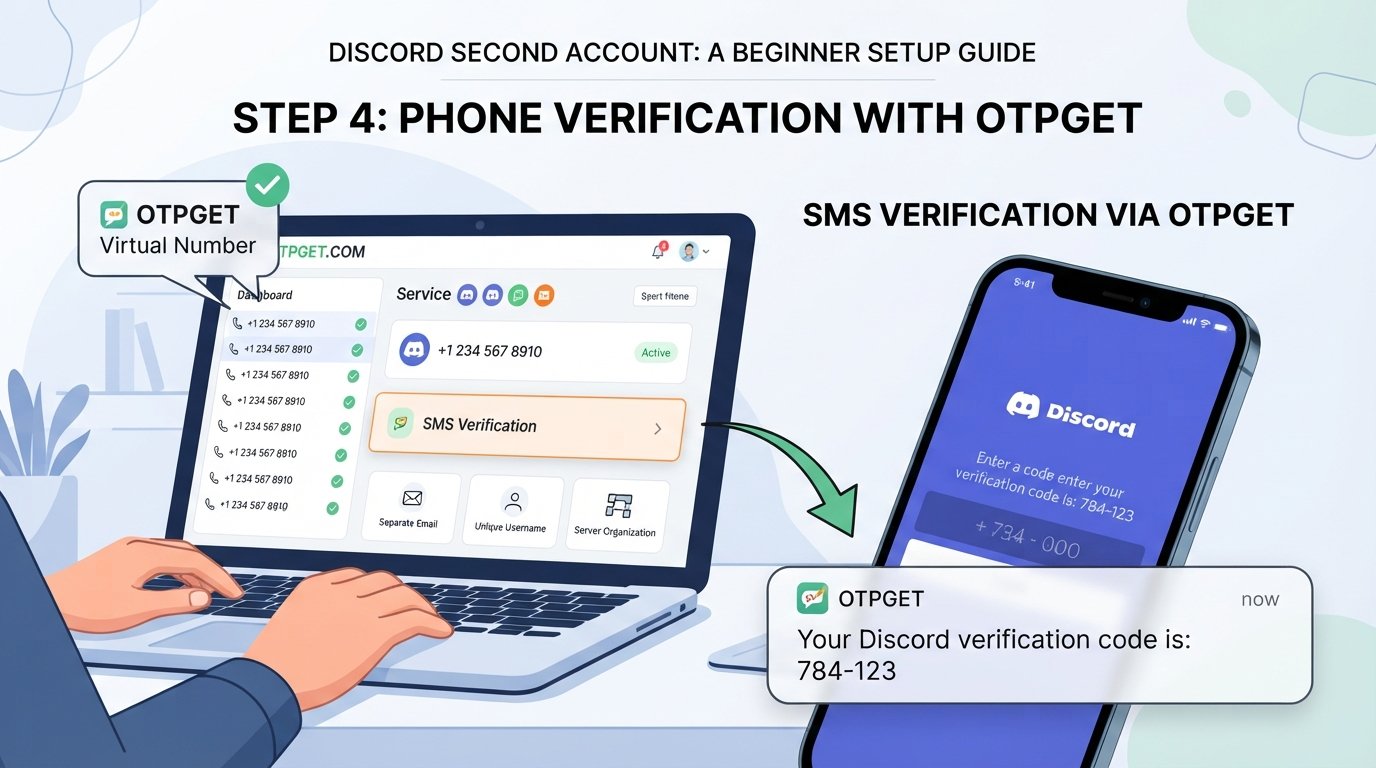
That is where an OTP service can become useful. OTPGET provides virtual numbers intended for receiving SMS verification codes, where the service and number are supported. It can give users another option when they need a suitable number for a legitimate verification workflow rather than wanting to expose their primary number everywhere.
This guide walks through the basics of creating a Discord second account, handling verification responsibly, and understanding where OTPGET may fit into the process.
Why Would You Need a Second Discord Account?
There are plenty of legitimate reasons to maintain separate Discord accounts.
For example, you might want to keep personal conversations separate from work or study communities. A second account can create a cleaner boundary between different groups, notifications, usernames, and server memberships.
Other common use cases include:
- Managing separate communities or projects
- Keeping gaming and personal activity apart
- Testing account settings or community workflows
- Organizing different online identities for legitimate purposes
- Reducing notification clutter on a primary account
- Separating professional and casual communication
The important thing is how the accounts are used. Having multiple accounts does not mean you should use them to spam, manipulate engagement, evade enforcement, or mislead other users. Discord's guidelines prohibit certain abusive uses of multiple accounts, and enforcement can potentially affect more than one account associated with a user.
Used responsibly, however, separate Discord accounts can simply be an organizational tool.
Can You Have a Second Discord Account?
Yes, Discord provides functionality for users with multiple accounts to access and switch between them. Its desktop Account Switcher can keep multiple accounts available for easier switching. Discord's support documentation says the Account Switcher supports up to five logged-in accounts.
The key point is that a second account is still a separate account. Keep its login credentials, email address, recovery information, and security settings organized independently.
Discord also states that one email address cannot be tied to multiple Discord accounts, so if you're creating another account, you'll generally need a separate email address.
You should also follow Discord's Terms of Service and Community Guidelines. A second account should never be treated as a way around a restriction, ban, verification requirement, or other platform safety measure.
How to Create a Second Discord Account
If you're wondering how to make a second Discord account, the basic process is straightforward.
1. Open Discord's registration flow
Start from Discord's normal account registration process. You can use the Discord app or its official website.
If you're already signed into your primary account, make sure you understand whether you're creating a new account rather than simply logging into an existing one.
2. Use a separate email identity
Choose an email address that is not already connected to another Discord account.
Keeping a simple record of which email belongs to which account can save you from login confusion later.
3. Create your credentials
Choose a unique username and a strong password for the new account.
Avoid reusing the same password you use for your main Discord account or other important services.
4. Complete required verification
Discord may ask you to verify your email or phone number. Its support documentation explains that phone verification may be required in some situations, and the phone number used for verification must meet Discord's requirements.
If a verification code is requested, wait for the SMS and enter the valid code provided through the legitimate verification process.
5. Complete your profile
Once the account is created, configure the username, avatar, privacy settings, notification preferences, and other options you want to use.
Think about what role the second account will have before joining a large number of servers.
6. Organize your servers
Join only the communities relevant to the purpose of the account.
If you're using the account for a project or community, keeping that purpose clear can make it much easier to manage later.
7. Keep the accounts separate
Store the login information and recovery details for each account carefully.
If you use Discord's Account Switcher, remember which account you're currently using before sending messages or changing settings.
Discord Phone Verification and OTP Codes
OTP stands for One-Time Password. In an SMS verification workflow, it is a temporary code sent to a phone number to confirm that the person completing the process can access that number.
For Discord account verification, the process may involve entering a valid phone number, receiving an SMS, and entering the verification code. Discord notes that some verification situations require a valid phone number and that certain types of numbers may not be accepted.
Phone verification can be inconvenient for several reasons. You may not want to use your primary personal number for every online service, or you may prefer to keep your personal contact information separate from an account used for a particular project or community.
That is where a virtual number for OTP verification can sometimes be useful.
However, there is an important distinction: a virtual or online number is not a method for bypassing Discord's security systems. Discord determines which numbers are accepted, and users should only use a number that is valid for the intended verification and permitted by the relevant service.
How OTPGET Can Help With Discord Verification
OTPGET is a virtual-number platform designed for receiving SMS verification codes. Its site describes virtual numbers as cloud-hosted phone numbers that can receive supported SMS verification messages without requiring a physical SIM card.
For someone setting up a second Discord account, this can address a specific problem: having access to an appropriate phone number for a verification workflow without automatically using a primary personal number.
The practical benefits may include:
- Access to virtual numbers for supported verification services
- Receiving SMS OTP codes online
- Keeping a personal phone number separate where appropriate
- A simpler way to manage certain one-time verification workflows
- Availability of numbers from different countries, subject to service availability and requirements
OTPGET states that its platform offers virtual numbers across many countries and supports a large range of services. Availability can change, and not every number or service is necessarily suitable for every verification attempt.
The safest approach is to treat OTPGET as a convenience option for legitimate verification, not as a tool for defeating Discord's security controls.
How to Use OTPGET for an OTP Verification
If you decide that OTPGET is appropriate for your legitimate verification need, the general process is simple.
- Visit OTPGET. Create or access your account according to the service's available registration process.
- Choose an appropriate number or service. Look for a number that is available for the verification service you need. Availability can vary.
- Use the provided number during the legitimate verification process. Enter it only where a phone number is requested and where using such a number is permitted.
- Request the verification code. Complete the verification step so the service sends an SMS.
- Check OTPGET for the incoming message. OTPGET's platform is designed to display supported incoming SMS verification codes through its service.
- Enter the valid OTP. If a code arrives, enter it into the verification field on the service you're using.
- Finish the account setup. Continue with the normal account-creation process.
Don't repeatedly request codes if one does not arrive. Verification systems can impose limits, and Discord specifically documents situations where recently used numbers can enter a temporary timeout.
Tips for Managing Two Discord Accounts
Once your second Discord account is ready, good organization matters more than the initial setup.
Use separate credentials. Give each account its own strong password and keep your login details organized.
Protect recovery information. Make sure you know which email address belongs to which account.
Enable available security features. Discord supports additional authentication options, including passkeys, security keys, authenticator apps, SMS authentication, and backup codes.
Don't share OTP codes. A verification code should be treated as sensitive account information.
Avoid suspicious behavior. Don't use multiple accounts for spam, artificial engagement, harassment, or other activity that violates Discord's rules.
Know which account you're using. Before posting, messaging, or changing settings, quickly check the active profile.
Keep the purpose of each account clear. A simple division such as personal, community, or project account can make multiple-account management much easier.
Common Problems When Creating a Second Discord Account
Verification code does not arrive
First, wait a reasonable amount of time and check that the number was entered correctly. Avoid repeatedly requesting codes because excessive attempts can create additional verification problems.
If Discord reports a service or number issue, follow its recommended troubleshooting steps.
The phone number is rejected
Discord says that some number types, including certain VoIP, burner, and landline numbers, may not be accepted for phone verification.
If you're using a virtual number, make sure it is appropriate for the service and meets Discord's requirements.
The OTP has expired
Request a fresh code and use the newest valid message rather than repeatedly entering an older code.
Your email is already registered
A Discord email address cannot simply be reused for another separate account. Use the appropriate separate email address or recover the existing account if you accidentally attempted to create a duplicate.
You've tried too many times
Stop attempting verification repeatedly and give the system time to recover. Discord documents temporary timeouts for some recently used phone numbers.
You cannot log into the right account
Keep your account emails, usernames, and passwords organized. Discord's Account Switcher can also help desktop users move between multiple accounts without repeatedly logging out.
Is OTPGET Useful for a Second Discord Account?
OTPGET can be useful for users who need a suitable phone number for a legitimate SMS verification workflow and prefer not to use their primary personal number where another appropriate option is available.
Its value is mainly convenience: instead of depending on a physical SIM card for every verification workflow, users can access virtual numbers and receive supported SMS codes online.
There is no guarantee that every number will be accepted by every service. Discord has its own verification requirements, and those requirements should always take priority.
So the best way to think about OTPGET is not as a way around Discord verification, but as a potential tool for handling a legitimate verification requirement when the selected number is supported and appropriate.
Final Thoughts
Creating a Discord second account doesn't have to be complicated. Start with a separate email identity, create secure credentials, complete Discord's required verification, and keep the new profile organized independently from your main account.
The part that often causes the most friction is phone verification. If you need an appropriate number for receiving an SMS code and don't want to use your primary number, OTPGET may provide a convenient option where supported.
Just remember that verification is part of Discord's safety system, not an obstacle to circumvent. Use separate accounts responsibly, protect your credentials and OTPs, and follow Discord's rules.
If OTPGET fits your legitimate verification needs, you can explore its available virtual-number options and see whether a suitable service is available for your situation.
Explore OTPGET's virtual-number service
FAQ
Can I create a second Discord account?
Yes. Discord supports users with multiple accounts, including an Account Switcher for managing several accounts on desktop. Each account should be kept separately organized and used in accordance with Discord's rules.
How do I make another Discord account?
Use Discord's normal registration process with a separate email address, create secure credentials, complete any required email or phone verification, and then configure the new profile.
Do I need a phone number for Discord verification?
Not necessarily for every account or situation, but Discord says it may require a valid phone number as part of its safety and verification systems.
What is a Discord OTP code?
A Discord OTP is a temporary verification code sent during an SMS-based verification process. It helps confirm access to the phone number being used for verification.
How can I receive a Discord verification code?
If Discord requests phone verification, enter a valid, accepted phone number and follow the verification instructions. If an SMS is sent successfully, enter the received code in Discord.
Can OTPGET help with Discord OTP verification?
OTPGET provides virtual numbers designed to receive SMS verification codes for supported services. Whether a particular number can be used with Discord depends on Discord's requirements and the number's availability and compatibility.
What should I do if my Discord verification code does not arrive?
Check that the phone number is correct, wait before requesting another code, and avoid repeated attempts. If Discord reports that the number is invalid or temporarily unavailable, follow Discord's troubleshooting guidance rather than trying to bypass the verification system.
Suggested Internal Links
- What Is OTP Verification? — Explain OTP authentication and common verification workflows.
- How SMS Verification Works — A beginner-friendly explanation of SMS-based account verification.
- How to Receive OTP Codes Online — Introduce legitimate online options for receiving verification messages.
- Temporary Phone Numbers Explained — Explain how temporary and virtual numbers differ.
- How to Protect Your Online Privacy — Cover practical ways to reduce unnecessary exposure of personal information.
- Guide to Online Account Verification — Explain why websites request email, phone, and identity verification.
- What Is an SMS Verification Code? — Define verification codes and explain how they work.
- How to Secure Multiple Online Accounts — Share password, recovery, and authentication best practices.