How to Get a Finland Number for WhatsApp — OTPGet Guide Online
How to Get Finland Number for WhatsApp — OTPGet
Getting a Finland number for WhatsApp can be useful when you want a separate number for communication, international contacts, business-related messaging, or a supported verification workflow without purchasing another physical SIM card.
A virtual number can make the process more convenient because the number is managed online rather than tied to a traditional mobile handset. However, not every virtual number is necessarily accepted by WhatsApp, so choosing a service that supports SMS or OTP reception is important.
For users looking for a practical online option, OTPGET provides access to virtual numbers where available, including options that can be used for receiving verification messages. This guide explains what a Finnish virtual number is, how WhatsApp verification works, and how to approach the process with OTPGET.
What Is a Finland Number for WhatsApp?
A Finland phone number is a telephone number associated with Finland and uses the international country code +358. When formatted for international use, a Finnish number begins with +358 followed by the relevant subscriber number.
A Finland virtual number works differently from a conventional SIM-based number. Instead of requiring a physical SIM card in your phone, the number is provided and managed through an online service.
For WhatsApp registration, the important factor is whether the number can receive the verification message or call required by WhatsApp and whether WhatsApp accepts that number type.
A Finnish virtual number can be useful if you need:
- A separate number for legitimate communication.
- An online alternative to buying another physical SIM.
- A dedicated number for a specific business or communication workflow.
- Access to SMS or OTP messages through a supported service.
- An international virtual phone number without changing your primary mobile number.
In simple terms, a Finnish number for WhatsApp is simply a Finnish telephone number that you want to register with WhatsApp, while a Finnish virtual number is an online-provided version of that telephone number.
Why Use a Finland Number for WhatsApp?
There are several legitimate reasons someone may want a Finnish WhatsApp number.
Privacy is one of the most common. Using a separate number can help keep your primary personal number separate from other communication activities.
A dedicated Finnish phone number can also be useful for international communication. If you regularly communicate with Finnish contacts or operate a legitimate business workflow involving Finland, having a number associated with the country can simplify your communications.
Other possible uses include:
- Separating personal and business conversations.
- Maintaining a dedicated WhatsApp identity for legitimate purposes.
- Testing communication workflows where virtual numbers are supported.
- Receiving SMS verification messages through an online number.
- Avoiding the need for additional physical SIM hardware.
The key is to use the number legitimately and in accordance with WhatsApp's policies. A virtual number should not be used for spam, deception, impersonation, or attempts to bypass platform security.
Can You Use a Virtual Finland Number for WhatsApp?
Yes, a virtual Finland number may be usable for WhatsApp if the number can receive the required verification code and WhatsApp accepts that type of number. However, acceptance is controlled by WhatsApp, not by the virtual-number provider.
When you register a number, WhatsApp generally needs to verify that you have access to it. This is commonly done through an SMS or another supported verification method.
That means three things matter:
- The Finnish number must be available for the intended service.
- The number must be able to receive the relevant SMS or verification message where required.
- WhatsApp must accept the number for registration under its current requirements.
This is why a Finland number for WhatsApp verification should not be treated as a guaranteed outcome simply because the number is Finnish.
WhatsApp can change its verification systems and number-acceptance policies. Always follow the requirements shown inside the WhatsApp app during registration.
How to Get a Finland Number for WhatsApp
If you want to get a Finnish number online, the process can be straightforward when a suitable number is available.
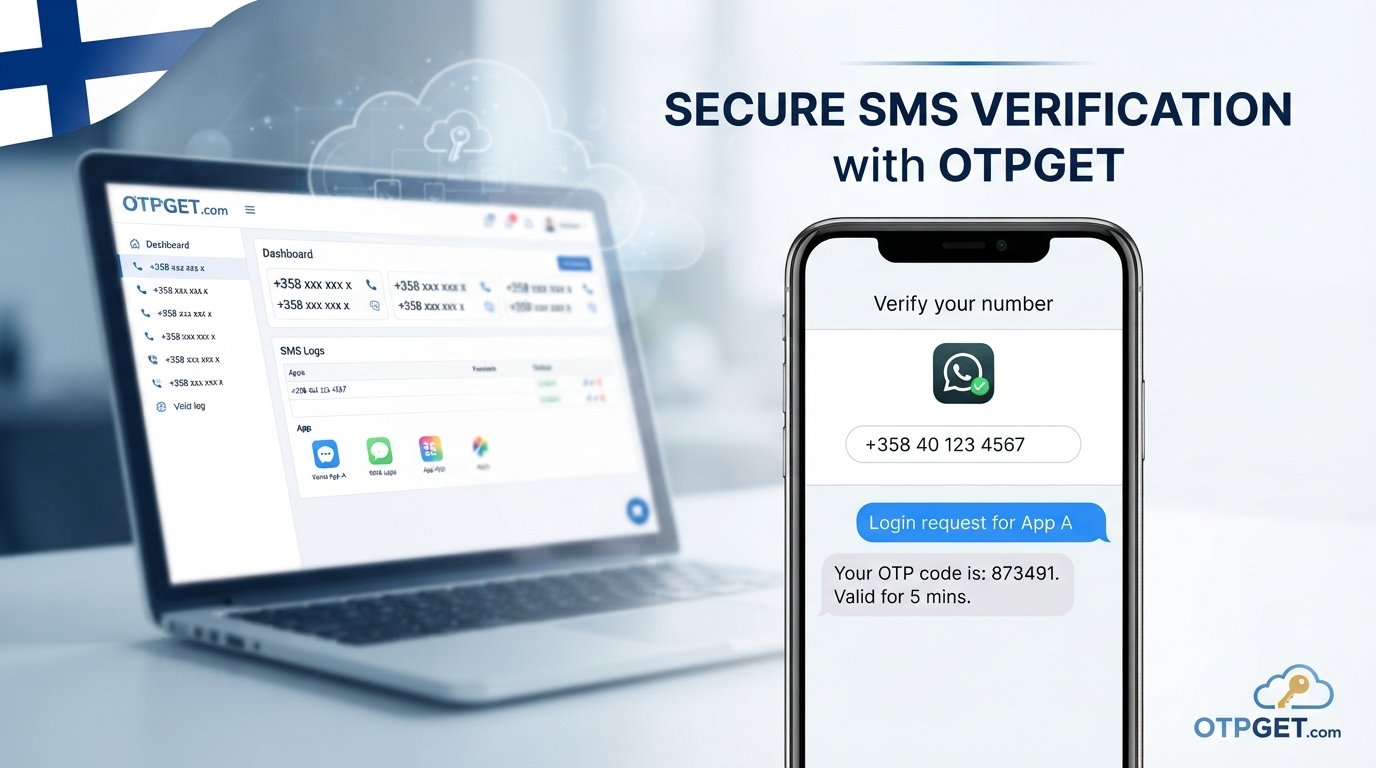
1. Visit OTPGET
Start by visiting OTPGET and reviewing the available virtual number services.
Look specifically for Finland or Finnish number options and check whether the service supports the SMS or OTP functionality you need.
2. Choose a Finland virtual number
Select a suitable virtual Finland number from the available options.
Before proceeding, consider whether you need a number specifically capable of receiving SMS verification messages. Availability can vary by country, service, and number type.
3. Select the appropriate service
Choose the service intended for WhatsApp verification if it is offered.
This helps you avoid selecting a number that is intended only for another type of communication.
4. Complete the required purchase or activation
Follow OTPGET's online process to obtain or activate the number.
Keep access to the service while you are completing verification because you may need to retrieve the incoming OTP.
5. Enter the Finnish number into WhatsApp
Open WhatsApp's registration or account setup process and enter your Finland number using the correct Finland country code, +358.
Make sure the country and number format are correct before requesting verification.
6. Request the verification code
Ask WhatsApp to send the verification code.
If the selected number supports the required SMS delivery, the message should appear through the supported OTPGET service.
7. Receive and enter the OTP
Open the OTPGET service and check for the incoming verification message.
Enter the code into WhatsApp when prompted.
8. Complete your WhatsApp setup
If WhatsApp accepts and verifies the number, continue with the account setup process.
Availability, SMS delivery, and successful verification can depend on the specific number and WhatsApp's current requirements.
Want to check your options? Explore OTPGET to see whether a suitable Finland number is available for your intended WhatsApp verification workflow.
Why Choose OTPGET for a Finland WhatsApp Number?
For users who specifically need an online number for WhatsApp-related verification, OTPGET is a practical option to consider.
The main advantage is convenience. Instead of searching for a physical Finnish SIM card, you can look for an available OTPGET virtual number through an online service.
Depending on availability, useful benefits can include:
- Online access: Manage the number through an online service rather than relying on physical SIM hardware.
- OTP-focused functionality: Receive supported SMS verification messages through the service.
- Simple workflow: Choose a number, use it for the supported verification process, and retrieve the incoming message.
- International flexibility: Access Finnish and other international number options where supported.
- Separate communication: Keep a virtual number distinct from your primary personal number.
- Convenient SMS access: Check supported verification messages through the service instead of depending on a separate physical device.
OTPGET is particularly worth considering when your main requirement is a Finland OTP number or another online number for a supported verification process.
It is still important to check number availability and service compatibility before making a purchase. OTPGET can provide the number and supported OTP functionality, but WhatsApp ultimately determines whether a specific number can be registered.
Finland Number vs. Physical SIM for WhatsApp
Both options can serve legitimate communication needs, but they offer different experiences.
| Feature | Physical SIM | Virtual Finland Number |
|---|---|---|
| Setup | Requires a SIM and compatible device | Managed online |
| Hardware | Physical SIM required | No physical SIM for the number |
| SMS/OTP | Depends on mobile service | Depends on provider and number type |
| Flexibility | Tied more closely to a mobile carrier | Can be convenient for online workflows |
| Portability | Requires SIM/device management | Usually managed through an online platform |
| Best suited for | Long-term personal mobile use | Supported online communication and verification needs |
A physical SIM may be the better choice if you need long-term mobile service, regular calls, or dependable ownership of a number.
A virtual Finnish number may be more convenient when your requirement is primarily online and the specific service supports the functionality you need.
Things to Know Before Using a Finland Number for WhatsApp
Before buying a Finnish number online for verification, consider a few important factors.
First, check whether the number supports SMS reception. Not every virtual phone number is designed to receive verification codes.
Second, consider number ownership and continued access. If you plan to keep a WhatsApp account associated with the number, using a number you can continue to access is generally safer than relying on a temporary number that may expire or be recycled.
Also keep in mind:
- WhatsApp controls its own registration and verification policies.
- Number availability can change.
- SMS delivery can sometimes be delayed.
- Some virtual numbers may not be accepted by particular platforms.
- Temporary numbers can have limitations.
- You should only use a number you are legitimately authorized to use.
A temporary Finland number can be useful for a limited workflow, but it may not be ideal for an account you expect to maintain for a long time.
Common Problems When Verifying a Finland Number on WhatsApp
Even when you have a suitable WhatsApp verification number, problems can occasionally occur.
OTP Does Not Arrive
Check that you entered the +358 country code and number correctly. Then check the OTPGET service for incoming messages and allow reasonable time for SMS delivery.
WhatsApp Does Not Accept the Number
WhatsApp may restrict or reject certain number types. Try reviewing the number format and the requirements shown in WhatsApp rather than assuming the provider is at fault.
SMS Is Delayed
Verification messages can sometimes take time to arrive. Avoid repeatedly requesting codes in quick succession, as WhatsApp may apply temporary verification limits.
The Number Is Already Associated With an Account
A number may have been used previously. Follow WhatsApp's instructions if it indicates that the number is already connected to an account.
Temporary Number Limitations
Temporary or recycled numbers may not be suitable for long-term account ownership. If continued access matters, choose a number arrangement that supports your intended use.
Incorrect Country Code
Finland's international country code is +358. Confirm that Finland is selected as the country and that you are entering the remaining number in the correct format.
Finland WhatsApp Number: Frequently Asked Questions
How can I get a Finland number for WhatsApp?
You can look for a Finnish virtual number through a service such as OTPGET. Choose an available Finland number with the required SMS or OTP functionality, then enter it into WhatsApp and request verification. Whether the number can ultimately be registered depends on WhatsApp's current verification requirements.
What is the Finland country code for WhatsApp?
The Finland WhatsApp country code is +358. When registering a Finnish phone number, select Finland in WhatsApp and use the international format requested by the app. Double-check the number before requesting an OTP to avoid verification problems caused by an incorrect country or number format.
Can I use a virtual Finland number for WhatsApp?
A virtual Finland number may work with WhatsApp if it supports the required verification method and WhatsApp accepts that number type. Virtual numbers are not automatically guaranteed to be compatible, so check the service details and WhatsApp's current requirements before relying on a particular number.
Can I receive a WhatsApp OTP on a Finland virtual number?
You may be able to receive a WhatsApp OTP when the selected Finnish virtual number supports SMS reception and WhatsApp sends the verification message to it. OTPGET can be considered for supported OTP/SMS workflows, but successful delivery and acceptance remain dependent on the number and WhatsApp's systems.
Is a Finland virtual number better than a physical SIM?
It depends on your needs. A virtual number can be more convenient when you want an online number without purchasing additional physical hardware. A physical SIM may be preferable for long-term mobile service and consistent control over a number. Consider whether you need SMS, calls, continued access, or only a supported verification workflow.
How does OTPGET provide Finland numbers?
OTPGET provides access to available virtual numbers through its online service. Depending on availability, users can select a Finland number and use supported SMS or OTP functionality for eligible verification workflows. Review the specific number and service details before choosing one for WhatsApp.
What should I do if my WhatsApp verification code does not arrive?
First, confirm that you entered the Finland number and +358 country code correctly. Check the OTPGET service for incoming messages and allow time for delivery. If the code still does not arrive, follow WhatsApp's available verification options and avoid repeatedly requesting codes in a short period.
Final Verdict: Is OTPGET a Good Way to Get a Finland Number for WhatsApp?
If you need a Finland WhatsApp number and prefer an online alternative to obtaining another physical SIM, a virtual number can be a convenient option.
The basic process is straightforward: choose a suitable Finnish number, enter it into WhatsApp, request verification, receive the OTP through the supported service, and complete registration if WhatsApp accepts the number.
OTPGET stands out as a practical option for users who want to get a Finland number online and access supported OTP/SMS functionality through an online workflow. It can save the hassle of sourcing another physical SIM when a virtual number fits the intended use.
The important point is to choose a number you are authorized to use, confirm that it supports the required SMS functionality, and remember that WhatsApp controls its own verification and account policies.
If that approach fits your needs, check OTPGET for available Finland numbers and choose a virtual number that matches your intended WhatsApp verification workflow.